Choosing the Right Social Media Analytics API for Business
Learn how to choose the best social media analytics API by comparing native and third‑party options, key metrics, features, and integration needs.
Choosing the Right Social Media Analytics API for Business
Leveraging social media effectively requires timely, accurate insights into audience behavior and content performance. A social media analytics API makes it possible to collect, track, and analyze this data at scale, helping businesses refine strategies, improve engagement, and maximize ROI. The right API selection involves understanding available features, integration fit, privacy compliance, and trade‑offs between native and third‑party options.
What is a Social Media Analytics API?
A social media analytics API is an interface provided by a platform or third party that lets developers programmatically access and analyze social media data. Businesses use these APIs to:
- Track marketing campaign performance
- Measure follower growth and audience engagement
- Collect demographic data to refine targeting
- Monitor brand sentiment in real time
In short, it bridges social networks with your analytics tools, enabling automated, scalable data collection.
---
Common Metrics and Data Points
Different APIs deliver varying levels of detail, but common data points include:
- Engagement rates: likes, shares, retweets, comments
- Reach: unique users who saw your content
- Impressions: total view count
- Audience demographics: age, gender, location
- Follower growth: increases or decreases over time
- Content performance: watch times, click‑through rates, view counts
These metrics guide marketers to identify what content resonates, which audiences are most active, and which strategies need adjustment.
---
Comparing Major Native Social Media Analytics APIs
Most social networks have native APIs with distinct capabilities and restrictions.
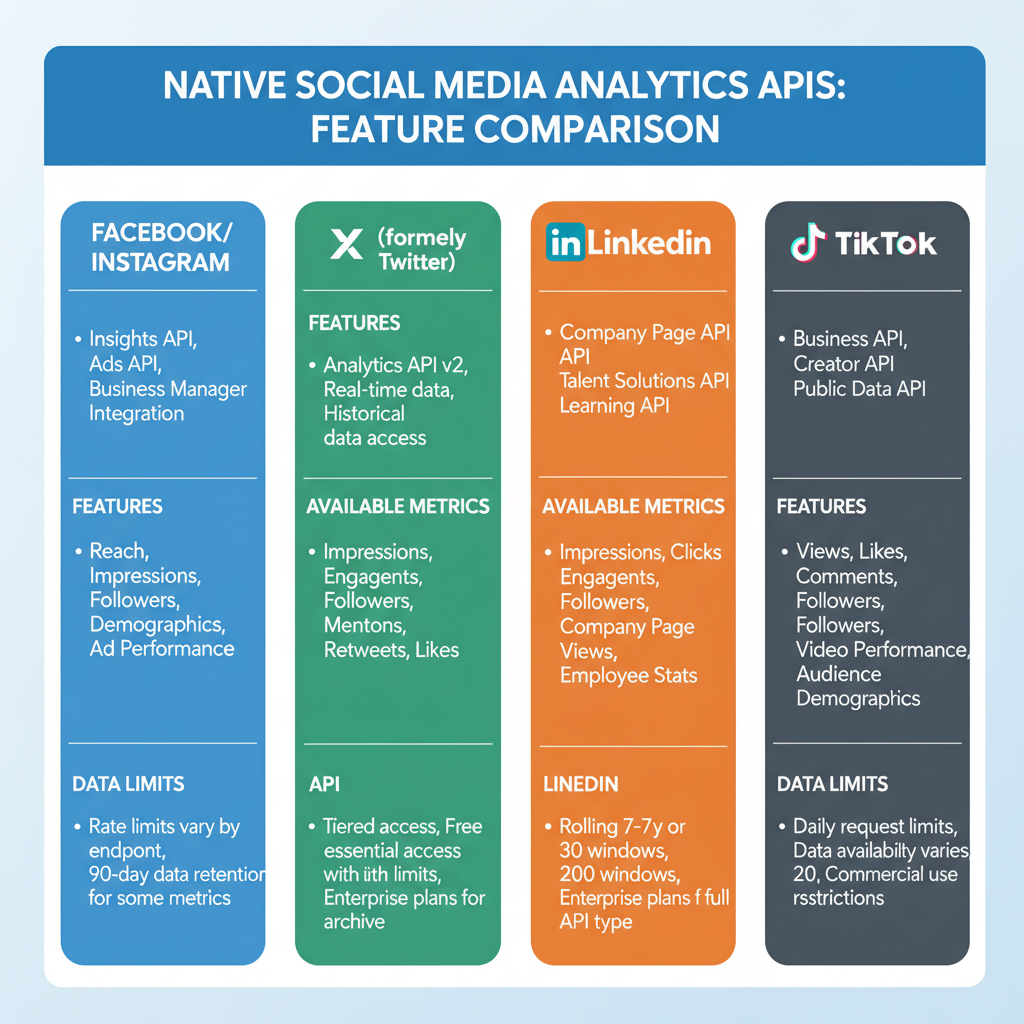
| Platform | API Name | Main Features | Limitations |
|---|---|---|---|
| Graph API | Page insights, engagement metrics, audience demographics | Strict rate limits, requires app review for extended data | |
| Instagram Graph API | Post-level metrics, follower insights, stories analytics | Business accounts only, partial historical data | |
| Twitter API v2 | Tweet engagement, retweets, mentions, trends | Limited history unless using premium/enterprise tiers | |
| YouTube | YouTube Data API | Video views, watch time, subscriber stats | Daily quota limits, OAuth requirement for most data |
| LinkedIn Marketing Developer API | Company page insights, engagement metrics, ad performance | Requires partner approval, strict compliance rules |
---
Native APIs vs. Third‑Party Analytics APIs
When choosing a social media analytics API, consider native versus third‑party solutions.
Native APIs – Pros:
- Direct access to official platform data
- High data accuracy
- Often free or low cost for basic use
Native APIs – Cons:
- Limited cross‑platform aggregation
- Strict rate limits and permission requirements
- Data format differences
Third‑Party APIs – Pros:
- Aggregated data from multiple networks
- Standardized reporting across platforms
- Advanced visualization features
Third‑Party APIs – Cons:
- Additional subscription costs
- Possible update delays versus native APIs
- Compliance complexities with multiple sources
---
Important Features to Consider
When selecting an API, evaluate:
- Real‑time data availability – Respond faster to trending topics
- Historical data access – Essential for long‑term campaign analysis
- Rate limits – Determines frequency of requests
- Supported platforms – Ensures no gaps in coverage
- Integration ease – Well‑documented APIs reduce development time
---
Data Privacy and Compliance Considerations
Social media analytics often involve personal data, requiring strict compliance:
- GDPR – EU regulation on consent and data protection
- CCPA – California Consumer Privacy Act covering data rights
- Platform policies – Non‑compliance can trigger account suspension
Ensure your API usage complies with relevant laws and includes security measures like logging, audits, and encryption.
---
Integration into Dashboards or Analytics Tools
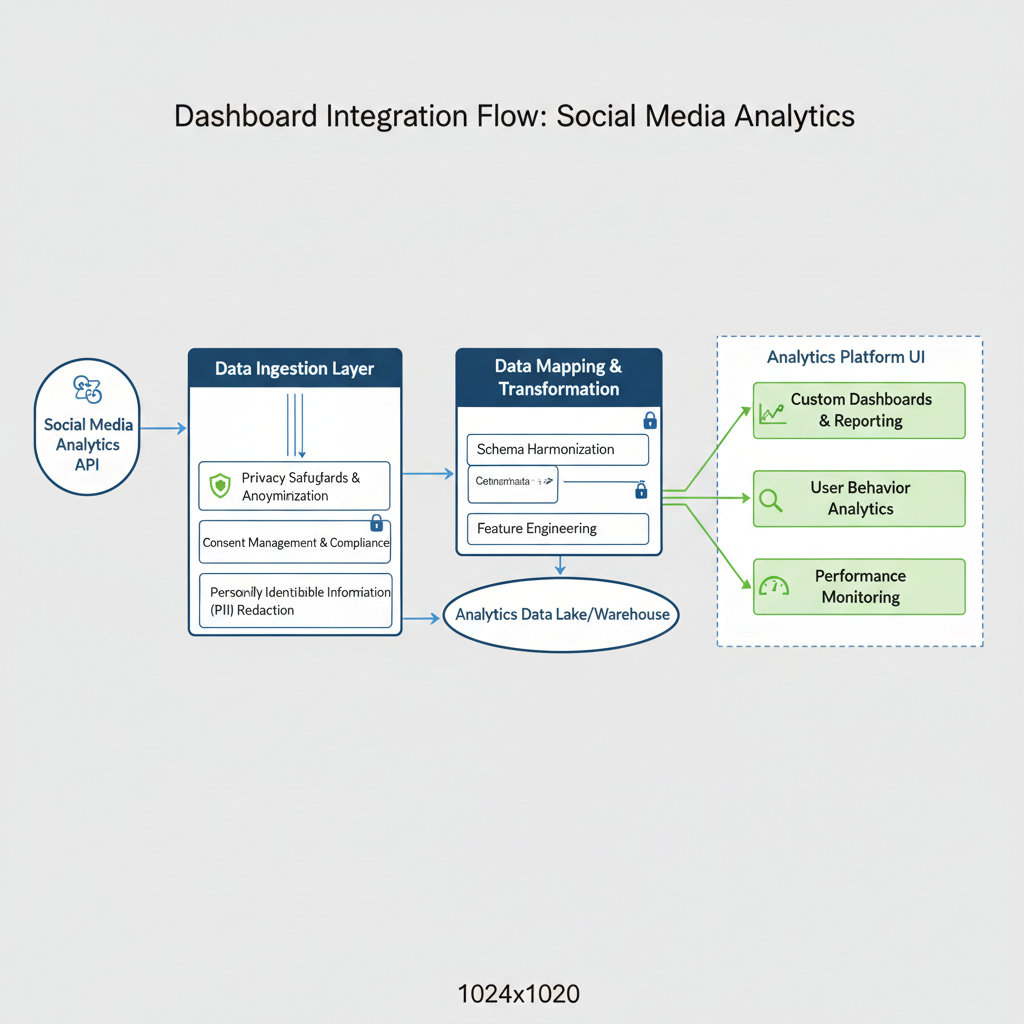
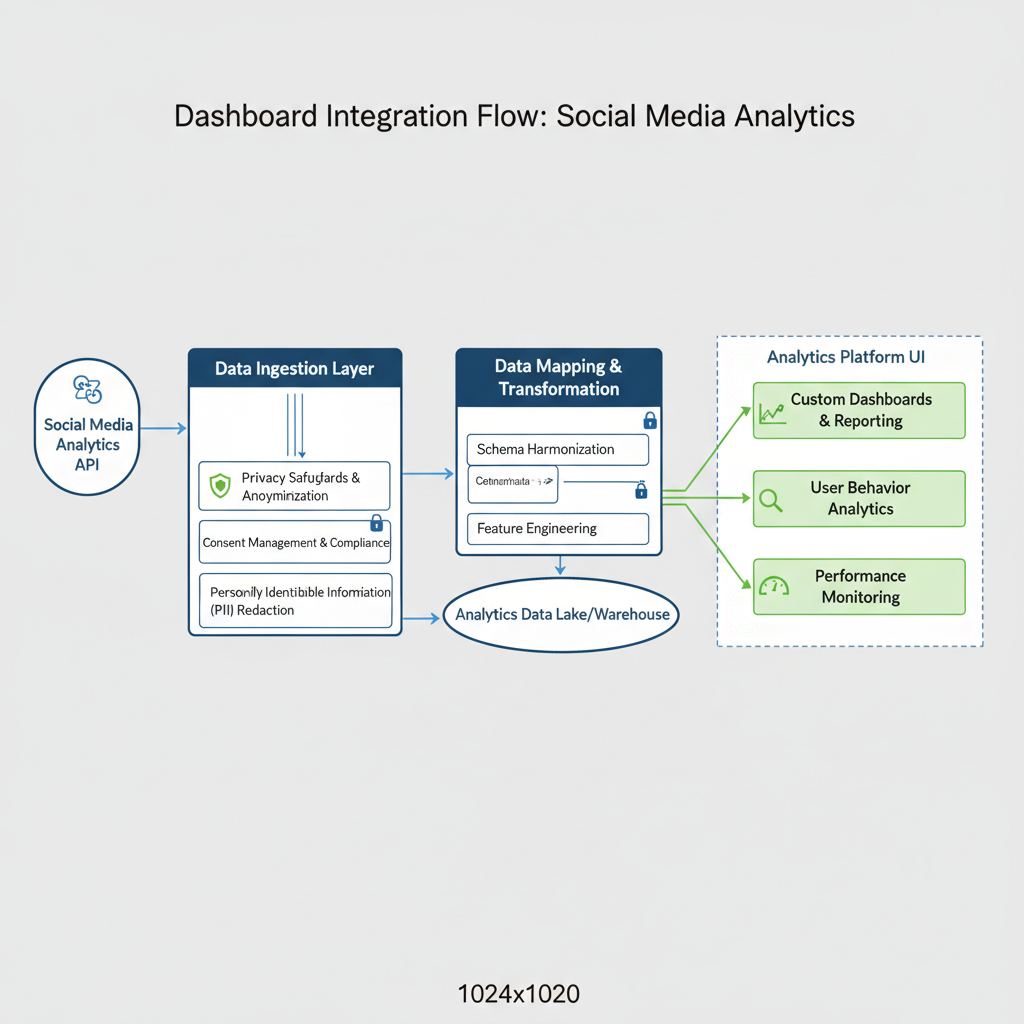
Integrating APIs into BI tools allows unified, automated reporting.
Example Integration Workflow:
import requests

API_URL = "https://graph.facebook.com/v14.0/{page_id}/insights"
ACCESS_TOKEN = "your_access_token"

params = {
    "metric": "page_impressions,page_engaged_users",
    "period": "day",
    "access_token": ACCESS_TOKEN
}

response = requests.get(API_URL, params=params)
data = response.json()

print(data)
The resulting data can feed tools like Tableau, Power BI, or custom dashboards for analysis.
---
Pricing Models and Cost of Ownership
Popular pricing structures include:
- Free tiers – Limited daily calls, ideal for small projects
- Pay‑as‑you‑go – Charges per call or data point
- Subscriptions – Monthly or annual packages
- Enterprise licenses – Tailored pricing for heavy usage
Estimate Total Cost of Ownership (TCO) by factoring API call volume, storage/processing costs, and developer resources for integration.
---
Example Use Cases
Social media analytics APIs can power diverse applications:
- Campaign Tracking – Monitor CTR and conversions in real time
- Influencer Analysis – Evaluate engagement on influencer content
- Sentiment Analysis – Apply NLP to comments and tweets
- Audience Growth Monitoring – Identify content that drives follower increases
- Competitor Benchmarking – Measure performance against competitors (when policy allows)
---
Best Practices for Maintaining API Connections
Maintain reliable analytics pipelines by:
- Monitoring API endpoints for changes or deprecation notices
- Implementing robust error handling
- Refreshing authentication tokens before expiration
- Following platform changelogs to adapt to new fields or formats
---
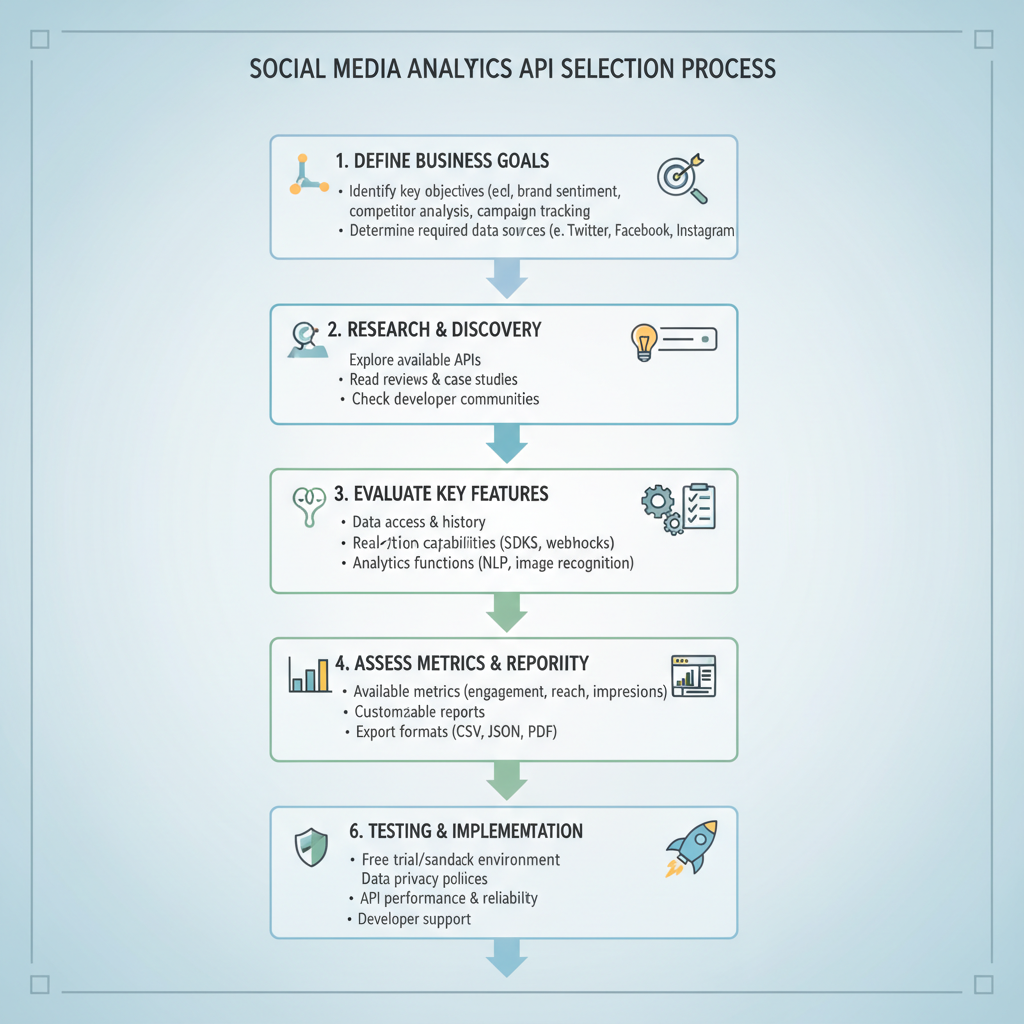
Key Takeaways and Selection Steps
Choosing the right social media analytics API directly influences marketing success.
Steps to Select an API:
- Define business goals and required metrics
- List targeted platforms for coverage
- Compare native vs. third‑party solutions for capabilities and cost
- Validate compliance and privacy readiness
- Run a proof‑of‑concept integration before full deployment
By weighing features, compliance needs, and integration complexity, you can select an API that maximizes the value of your social media data and supports long‑term business intelligence.
---
Summary: A social media analytics API empowers your brand to make data‑driven decisions by unlocking valuable audience and content insights. By carefully assessing metrics, features, compliance obligations, and pricing, your business can choose a solution that strengthens engagement and ROI. Ready to enhance your reporting? Explore the APIs that fit your goals and start optimizing today.