
Don’t Hesitate — You’ll Only Know How Fun AI Can Be Once You Try It
# Exploring Open-Source LLM Applications — My Hands-On Impressions
I’ve always been cautious about open-source projects that rely heavily on **LLM APIs** — “API + prompt” never felt particularly innovative to me.
But lately, they’ve been popping up everywhere in my feed, so I decided to test a few.
Turns out these **open-source LLM tools** are surprisingly easy to install and configure.
After some experimentation, I realized that sticking only to **web-based chats** and **Claude Code** for coding feels outdated in today’s rapidly shifting AI landscape. Time to let go of my biases and keep an **open mind**.
During testing, there weren’t many “wow” moments, but I embraced imperfection — perhaps this is simply the path AI must take.
---
## 1. BrowserOS — An Open-Source AI Browser
- **Primary language:** C++
- **Stars:** 7.3k
- **GitHub:** [github.com/browseros-ai/BrowserOS](https://github.com/browseros-ai/BrowserOS)
**Overview**
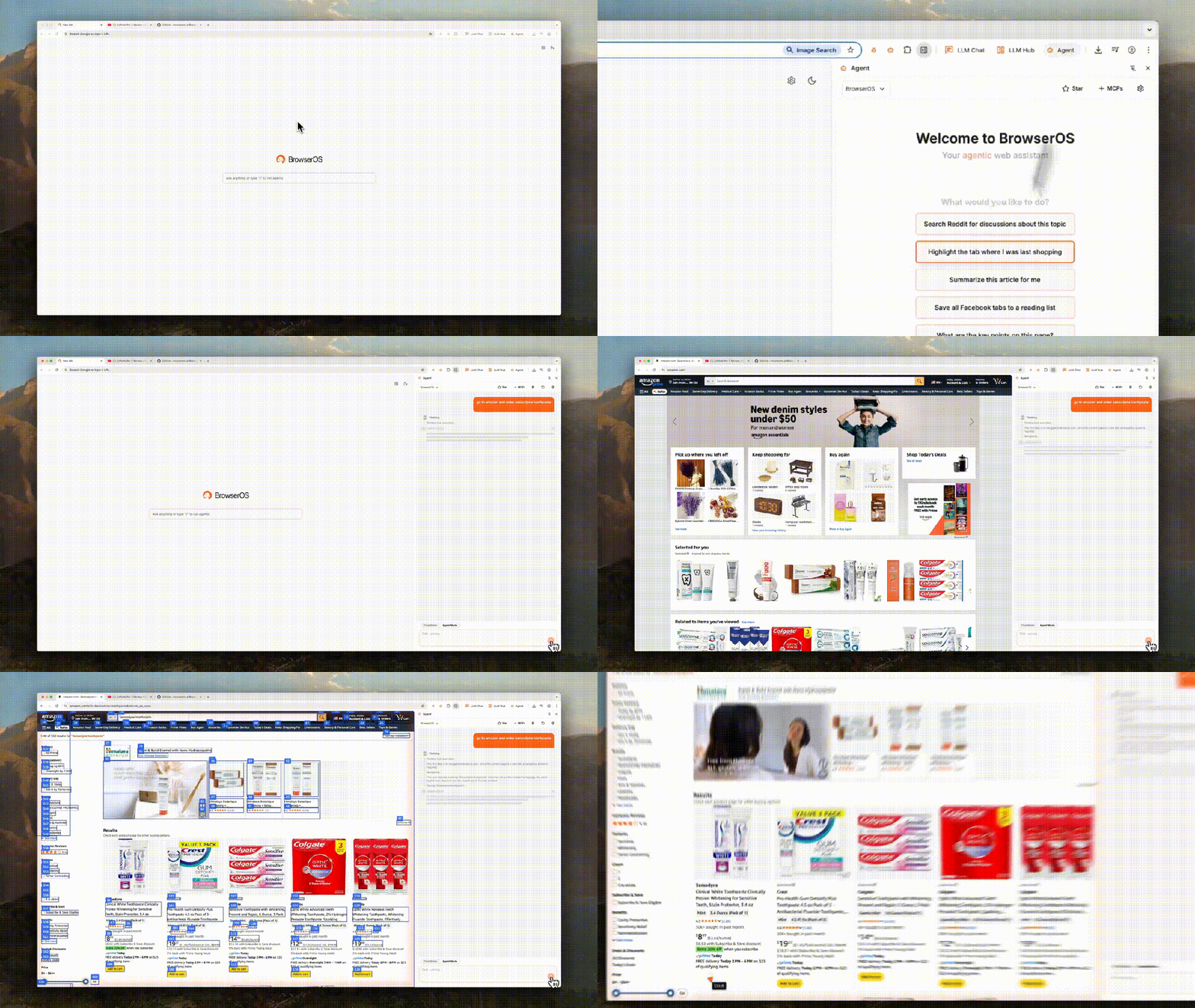
BrowserOS is an open-source AI browser built on **Chromium**, capable of running AI agents locally. It’s an alternative to **ChatGPT Atlas, Perplexity Comet, and Dia**, keeping Chrome’s familiar UI and extension compatibility while adding:
- AI-powered browser automation
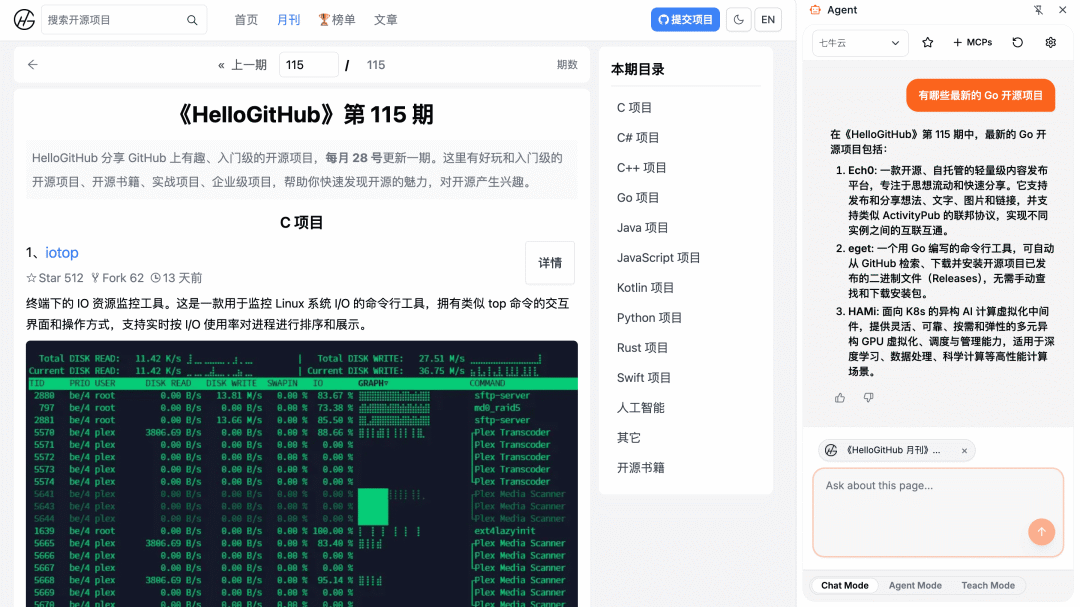
- Intelligent web content Q&A
- Support for custom LLM services or local models
**My experience**
- Install & run: Easy, plug-and-play
- Automation: Didn’t work well for me
- Web-based Q&A: Decent performance (depends on model)
- Tried Agent mode and Teach mode — both failed in my tests 😅
**Conclusion**
Good low-barrier way to try an AI browser. No need for OpenAI accounts or network workarounds.
Agent-driven automation currently feels limited, working best only on demo sites like GitHub or Amazon.
---
## 2. Handy — Cross-Platform Speech Transcription Tool
- **Primary languages:** TypeScript, Rust
- **Stars:** 6.2k
- **GitHub:** [github.com/cjpais/Handy](https://github.com/cjpais/Handy)
**Overview**
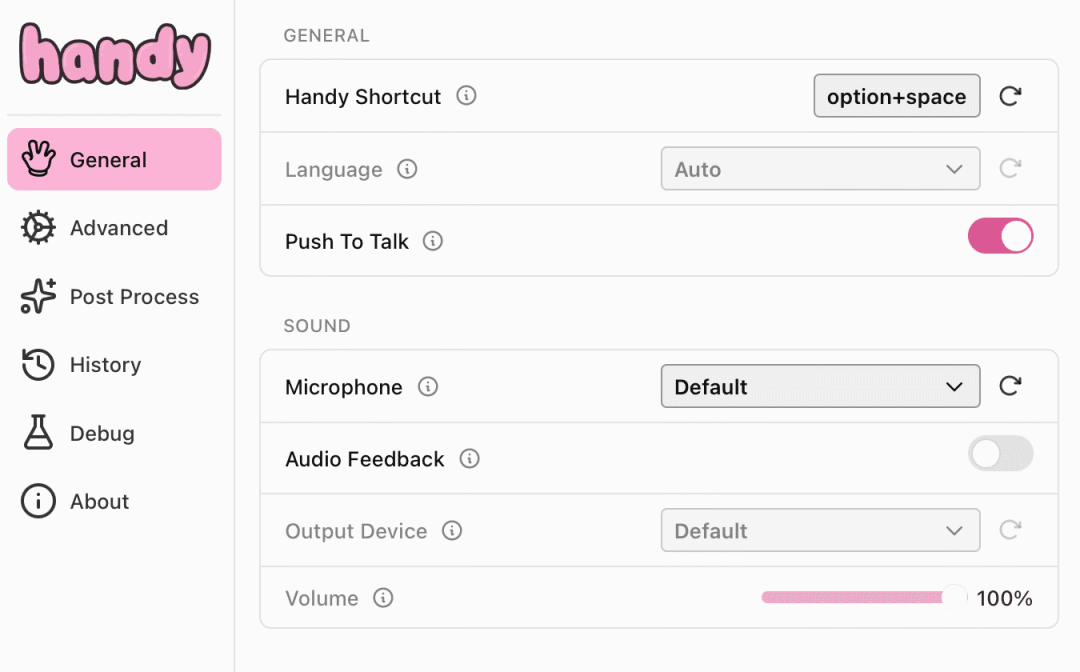
Handy is a free desktop speech-to-text app built with **Tauri**, running fully local.
Features:
- Clean UI and simple interactions
- Press shortcut → start transcription
- Inserts transcribed text directly into your active input field
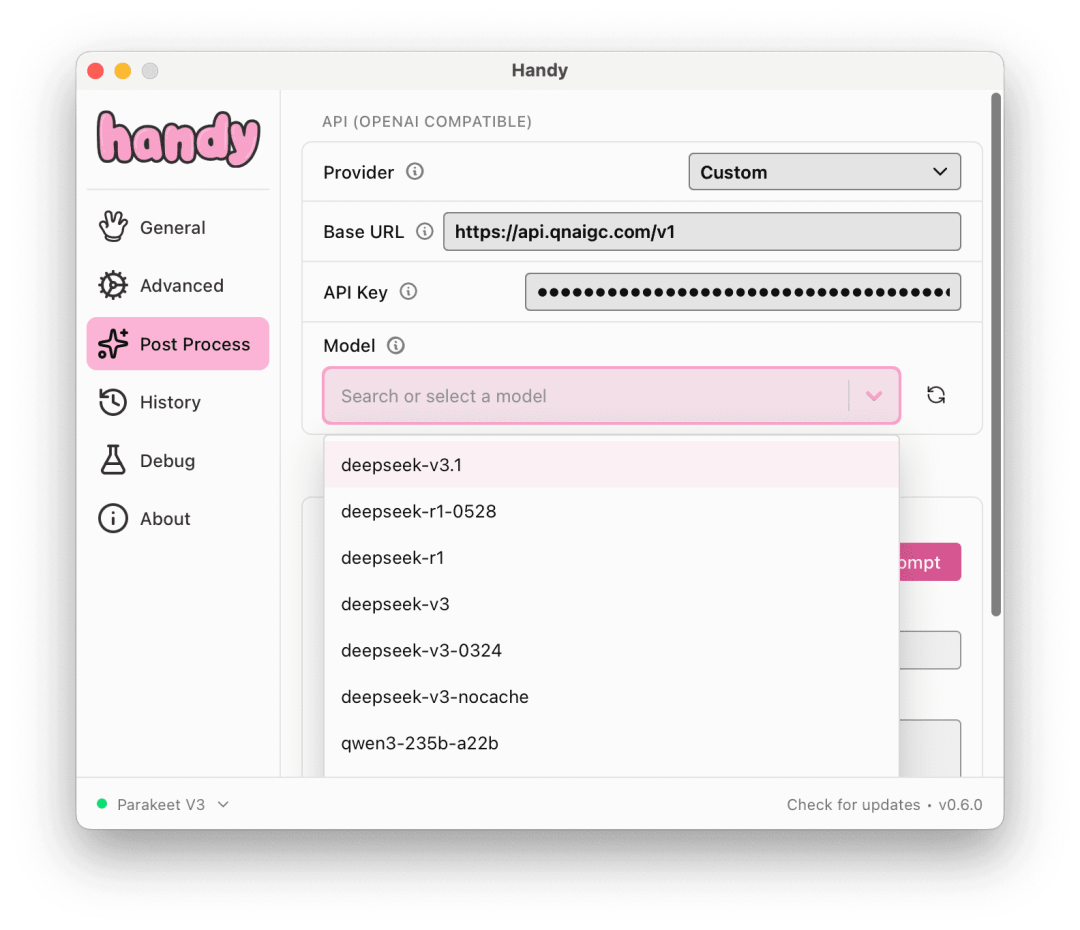
- Supports custom LLM services & prompts with AI post-processing (enable experimental mode via `ctrl/cmd+shift+d`)
**My experience**
Minimal, practical, and effective for core tasks without unnecessary extras.
**Conclusion**
Great free transcription tool with optional AI enhancements.
---
## 3. Dayflow — macOS AI Activity Timeline Generator
- **Primary language:** Swift
- **Stars:** 4.4k
- **GitHub:** [github.com/JerryZLiu/Dayflow](https://github.com/JerryZLiu/Dayflow)
**Overview**
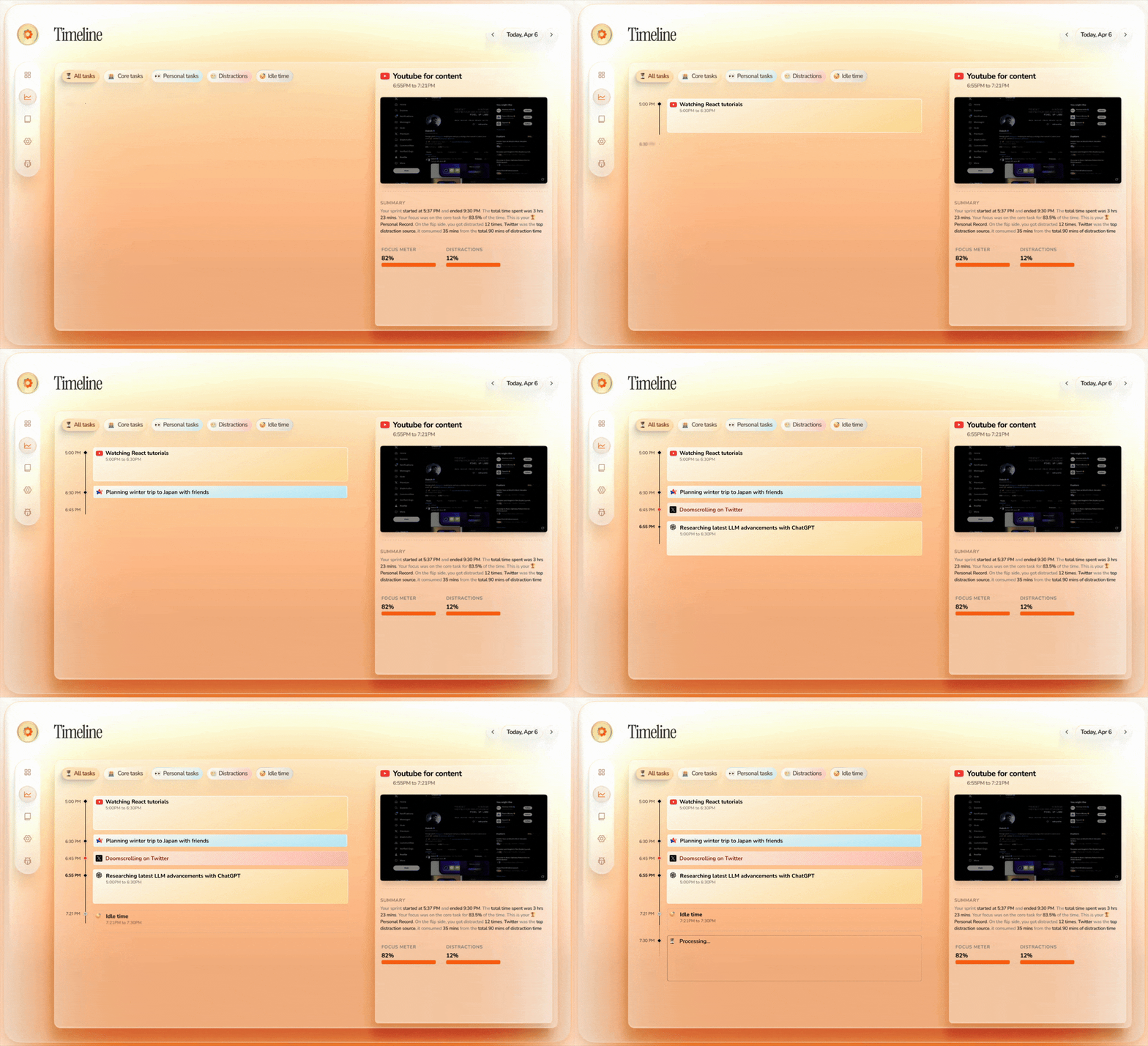
Dayflow records your screen (1 frame/s) and every 15 minutes uses AI to analyze footage, summarizing your activities.
Old files auto-delete after 3 days to save space.
**使用感受**:轻量且静默运行,所有数据本地保存。
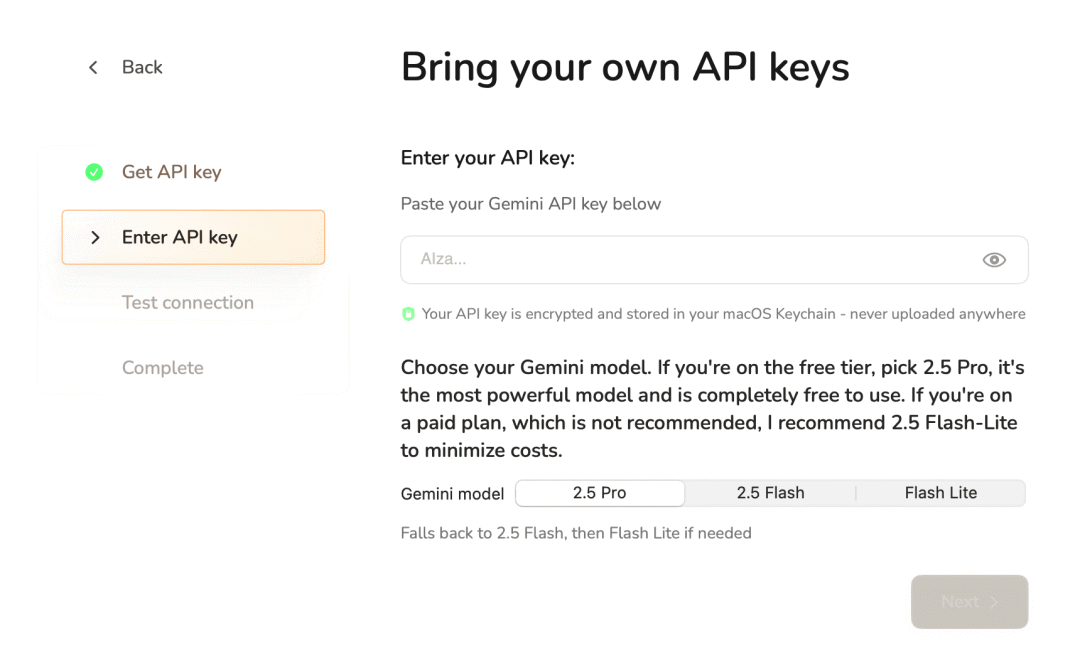
**结论**:功能优秀,但目前仅支持 **Gemini API** 且只在 macOS 上可用。
---
## 4. AIRI — Open-Source AI Virtual Companion

- **Primary languages:** Vue, TypeScript
- **Stars:** 15k
- **GitHub:** [github.com/moeru-ai/airi](https://github.com/moeru-ai/airi)
**Overview**
AIRI brings anime-style virtual AI companions (waifu) to life with:
- Real-time text and voice chat
- In-game companionship for *Minecraft*, *Factorio*, etc.
- Web and desktop apps
**My experience**
Easy to run from web instantly.
For full immersion, you need text LLM plus voice, vision, audio, and memory services configured.
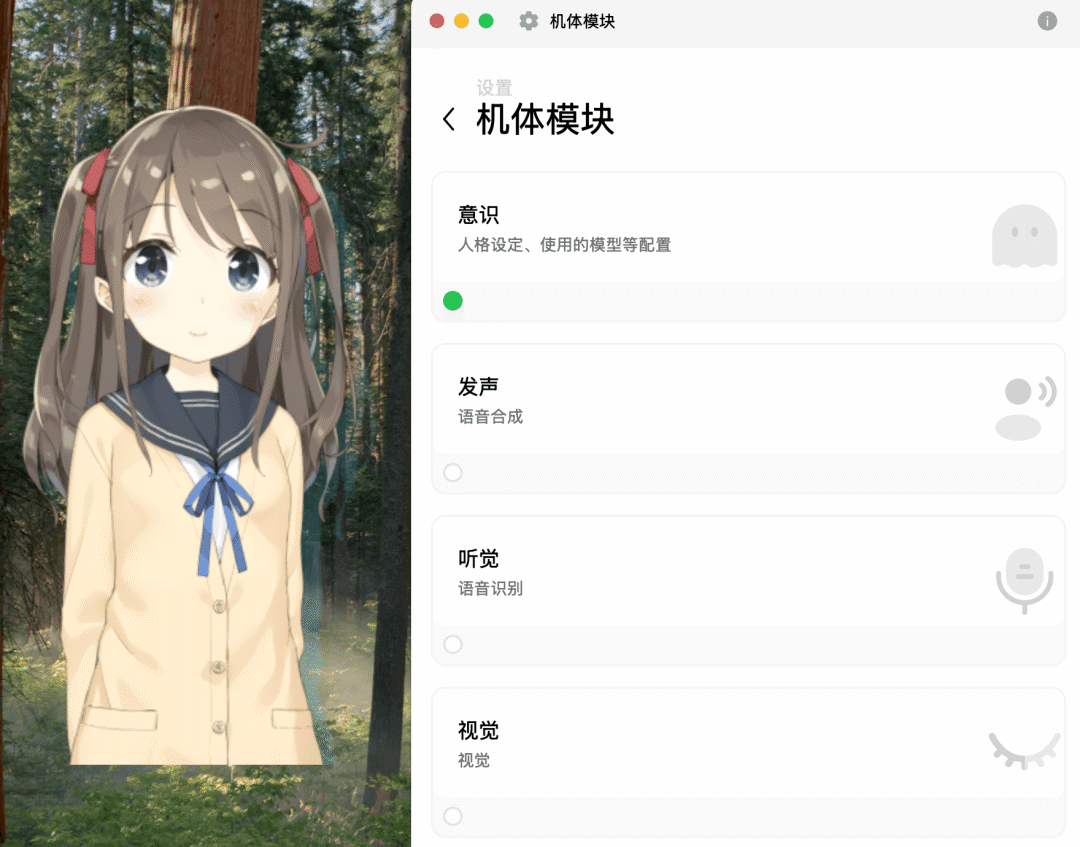
**Conclusion**
Web version is enough for casual try-outs — no install required.
---
## Key Takeaways from Testing
While testing dozens of projects, I found common issues:
- Forced binding to specific LLM services
- No option to customize API endpoints
- Network instability
- Some paid-only features
From all tested, only the above **4 projects** struck a good balance — functional with minimal setup, requiring only your own API key.
---
## A Nod to Qiniu Cloud — Reliable LLM Services
Special thanks to **Qiniu Cloud** for free credit vouchers, allowing me to test worry-free.

**Why Qiniu Cloud AI Model Inference Platform?**
- One-stop access to **50+ top domestic & global models**
- OpenAI & Anthropic API compatibility
- Supports streaming calls and MCP
- Integrates easily with AI clients, IDEs, and CLI tools
**Sample API call:**curl https://api.qnaigc.com/v1/chat/completions \
--request POST \
--header 'Authorization: Bearer <七牛云 AI API KEY>' \
--header 'Content-Type: application/json' \
--data '{
"stream": false,
"model": "g-2.5-pro",
"messages": [
{ "role": "user", "content": "你好!" }
]
}'
**Performance**
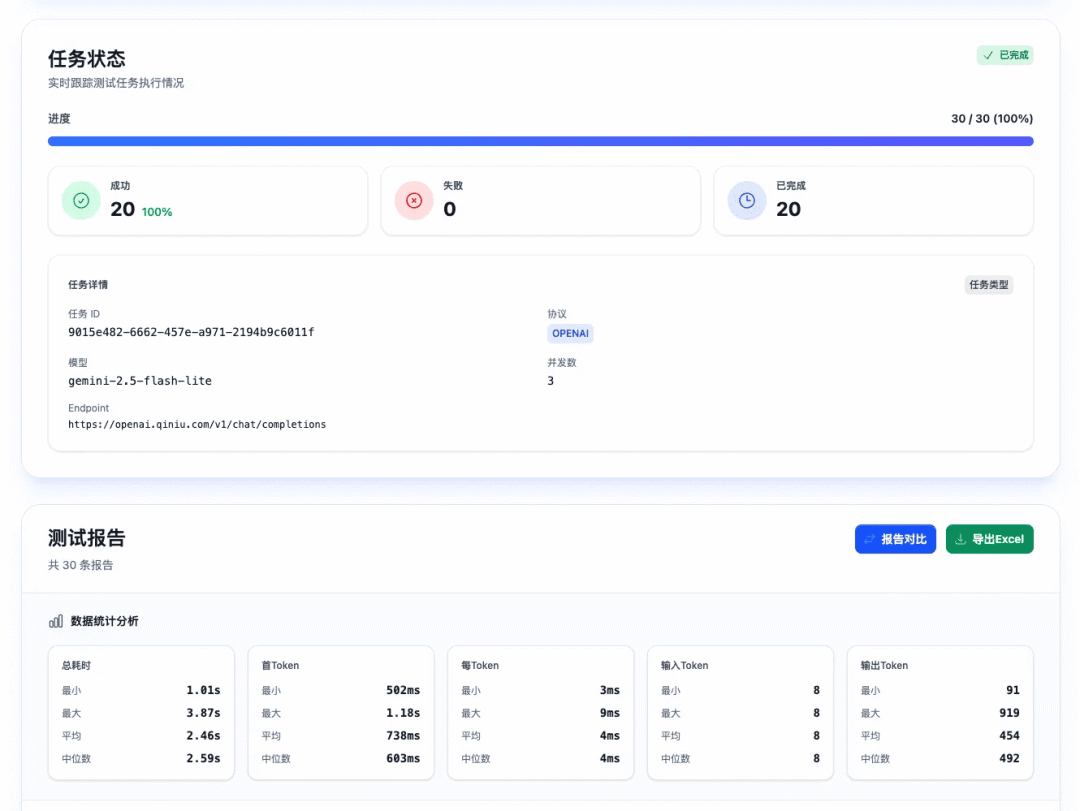
Fast, stable service in my tests — see speed metrics from aiperf.top:
---
## Free Token Invitation Program
- **Promoter:** Invite 1 friend → get 5M tokens (no cap). Top-tier invites can earn up to **3 billion tokens** per reward.
- **Invitee:** First-time experience → get 3M tokens, plus 10M bonus via referral (stackable).
- **Token validity:** 2 years from issuance.
---
### Final Advice
Whether you’re a **casual AI user** or **developer building AI apps**, having a **stable, high-quality API key** is always valuable.


