Embedding Databricks AI/BI Dashboards in Customer-Facing Applications: A Complete Guide
Embedding Databricks AI/BI Dashboards for External Users
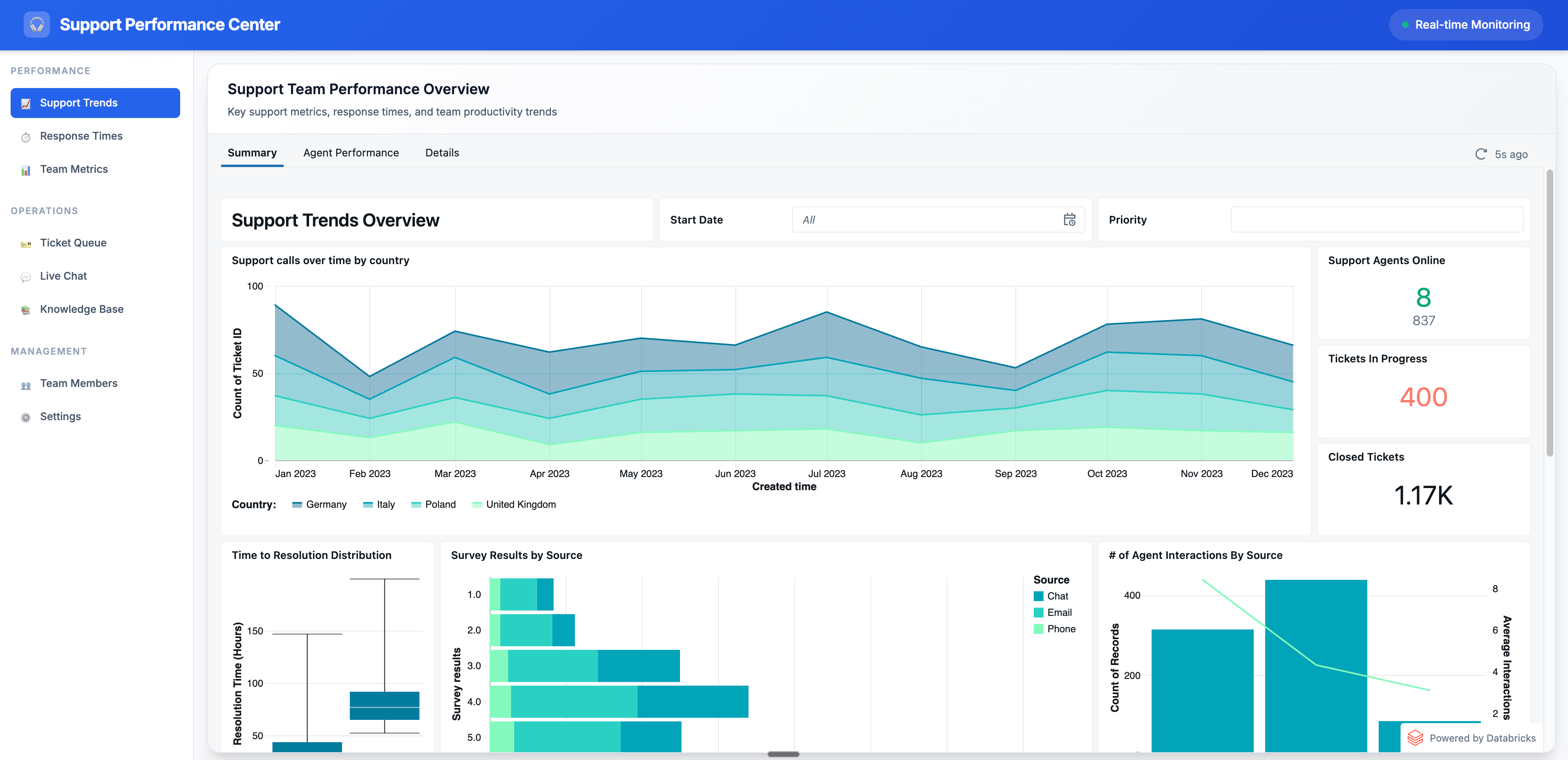
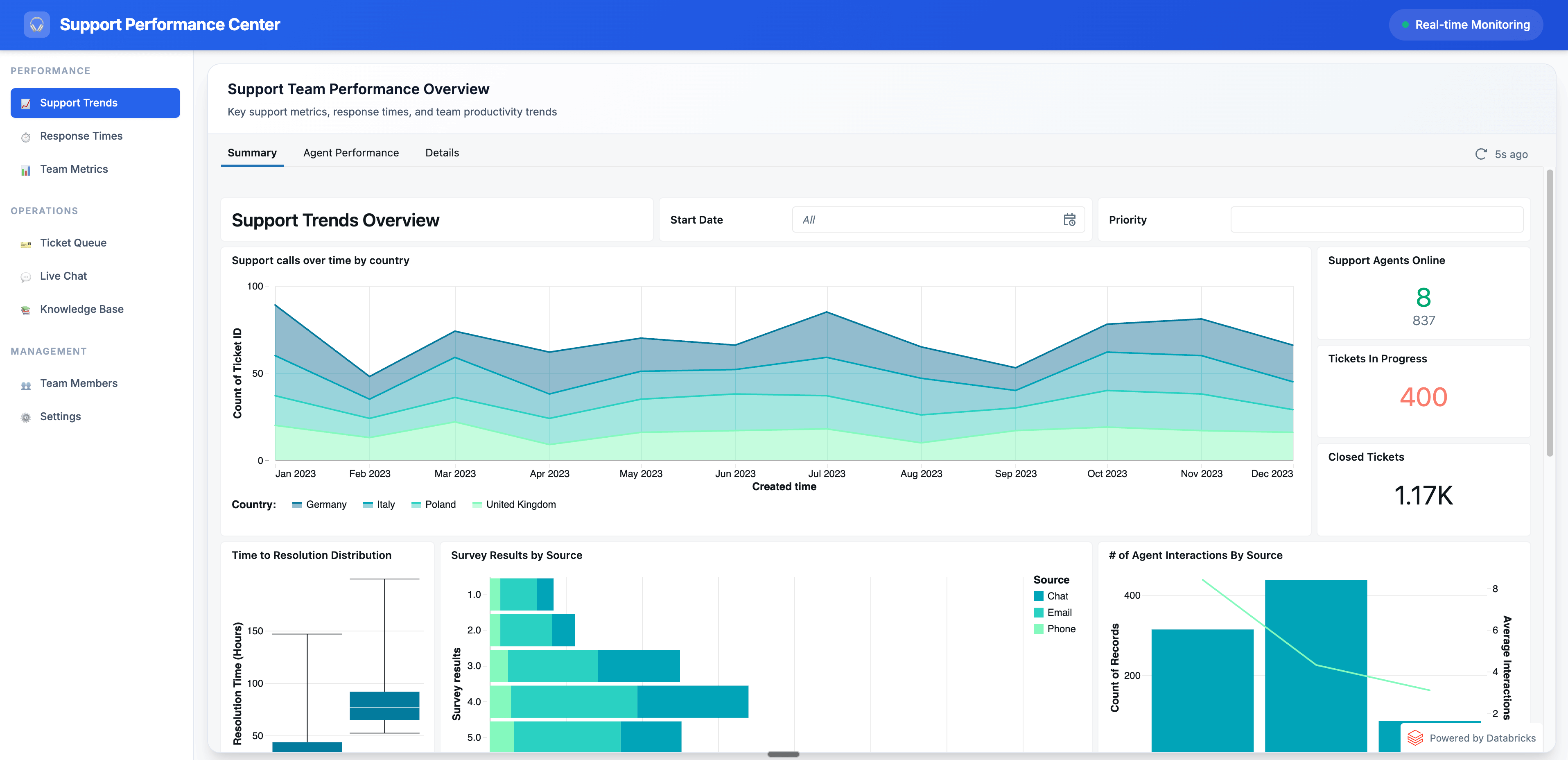
Databricks AI/BI Dashboards power a wide range of internal analytics—from sales reports for go-to-market teams to operational dashboards for supply chain managers and leadership KPIs.
However, in many organizations, the most valuable analytics are those shared externally with customers, suppliers, or partners. These insights can drive product value, strengthen relationships, and differentiate your platform.
With Embedding for External Users, you can embed live, interactive dashboards directly into customer- or partner-facing applications—without requiring viewers to have Databricks accounts. Because Databricks bills based on compute rather than per-user or per-session, you can scale interactive analytics to thousands of external viewers without unpredictable costs.
---
Internal vs. External Embedding
There are two primary embedding options in Databricks:
1. Basic Dashboard Embedding (Internal Users)
- Use case: Internal stakeholders who log in via your identity provider.
- How it works:
- Open the dashboard.
- Click Share → Embed code.
- Paste the iframe into tools like Confluence or Salesforce.
- Access controls: Unity Catalog enforces permissions for logged-in Databricks users.
- References: Basic dashboard embedding and video demo.
2. Embedding for External Users
- Use case: External audiences without Databricks accounts.
- How it works:
- Authenticate via a Service Principal instead of individual user accounts.
- Use secure, short-lived, scoped tokens issued by your application.
- Deliver a seamless embedded experience fully integrated into your application's UI.
---
How External Embedding Works
Your application:
- Authenticates with Databricks on behalf of each viewer.
- Requests a scoped token identifying the viewer (and optionally a filter value for row-level security).
- Databricks executes the dashboard using the Service Principal’s permissions.
- Returns only the permitted data for that viewer.
- Records all viewer activity in audit logs.
This enables personalized data experiences under governance—no individual user provisioning needed.
---
Step-by-Step Setup
1. Allow-List Your Application’s Domain
- In Databricks, navigate to:
- Workspace Settings → Security → External Access
- Add the URL of your host application to Approved Domains.
- For development:
- Add `https://localhost`
- Or temporarily allow all domains in a dev workspace.
---
2. Create & Publish Your Dashboard
- Build your AI/BI Dashboard as usual.
- When publishing, select "without embedded credentials"—ensures the dashboard runs only under the Service Principal’s permissions.
---
3. Create a Service Principal
- Go to Settings → Identity and Access → Service Principals.
- Create a new Service Principal for your application.
- Generate and securely store its OAuth secret.
- Grant SELECT+ permissions on the underlying tables/views used in the dashboard.
---
4. Share the Dashboard with the Service Principal
- Open the dashboard → Share.
- Grant the Service Principal Can Run access.
---
5. Generate OAuth Tokens in Your Application
- Implement token generation in your application.
- Databricks provides an example app here.
---
6. Apply Row-Level Security & Track Viewers
- Request a scoped token with:
- external_viewer_id → uniquely identifies the viewer (recorded in Databricks audit logs).
- external_value → optional parameter for dynamic row-level filtering.
- Access external_value via SQL global variable `__aibi_external_value`.
- Example use: serve each customer only their own data without duplicating dashboards/datasets.
- Security note: Values are OAuth-signed & cannot be altered by viewers.
---
7. Render the Dashboard in Your Application
- Embed the dashboard securely using the Databricks client.
- Result: Live, interactive dashboards—no Databricks login required for viewers.
---
Best Practices & Extensions
Combining secure embedding with intelligent filtering:
- Personalizes the dashboard for each viewer.
- Ensures compliance with data governance.
- Creates an efficient, scalable external data experience.
For teams extending insights into multi-platform storytelling & monetization, open-source platforms like AiToEarn官网 can:
- Integrate AI-powered content creation with your analytics output.
- Publish insights across multiple platforms (Douyin, Kwai, WeChat, Bilibili, Rednote, Facebook, Instagram, LinkedIn, Threads, YouTube, Pinterest, X/Twitter).
- Track engagement, ranking, and monetization metrics.
- See AiToEarn文档 for technical integration details.
---