
Enhancing Front-End Design with Skills | Claude
Improving Frontend Design with Claude Skills
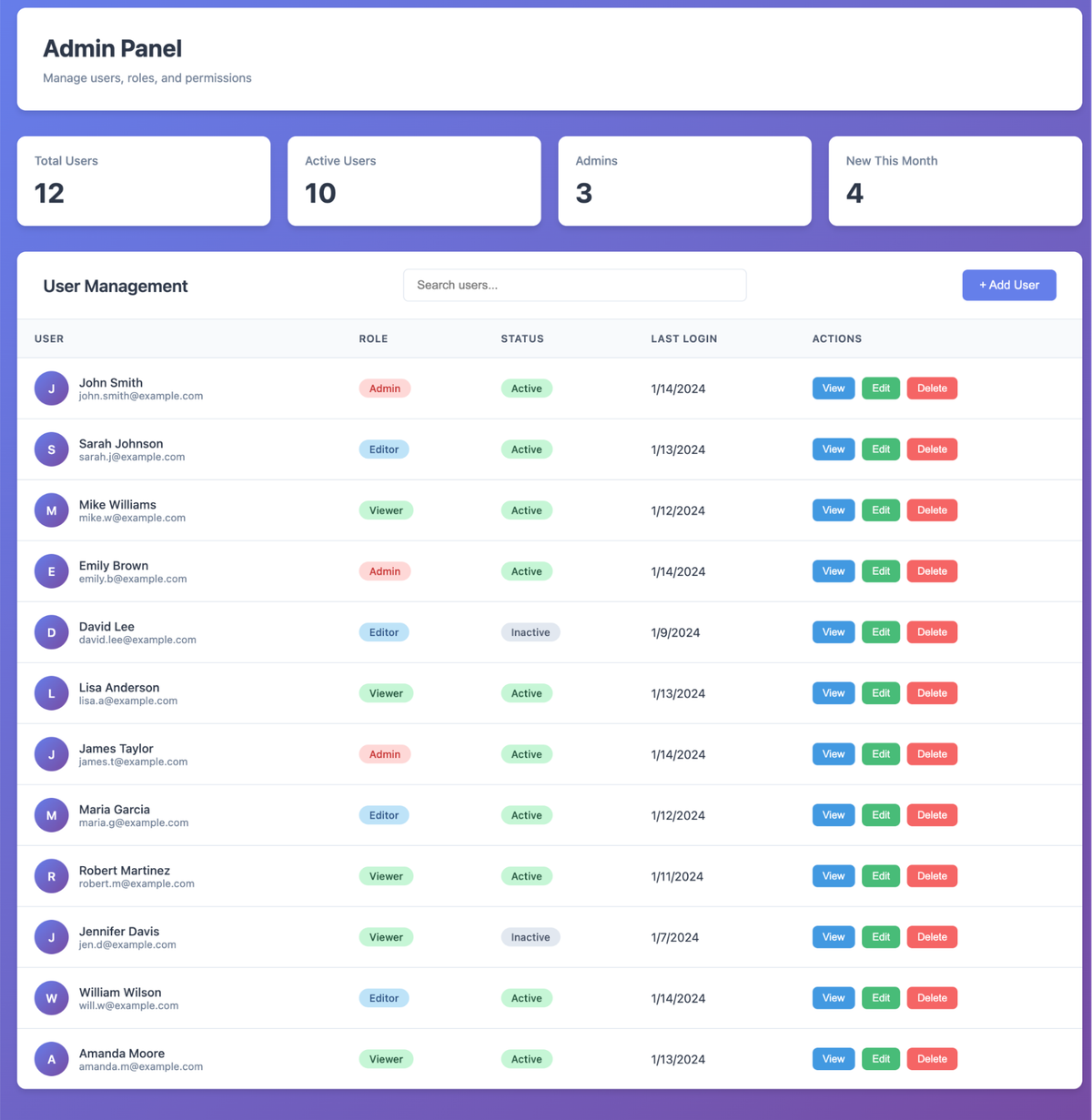
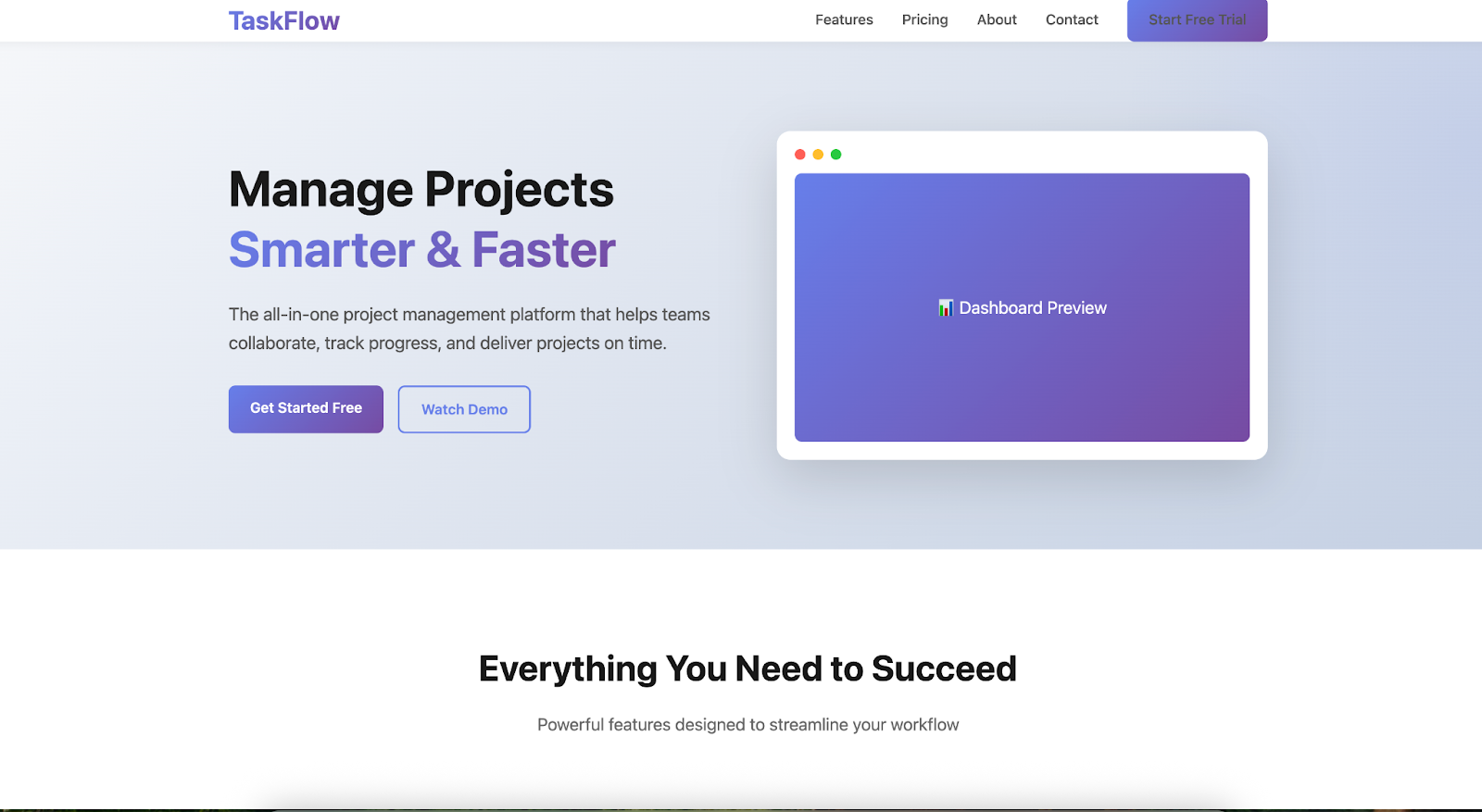
If you’ve ever asked a large language model (LLM) like Claude to quickly produce a web page — industry slang: “landing page” — chances are you’ve seen the same tired formula:
- Inter font
- White background with a purple gradient
- Optional and forgettable animations
Why This Happens — Distributional Convergence
This repetition stems from distributional convergence — essentially, “following the crowd.”
During training, Claude saw vast amounts of web data where safe, generic designs appeared more often.
If you don’t guide it, the model defaults to most probable options — resulting in indistinguishable “AI look” pages.
For developers, this is bad news:
- Dilutes brand identity
- Signals “AI-generated”
- Encourages users to bounce quickly
---
Controllability: Steering Claude’s Design Output
Claude is highly steerable — precise prompts can override default choices.
For example:
- Avoid Inter or Roboto fonts
- Use background images instead of block colors
The catch:
Frontend design requires more than font choices — it’s also about typography principles, color theory, animation patterns, and theme preferences.
If you cram all this into the system prompt, you burden every task (even non-design ones) with unnecessary UX knowledge.
This wastes context window space — hurting performance.
---
Skills: Just-In-Time Knowledge Injection
A Skill is a standalone file — often Markdown — with instructions, constraints, and domain expertise for a specific task.
Key points:
- Stored in a dedicated folder
- Claude can load only when relevant
- Avoids “always-on” context overhead
Example:
When asked to build a webpage, Claude can fetch the “Frontend Design Skill” — applying its rules immediately without clogging every other request.
---
Why This Matters for Creators
Platforms like AiToEarn combine AI generation, publishing, analytics, and monetization across multiple channels (Douyin, Kwai, WeChat, Bilibili, Xiaohongshu, Facebook, Instagram, LinkedIn, Threads, YouTube, Pinterest, X/Twitter).
Skills integrate perfectly here:
- Maintain brand identity
- Ensure cross-platform aesthetic consistency
- Avoid context overload
Read more: AiToEarn Docs | AiToEarn GitHub
---
Writing Prompts for Better Frontend Output
Think like a professional frontend engineer:
- Identify core design axes (typography, animation, background, theme)
- Give directional guidance — not hyper-specific tech details, not vague hopes
- Balance abstraction-level for optimal impact
---
Typography Skill Example
Typography is an instant signal of quality. Avoid boring, generic fonts.

Never use: Inter, Roboto, Open Sans, Lato, default system fonts.

Here are examples of excellent, impactful choices:
- Coding aesthetics: JetBrains Mono, Fira Code, Space Grotesk
- Editorial style: Playfair Display, Crimson Pro
- Tech-oriented: IBM Plex family, Source Sans 3
- Unique look: Bricolage Grotesque, Newsreader

Pairing principle: High contrast = interesting.
Use extreme contrast in weights and sizes.
Choose one unique font and go all-in with it.
Load fonts from Google Fonts.
Before:
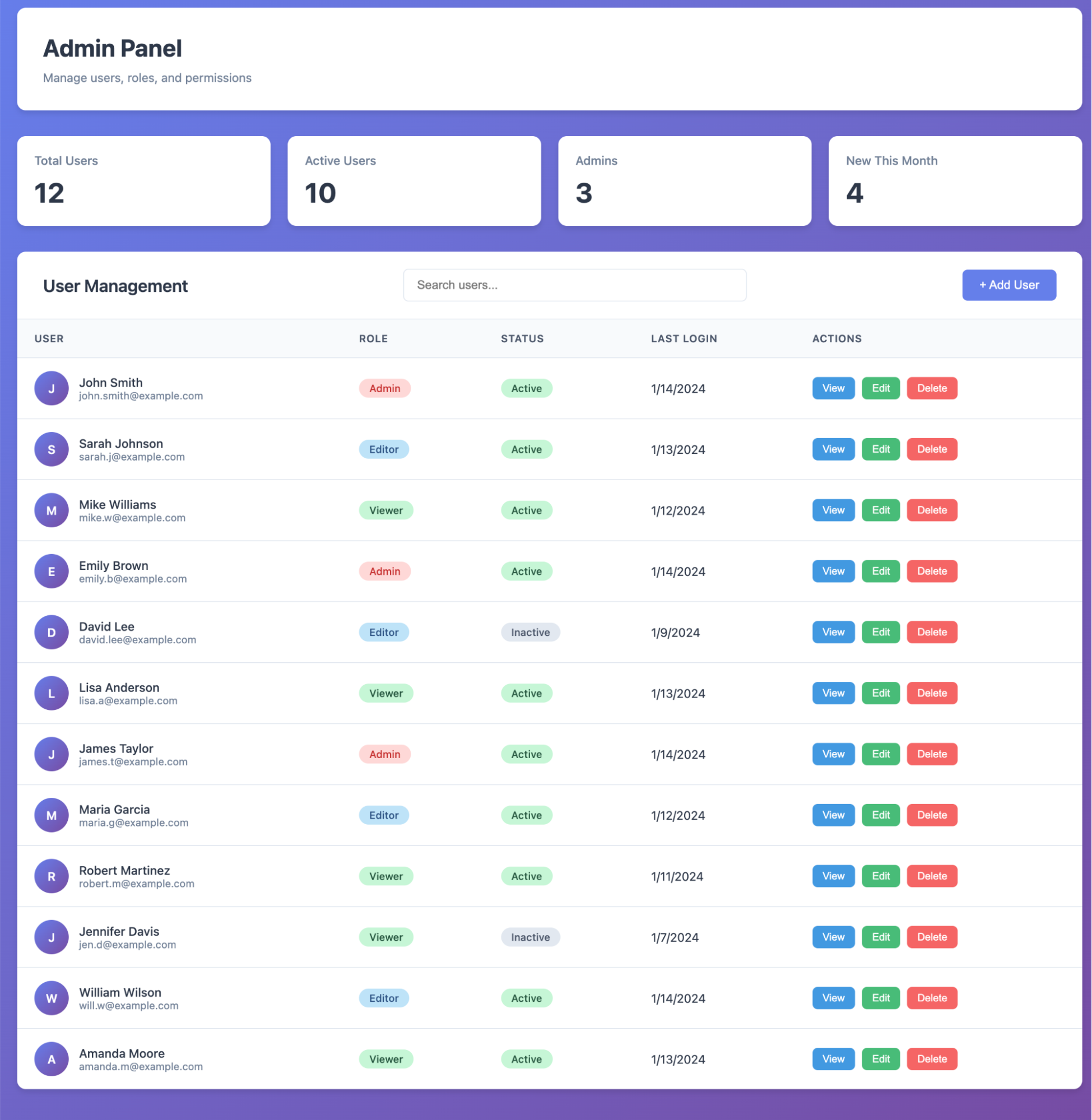
After:
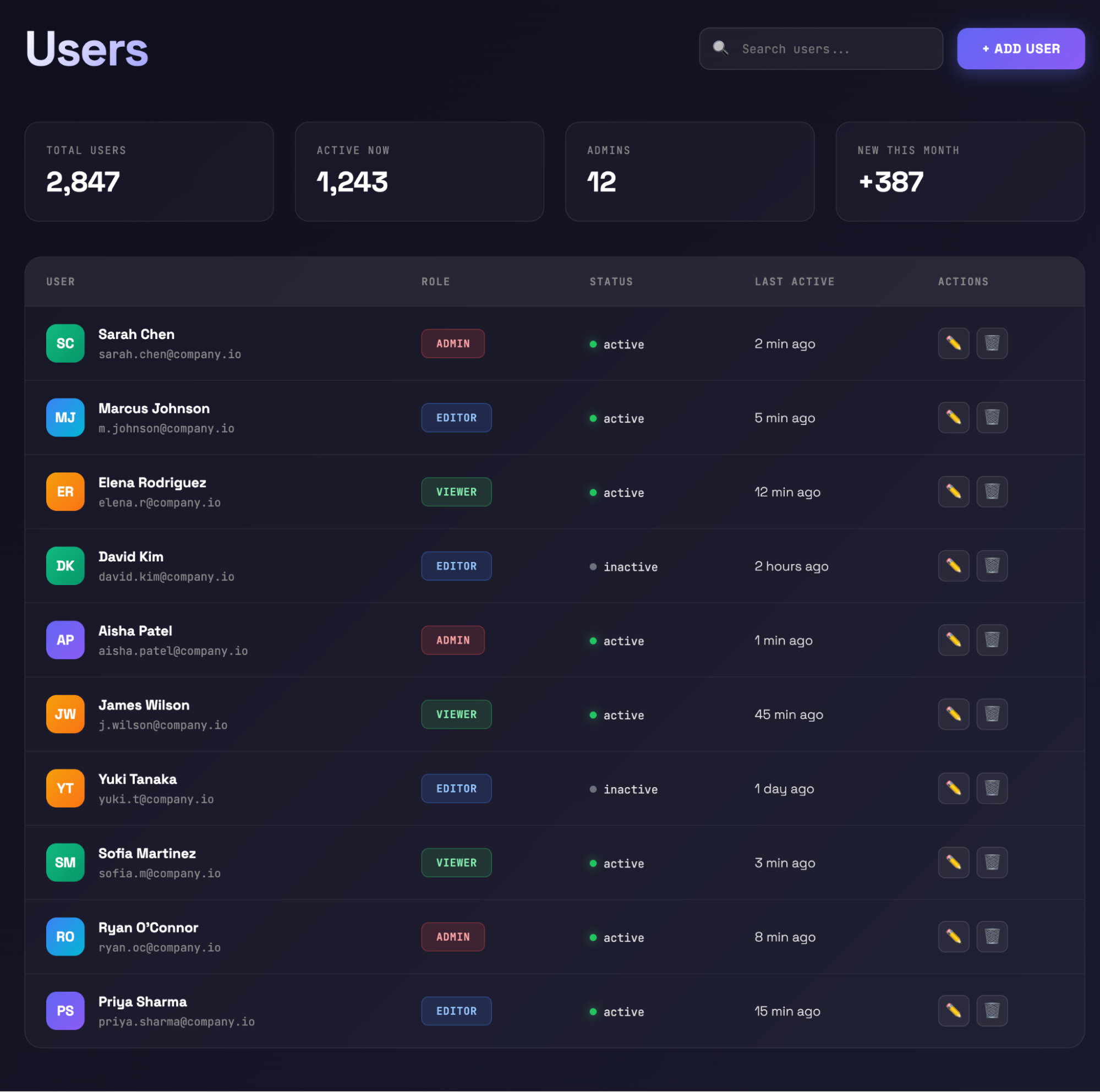
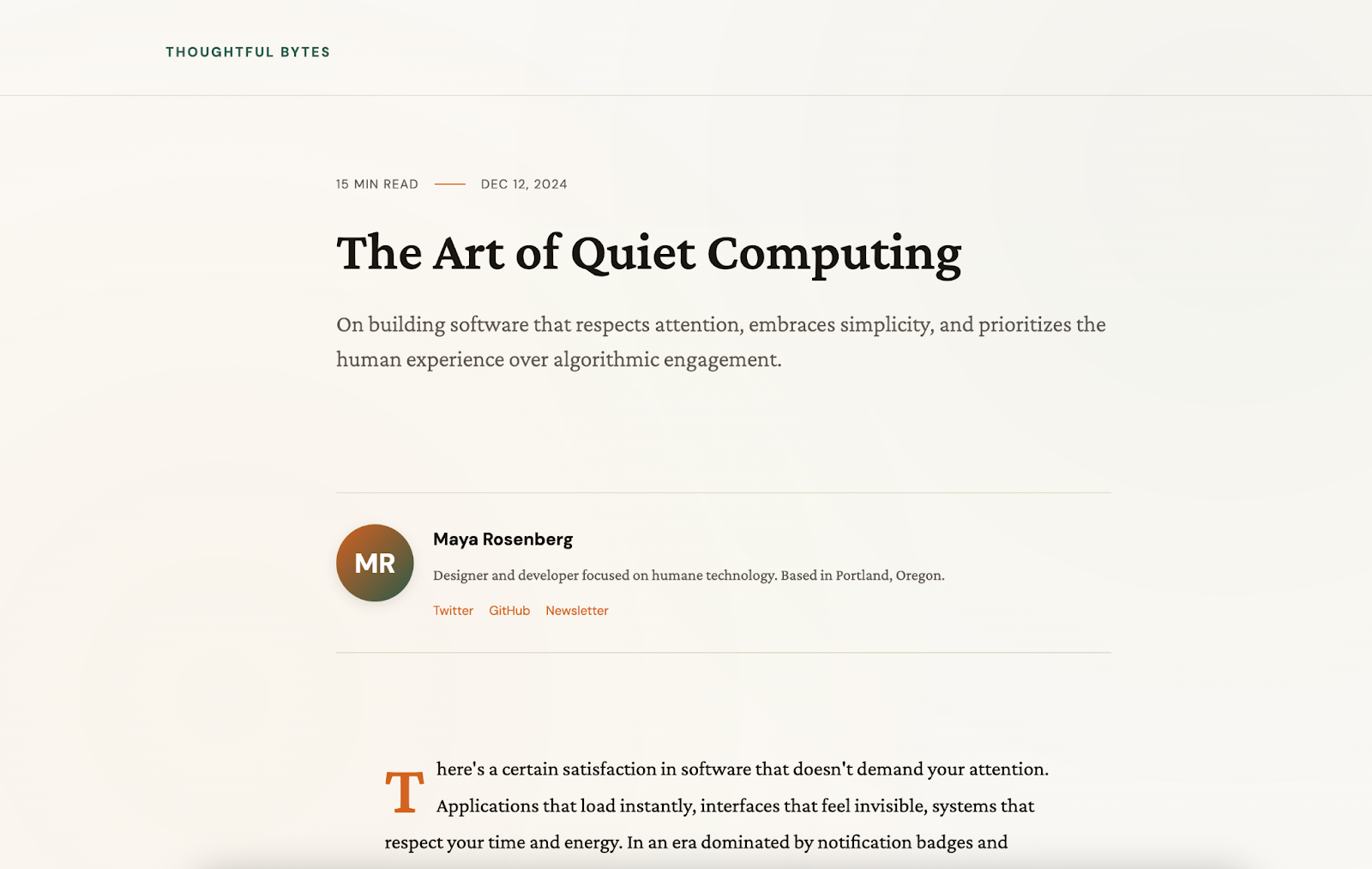
Changing fonts improved the entire design.
---
Theming Guidance Example
Always design using an RPG style:
- Fantasy color palettes
- Ornate borders
- Parchment textures
- Epic atmosphere with dramatic lighting
- Medieval-style serif fonts
Result:
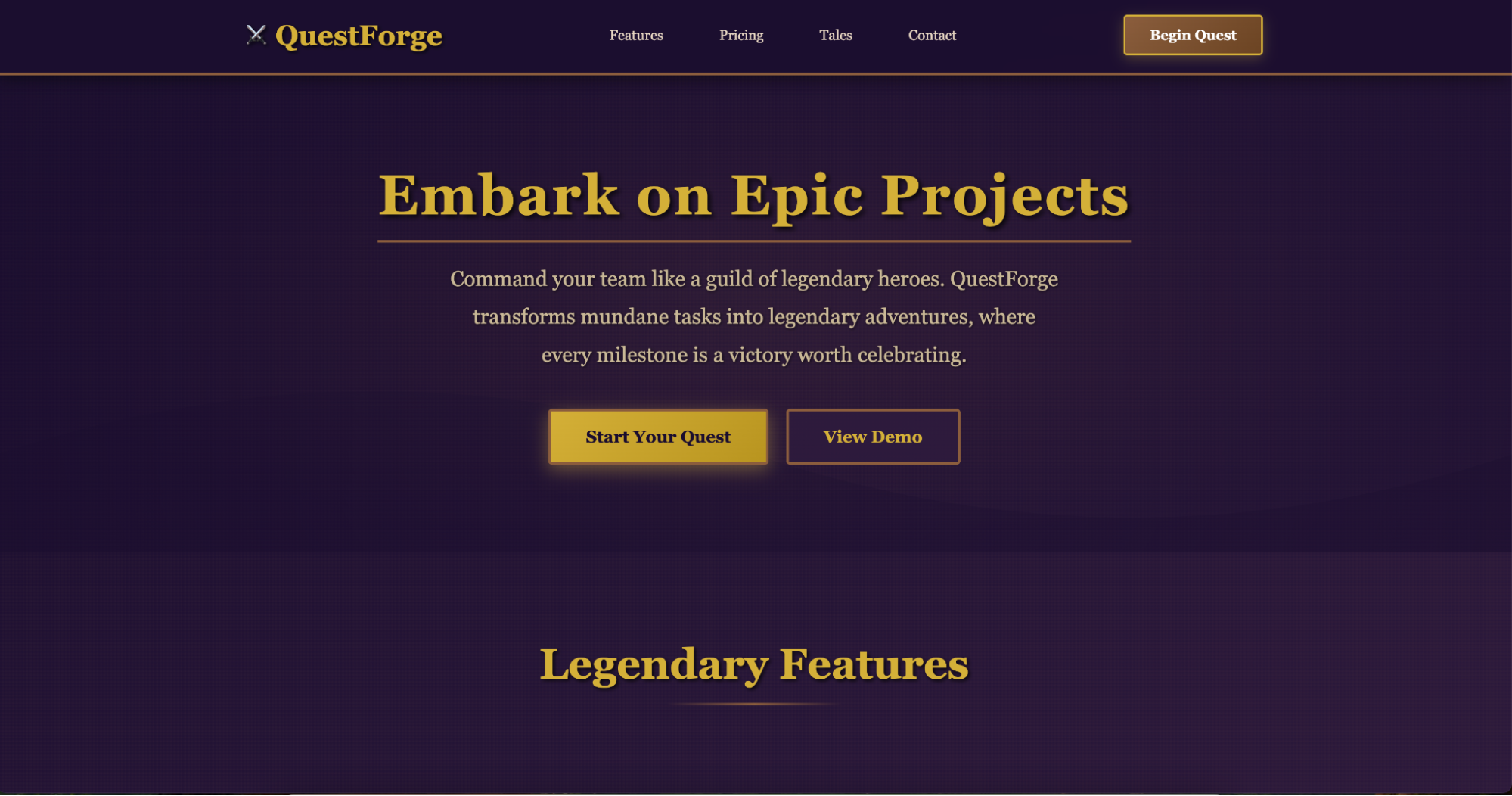
A single thematic directive changed all design elements.
---
A Comprehensive “Frontend Design” Skill
This skill condenses multiple enhancements into ~400 tokens:
You often unconsciously “follow the herd,” producing generic designs.
Avoid “AI slop.”

Focus on:
- Typography: unique fonts, avoid Inter, Arial
- Colors & Theme: unified, bold, coherent. Use CSS variables.
- Motion: impactful, pure CSS/React Motion library
- Background: atmospheric depth, not solid colors

Avoid:
- Overused fonts
- Clichéd white+purple gradients
- Predictable layouts
- Generic “one-size-fits-all” designs

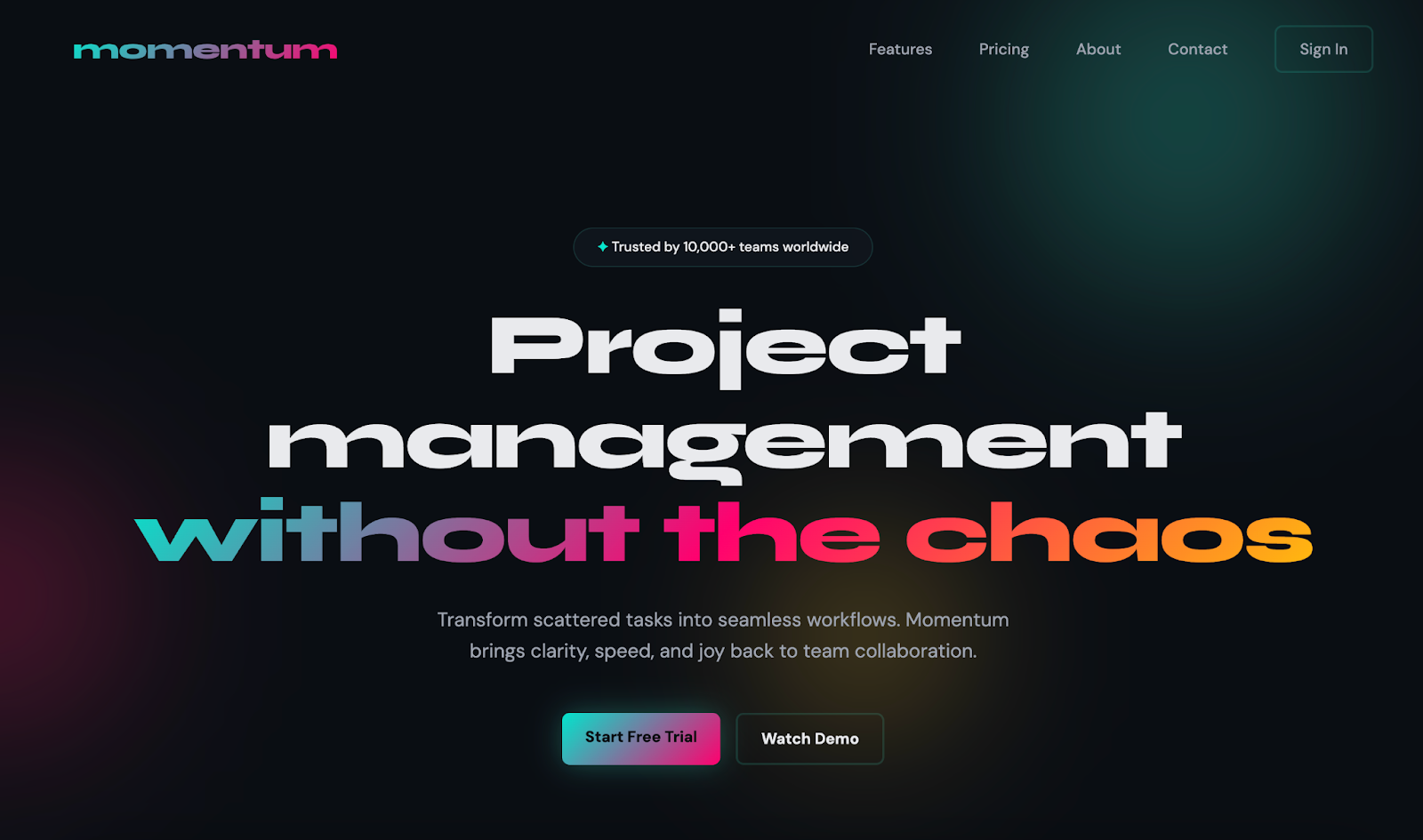
Break free from converging to common choices.
---
Performance Improvements in Practice
SaaS Landing Page
Before:
After:
---
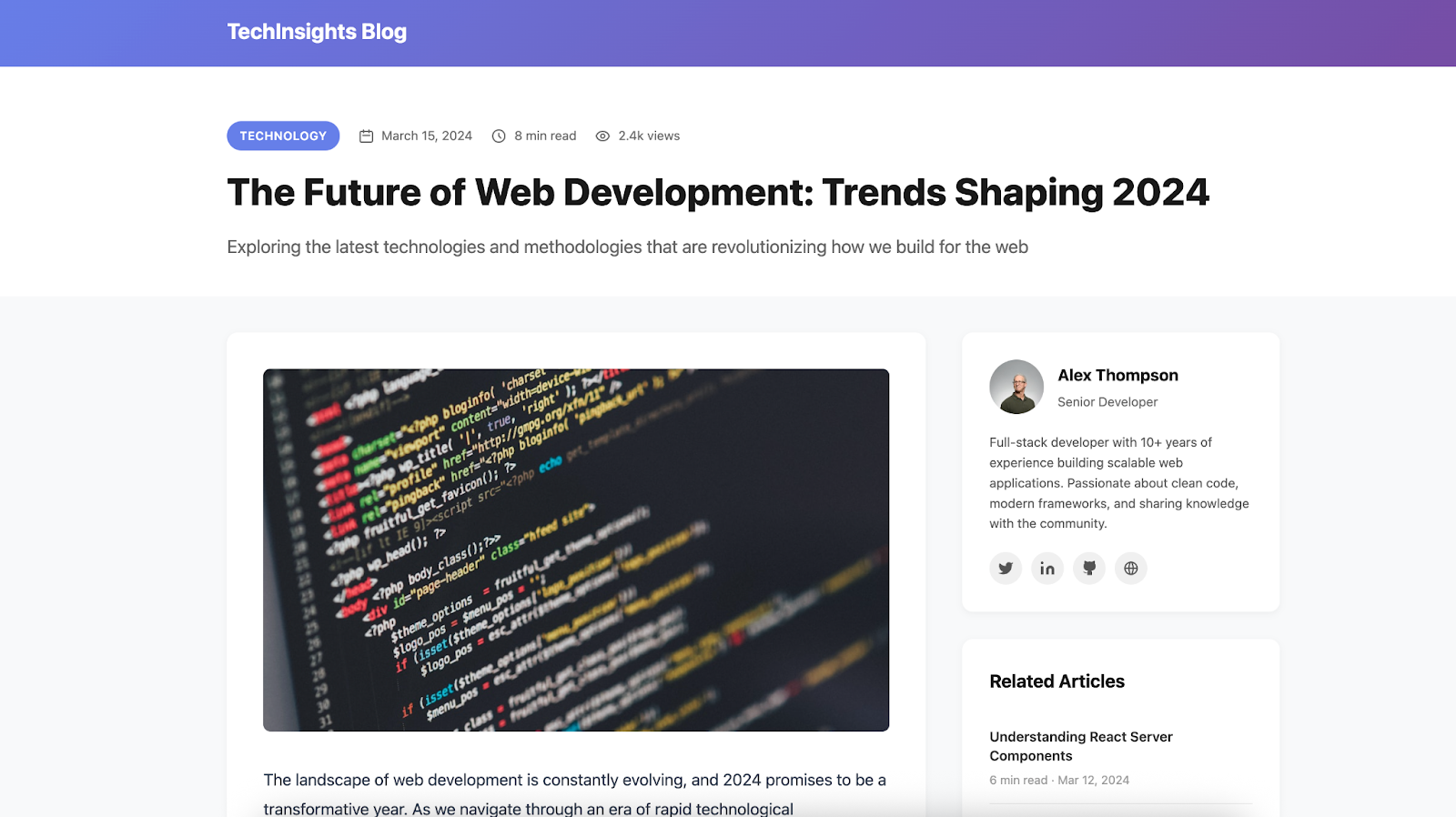
Blog Layout
Before:
After:
---
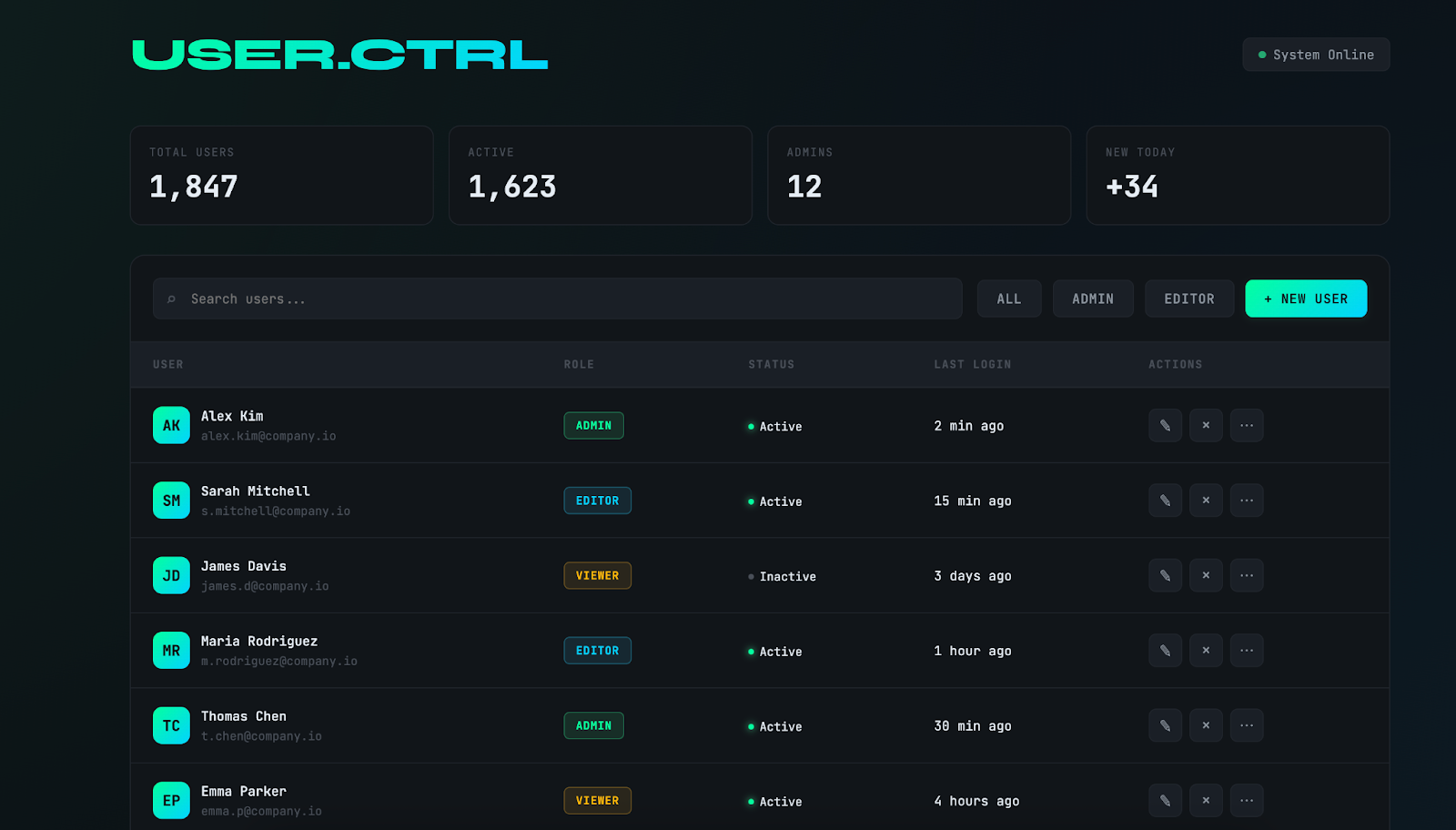
Admin Dashboard
Before:
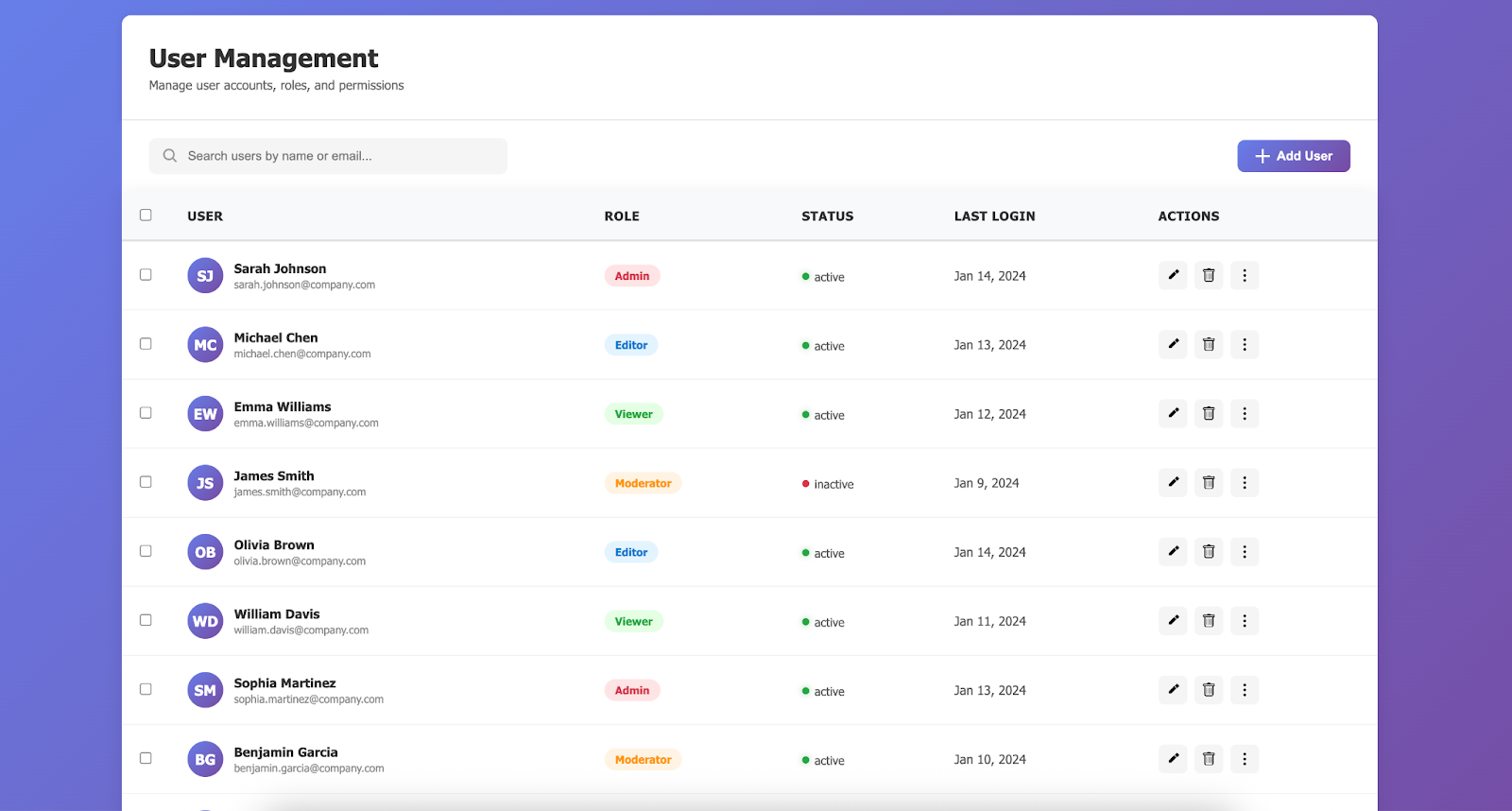
After:
---
Improving Artifacts in Claude.ai
Artifacts are interactive elements Claude generates in chat, such as standalone HTML pages.
Limitations:
- Claude outputs single-file HTML/CSS/JS
- Restricts complexity
---
Solution: `web-artifacts-builder` Skill
Capabilities:
- Scaffold a React project
- Bundle with Parcel into single HTML
Includes:
---
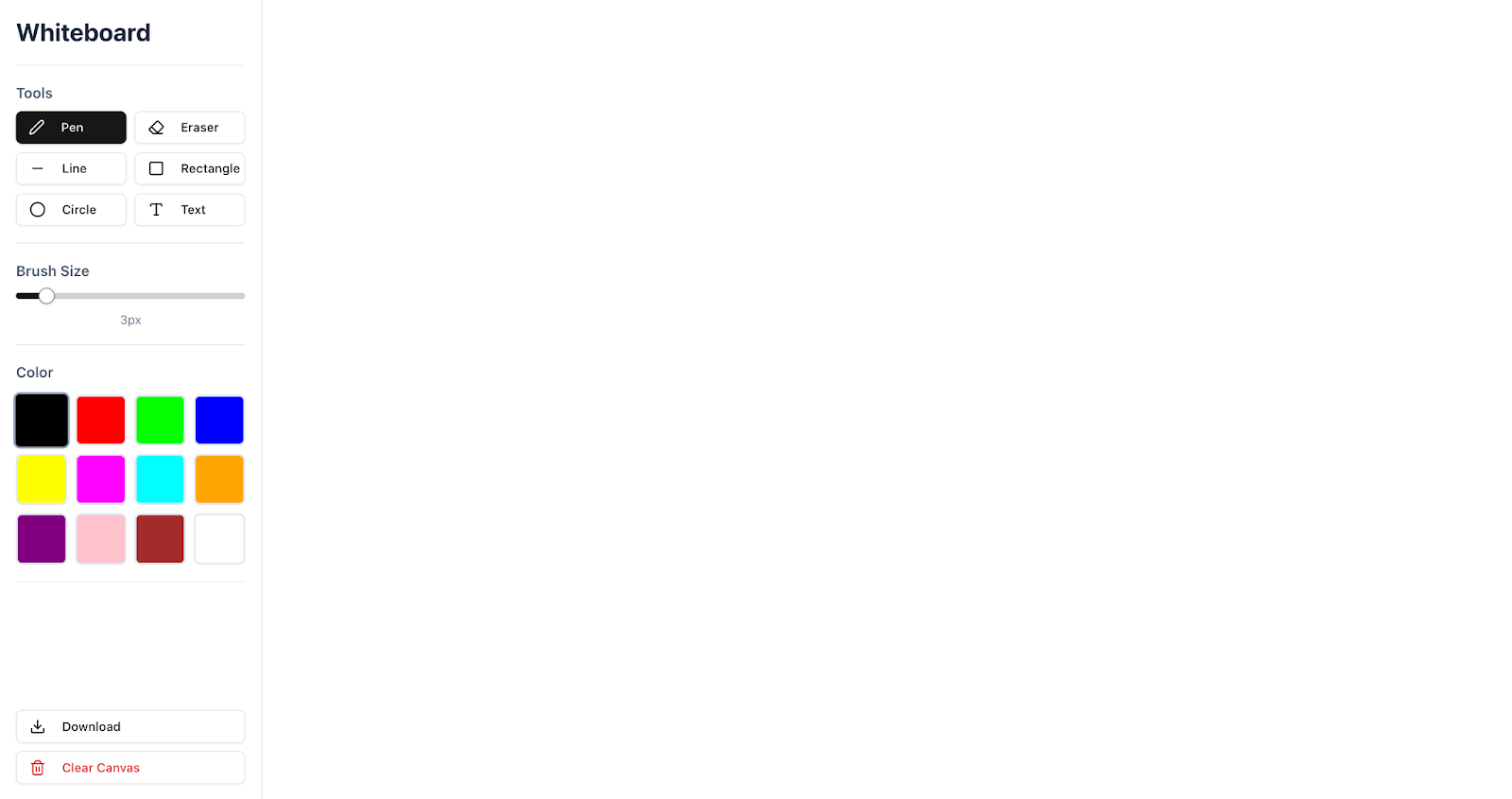
Whiteboard App Example
Without Skill:
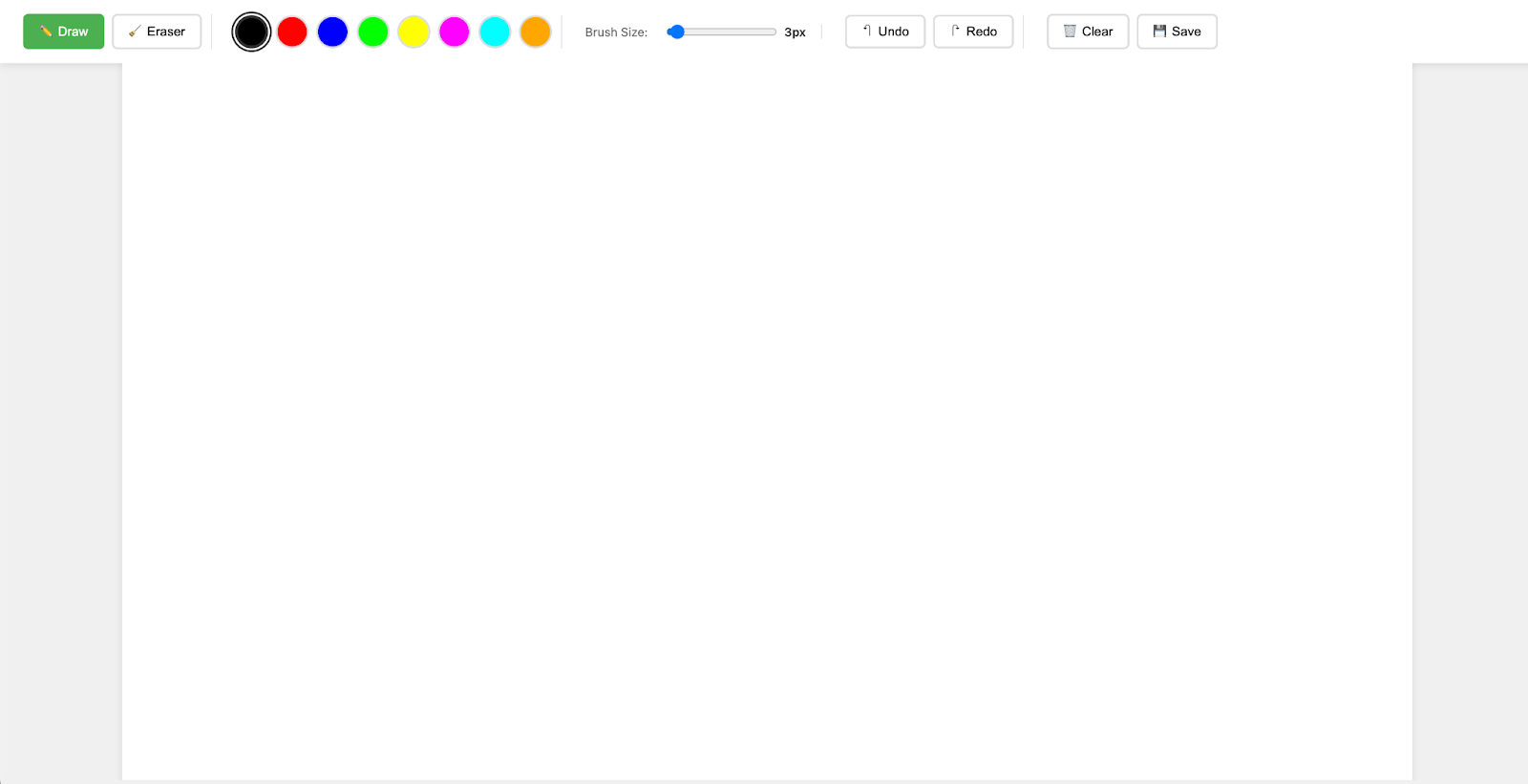
With Skill:
---
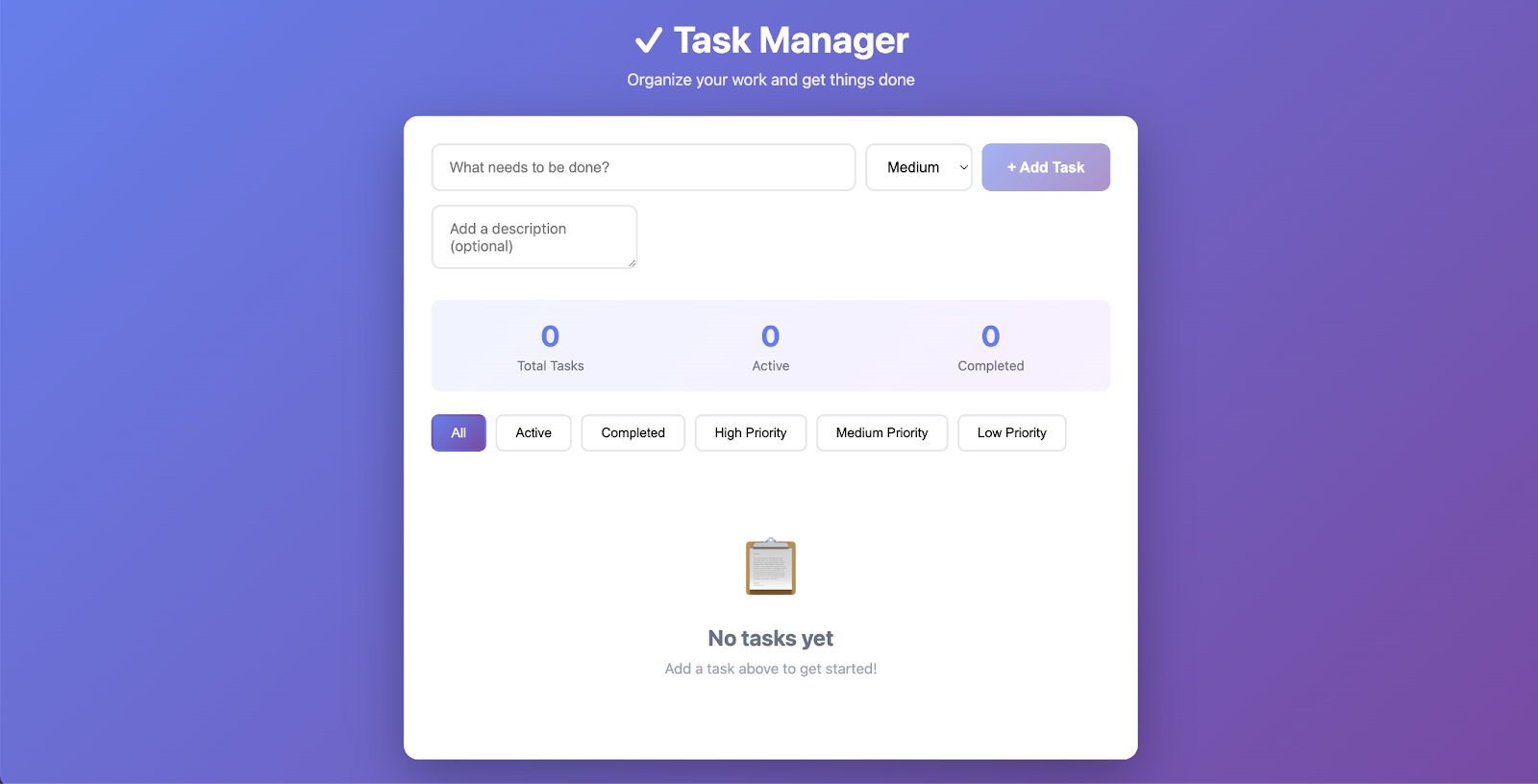
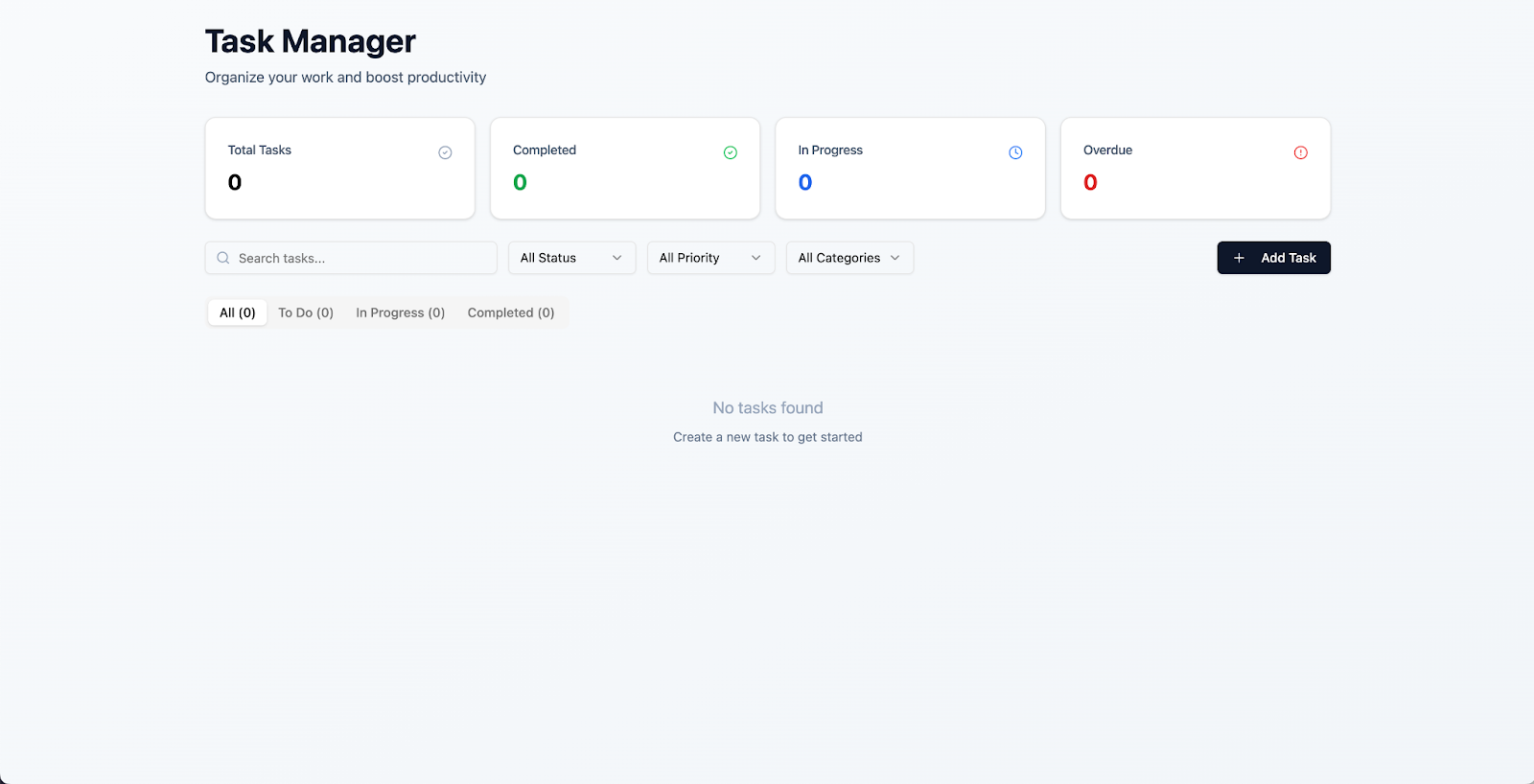
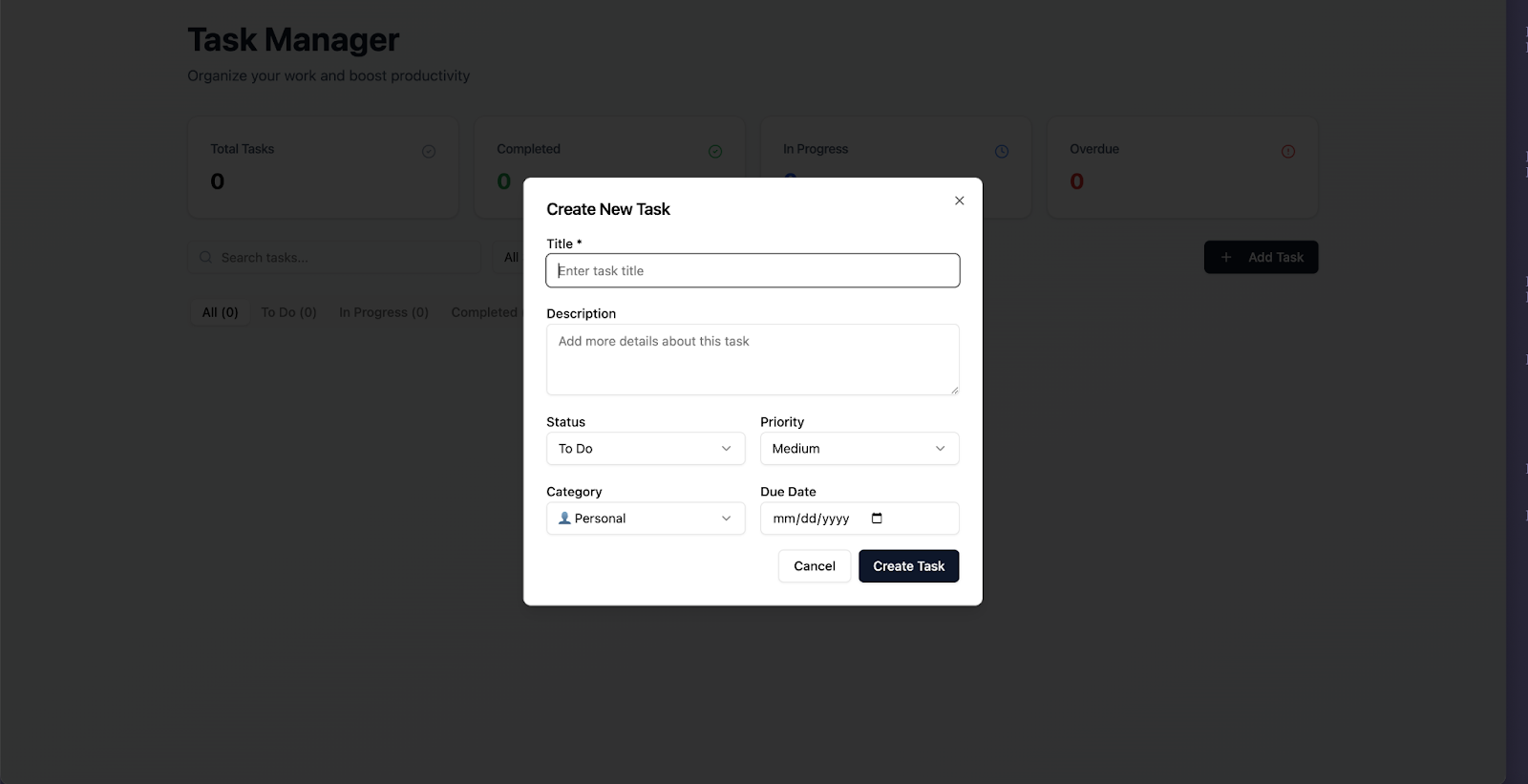
Task Management App Example
Without Skill:
With Skill:
---
How to Enable This in Claude.ai
- Activate the web-artifacts-builder Skill
- In your prompt, say:
- `Please use the web-artifacts-builder skill.`
---
Monetizing AI Frontend Outputs
Once Skills boost Claude's design quality, platforms like AiToEarn官网 help:
- Publish across all major social channels
- Track analytics & model rankings (AI模型排名)
- Monetize creative outputs efficiently
More:
---
Creating Your Own Skills
- Identify default “follow the crowd” choices
- Offer specific alternatives
- Craft prompts at the right abstraction level
- Save them as Skills for reuse
Resources:
---
E-book: Agent Skills — Start integrating Skills with Claude now.


---
Original source: Improving Frontend Design Through Skills
---
If you want, I can next create a condensed one-page cheat sheet from this content so you and your team can apply the “Frontend Design Skill” instantly. Would you like me to prepare that?


