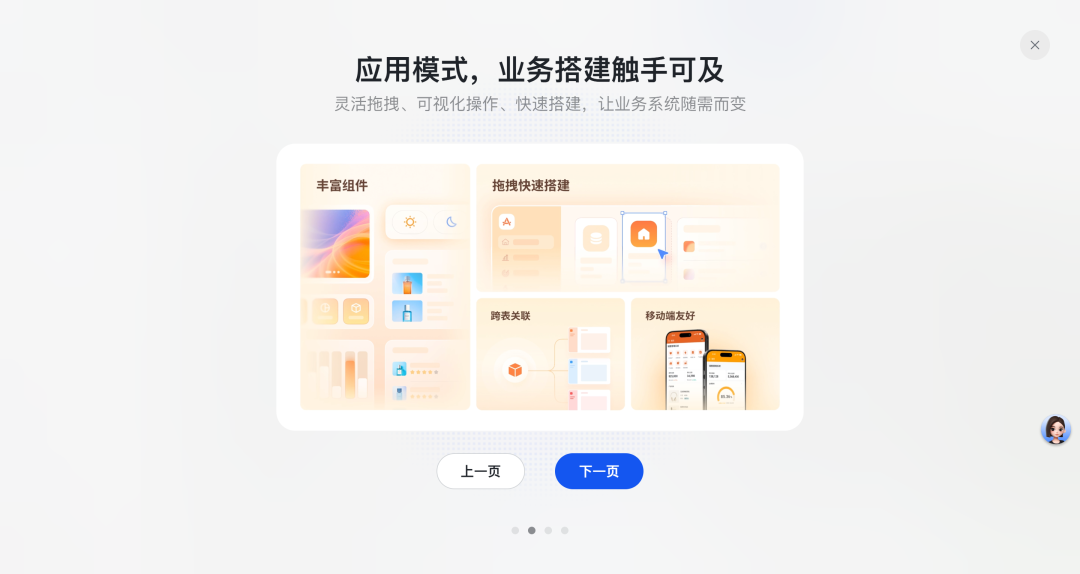
# 🚀 Feishu Multi-Dimensional Tables — **Application Mode** Deep Dive
Yesterday, Feishu’s **Multi-Dimensional Tables – Application Mode** finally went live!
Later that same night at **2 AM**, *NanoBanana 2* also launched…
I was **completely burnt out** = =
Two product updates in less than 24 hours — sheer madness.
After pushing *NanoBanana 2* in the early hours, I can now sit down and walk you through Feishu's latest and legendary **Application Mode**.
---
## 📅 Beta Testing Journey
About *half a month ago*, Feishu invited us to join the beta of Application Mode.
We immediately started building our company’s internal systems to boost team experience and efficiency.
If you've read my past posts, you'll know I’ve *praised Feishu Multi-Dimensional Tables countless times* — not sponsored, just a genuine fan.
But **Application Mode** turned out to be *even more addictive* than expected.
I stayed up until 6 AM multiple days — the same level of obsession I had with *Civilization VI* a decade ago or *Dyson Sphere Program* five years ago.
---

To fully leverage Application Mode, I had to **restructure the underlying design and workflows** of our Multi-Dimensional Tables entirely — while refining our project processes in the process.
Now that the embargo is lifted, here’s a look at **what we’ve built**, **how it works**, and **why it’s game changing**.
---
# 1️⃣ From Table to System
Feishu Multi-Dimensional Tables are **not just spreadsheets** — they function like **databases**.
### **Previously**
- Tables could be shown in **dashboard view** for data visualization:
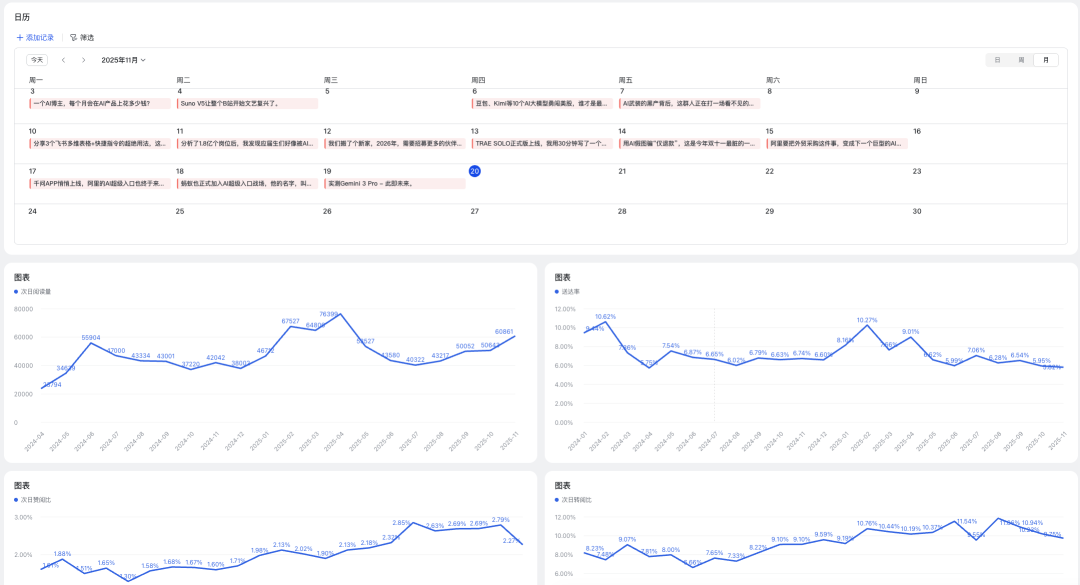
- Dashboards were **static**: good for viewing, bad for interaction.
### **Now with Application Mode**
- **Static tables become interactive systems**:
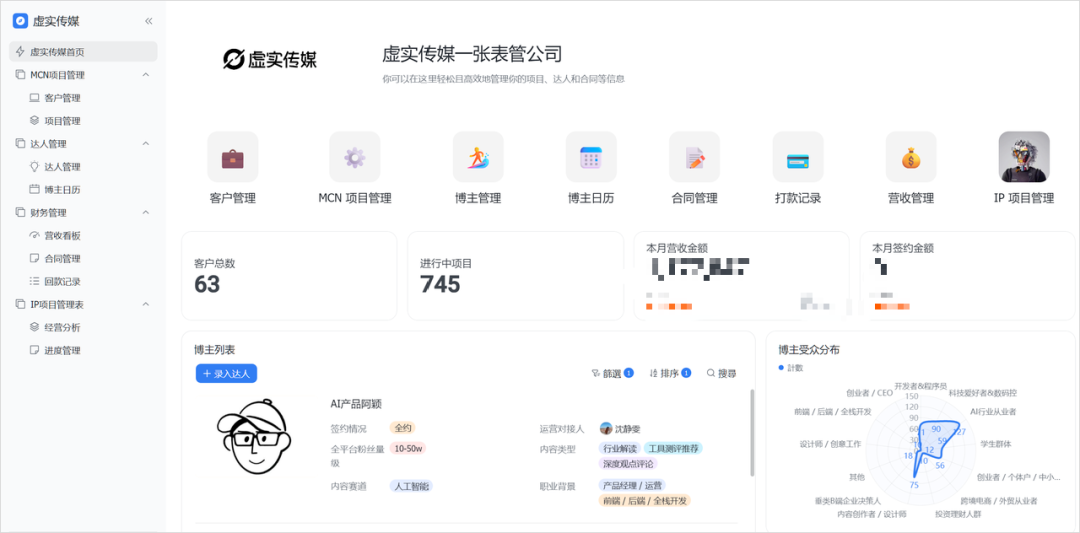
- Navigation bars, icons, functions, and multiple views in one cohesive interface.
- Fully clickable and navigable — feels like a proper **website or admin panel**.
- Example page: Kanban boards, charts, automation buttons, synced filters.
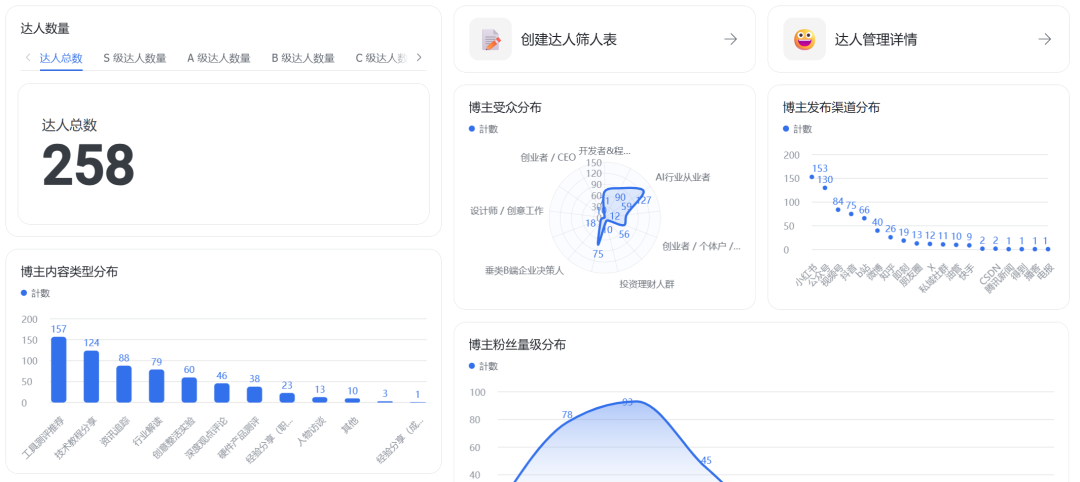
**Key Benefit:** Lower **usage barrier** for non-technical members.
Instead of parsing huge raw tables like:
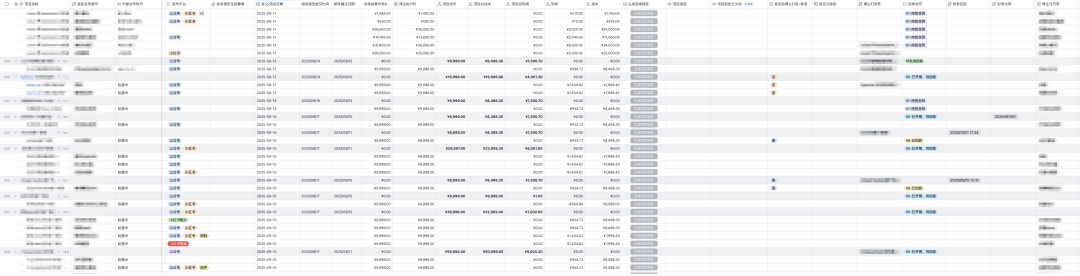
...users see a **friendly system interface**.
---
💡 **Analogy:** Wrapping powerful, complex tools in a usable interface — much like how [AiToEarn官网](https://aitoearn.ai/) simplifies AI content creation, publishing, analytics, and monetization across **15+ global platforms**. Complex backend, simple frontend.
---
# 2️⃣ From Isolation to Collaboration
We run multiple multi-dimensional tables:
- Bloggers
- Clients
- Projects
- Finance
Previously:
- Each department had separate tables
- Minimal data sharing due to friction
- Slow cross-department collaboration
**Application Mode Fix:**
Multi-Dimensional Table **Spaces** link disparate tables via the sidebar.

You can:
1. Create a new Space
2. Add new or existing tables to it
3. Centrally display all project-related data
4. Set *granular permission controls* per team member
Example: An influencer management table now merges data from multiple sources into one view.
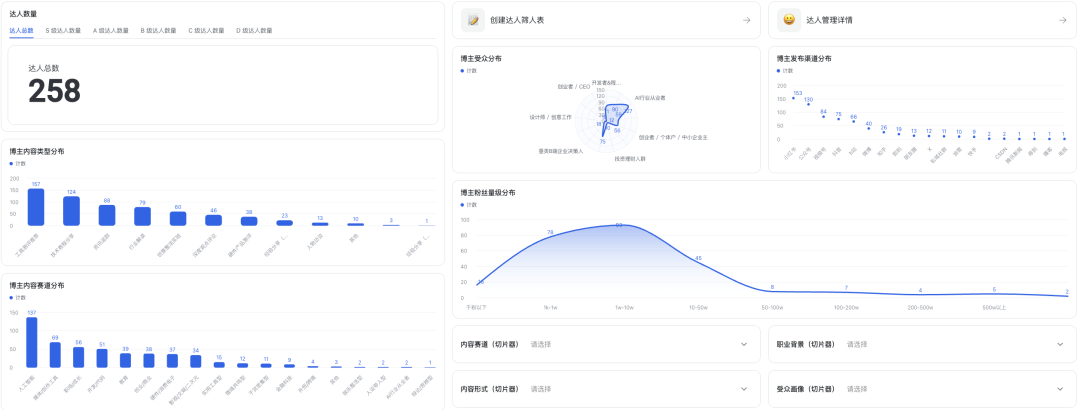
Outcome: **Connected tables, streamlined workflows, faster collaboration.**
---
# 3️⃣ The Big Evolution of Automation
We rely heavily on **automations** in workflows:
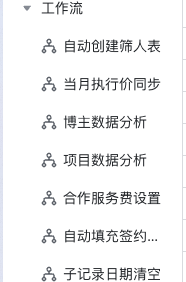
Most were AI-generated directly inside Feishu.
### Pain Point Before
Even built workflows were clunky for end-users.
### Application Mode Solution
Package each workflow as a **standalone feature** with a **button/icon** in the UI.
---
## **Automation Examples**
### **1. Influencer Sheet Sanitizer**
Pain before:
- “All Blogger Info” master sheet had 100+ fields, many confidential.
- Sharing meant manual deletion of 90+ columns — ~10 minutes each time.
Now:
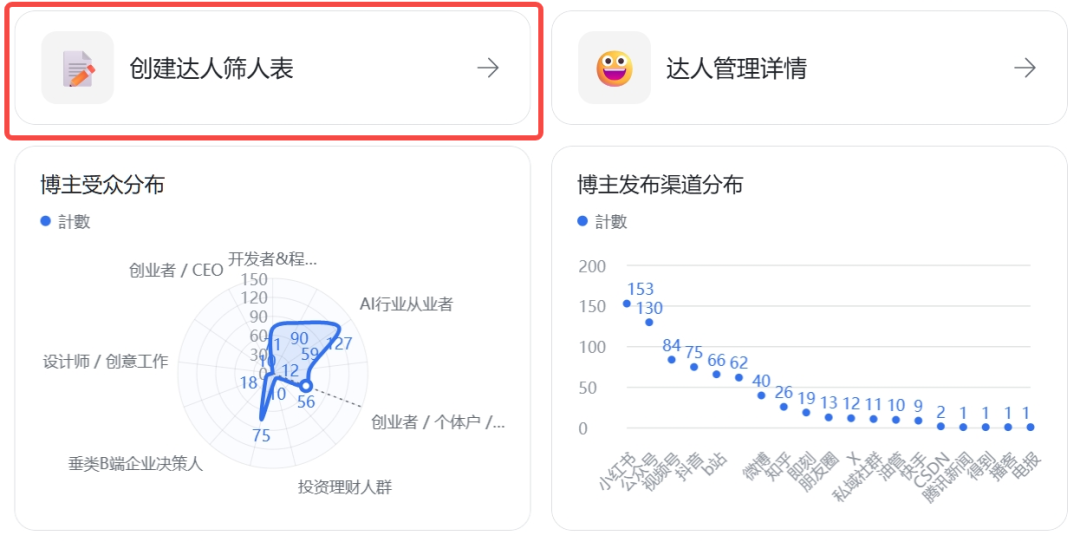
- Click once, Feishu bot sends a **client-safe table** in seconds.
- Real-time data, zero manual edits.
---
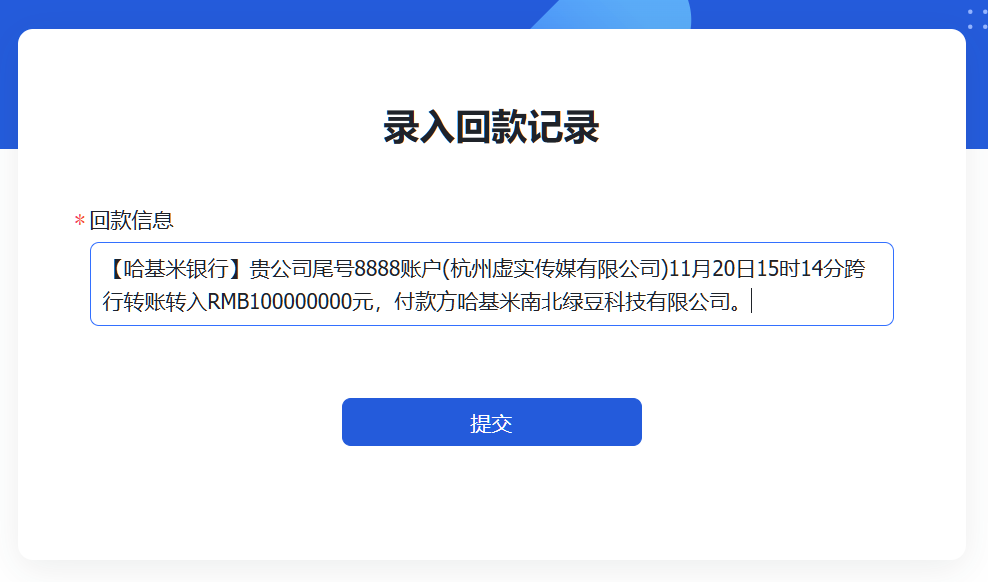
### **2. Auto Payment Entry for Finance**
Pain before:
- Function buried in the table UI, hard for interns.
Now:
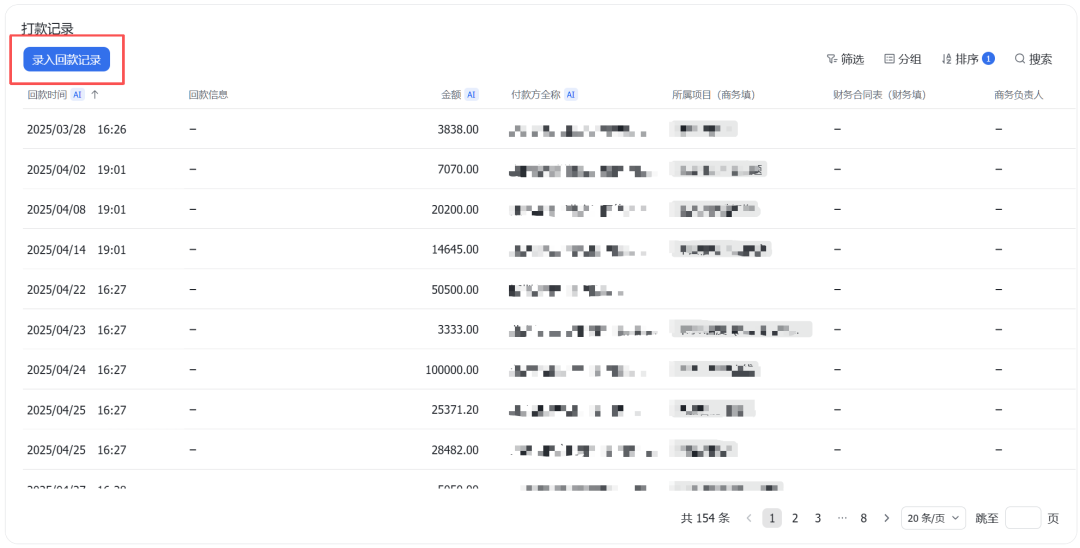
- Dedicated *Finance* icon → paste payment text → AI extracts info into list.
---
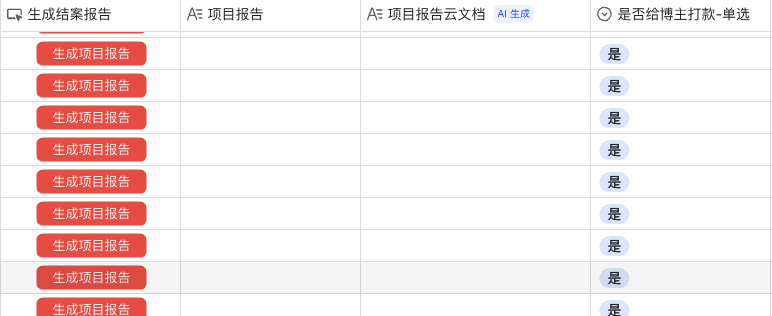
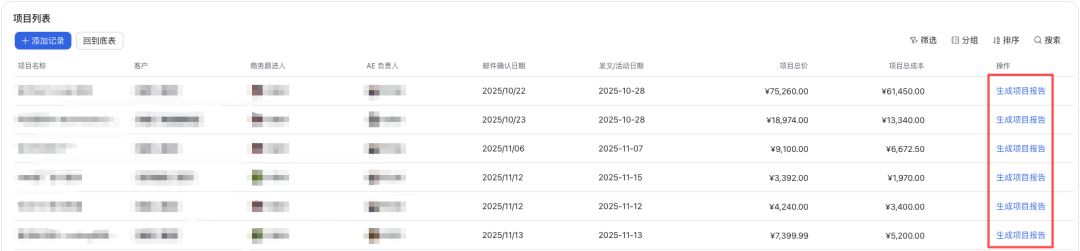
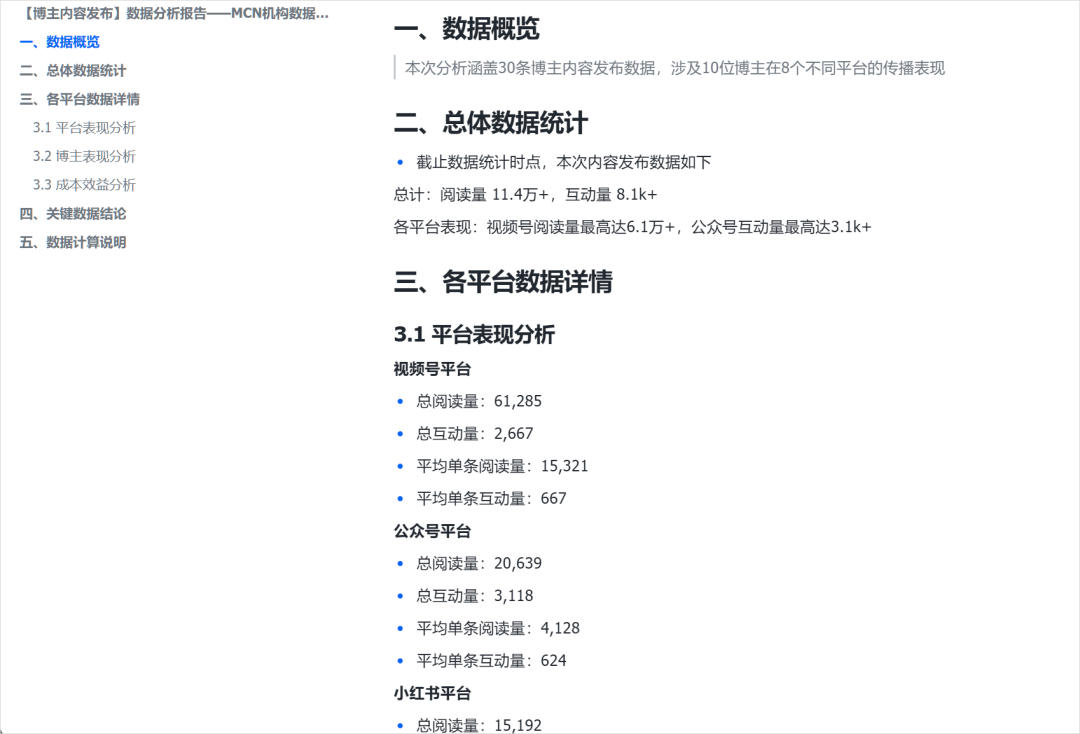
### **3. AI-Generated Project Closure Reports**
Pain before:
- Manual data compilation for dozens of bloggers → 30–60 mins per project.
- Ugly UI with repetitive buttons everywhere.
Now:
- **Parent-project-only** view with fixed “Generate Report” button.
- Click → bot notification → compiled report in 1 min.
- Consolidated data from all bloggers/platforms:
---
# 🎯 In Closing
Feishu **Application Mode** is now live.
- Go to Feishu Multi-Dimensional Tables
- Click *Create New App*
- Start building immediately

---
## 💡 Why I Highly Recommend Feishu
- Replaces multiple expensive tools (PM, DB, analytics, OA)
- No developers needed — yet full automation possible
- Hides complexity, shows only simple UI to end-users
- Boosts efficiency, collaboration, and adoption instantly
---
If you found this useful, give it a ⭐ on your reading list.
And if AI-assisted **multi-platform publishing** fits your workflow — check out [AiToEarn官网](https://aitoearn.ai/), an open-source AI content monetization platform.
**Links:**
- [AiToEarn官网](https://aitoearn.ai/)
- [AiToEarn博客](https://blog.aitoearn.ai)
- [AiToEarn GitHub](https://github.com/yikart/AiToEarn)
- [Full Feishu Tutorial](https://mp.weixin.qq.com/s?__biz=MzIyMzA5NjEyMA==&mid=2647675785&idx=1&sn=f79733658005c0d9876a07c4c35d442f&scene=21#wechat_redirect)
---
**Advanced enterprises use Feishu first.** 🚀