
FLUX.2 is Here: Edit Images Like Magic! Free Trial in ModelScope AIGC Zone
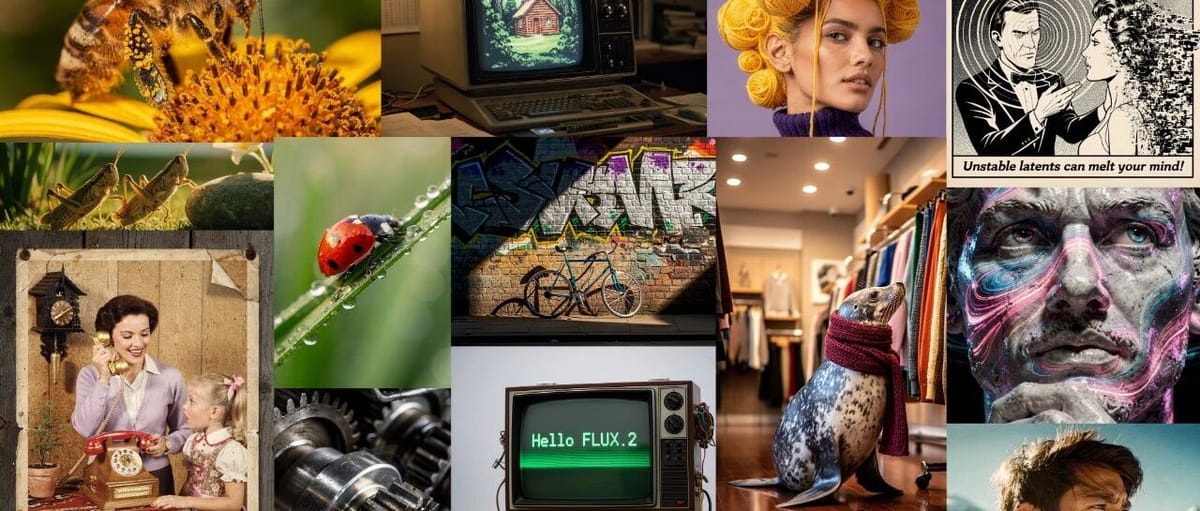
FLUX.2 — Open-Source AI Image Generation
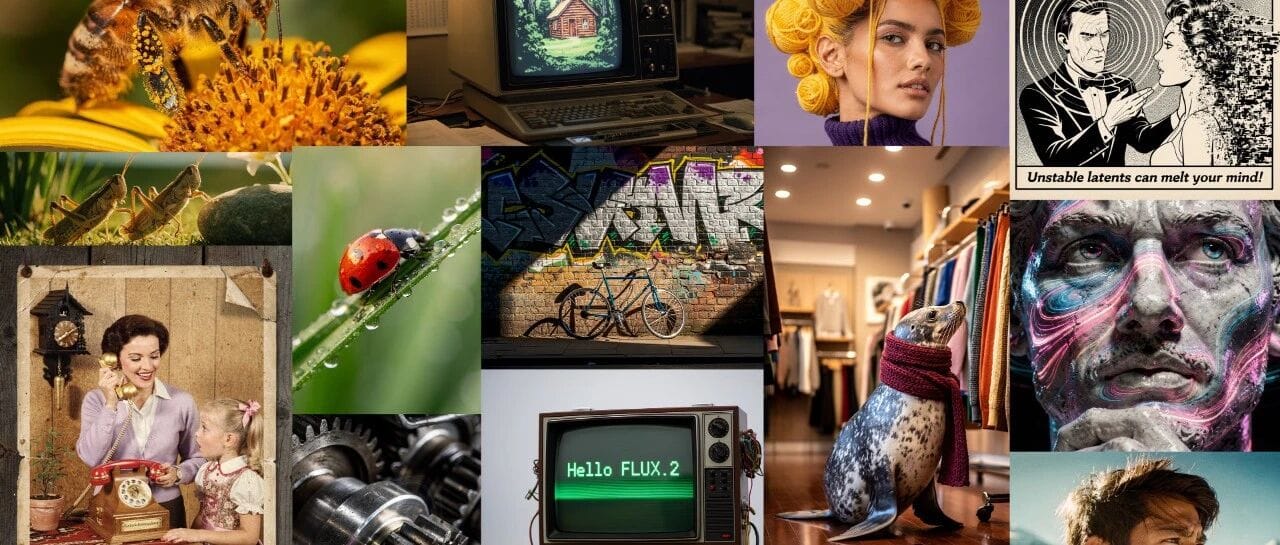
The Black Forest FLUX series has gone open-source again with its latest model — FLUX.2.
This 32-billion-parameter flow-matching Transformer can generate highly realistic images with precise control over color, pose, and composition.
It supports referencing up to 10 source files simultaneously for complex image editing.
---
Access the Model
- ModelScope:
- https://modelscope.cn/models/black-forest-labs/FLUX.2-dev
- GitHub:
- https://github.com/black-forest-labs/flux2
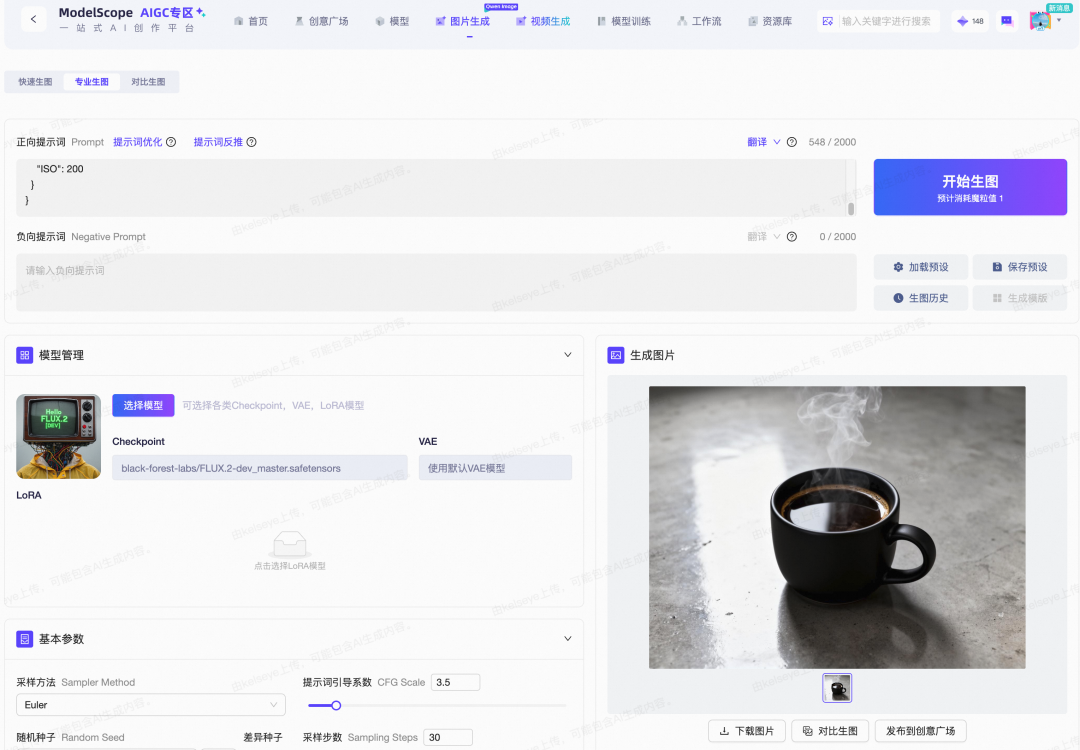
- Try it Free in ModelScope AIGC Zone:
- 🔗 https://modelscope.cn/aigc/imageGeneration
---
What FLUX.2 Can Do
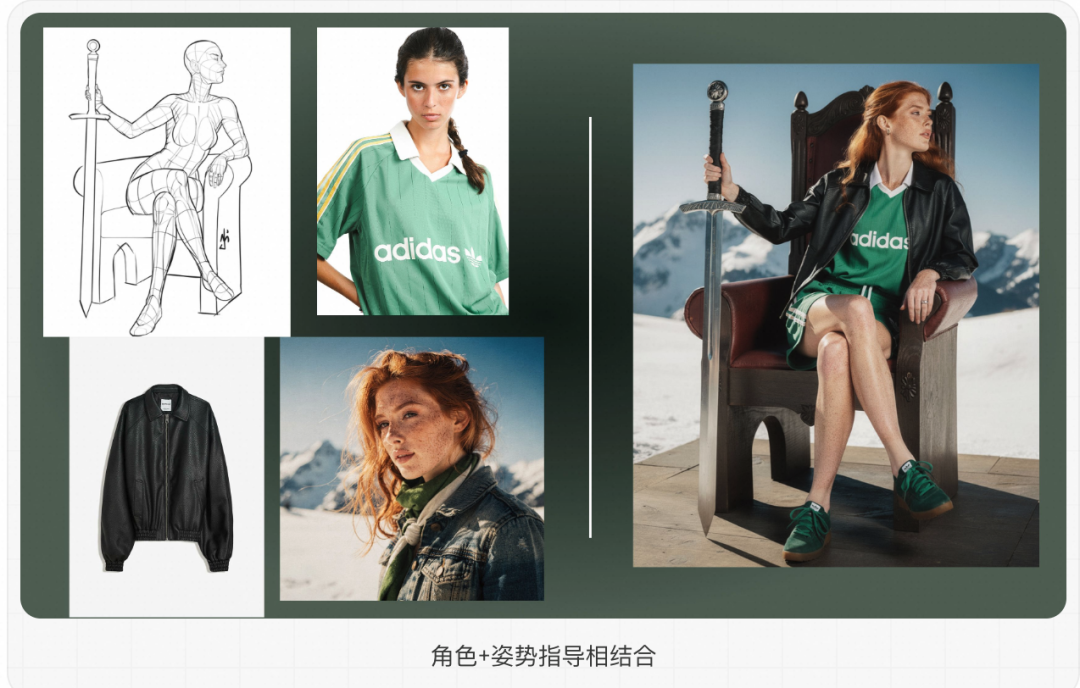
1. Multi-Reference Editing
Merge content from multiple images while keeping consistent style, lighting, and composition.
Recommendation: Use up to 8 reference images for optimal results in the open-source dev version.

---
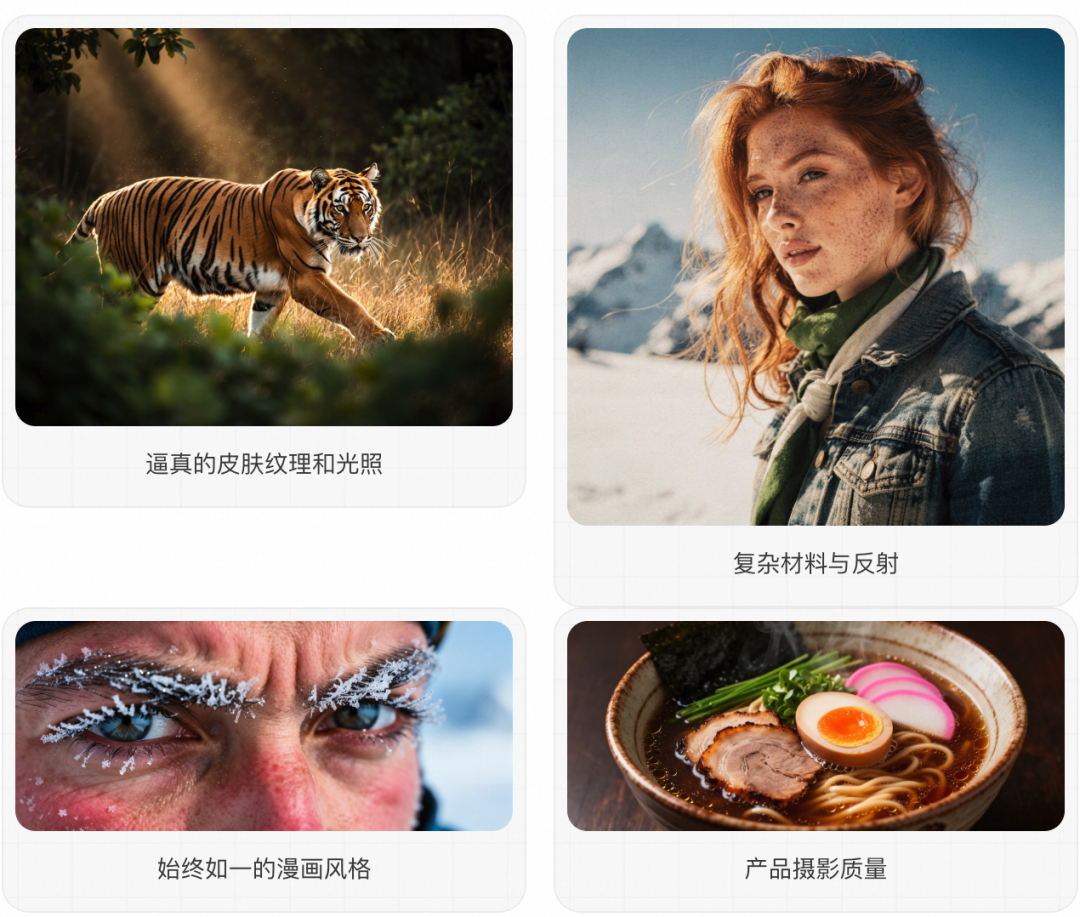
2. Photorealism & Fine Detail
Produce realistic visuals with detailed textures and stable lighting.
---
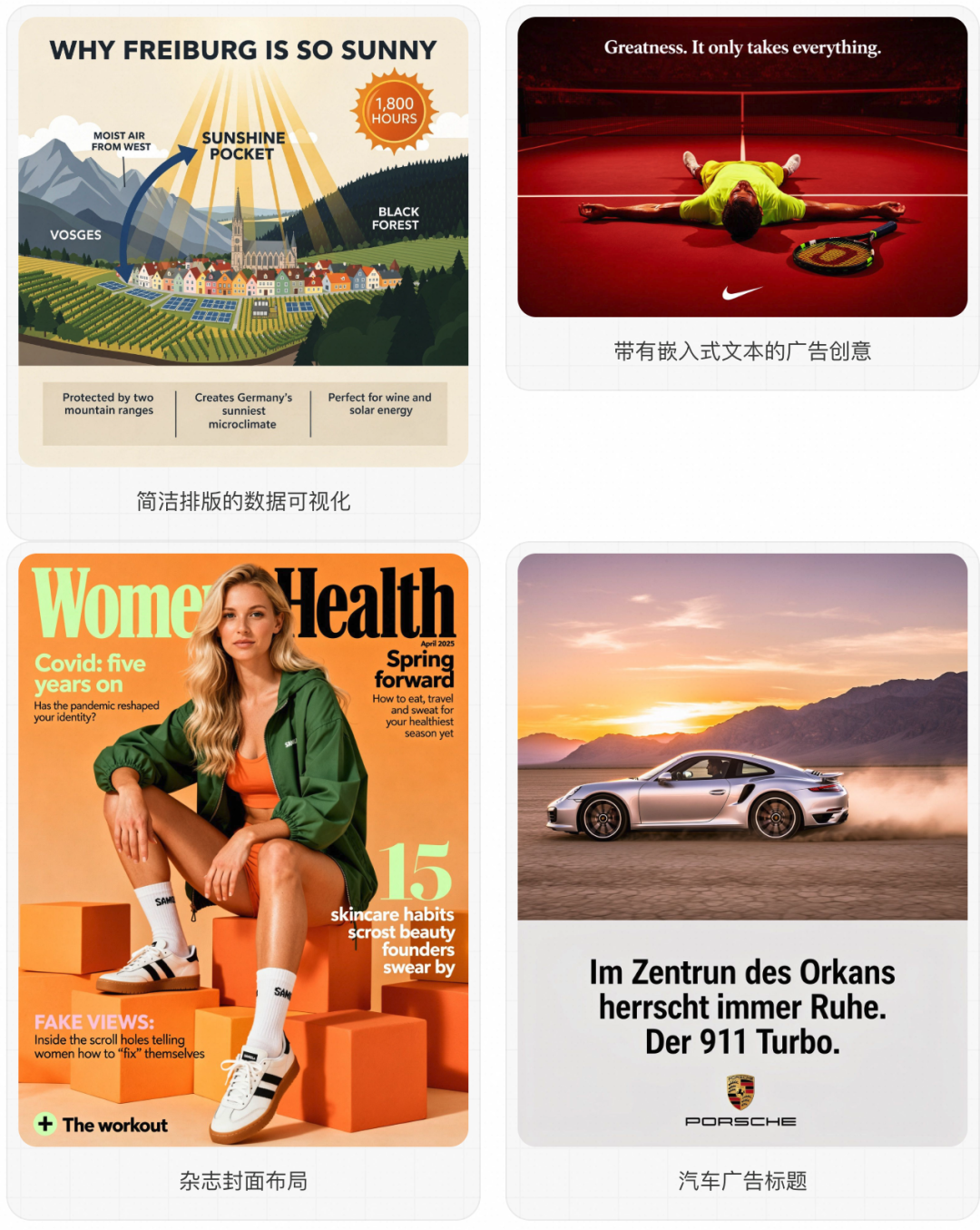
3. Typography & Text
Generate clear text for infographics, UI mockups, and marketing visuals.
---
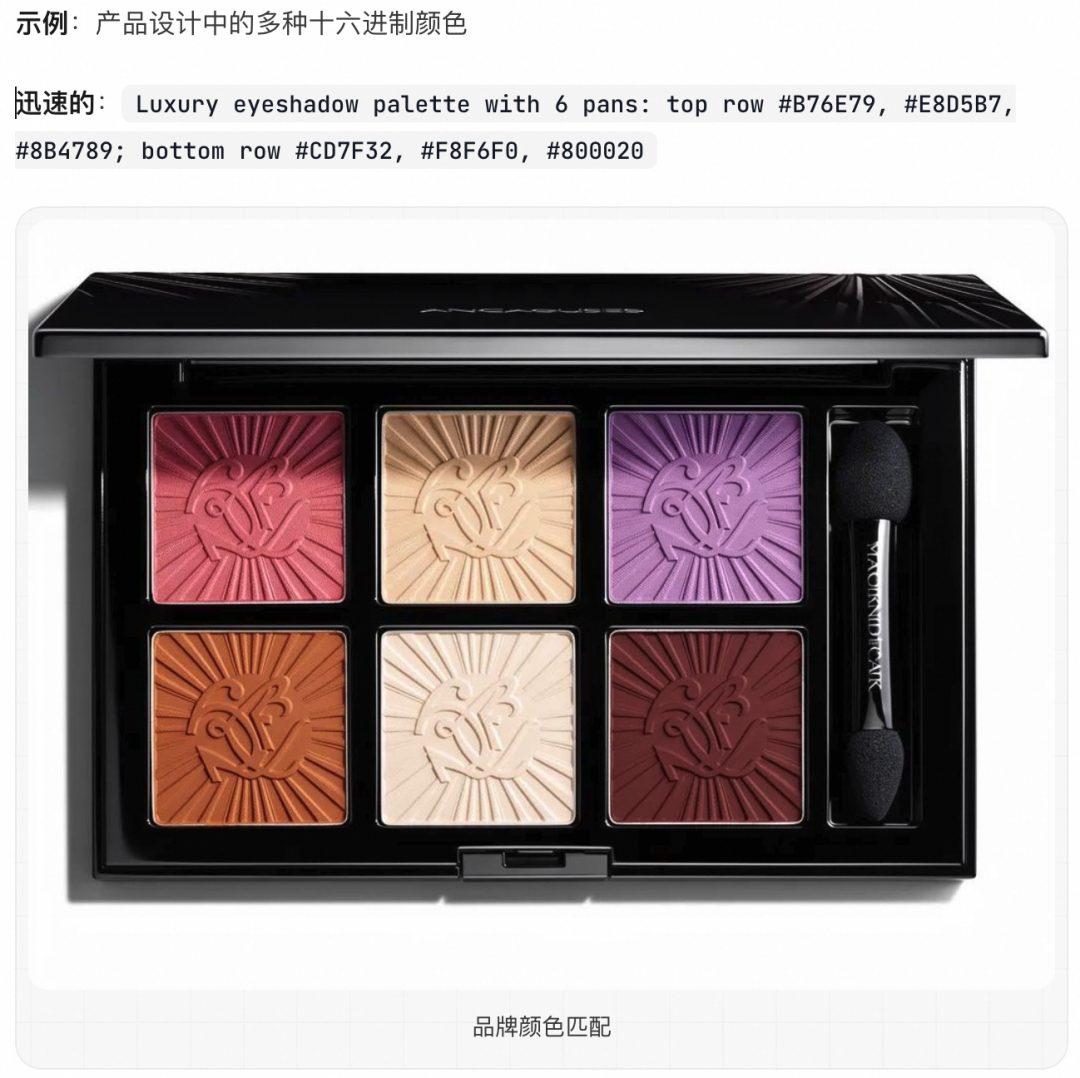
4. Precise Color Control
Specify brand colors accurately using hex codes.
---
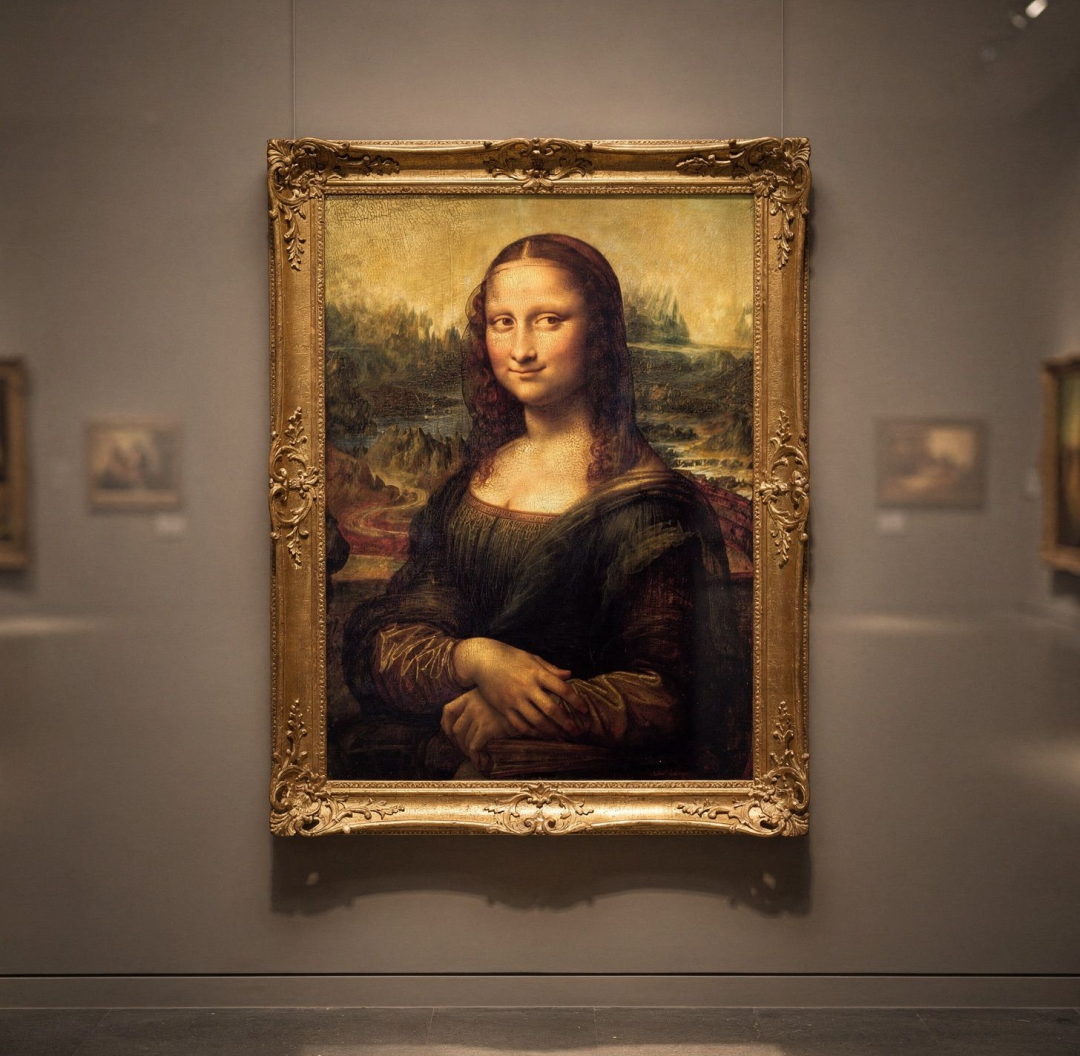
5. Structured Prompting
Control creative output with structured JSON prompts.
{
  "subject": "Mona Lisa painting by Leonardo da Vinci",
  "background": "museum gallery wall, ornate gold frame",
  "lighting": "soft gallery lighting, warm spotlights",
  "style": "digital art, high contrast",
  "camera_angle": "eye level view",
  "composition": "centered, portrait orientation"
}
---
Monetization Potential
Tools like FLUX.2 give creators unprecedented creative control. Combined with open-source platforms like AiToEarn, creators can:
- Generate AI content
- Publish across multiple platforms simultaneously
- Track performance with analytics
- Earn from views, engagement, and monetization programs
Supported platforms: Douyin, Kwai, WeChat, Bilibili, Xiaohongshu (Rednote), Facebook, Instagram, LinkedIn, Threads, YouTube, Pinterest, and X (Twitter).
More info:
---
New Features in FLUX.2
- Multiple Reference Images:
- Up to 10 references for high-consistency character, product, or style matching.
- Improved Detail & Realism:
- Sharper textures, richer detail, and stable lighting.
- Enhanced Text Rendering:
- Production-ready typography and complex layout support.
- Better Prompt Compliance:
- Executes multi-stage structured prompts accurately.
- Expanded World Knowledge:
- More realistic lighting, spatial reasoning, and scene coherence.
- High-Resolution Output:
- Supports editing up to 4MP resolution and flexible aspect ratios.
---
Technical Architecture
- Base: Latent Flow Matching
- Integrated Models:
- Mistral-3, 24B Vision-Language Model (VLM) — contextual understanding & real-world knowledge
- Rectified Flow Transformer — spatial, material, and composition logic
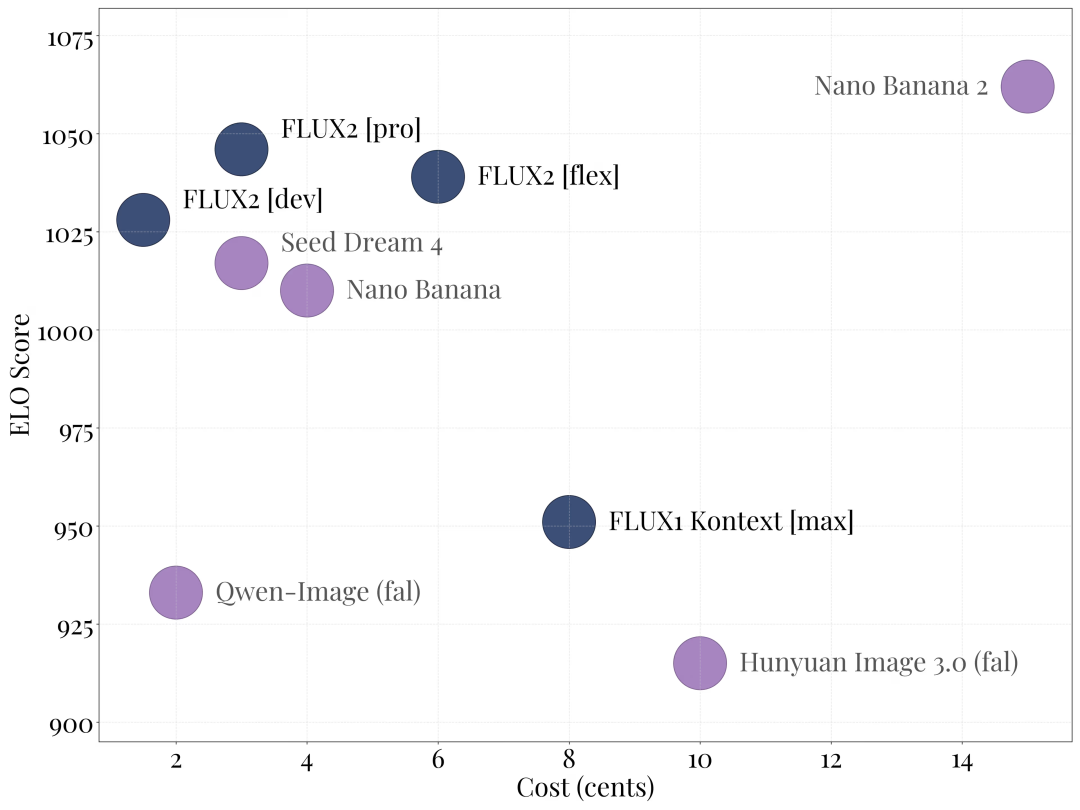
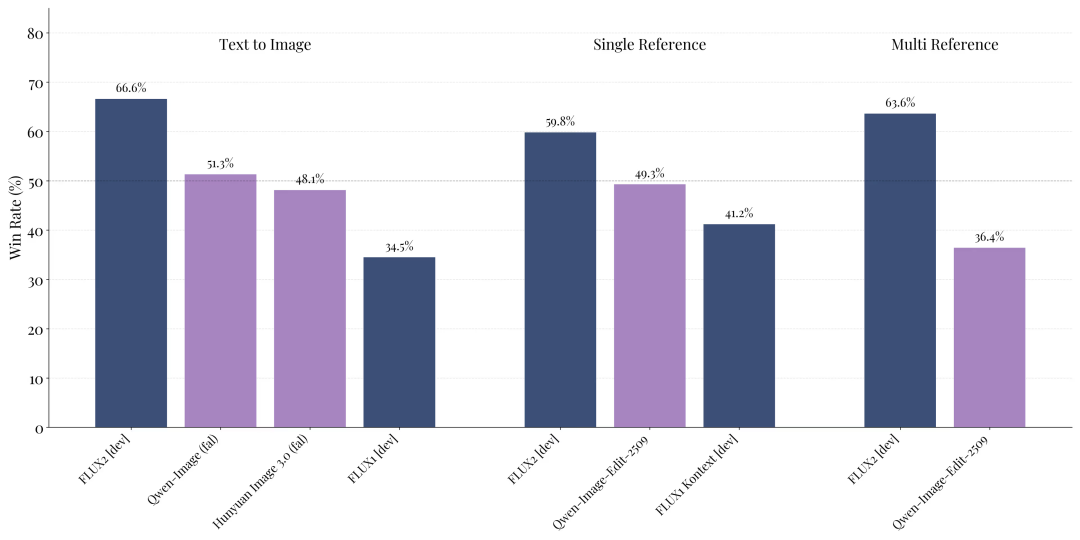
Performance: FLUX.2 dev outperforms other open-source models in:
- Text-to-image
- Single-reference editing
- Multi-reference editing
---
Running FLUX.2
Requirements
- Local Execution: H100-class GPU
- Diffusers Inference: RTX 4090 or equivalent
Step 1 — Download Model
modelscope download --model hf-diffusers/FLUX.2-dev-bnb-4bit---
Step 2 — Example Diffusers Script
import torch
from diffusers import Flux2Pipeline
from diffusers.utils import load_image
from huggingface_hub import get_token
import requests
import io

repo_id = "diffusers/FLUX.2-dev-bnb-4bit"
device = "cuda:0"
torch_dtype = torch.bfloat16

def remote_text_encoder(prompts):
    response = requests.post(
        "https://remote-text-encoder-flux-2.huggingface.co/predict",
        json={"prompt": prompts},
        headers={
            "Authorization": f"Bearer {get_token()}",
            "Content-Type": "application/json"
        }
    )
    prompt_embeds = torch.load(io.BytesIO(response.content))
    return prompt_embeds.to(device)

pipe = Flux2Pipeline.from_pretrained(
    repo_id, text_encoder=None, torch_dtype=torch_dtype
).to(device)

prompt = (
    "Realistic macro photograph of a hermit crab using a soda can as its shell, "
    "partially emerging from the can, captured with sharp detail and natural colors, "
    "on a sunlit beach with soft shadows and a shallow depth of field, with blurred ocean waves "
    "in the background. The can has the text `BFL Diffusers` on it and features a color gradient "
    "starting with #FF5733 at the top, transitioning to #33FF57 at the bottom."
)

image = pipe(
    prompt_embeds=remote_text_encoder(prompt),
    generator=torch.Generator(device=device).manual_seed(42),
    num_inference_steps=50,
    guidance_scale=4,
).images[0]

image.save("flux2_output.png")
---
Script Overview
- Uses Hugging Face diffusers
- Remote quantized text encoder to optimize local resources
- GPU-optimized (`bfloat16`)
- Controlled random seed for reproducibility
Tip: This workflow can be integrated with tools like AiToEarn for automatic publishing & monetization.
---
If you want to explore more AI tools for content creation:
---
Do you want me to also add a quick-start section for AiToEarn integration so creators can move from generation to publishing in one go? That could make this guide even more actionable.


