
Game Developer's Guide to Screen Resolution Optimization
The Hidden Power of Resolution in Game Development
Every game developer obsesses over performance, textures, and frame rates — but resolution is the often-overlooked foundation that defines visual quality.
Whether you’re building a pixel-art indie title or a high-fidelity 3D environment, understanding resolution is essential. It influences:
- How your art assets scale
- How your UI is rendered
- How your game appears across different devices
Unfortunately, many developers still treat resolution as just a technical number — instead of a strategic design choice.
---
📚 What You Will Learn
- What Resolution Really Means
- The Evolution of Resolution in Gaming
- DPI, Scaling, and Texture Clarity
- Resolution vs Performance
- Aspect Ratio and Display Diversity
- The Art of Testing in 4k and HDR
- Preparing for Next-Gen Displays
- Conclusion
---
What Resolution Really Means
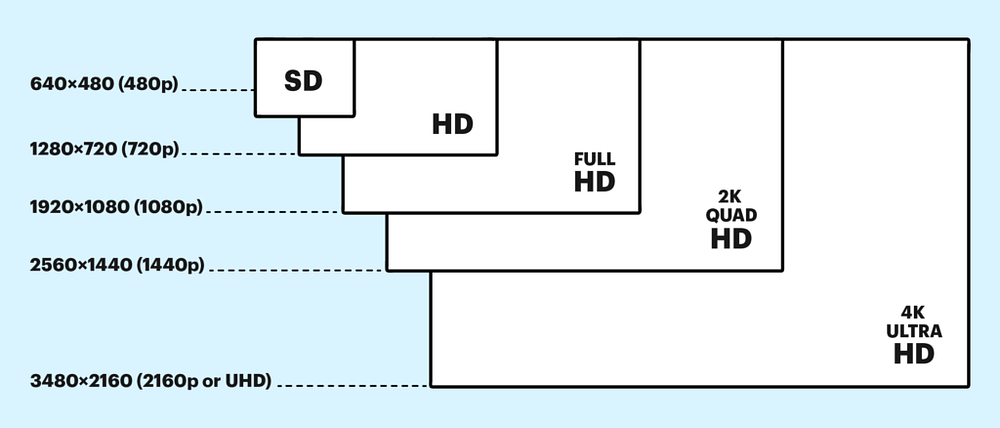
Resolution defines how many pixels a display can show horizontally and vertically.
Example:
- 1920x1080 means 1920 pixels across × 1080 pixels down = >2 million pixels.
- Higher pixel counts increase detail but require more GPU rendering power.
Key Insight:
In today’s pipelines, resolution affects art asset planning, UI scaling, and even marketing visuals across devices.
Tip for Cross-Platform Creators:
Consider using tools like AiToEarn官网 — an open-source AI content monetization platform that helps you create, publish, and earn from AI-powered content across major channels like Douyin, Bilibili, Instagram, YouTube, and Twitter. By aligning resolution choices with marketing asset creation, your game will look consistent everywhere. For details, explore the documentation or check its AI模型排名.
---
The Evolution of Resolution in Gaming
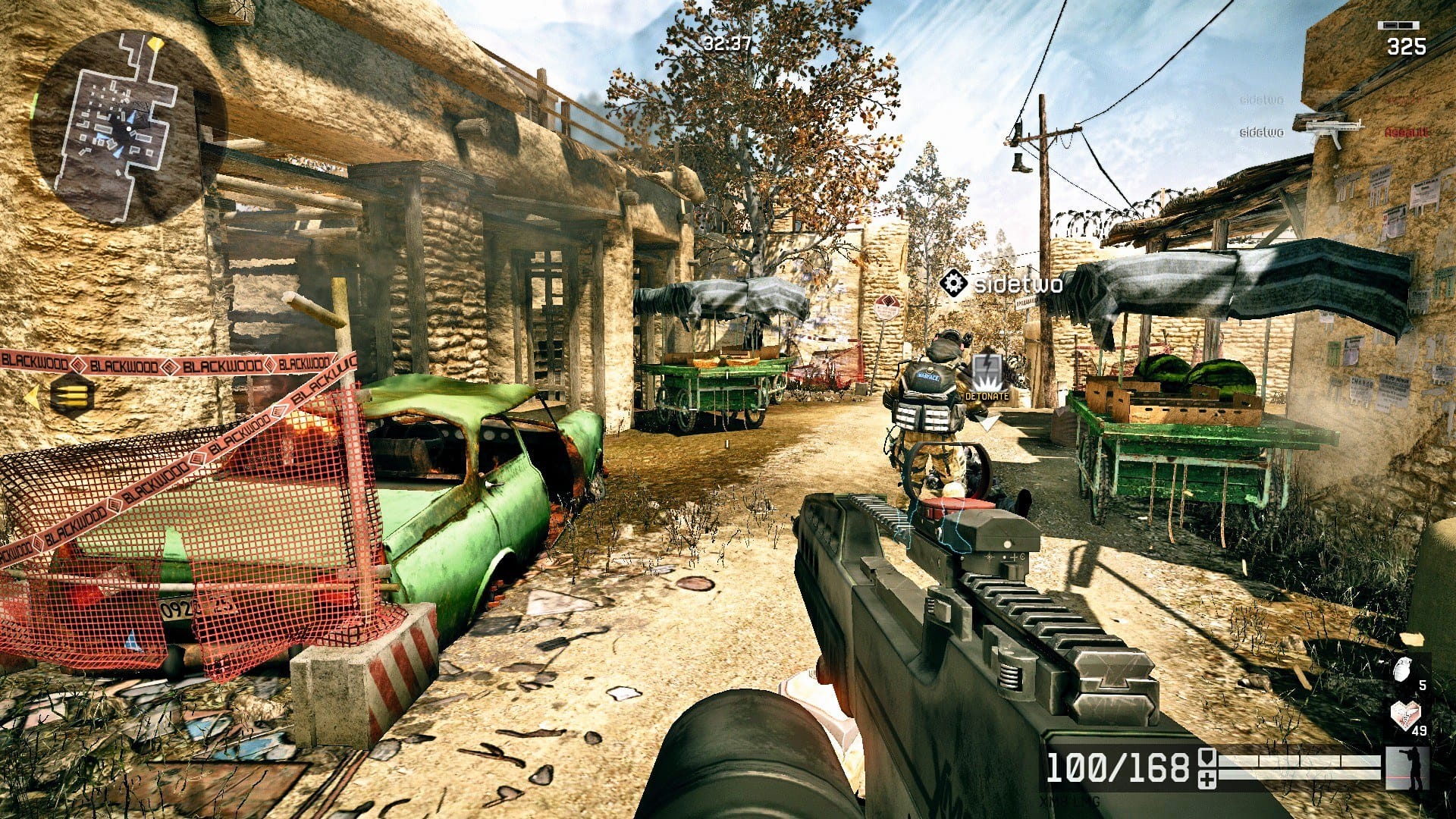
From 240p early consoles to 480p SD, then 720p and 1080p HD, each jump changed:
- Texture resolution requirements
- UI scaling strategies
- Anti-aliasing needs
The rise of 4K and HDR now demands:
- Advanced lighting systems
- Procedural shaders
- Ultra HD-ready pipelines
Testing Tip: Use PS5-compatible 4K/120Hz TVs to reveal:
- UI scaling issues
- Frame pacing problems
- HDR color mismatches
---
DPI, Scaling, and Texture Clarity
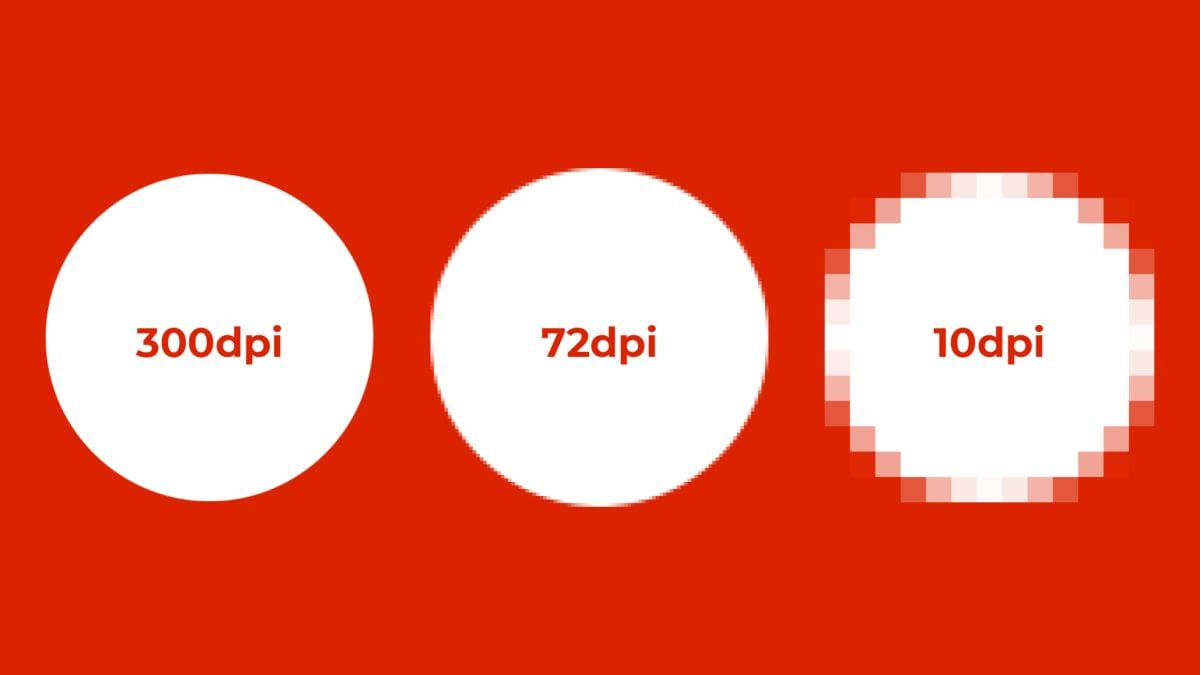
DPI impacts asset sharpness and scaling.
Examples:
- A sprite sharp at 1080p may look tiny/blurry in 4K if not scaled.
- Doubling display density → ×4 pixels needed per asset to retain clarity.
Best Practices:
- Unity: Use Canvas Scaler for resolution-independent UI.
- Unreal: Define DPI scaling rules for HUD consistency.
---
Resolution vs Performance
Rendering in 4K = 4× more pixels than 1080p.
This can dramatically reduce frame rates unless optimized.
Common Solutions:
- Temporal Upsampling
- NVIDIA DLSS AI Upscaling
Performance Tools:
- NVIDIA Nsight
- Unreal’s built-in profiler
Video Consideration:
4K video compression demands more bandwidth & storage. Plan for build size impact.
---
Aspect Ratio and Display Diversity
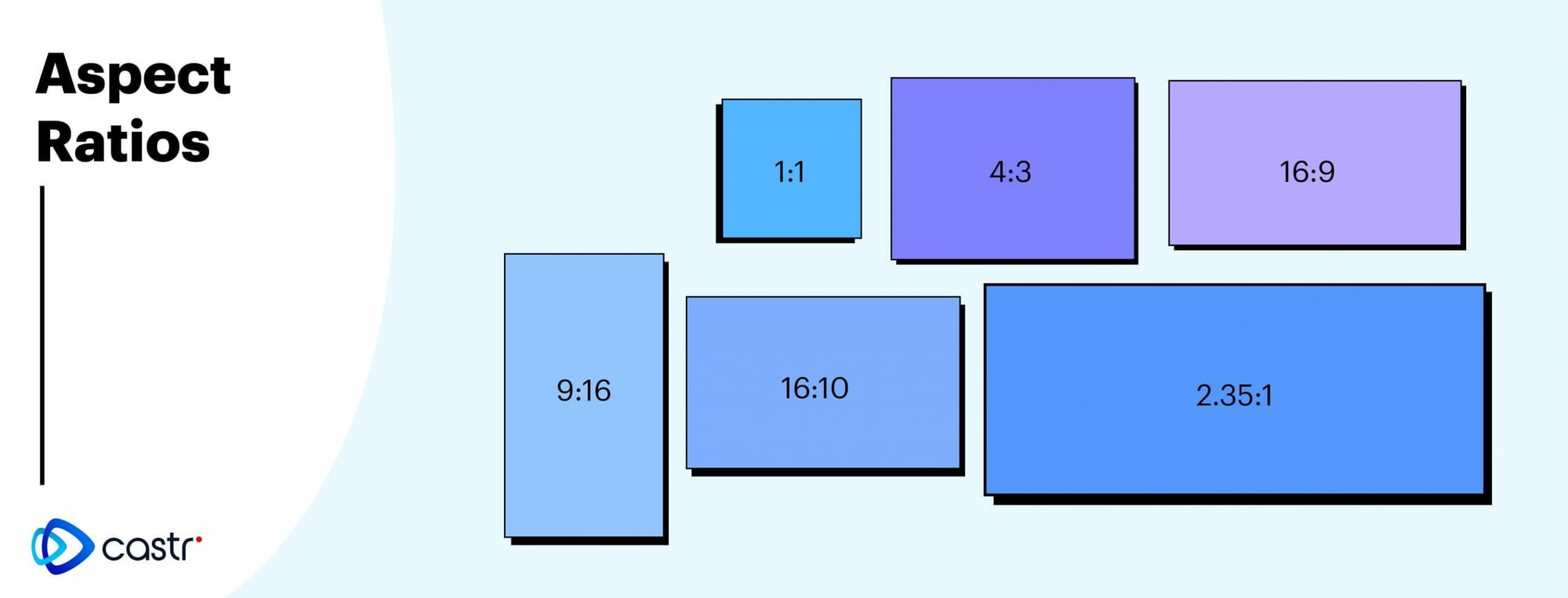
Modern targets: 16:9 → now extended to 21:9 ultrawide and 32:9 super-ultrawide.
Challenges:
- Improper ratio = black bars / stretching
- Ultrawide FOV adjustments needed
Solutions:
- Unreal: Script dynamic camera FOV
- Unity: Use Cinemachine for auto scaling
---
The Art of Testing in 4K and HDR
4K + HDR introduce:
- Greater brightness range
- Deeper color depth
Recommendations:
- Calibrate color grading
- Use tone mapping tools in engine
- Test on real HDR-certified TV
---
Preparing for Next-Gen Displays
Future Trends:
- 8K resolution
- 144Hz+ refresh rates
- Flexible UI layouts
Developer Strategy:
- Support dynamic resolution scaling
- Optimize texture/shader detail
- Prepare assets for future-proof rendering
---
Conclusion
Resolution is:
- A design constraint
- A performance factor
- A creative advantage
Takeaway: Mastering resolution ensures sharp visuals, smooth performance, and scalability across every device.
For sharing your insights or tutorials on resolution, HDR, or optimization across social platforms, AiToEarn can help. Publish to multiple channels — Douyin, Bilibili, Instagram, YouTube, Pinterest, X — while tracking analytics and performance via AI模型排名.
---
Would you like me to add quick-reference checklists for each section so developers can use this as a ready-made resolution optimization guide? That would make it even more actionable.


