
How We Got AI to Automatically Generate 70% Usable Frontend Code from Just a Few Images
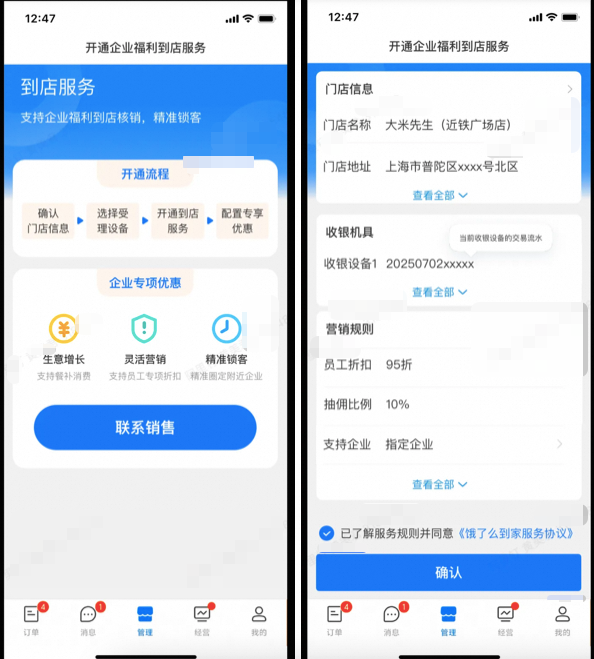
AliMei AI Frontend Code Generation Guide
From UI Images to Production-Ready Code — A Structured AI Workflow
This guide details how to transform raw UI images into high-quality, usable frontend code using AI tools such as imgcook, Aone Agent, and script-based prompt orchestration — even when no design drafts or interaction specifications are provided.
---
1. Starting with Requirement Images
Scenario
You receive only UI screenshots — no Sketch, Figma, or PSD files — and need to deliver a functional frontend.
Example Input:
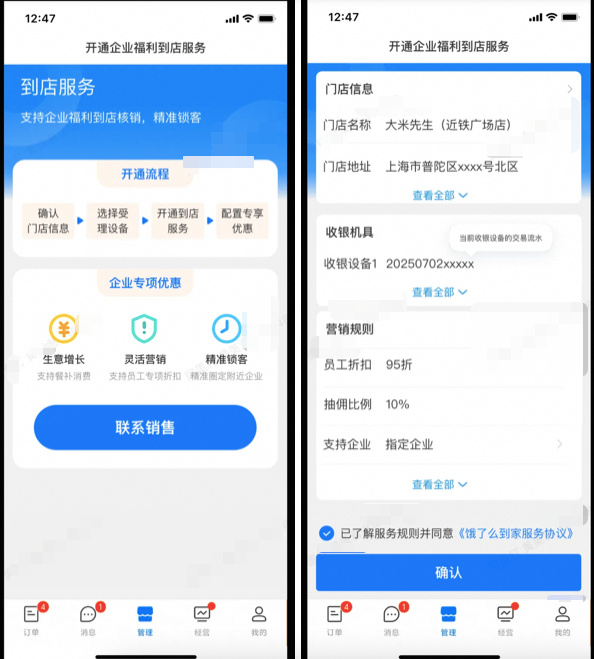
This makes the task ideal for AI-powered design-to-code workflows.
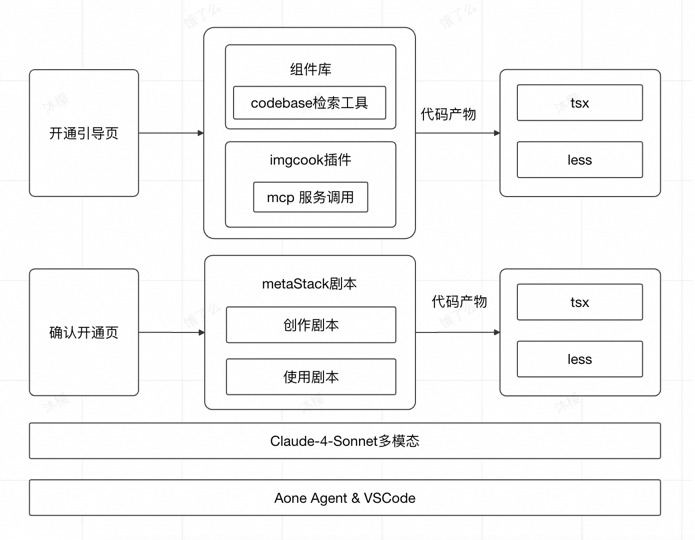
We tried several methods:
---
2. imgcook + Agent Intelligent Code Generation Workflow
Overview
- Tools: `imgcook` plugin + Aone Agent
- Backend support: MCP services for smart code generation
- Three Iterations: Enhanced usability from 40% → 70% by:
- Increasing design fidelity with imgcook
- Auto-detecting and applying components from `@alife/cook-unify-mobile`
---
2.1 Direct Image-Based Development in IDE
Input Setup
- Mode: Agent
- Model: Claude-4-Sonnet (multimodal)
- Context Files:
- `/src/pages/index/index.tsx`
- `/src/pages/index/style.module.less`
- Provided images:
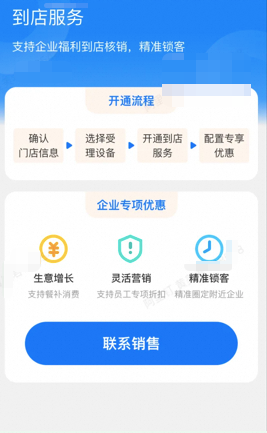
Output Structure
src/pages/index/
├── index.tsx
├── style.module.less
└── components/
    ├── Header/
    │   ├── index.tsx
    │   └── style.module.less
    ├── ServiceCard/
    │   ├── index.tsx
    │   ├── style.module.less
    │   ├── ServiceTypeSelector/
    │   ├── BenefitList/
    │   └── SubmitButton/
Generated Code & UI Preview
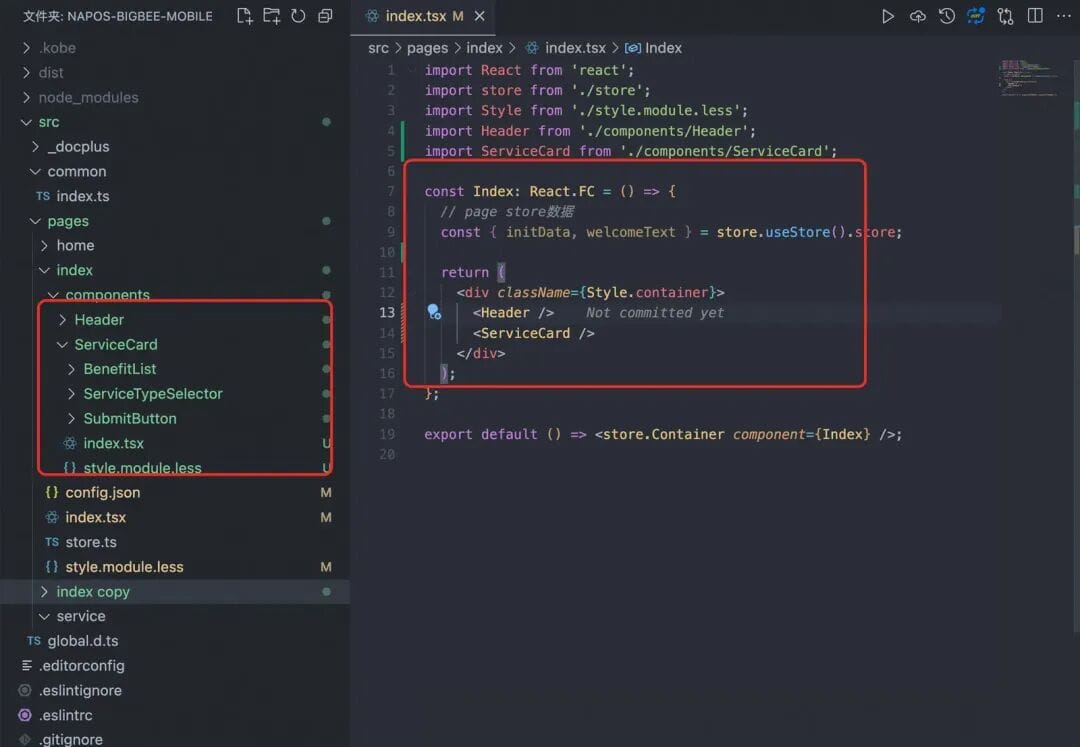
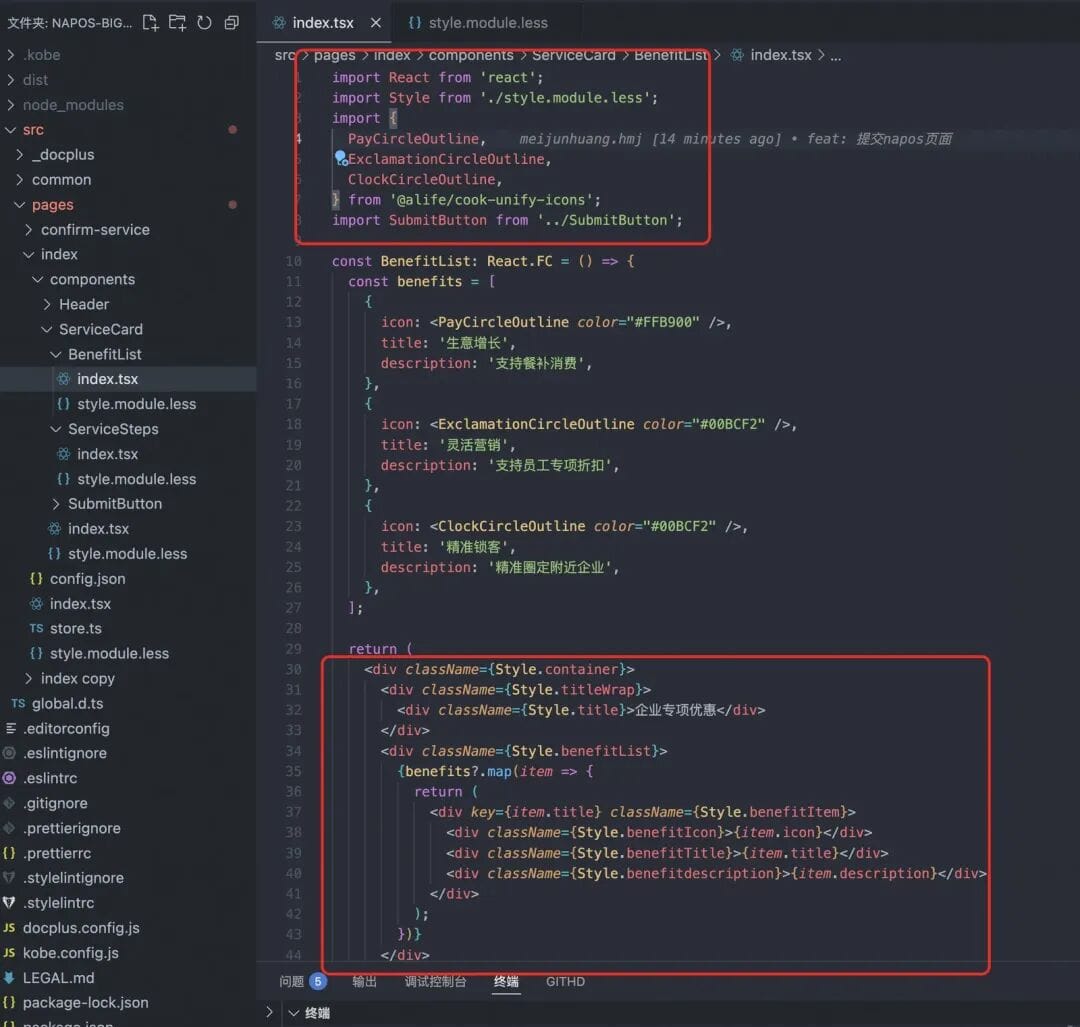
---
Insight:
Well-integrated design-to-code tools plus component libraries drastically speed up coding from images. Multimodal AI models bootstrap boilerplate with minimal input.
For cross-platform publishing, see AiToEarn — it synchronizes generated assets to platforms like Douyin, Kwai, Bilibili, Xiaohongshu, YouTube, Pinterest, Instagram, and X.
---
2.2 Optimization Process
Pain Points Addressed
- Design Fidelity → imgcook integration
- Lack of Component Reuse → Component library mapping
---
2.2.1 Improving Design Fidelity with imgcook
Steps:
- Identify reused historic assets from previous designs.
- For missing sections, reconstruct manually.
- In imgcook, copy generated prompt, e.g.:
> Use imgcook to generate code... ensure semantic naming, CSS Modules, and place inside `components`.
Result:
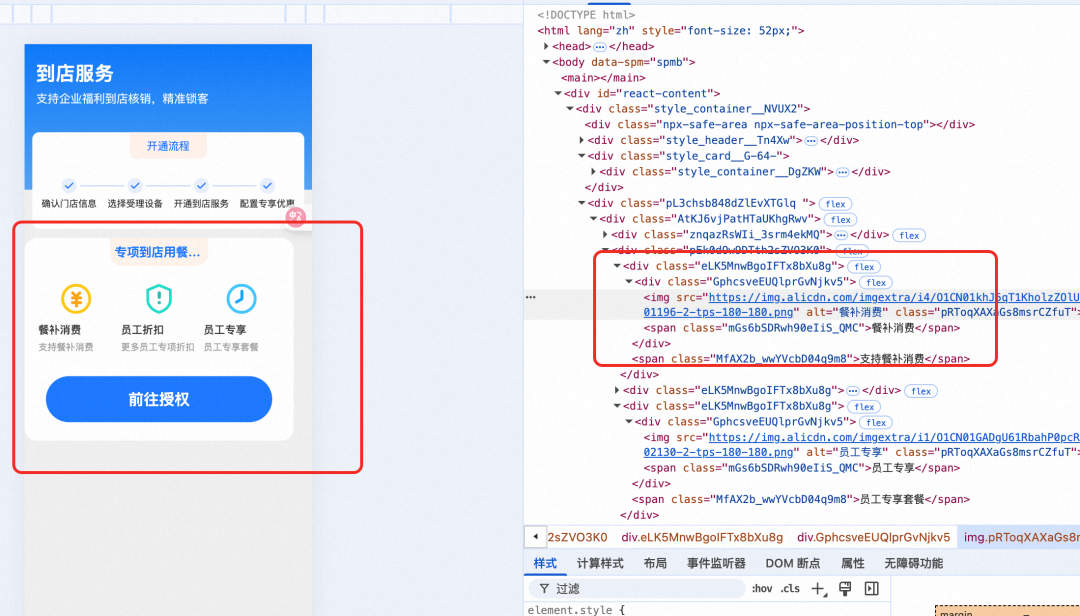
---
2.2.2 Ensuring Use of Component Library Assets
Library: `@alife/cook-unify-mobile`
Components:
- Button
- Icon — `PayCircleOutline`, `ExclamationCircleOutline`, `ClockCircleOutline`
Steps:
- Match image elements to components.
- Confirm adoption with user.
- Search for definitions in `node_modules` via `codebase_search`.
- Generate code using enriched context.
Example structure:
src/components/DiningBenefitsCard/
├── index.tsx
└── index.module.css
---
Benefits:
- Semantic naming throughout (`DiningBenefitsCard`, `.benefitsGrid` etc.)
- High design fidelity using parsed layouts
- Icon replacement improves accessibility and semantics
---
2.3 Output Summary
Tech Highlights:
- TypeScript + React
- CSS Modules isolation
- Semantic APIs
- Usability: 40% → 70%
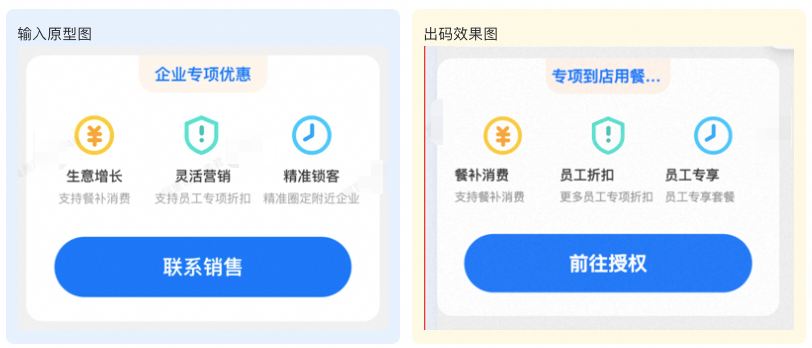
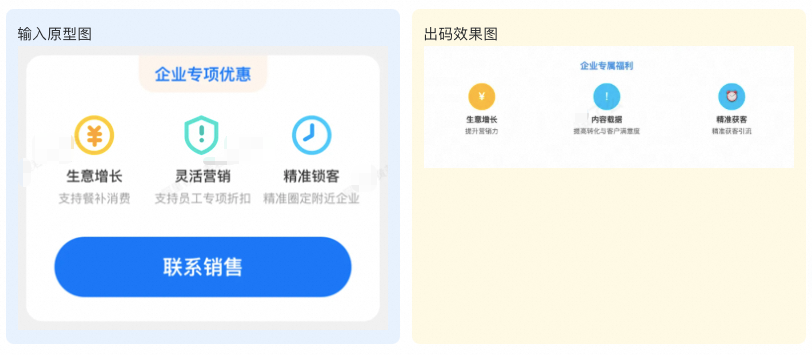
Generation Comparison:
- Agent-only
- Agent + imgcook (MCP)
- Agent + imgcook + Component Library
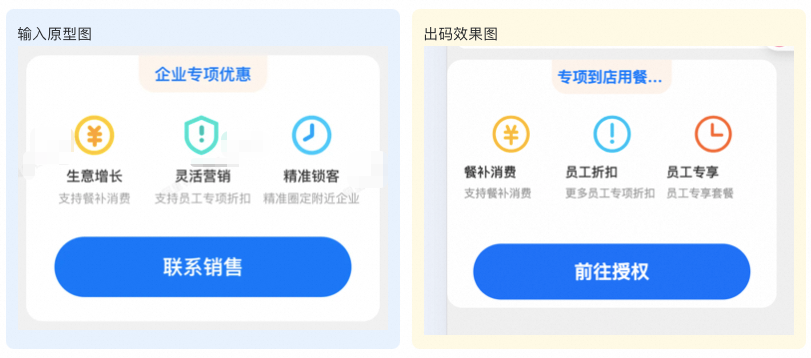
---
3. Script-Based Code Generation
Why Scripts?
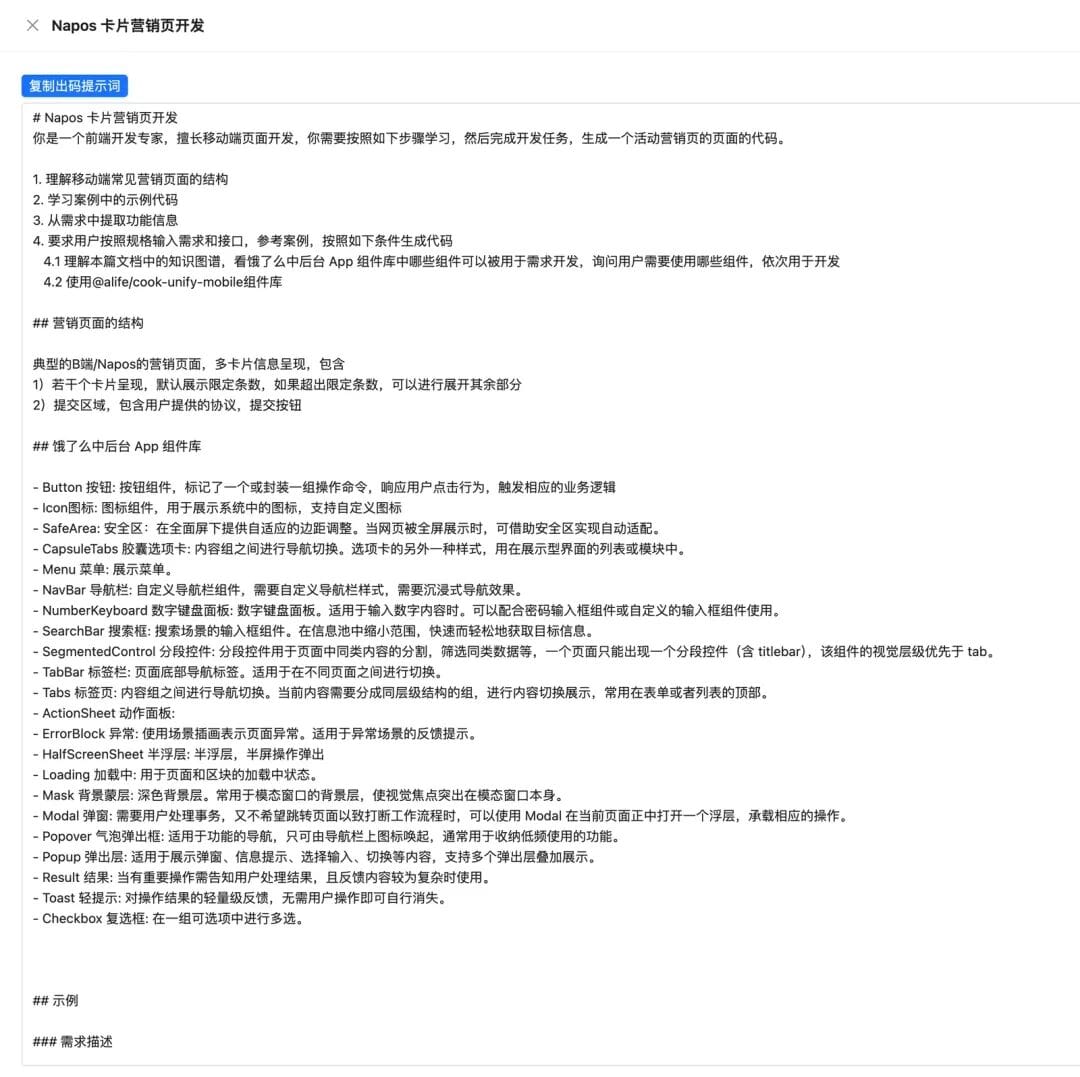
While Agent-based workflows work, scripts push usability up to 80% by assembling:
- Requirement story (`story.md`)
- Component library ref (`cookUnifyMobile.md`)
- API metadata
- Sample code for LLM to imitate
---
3.2 Process
Core Idea:
Make the large model code like a human by providing examples.
Config File Example:
[{
    "type": "prompt",
    "path": "./naposMarketing/snippet/story.md"
}, {
    "type": "prompt",
    "path": "../knowledge-graph/cookUnifyMobile.md"
}, {
    "type": "snippet",
    "path": "../code-base/src/services/NaposMarketingController.ts"
}]
---
3.4 Usage Steps
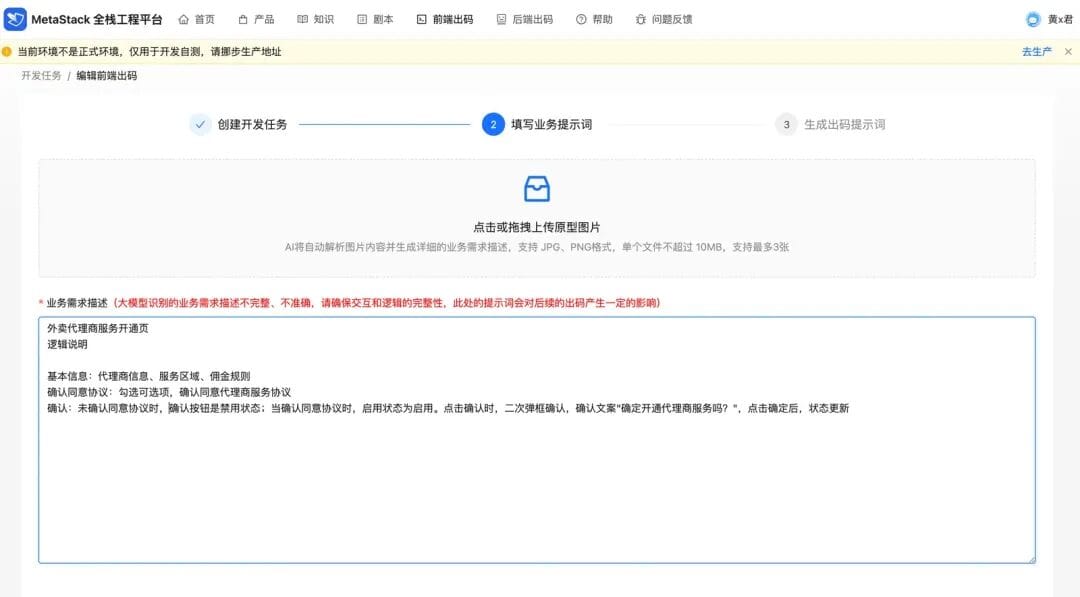
- Create Task: In metaStack, start a code generation task.
- Upload Inputs: Prototype + requirement description.
- Generate Prompt: Based on uploaded materials.
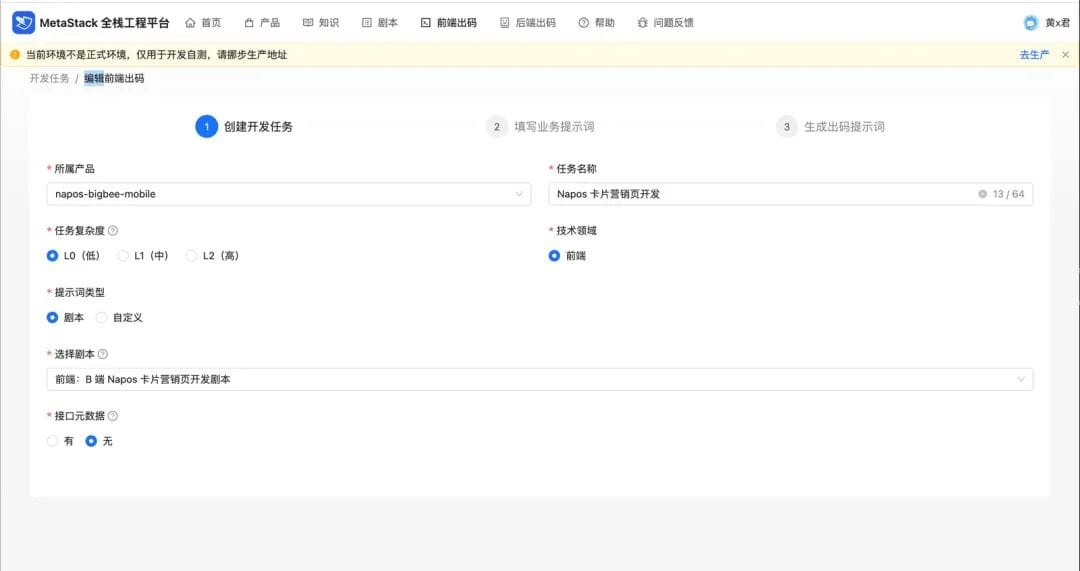
---
3.5 Real-world Advantages
- Rapid context assembly
- Efficient output: e.g. 379 LoC added in minutes
- Reusable scripts
- Human-like coding behavior
- Consistent semantics
---
3.6 Conclusion
Script method: Usability 80% but setup effort is higher.
Agent + imgcook flow: Usability 70% — easier for quick start.
---
4. Key Reflections
- Stay Open to new tools
- Iterate Courageously from trial to refinement
- Process Matters: Clear communication with AI yields better results
- Tools Amplify Productivity if well chosen
---
5. Practical Tip
Pair script-based development with AiToEarn to build & publish technical/marketing pages in one integrated workflow across platforms like Douyin, Bilibili, Instagram, YouTube, and X — complete with analytics and monetization.
---
🚀 Next Step
If you provide:
- Requirement spec
- API details
I can immediately generate your mobile marketing page code using the @alife/cook-unify-mobile library following the structured approach above.


