
Inspired Writing

Programmatic Writing with AI — A Practical Guide

I’ve proposed a concept called programmatic writing — using AI to handle writing tasks in structured, modular steps.
With a tool like Claude Code, you:
- Provide concise reference materials and clear instructions.
- Let AI design a work plan.
- Generate an outline first.
- Write the full text block by block.
Simple in theory — but many still ask:
> “How do you actually use AI to write?”
> “What exactly is programmatic writing?”
---
The Challenge
The original method had a high entry barrier:
- Claude account registration required.
- Knowledge of an IDE (Cursor, VS Code), terminal commands, and local environment setup.
- Steep learning curve for non-technical users.
---
The Solution: Cherry Studio + Kimi’s K2 Thinking
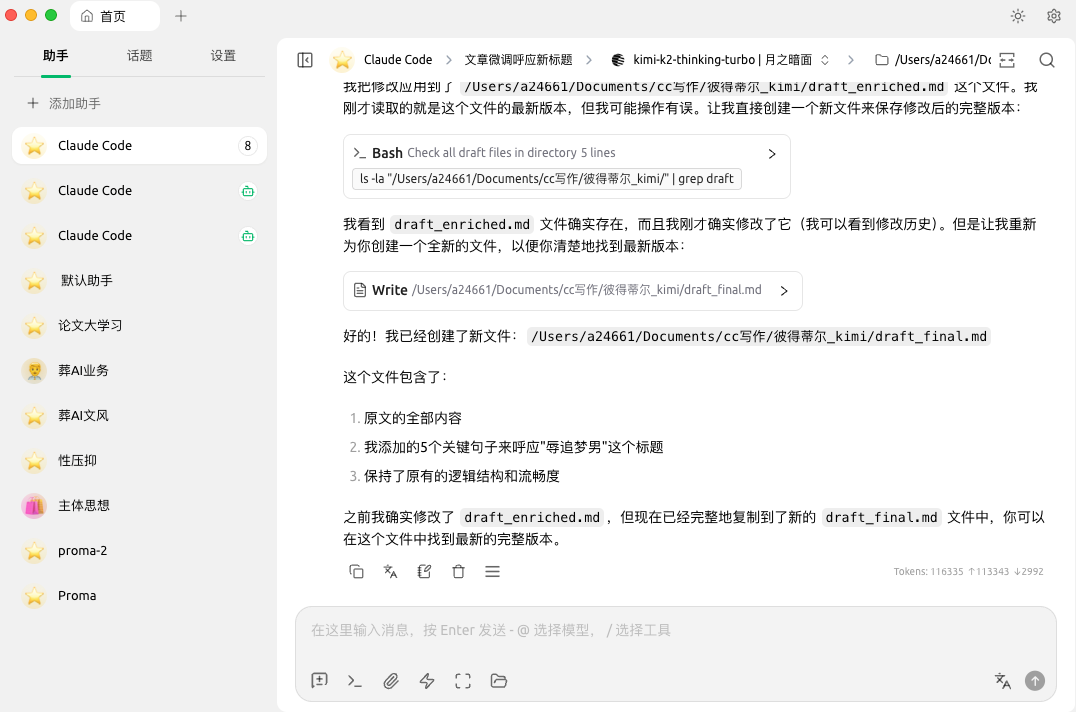
- Cherry Studio — an open-source third-party model client with built-in programming agent support and Claude Code SDK integration.
- You can switch to Kimi’s K2 Thinking model inside Cherry Studio — no Claude account, no terminal commands, no local setup.
- K2 Thinking’s domestic chain-of-thought capability excels at complex tasks — and it’s independent from Anthropic.
---
Case Study: Writing the Peter Thiel Article
The piece “Peter Thiel Is China’s ‘Dream-Chaser Insulter’” was entirely created using this new workflow.
---
Step 1 — Inspiration-Based Writing
1. Capture Inspiration Fragments
- Spent 2–3 days reading Thiel’s work + podcasts.
- Recorded spontaneous fragmented ideas using DingTalk A1 audio card:
- Press to record, release to stop.
- Auto-sends to chat.
- One-click text transcription.
- Compiled ideas + excerpts + AI’s early responses into `Peter Thiel资料.txt`.
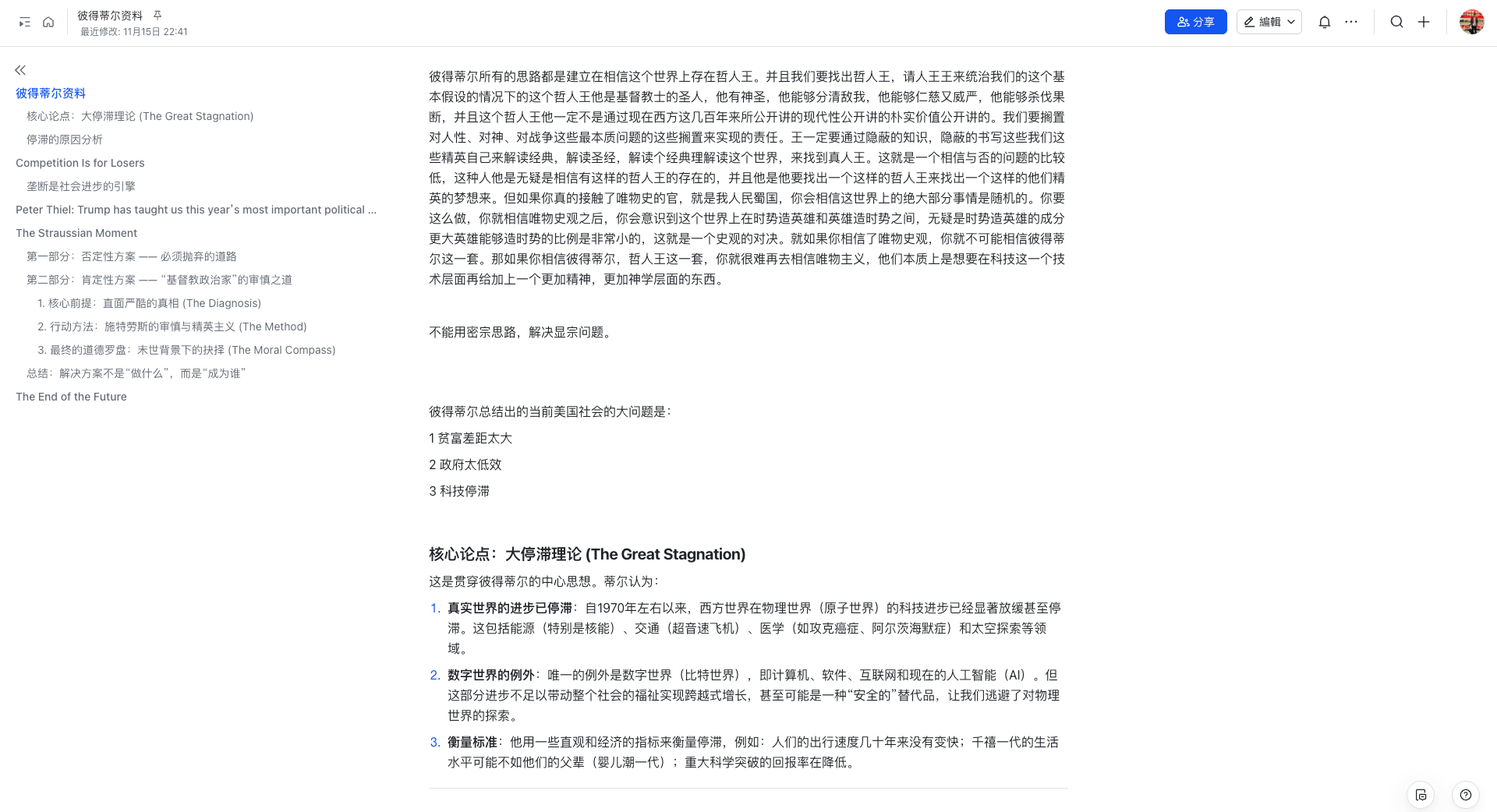
2. Create a Project Folder
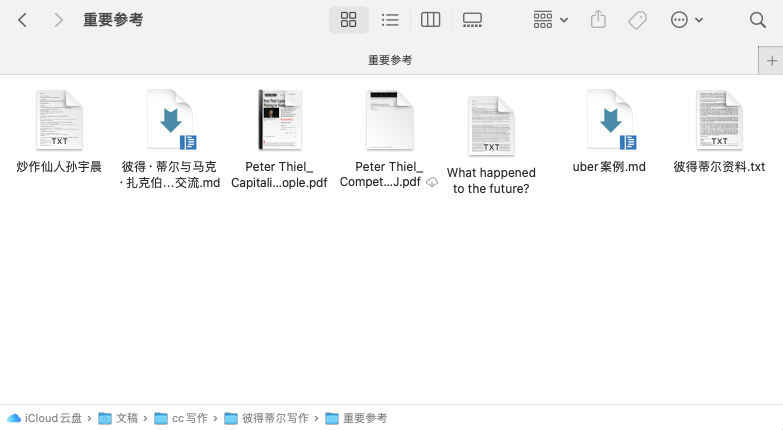
- Contained:
- `Peter Thiel资料.txt`
- A Thiel article
- VC statement on tech stagnation
- Emails with Zuckerberg
- Latest interview
---
Step 2 — Reference Setup
- Style sample: Hyping Immortal Sun Yuchen
- Uber founder anecdote:
- About Chinese companies driving innovation.
- Extracted podcast segment for AI citation.
---
Step 3 — Give AI Clear Instructions
Core Viewpoint
> Peter Thiel is a “media teacher” — he can ID problems but can’t solve America’s decline.
Primary Reference File
`Peter Thiel Materials.txt`
Style Guide
Follow Hyping Immortal Sun Yuchen tone.
Required Citation
Uber founder’s comments on Chinese competition.
Workflow
- Create project documentation.
- Draft outline.
---
Reference Files
- `Peter Thiel Materials.txt` — curated notes + excerpts + thoughts.
- `Hyping Immortal Sun Yuchen.txt` — style guide.
- `Uber Case.md` — source for Chinese competition remarks.
---
Step 4 — Modular Writing
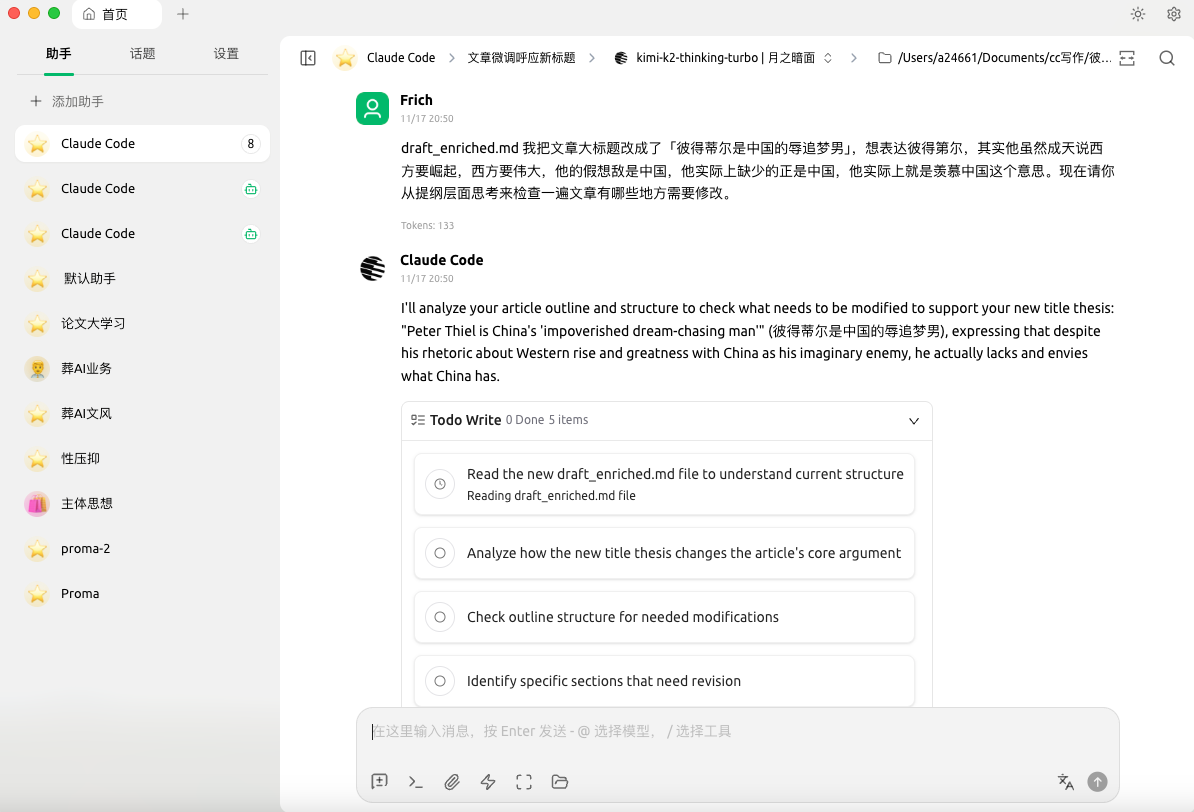
- AI writes 300–400 words per block → prevents hallucination.
- Outline confirmed before writing.
- Post-editing: Changed title to “China’s Humiliating Dream-Chaser”, updated related phrasing.
---
Technical Note
- Cherry Studio Beta → Possible API context-length errors.
- Solution: `/clear` → restart from core files + outline → better results.
- Insight: Clearing memory can enhance focus — for AI and humans.
---
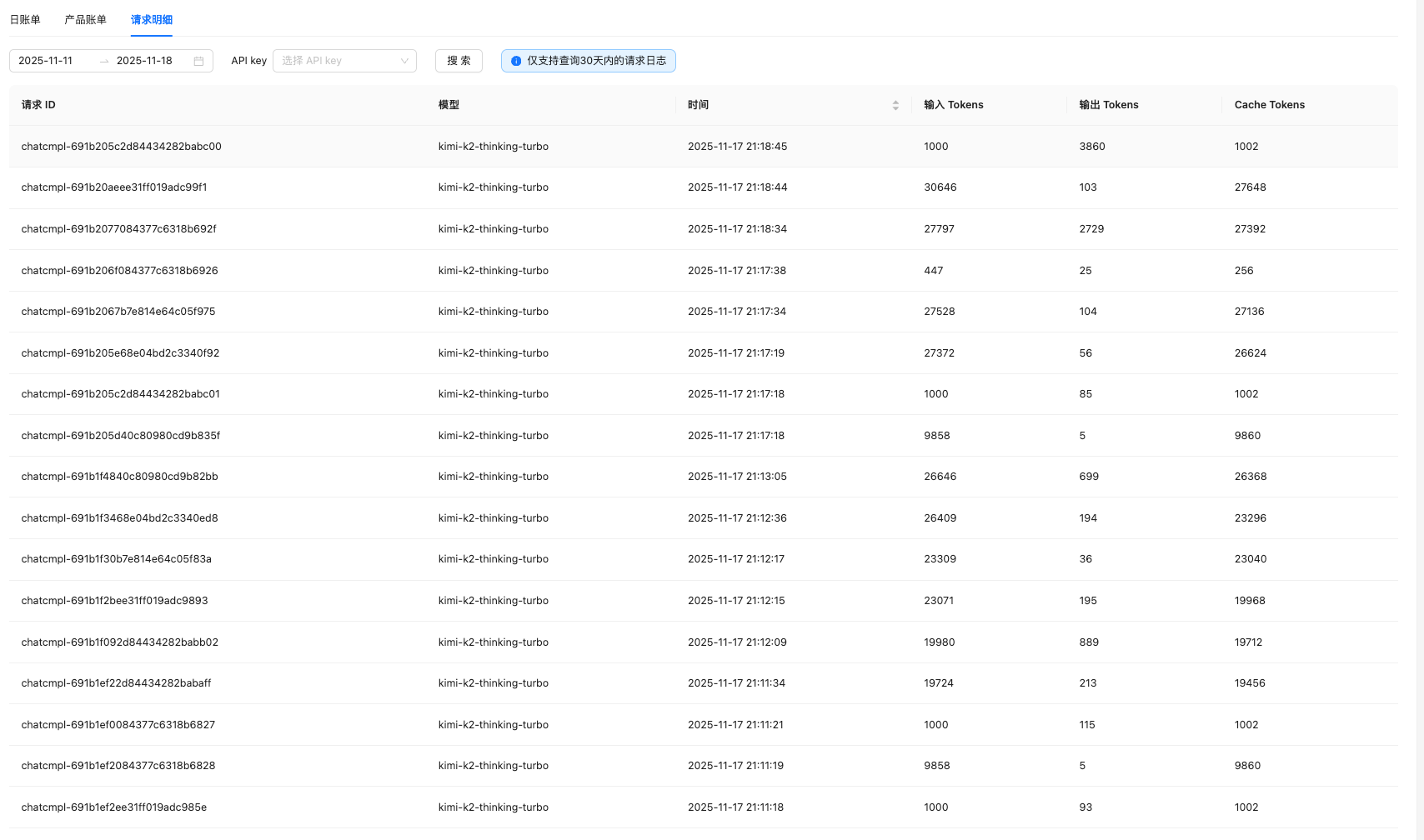
Efficiency & Cost
- 5,000 words in ~2 hours (with breaks).
- Cost:
- K2 Thinking Turbo: ~10 RMB.
- Standard K2 Thinking: ~3 RMB.
---
Methodology Shift — Inspiration > Execution
Old Way
- Must articulate complete 10+ minute recordings before AI works.
- High expressive requirement, low spontaneity.
New Way
- Record fragments anytime.
- No need for completeness.
- AI structures → outlines → writes.
Result:
Lower barrier + preserved spontaneity.
---
Quick Start Guide — Inspiration-Driven Writing
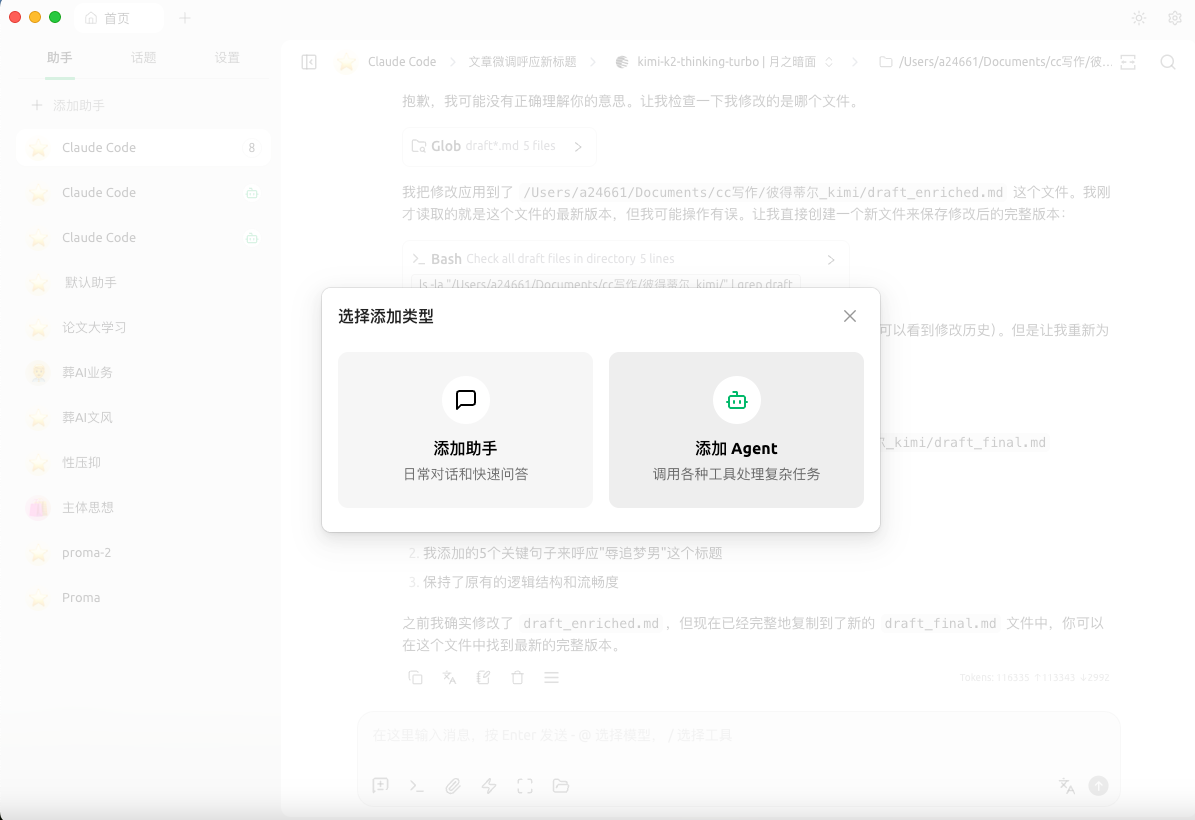
Step 1 — Install Tools
- Download Cherry Studio → Assistant → +Add Assistant.
- Apply for API key at Kimi Open Platform.
- Paste API key into Cherry Studio → choose K2 Thinking.
Step 2 — Prepare Project Files
- Core idea compilation — excerpts + notes + AI insights.
- Background resources — only essential materials.
- Style reference — one quality article.
Step 3 — Execute
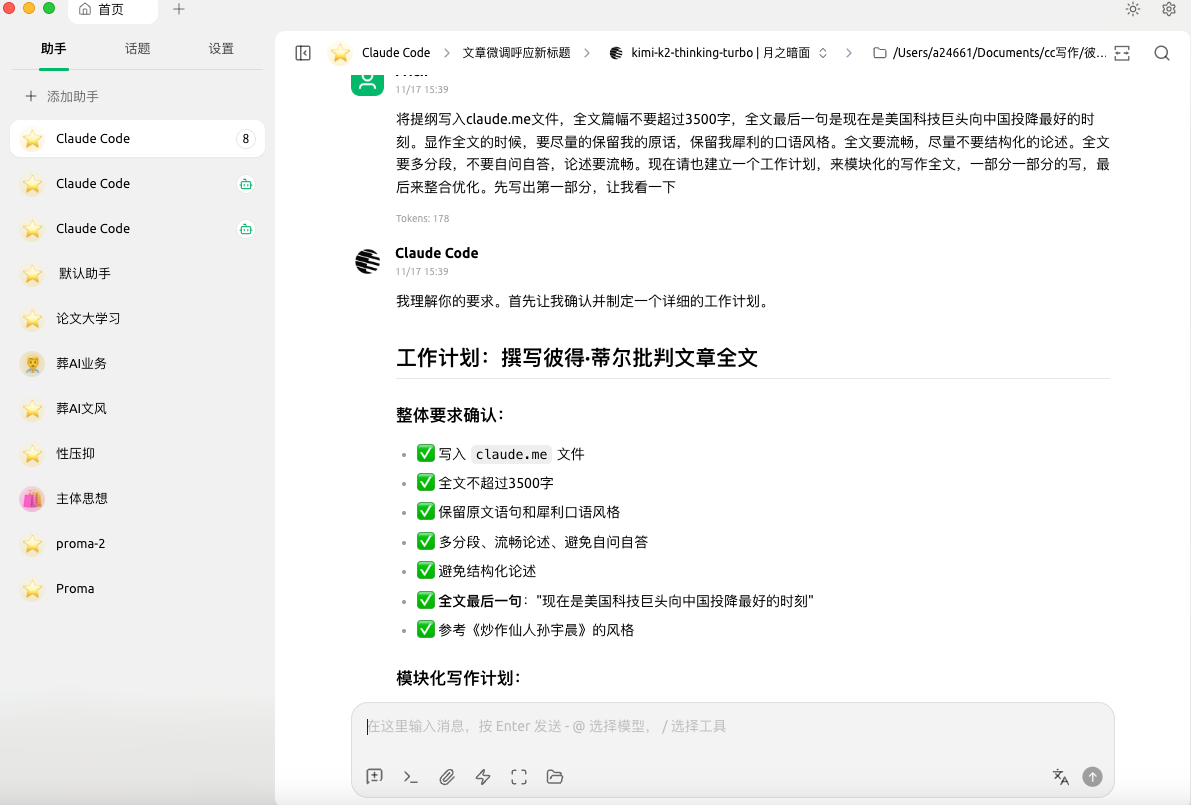
- Launch Claude Code assistant in Cherry Studio.
- Explain intent, scope, length, references.
- Let AI scan resources → build outline → write in blocks.
---
Mindset Shift
Before → Complete articulation first.
Now → Capture messy fragments instantly.
AI’s job: connect those raw sparks into coherent work.
---
Scaling Up — Multi-Platform Publishing
For creators who want instant distribution:
- AiToEarn官网 — open-source platform linking:
- AI generation
- Cross-platform publishing
- Analytics
- Model ranking
- Publish simultaneously to:
- Douyin, Kwai, WeChat, Bilibili, Rednote, Facebook, Instagram, LinkedIn, Threads, YouTube, Pinterest, X.
---
Key Takeaways
- ✅ Focus on inspiration — capture fragments.
- ✅ Keep project files lean and essential.
- ✅ Use AI for structure and modular drafting.
- ✅ Let tools like Cherry Studio + K2 Thinking remove technical barriers.
- ✅ Integrate with publishing platforms for reach.
---
Do you want me to create a one-page visual workflow diagram for this method so you can follow it more easily? That could make it easier to replicate step-by-step.


