
Nano Banana Pro Ultimate Development Guide
# **Complete Developer Tutorial for Nano Banana Pro**
Discover how this **next-generation AI model** — with **reasoning capability**, **real-time search grounding**, and **stunning 4K output** — can help you build **complex and highly creative applications**.
If the Flash model (**Nano Banana**) is the **king of speed and cost-efficiency**, the Pro version is an **artist with a brain** — capable of reasoning, leveraging real-time search results, and producing cinematic 4K ultra-high-definition images.
It’s time to **create something big**.
This guide will walk you through unlocking the **advanced capabilities** of Nano Banana Pro via the [**Gemini Developer API**](https://ai.google.dev/).
---
## **In This Guide, You'll Learn To:**
- Play with Nano Banana Pro in **Google AI Studio**
- **Set up** your project environment
- **Initialize** the API client
- Perform **basic generation**
- Access **model reasoning (“thinking”)**
- Utilize **search grounding**
- Generate in **4K ultra-high-definition**
- Work with **multilingual outputs**
- Apply **advanced image blending**
- Explore **exclusive Pro demos**
- Implement **best practices** & **prompt crafting tips**
> **Quick Start:**
> [Python Colab Guide](https://colab.sandbox.google.com/github/google-gemini/cookbook/blob/main/quickstarts/Get_Started_Nano_Banana.ipynb)
> [JavaScript Notebook](https://ai.studio/apps/bundled/get_started_image_out?fullscreenApplet=true)
---
## **1. Playing with Nano Banana Pro in Google AI Studio**
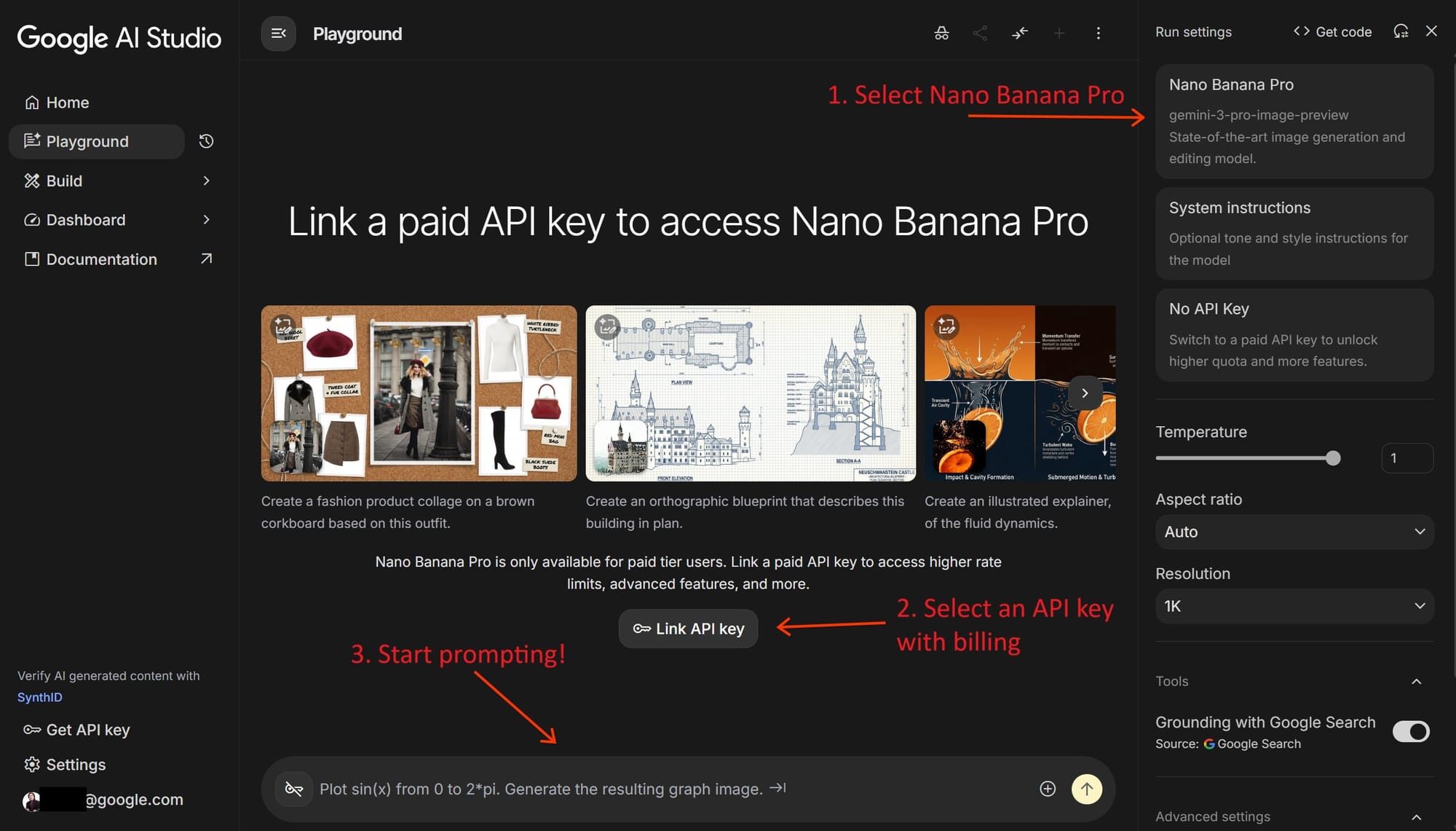
For developers, the **best place to prototype** and test prompts before coding is [**Google AI Studio**](https://aistudio.google.com/banana-pro).
**Steps:**
1. Visit [https://aistudio.google.com/banana-pro](https://aistudio.google.com/banana-pro).
2. Sign in with your **Google account**.
3. Select **Nano Banana Pro (Gemini 3 Pro Image)** from the model selector.
> ⚠ **No Free Tier:**
> Nano Banana Pro requires an API key with **billing enabled**. See the **Environment Setup** section below.
---
**Workflow Enhancer:**
Tools like [AiToEarn](https://aitoearn.ai/) let creators **publish and monetize** AI outputs across platforms (**Douyin, Kwai, WeChat, Bilibili, Xiaohongshu, YouTube, Facebook, Instagram, X**).
AiToEarn is **open-source** and focused on **global AI content monetization** — integrating generation, cross-platform publishing, analytics, and ranking.
More info: [Blog](https://blog.aitoearn.ai) · [Docs](https://docs.aitoearn.ai/) · [Model Rankings](https://rank.aitoearn.ai)
---
## **2. Project Environment Setup**
### **You Need:**
- 📌 **API key** from [Google AI Studio](https://aistudio.google.com/)
- 💳 **Billing enabled**
- 📦 **Google Gen AI SDK** — [Python](https://github.com/googleapis/python-genai) or [JavaScript](https://github.com/googleapis/js-genai)
---
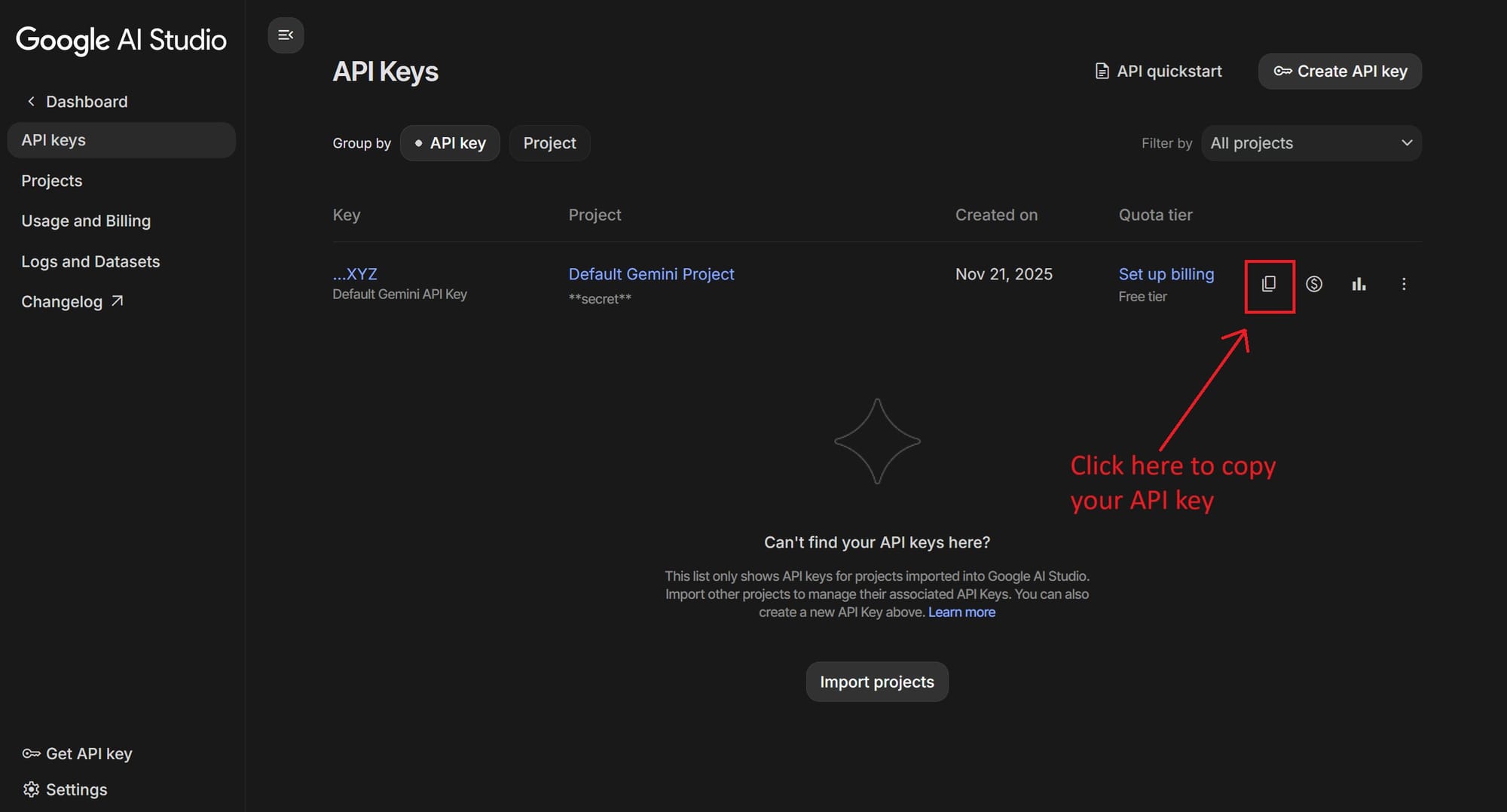
### **Step A: Get Your API Key**
1. Log into **AI Studio**.
2. Go to [API Keys](https://aistudio.google.com/api-keys).
3. Click **Copy** to save your key.
---
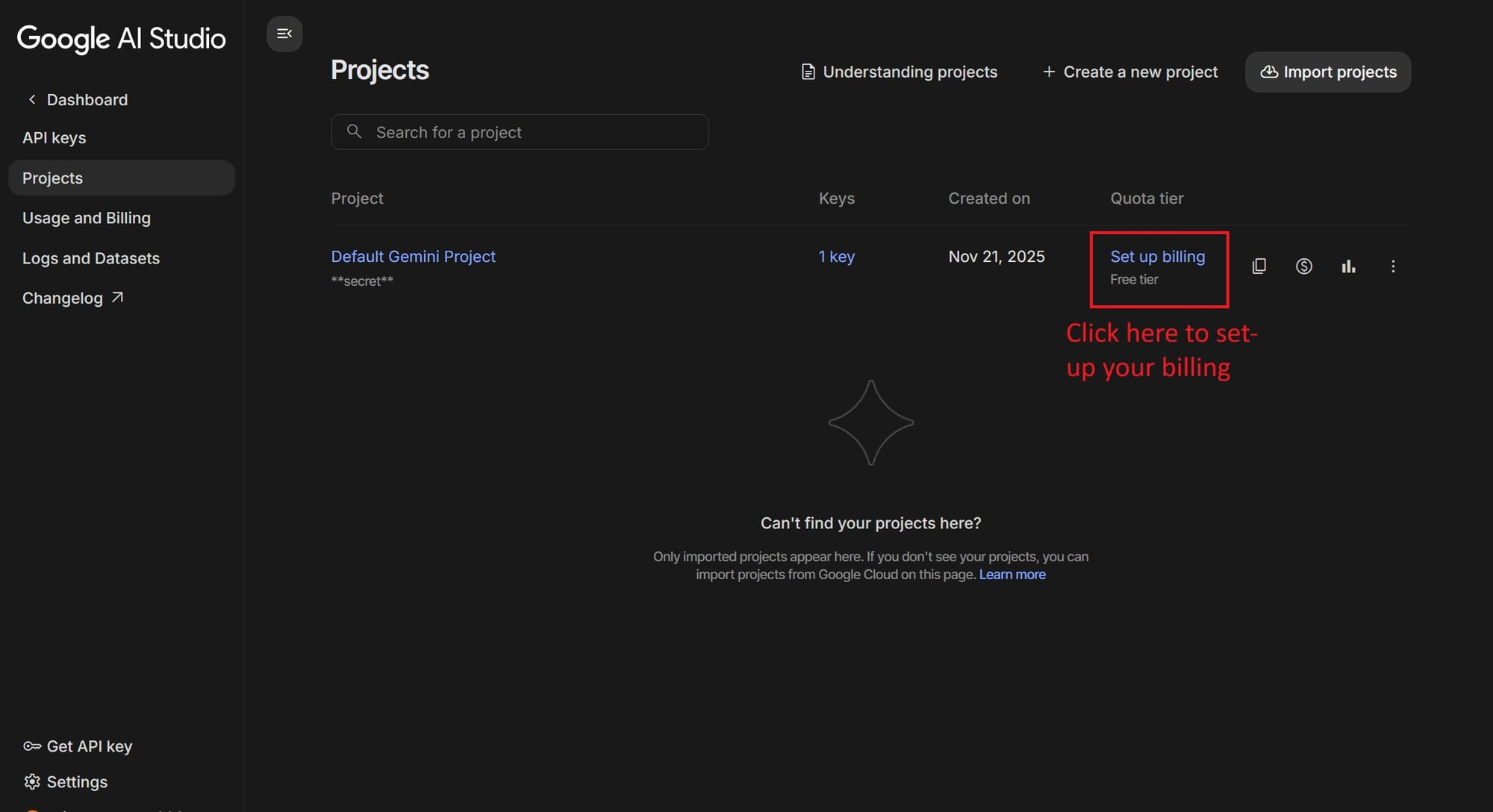
### **Step B: Enable Billing**
1. Go to [Projects](https://aistudio.google.com/projects).
2. Click **Set Up Billing** and follow the prompts.
💰 **Cost Insight:**
- 1K/2K image: **$0.134**
- 4K image: **$0.24** (+ token costs)
Latest pricing: [Docs](https://ai.google.dev/gemini-api/docs/pricing#gemini-3-pro-image-preview)
> 💡 **Money-Saving Tip:** Use [**Batch API**](https://ai.google.dev/gemini-api/docs/image-generation?batch=file#batch-api) to cut costs **50%** (but allow up to 24 hours).
---
### **Step C: Install the SDK**
**Python:**pip install -U google-genai
pip install Pillow
**JavaScript/TypeScript:**npm install @google/genai
---

## **3. Initialize the Client**
Model ID: `gemini-3-pro-image-preview`
from google import genai
from google.genai import types
client = genai.Client(api_key="YOUR_API_KEY")
PRO_MODEL_ID = "gemini-3-pro-image-preview"
---

## **4. Basic Image Generation**
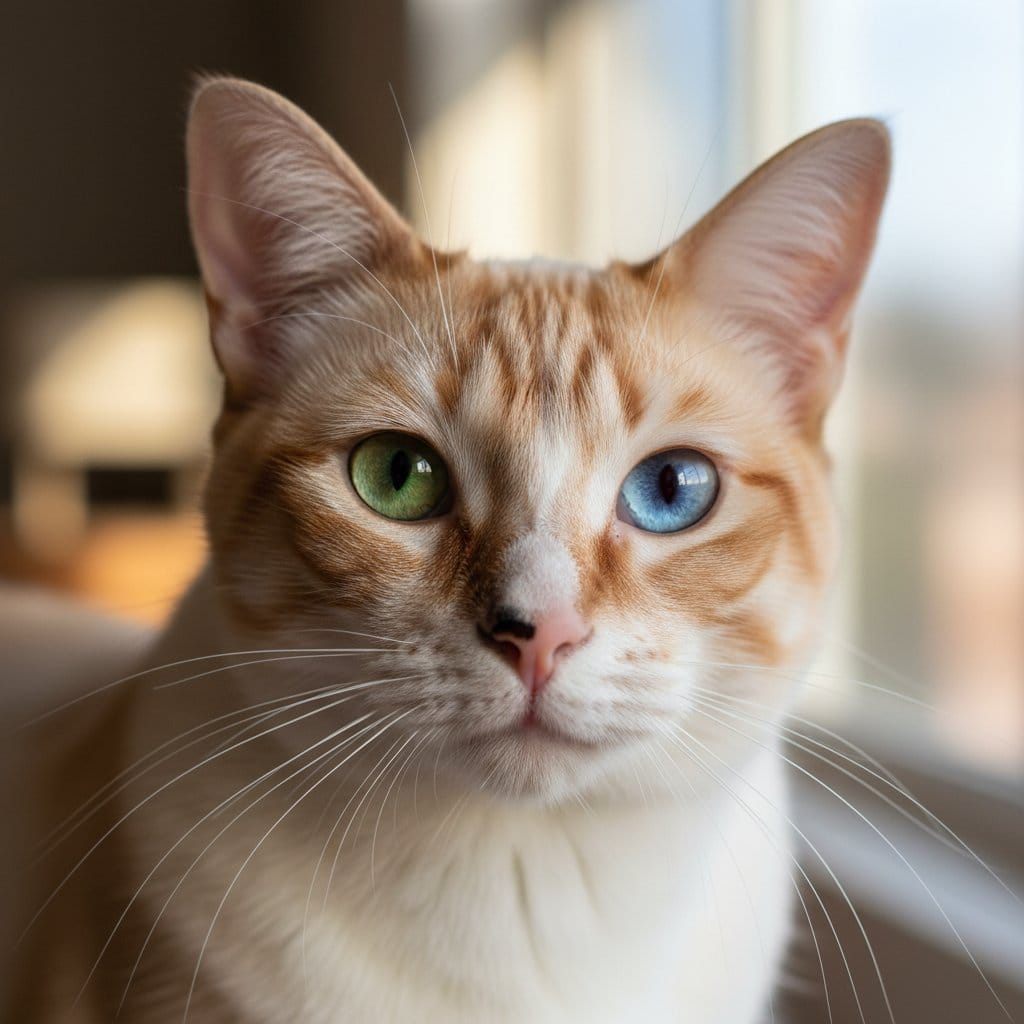
prompt = "Create a photorealistic image of a siamese cat with a green left eye and a blue right one"
response = client.models.generate_content(
model=PRO_MODEL_ID,
contents=prompt,
config=types.GenerateContentConfig(
response_modalities=['Text', 'Image'],
image_config=types.ImageConfig(
aspect_ratio="16:9"
)
)
)
for part in response.parts:
if image := part.as_image():
image.save("cat.png")
> 💬 **Tip:** Use **Chat mode** for multi-round refinements.
---
## **5. Accessing the “Thinking” Process**
Enable `include_thoughts=True`:response = client.models.generate_content(
model=PRO_MODEL_ID,
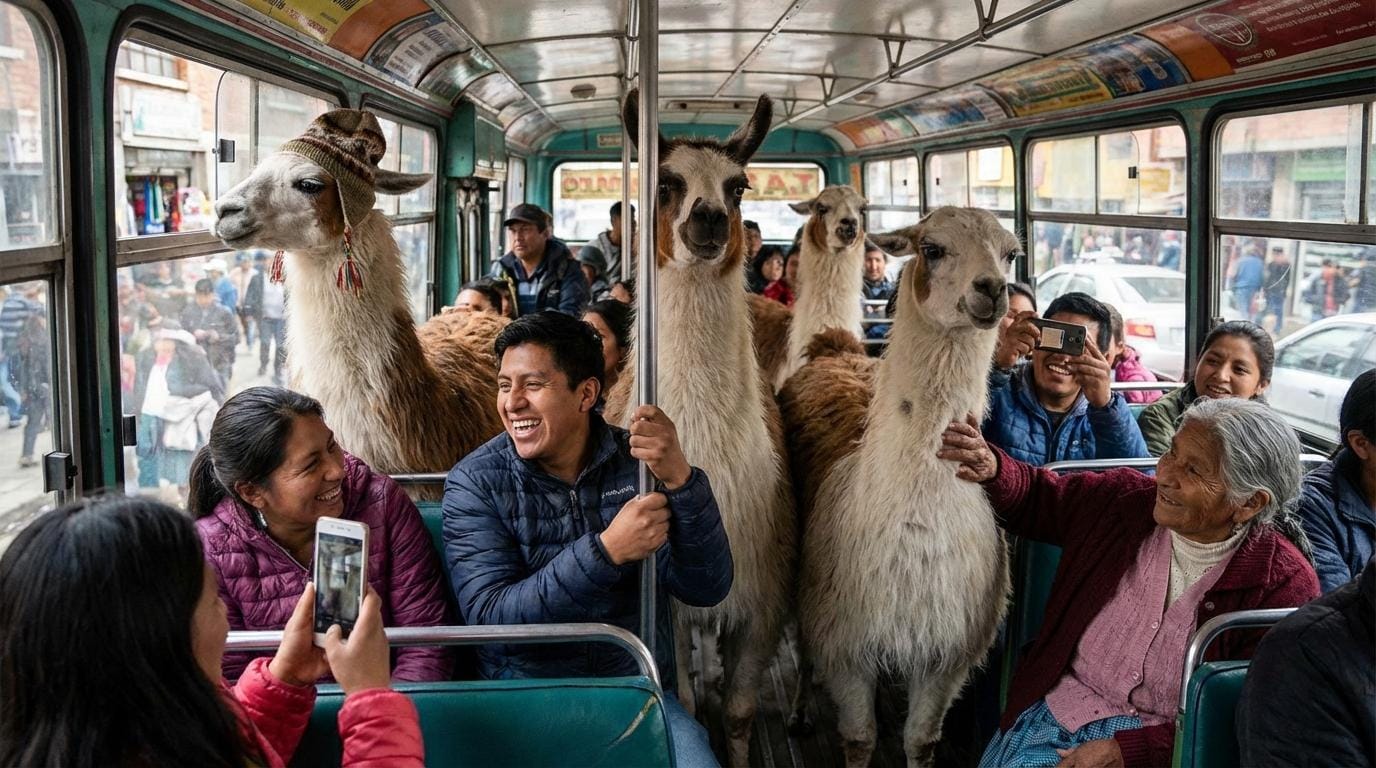
contents="Create an unusual but realistic image that might go viral",
config=types.GenerateContentConfig(
response_modalities=['Text', 'Image'],
image_config=types.ImageConfig(aspect_ratio="16:9"),
thinking_config=types.ThinkingConfig(include_thoughts=True)
)
)
for part in response.parts:
if part.thought:
print(f"Thought: {part.text}")
elif image := part.as_image():
image.save("viral.png")
---
## **6. Search Grounding (Real-Time Data)**
Use Google Search integration:response = client.models.generate_content(
model=PRO_MODEL_ID,
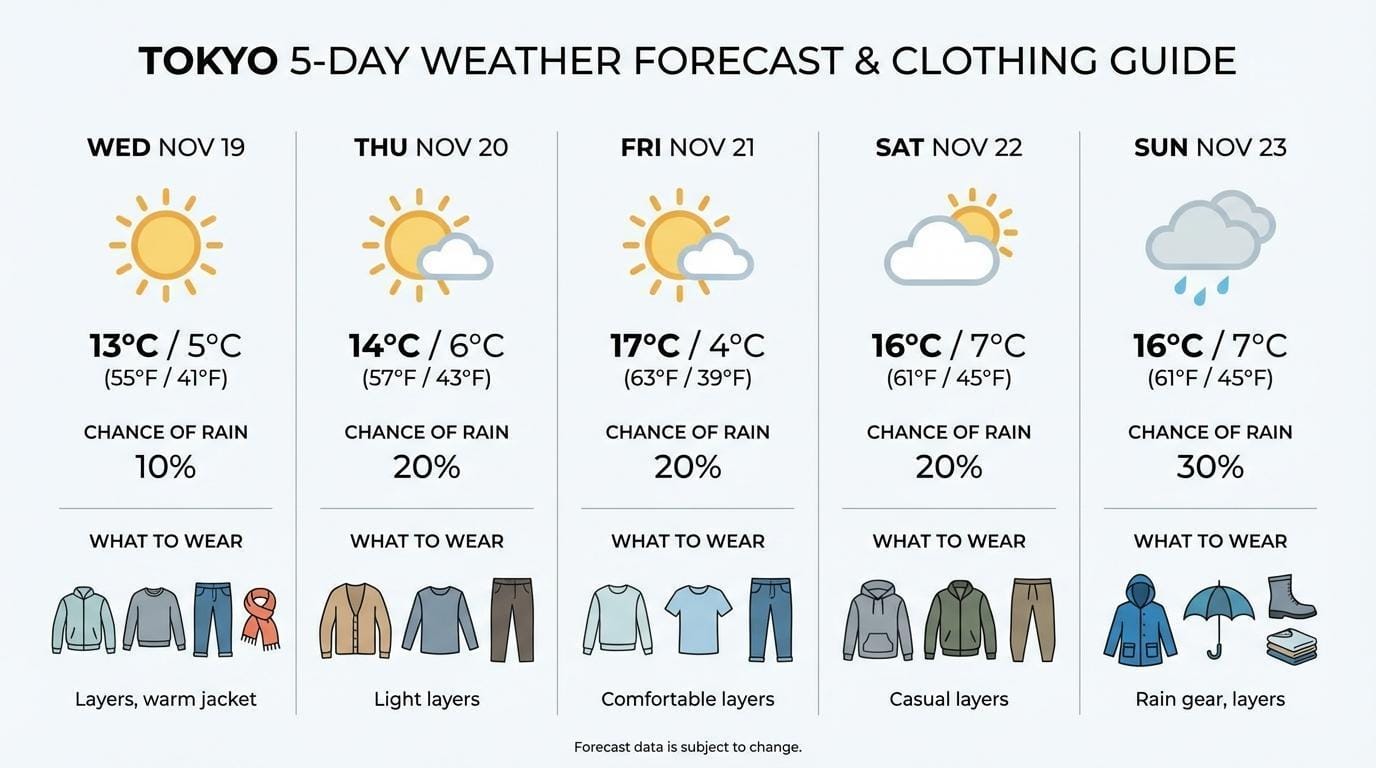
contents="Visualize the current weather forecast for Tokyo for the next 5 days",
config=types.GenerateContentConfig(
response_modalities=['Text', 'Image'],
image_config=types.ImageConfig(aspect_ratio="16:9"),
tools=[{"google_search": {}}]
)
)
for part in response.parts:
if image := part.as_image():
image.save("weather.png")
print(response.candidates[0].grounding_metadata.search_entry_point.rendered_content)
---
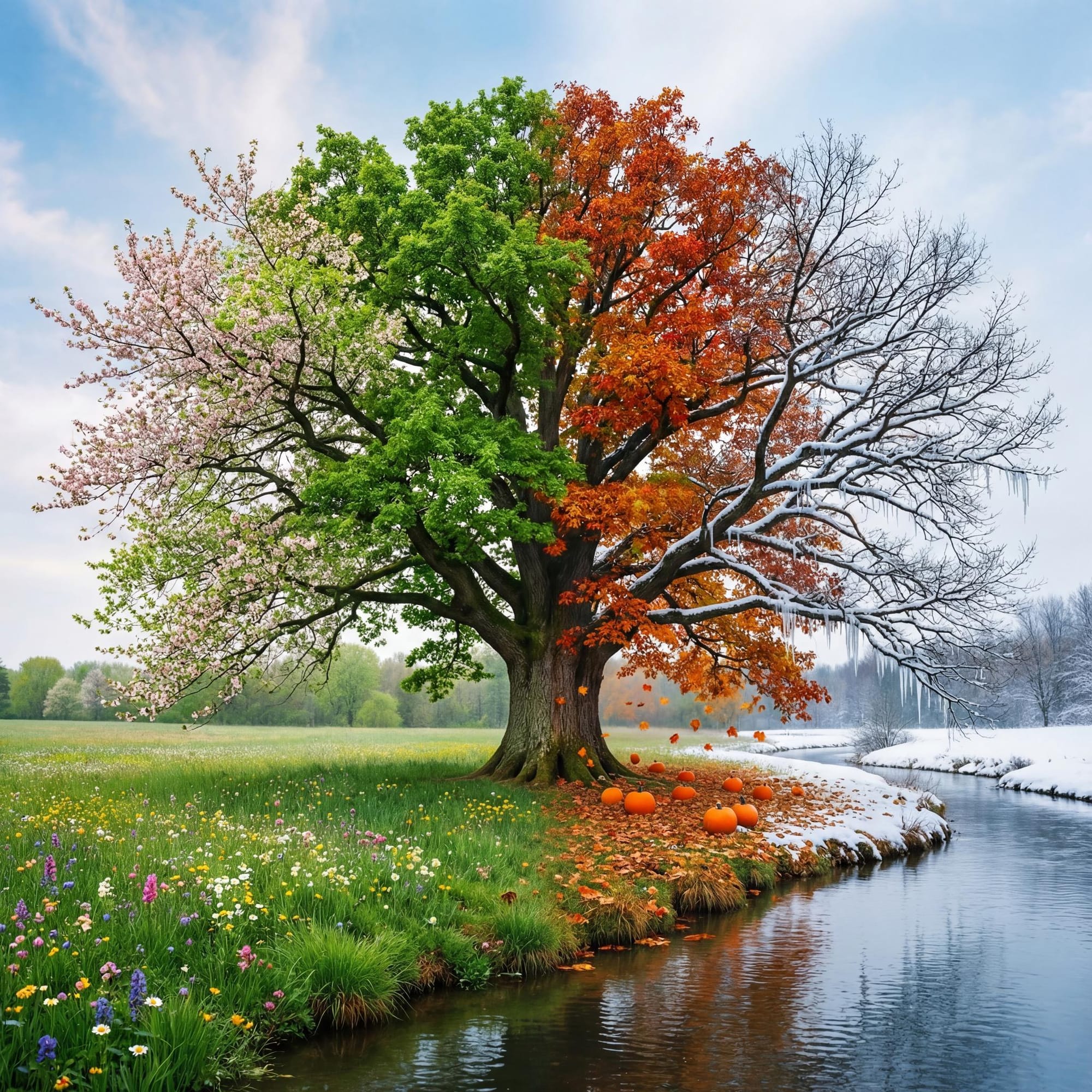
## **7. Generate in 4K Ultra HD**response = client.models.generate_content(
model=PRO_MODEL_ID,
contents="A photo of an oak tree experiencing every season",
config=types.GenerateContentConfig(
response_modalities=['Text', 'Image'],
image_config=types.ImageConfig(aspect_ratio="1:1", image_size="4K")
)
)
---
## **8. Multilingual Capability**
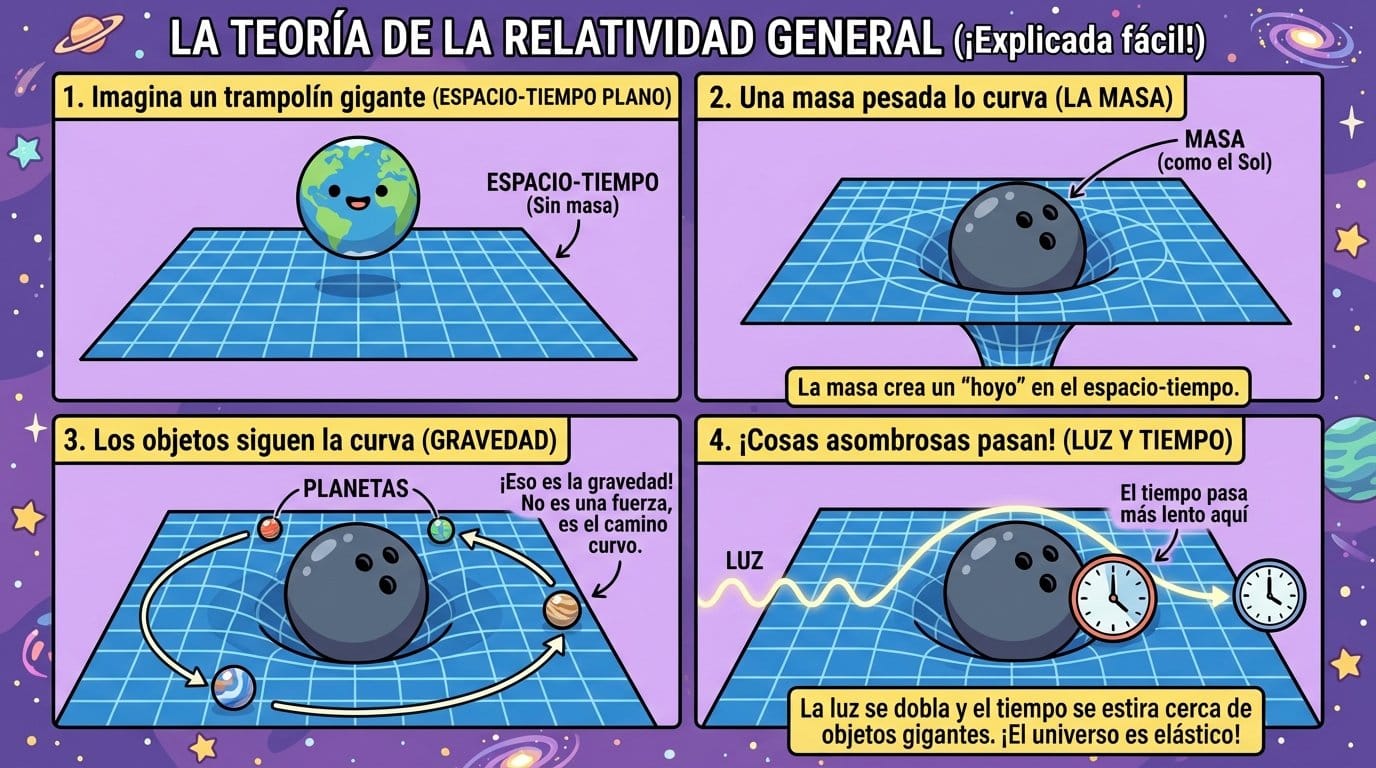
Generate Spanish infographic:message = "Make an infographic explaining Einstein's theory of General Relativity for 6th graders in Spanish"
response = chat.send_message(
message,
config=types.GenerateContentConfig(image_config=types.ImageConfig(aspect_ratio="16:9"))
)
Save image:for part in response.parts:
if image := part.as_image():
image.save("relativity.png")
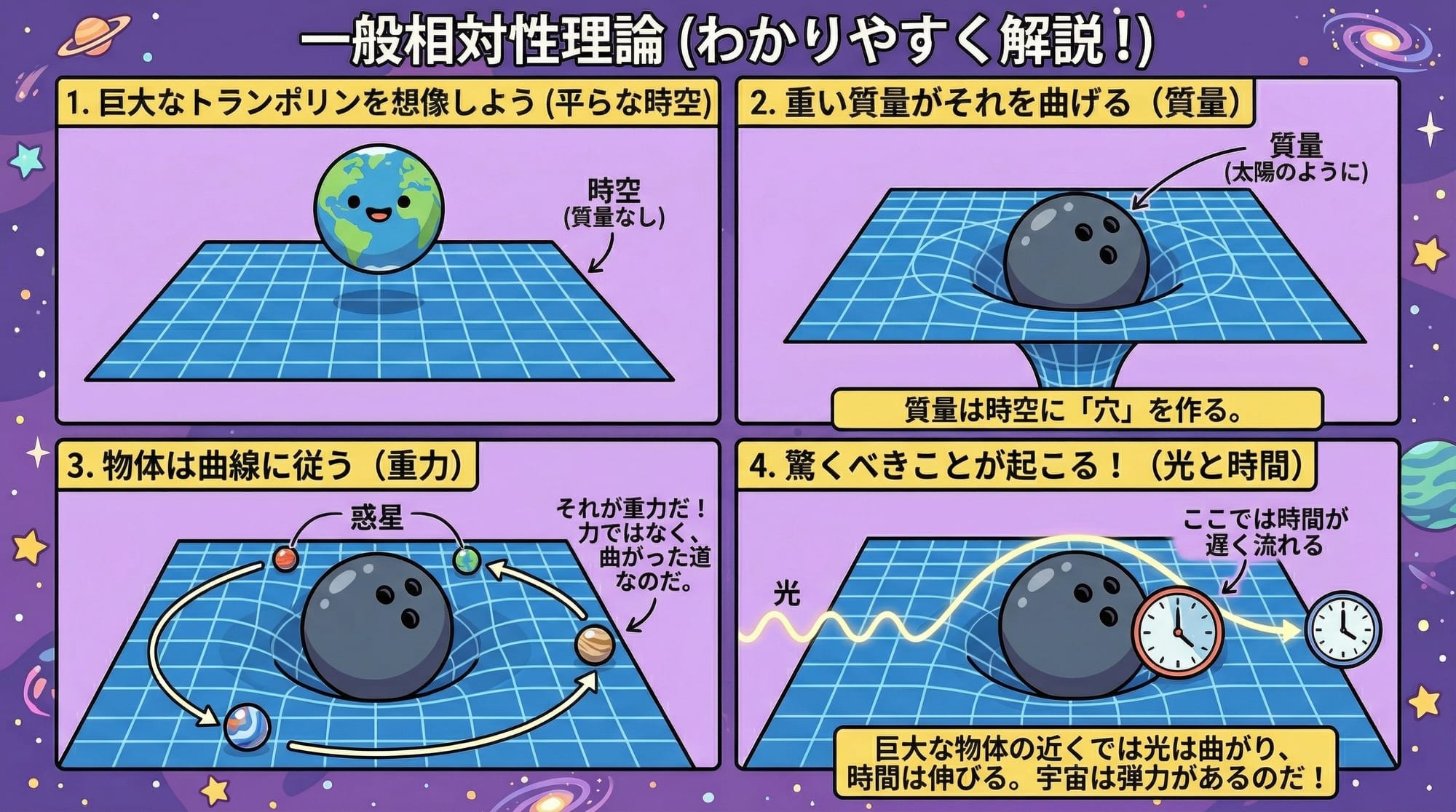
Translate to Japanese:response = chat.send_message("Translate this infographic into Japanese, keeping everything else the same")
for part in response.parts:
if image := part.as_image():
image.save("relativity_JP.png")
---
## **9. Advanced Image Blending**
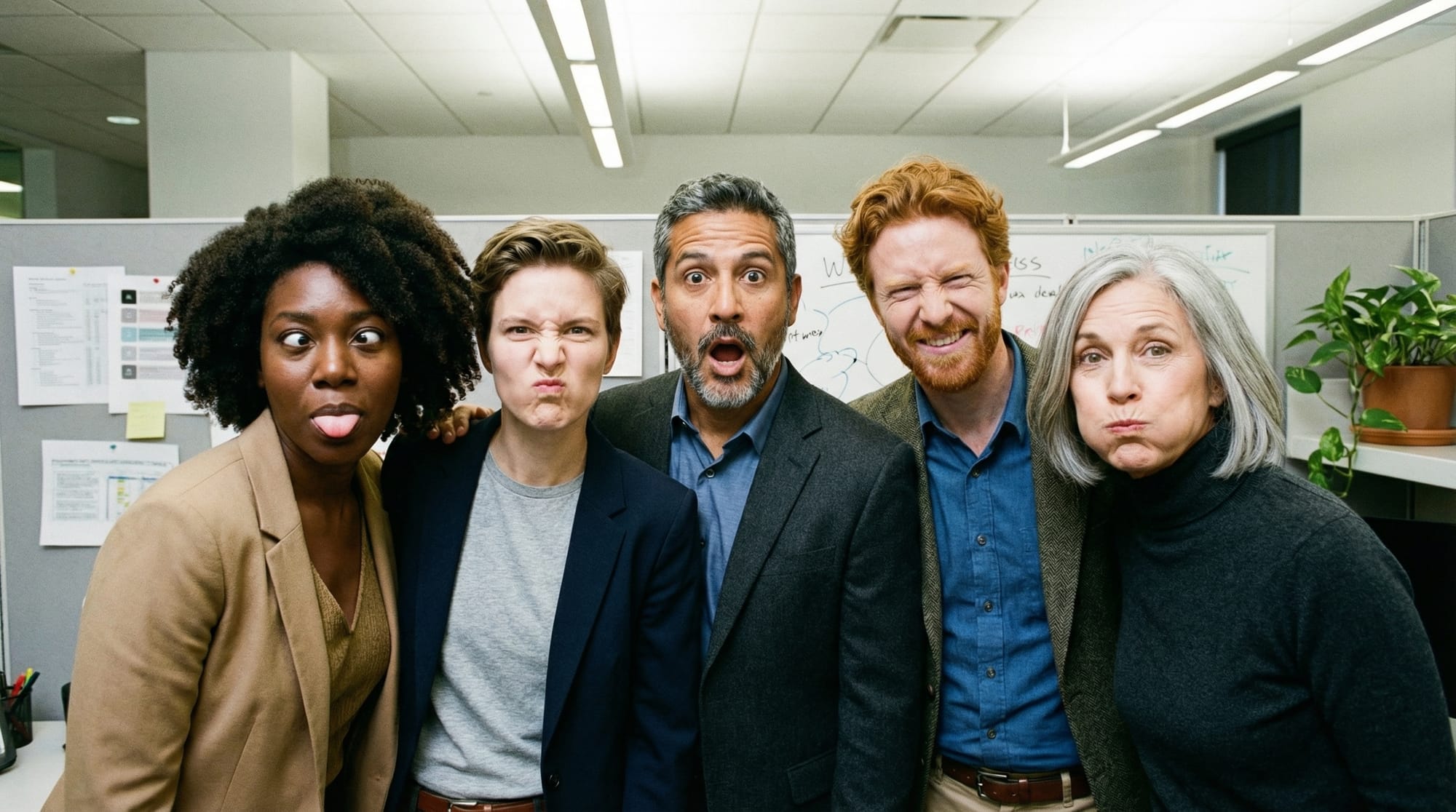
Blend up to 14 images:response = client.models.generate_content(
model=PRO_MODEL_ID,
contents=[
"An office group photo of these people making funny faces.",
PIL.Image.open('John.png'),
PIL.Image.open('Jane.png')
]
)
for part in response.parts:
if image := part.as_image():
image.save("group_picture.png")
---
## **10. Pro Edition Exclusive Demos**
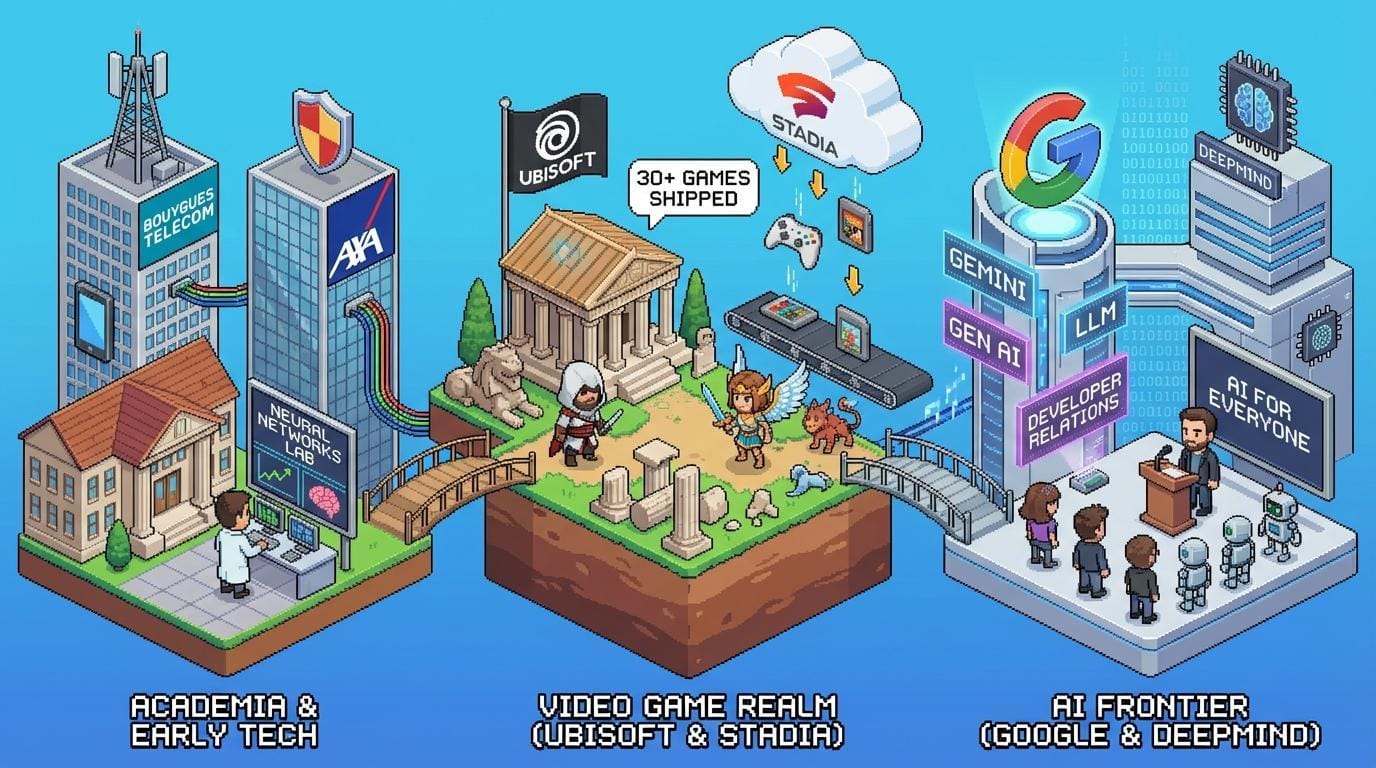
**Personalized Pixel Art**
> Prompt: "Search the web then generate isometric pixel art of Guillaume Vernade's career"
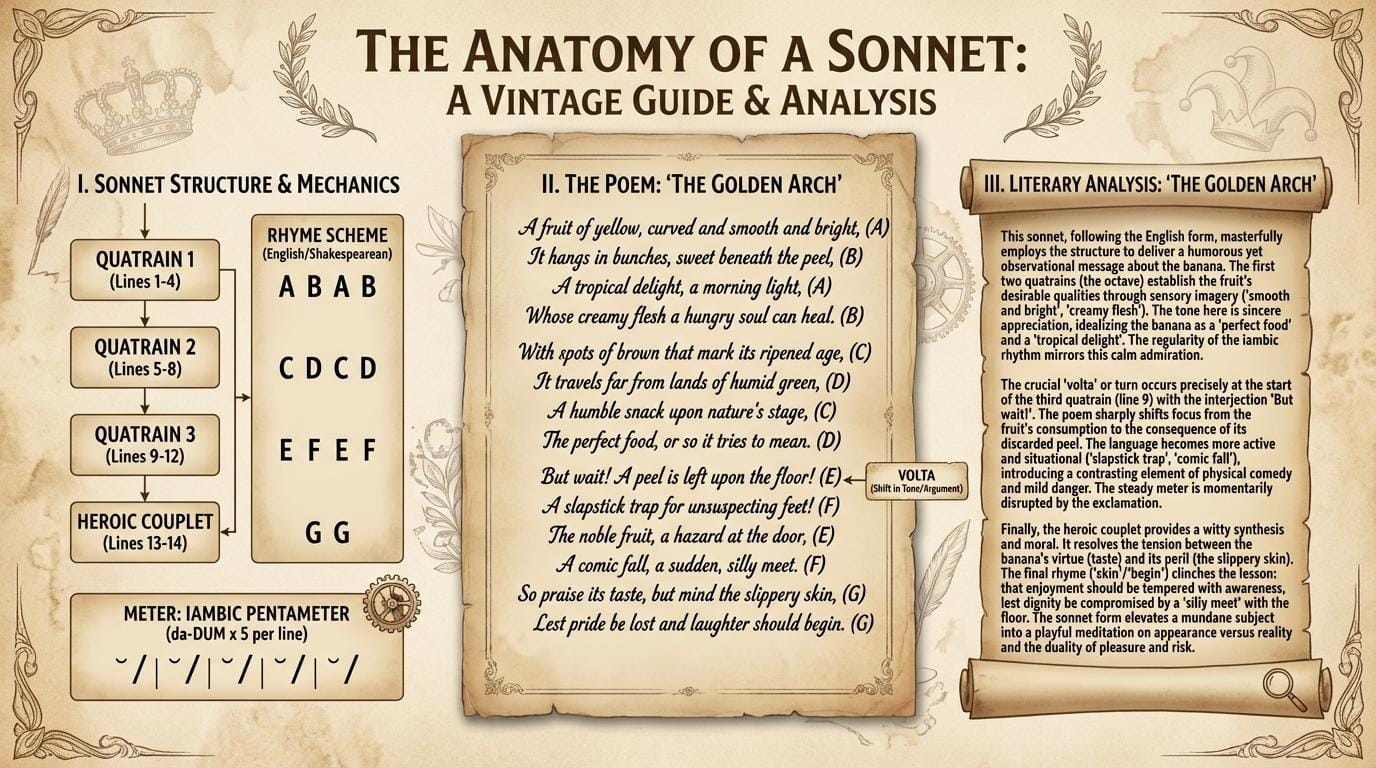
**Complex Text Integration**
> Prompt: "Infographic about sonnets with a banana-related sonnet and literary analysis, vintage style"
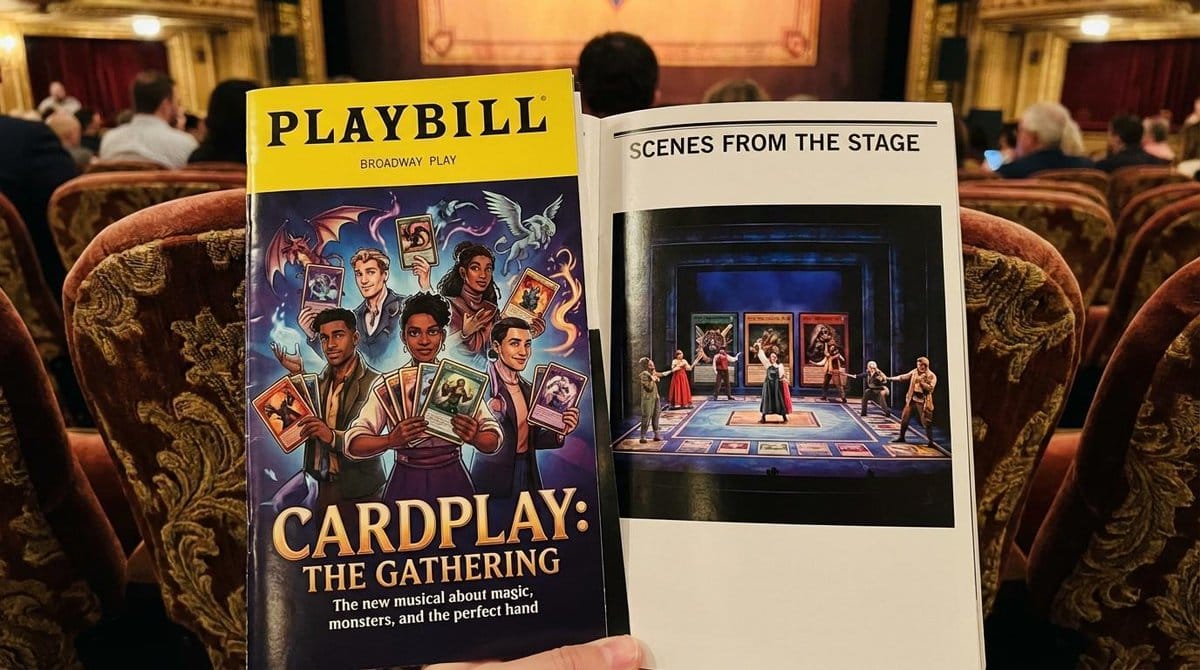
**High-Fidelity Mockup**
> Prompt: "A photo of a Broadway TCG program on a theater seat"
---
## **Best Practices for Nano Banana Pro Prompts**
- **Be Specific**: Detail subject, color, lighting, composition.
- **Provide Context**: State the purpose or mood.
- **Iterate**: Refine outputs via chat.
- **Step-by-Step**: Break complex scenes into stages.
- **Positive Framing**: Describe desired visuals, not what to omit.
- **Camera Control**: Use photographic/cinematic terms.
- **Use Search**: Explicitly mention real-time data needs.
- **Batch API**: Reduce costs by 50% for non-urgent jobs.
More tips:
[Prompt Guide](https://ai.google.dev/gemini-api/docs/image-generation#prompt-guide) · [Google Developers Blog](https://developers.googleblog.com/en/how-to-prompt-gemini-2-5-flash-image-generation-for-the-best-results/)
---
## **Summary**
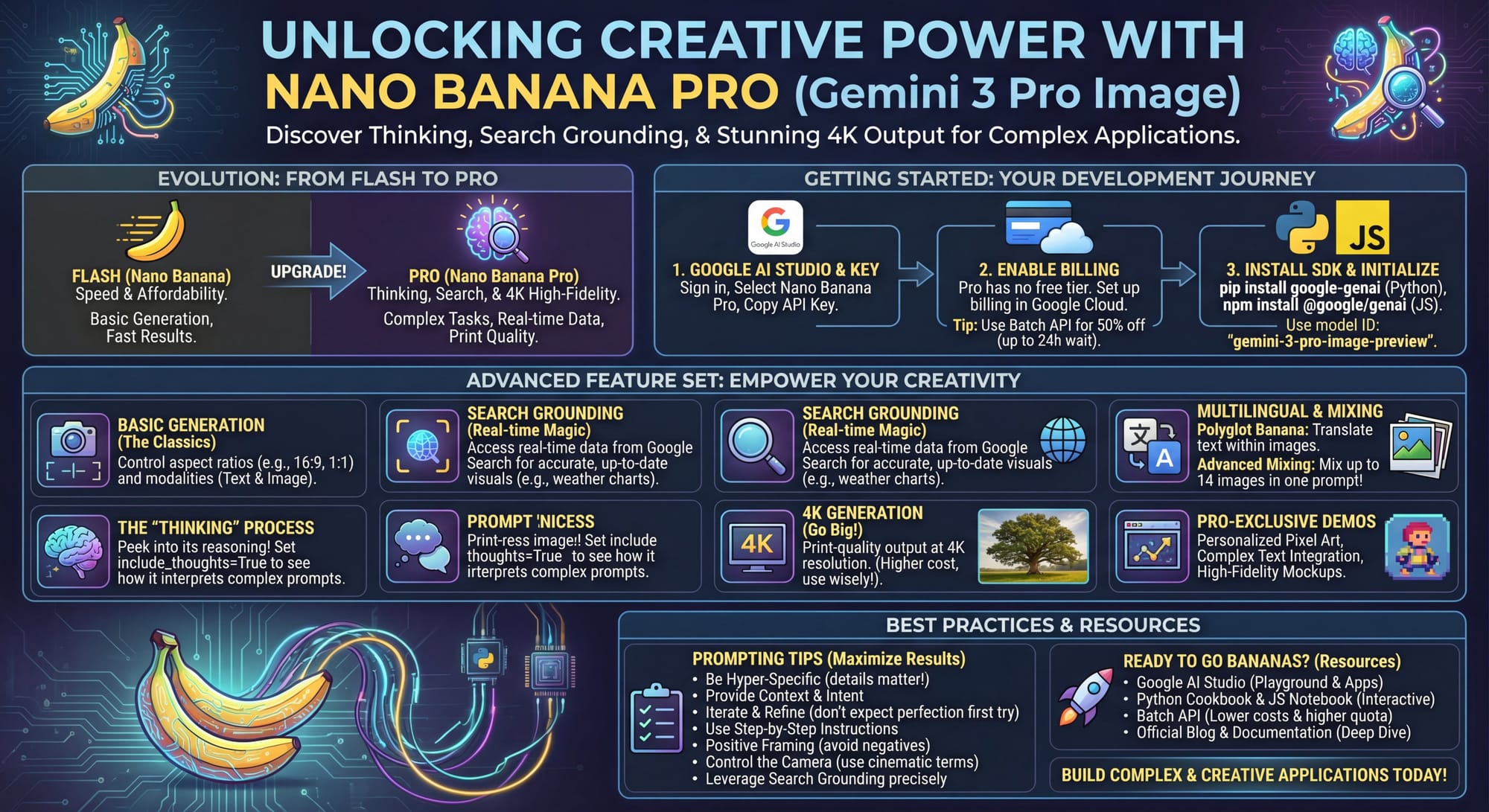
**Nano Banana Pro** brings **reasoning**, **search grounding**, and **4K output** to AI image generation — perfect for **serious creative work**.
For streamlined publishing & monetization, [AiToEarn](https://aitoearn.ai/) integrates **AI content generation**, **cross-platform publishing**, **analytics**, and **model ranking** into one open-source workflow.
💡 **Try Now:**
[Google AI Studio](https://aistudio.google.com/) · [Apps Showcase](https://aistudio.google.com/apps?source=showcase&showcaseTag=nano-banana) · [Python Guide](https://colab.sandbox.google.com/github/google-gemini/cookbook/blob/main/quickstarts/Get_Started_Nano_Banana.ipynb)

