# Improving AI Coding Efficiency — Practical Experience with Cursor
This guide shares my real-world journey of using **Cursor** to dramatically improve AI-assisted coding efficiency.
From urgent one-person-three-roles delivery to zero production incidents — these outcomes were made possible thanks to Cursor’s deep integration into my workflow.
---
## Cursor in Action — Real Case Studies
Over the past year, I’ve built **multiple frontend projects** with Cursor, where **AI-generated code often exceeded 80% of total output**.
**Business scope:** B2C + internal operations
**Tech stacks:** Vue, React, WeChat Mini Programs, TailwindCSS, Antd, shadcn UI, etc.
→ Showcasing Cursor’s **wide coverage** and **efficiency boost**.
---
### 📱 Mobile Projects
#### 1. App H5 Promotional Page
- **Scenario:** Holiday event page request at 10 p.m.
- **Process:**
1. Used Doubao to generate background images
2. Used Cursor for style design
3. Built from 0–1 in **2.5 hours**
- **Outcome:** Deployed by 12:30 a.m.

---
#### 2. Advertisement Landing Page
- **Challenge:** Lottie animation un-split → tight schedule
- **Solution:**
- Cursor parsed Lottie JSON config
- Extracted core elements (flames, discounts, price cuts)
- Implemented separate animations in CSS
- **Result:** Smaller resource size, optimized effect, unblocked collaboration.

---
### 💻 PC Projects
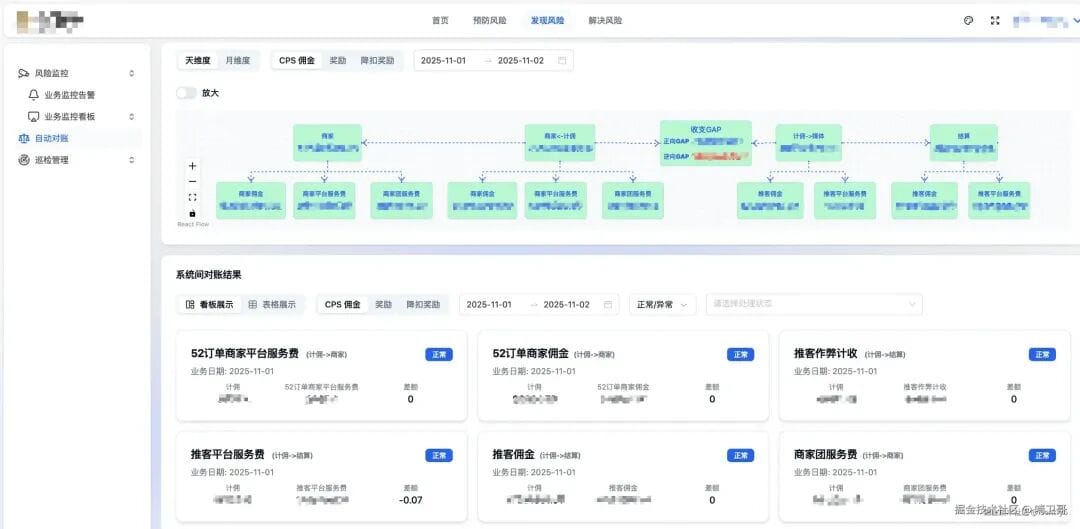
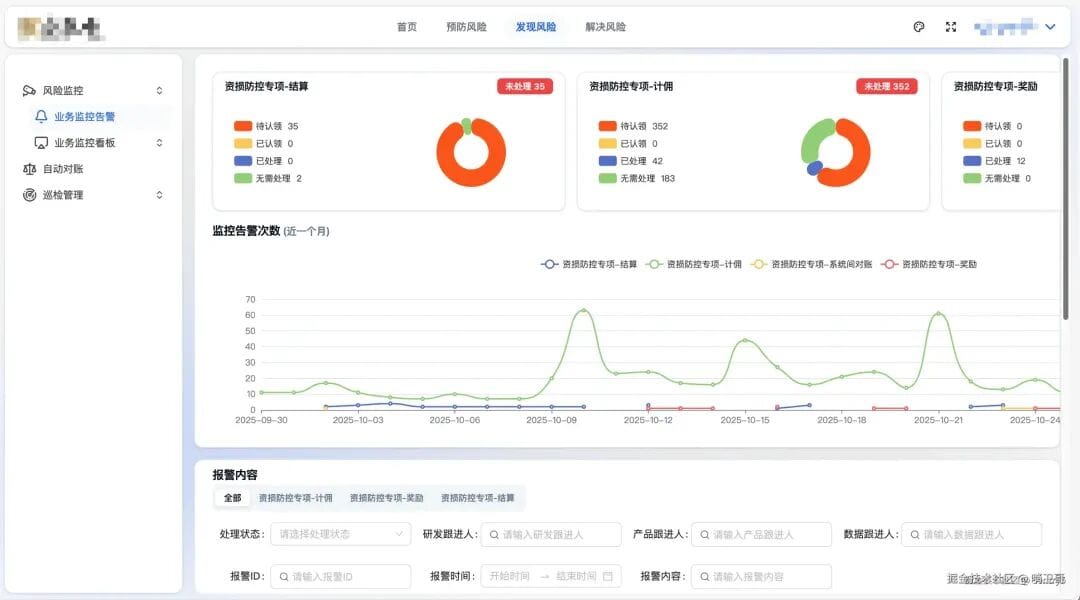
#### 3. Backend Loss Prevention Control Platform
- No product prototype or UI design provided
- Solution: Cursor + Shadcn UI → delivered complete interaction & UI from scratch
- Received unanimous praise from backend & QA
---
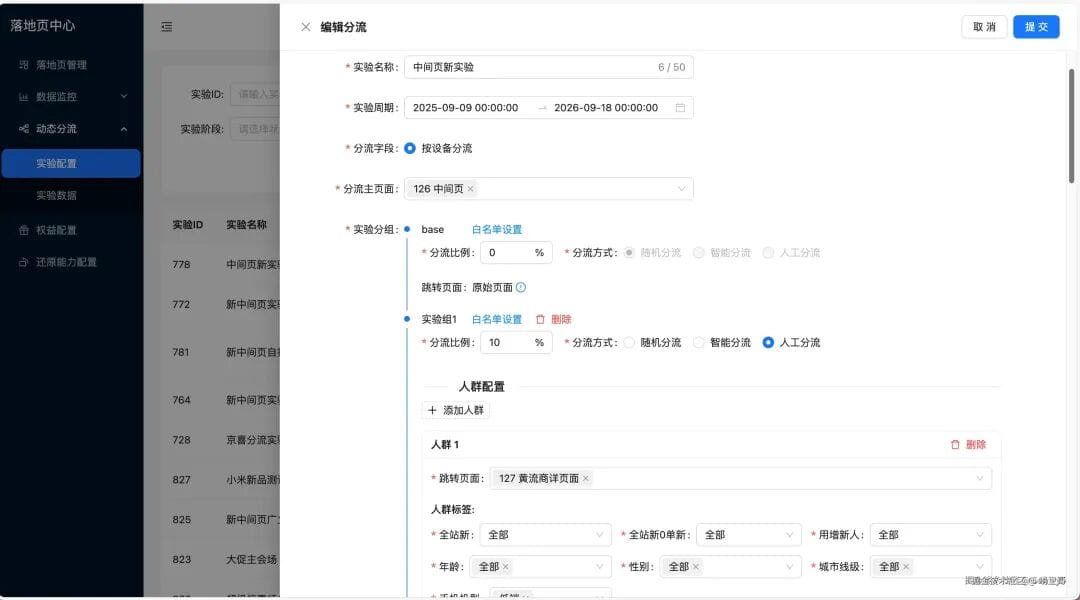
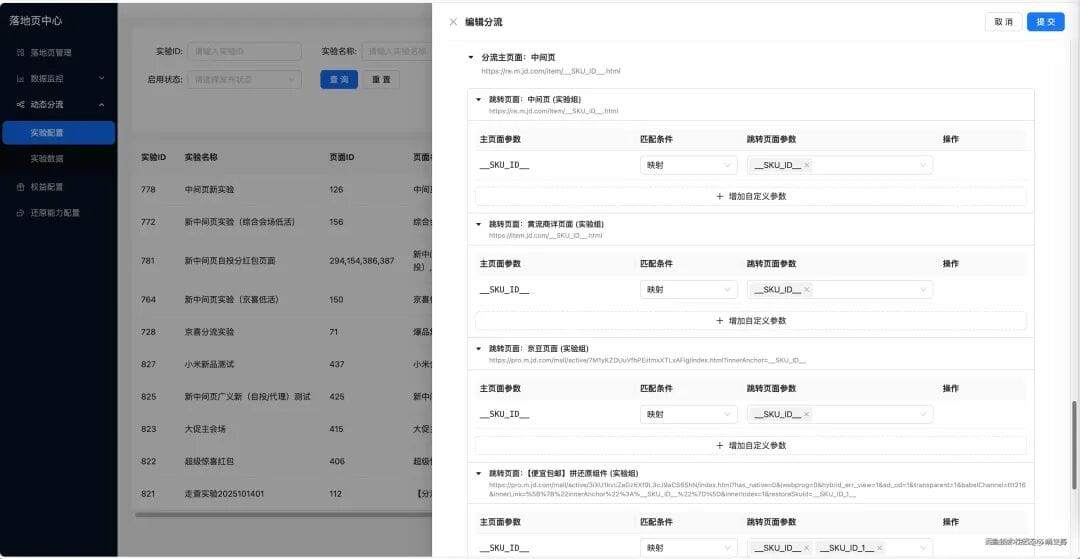
#### 4. Traffic Dispatch Center Form
- **Complexity:**
- ~10K lines
- Form linkage + nested data 5 levels deep
- **AI Role:** Analyze structure & linkage logic
- **Impact:** Lower comprehension cost, faster delivery
---
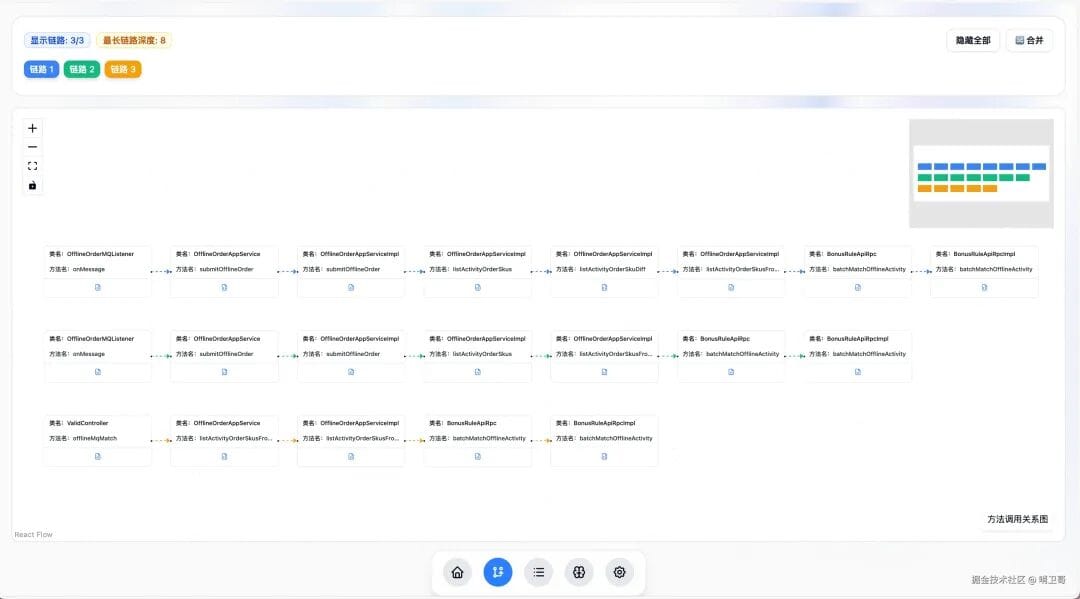
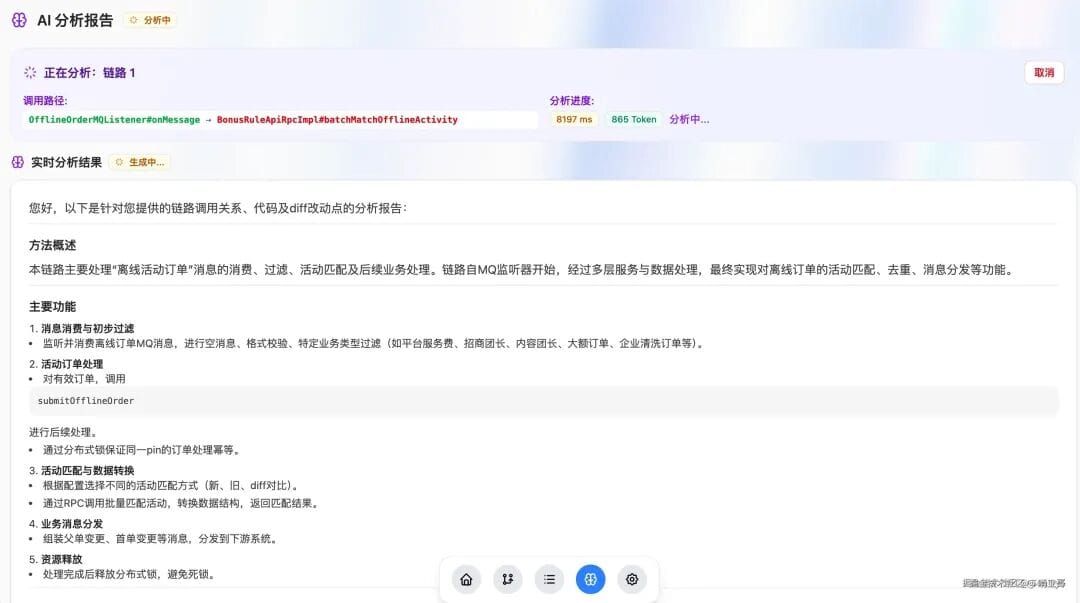
#### 5. Precision Link Analysis Project
- **Context:** Company competition entry
- **Execution:** Solo build in 2 days with Cursor
- **Features:**
- JAVA call chain display (React Flow)
- AI streaming reports
- Intelligent Agent conversations

---
### ⚙️ Engineering Challenges
#### Vue + Webpack Upgrade
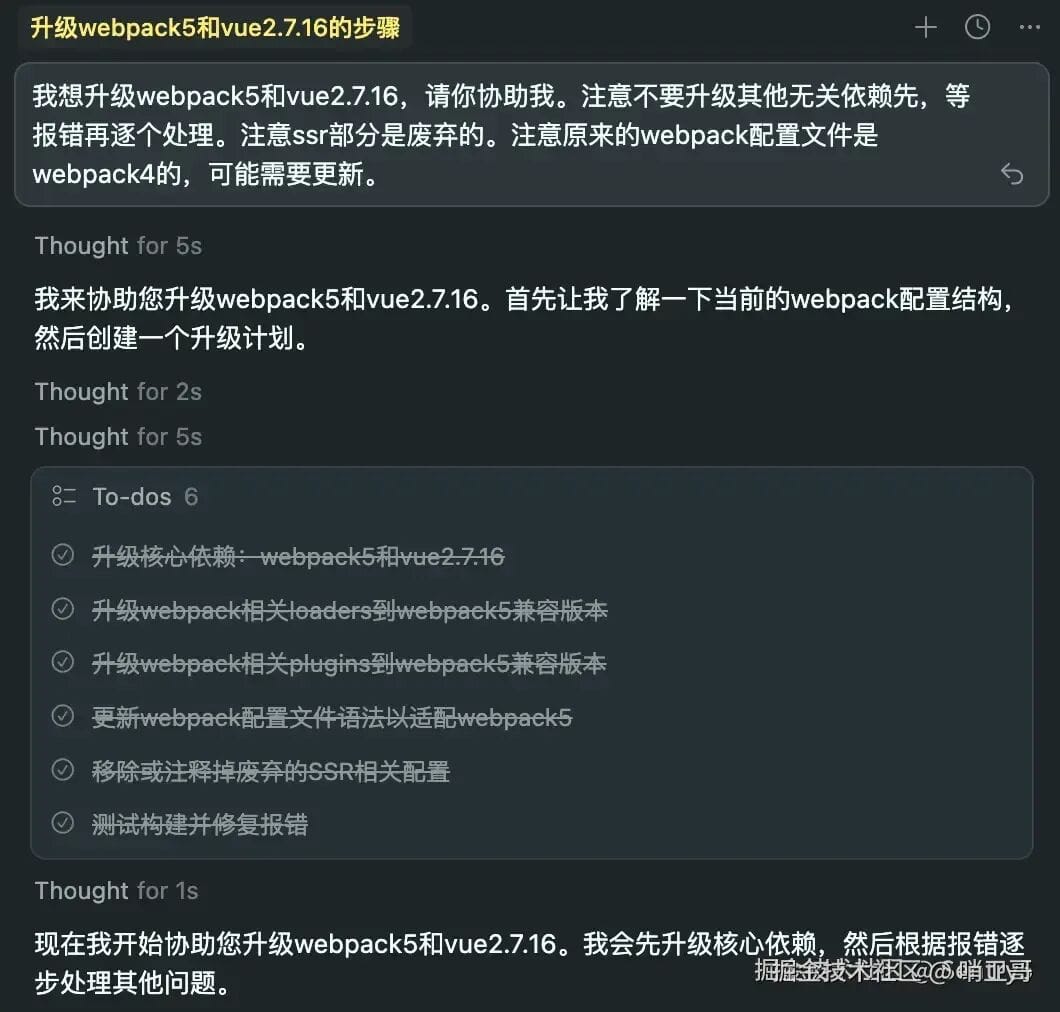
- **Task:** Upgrade Vue 2.5.16 + Webpack 4 → Vue 2.7.16 + Webpack 5
- **AI Role:** Full guidance — dependency analysis, version bump, config update, running npm commands
- **Result:** Fully automated transition
---
### Key Takeaway
Cursor enables high-efficiency delivery across varied stacks and scenarios, especially valuable in **small teams** or **fast-paced** environments.
---
## Model Selection — The #1 Factor
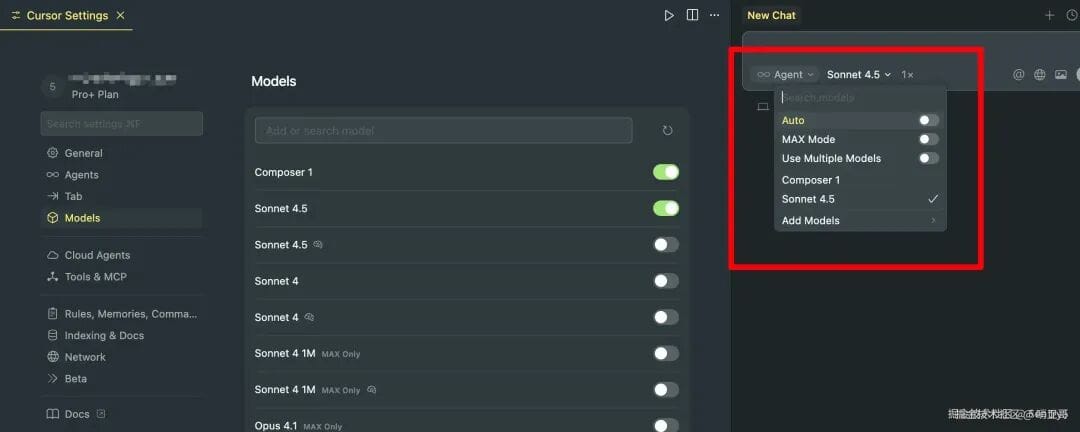
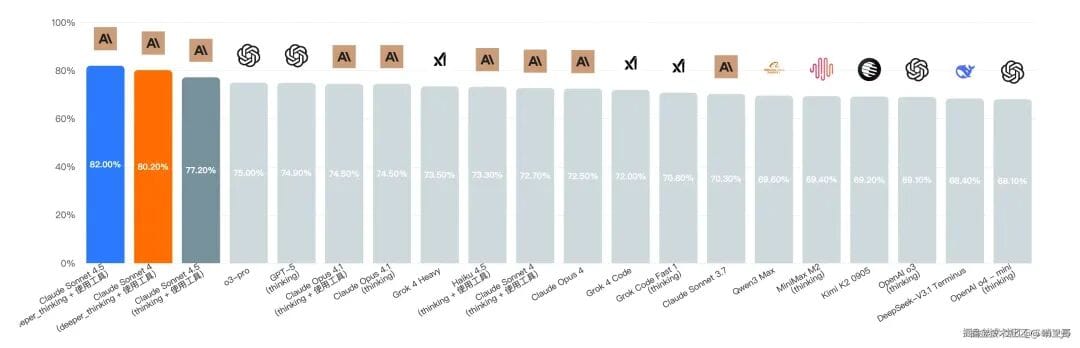
**Recommendation:** Always choose **Claude**.
- **Why?**
- Claude leads in large model code capability evaluations
- Better code generation, logical reasoning, and contextual understanding
---
**Tips:**
- **Avoid Auto Mode:** Might switch to weaker models when quota is low → downgrade in output quality
- **Manage Context Length:**
- Monitor usage
- Switch to longer-context models or Max Mode for large tasks
---
## Provide Accurate Context & Naming
1. Add code to context:
- **Ctrl+I:** Add snippet to chat context
- **Ctrl+L:** Ask questions without modifying code
- `@` reference files/directories directly
2. Use **precise identifiers** over vague names:
- ✅ `purchasePrice` / `.download-btn` / `#export-download`
- ❌ "final price" / "that download button"
---
## Debugging with Logs — Bridging AI’s Runtime Gap
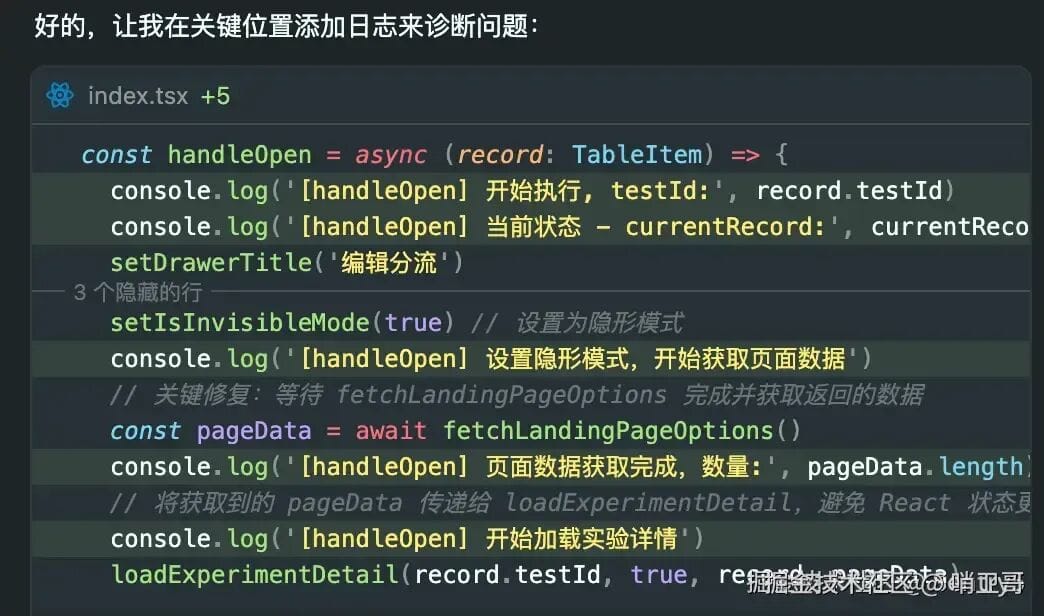
**Method:** Use logs to give AI *runtime insight*.
1. **Insert key logs** in critical paths
2. **Run & collect logs**
3. **Combine logs + code** for AI analysis
---
**Why it works:**
Logs turn AI into a runtime-aware debugger → track var changes, logic branch execution, anomalies.
---
## Using Rules for Consistency
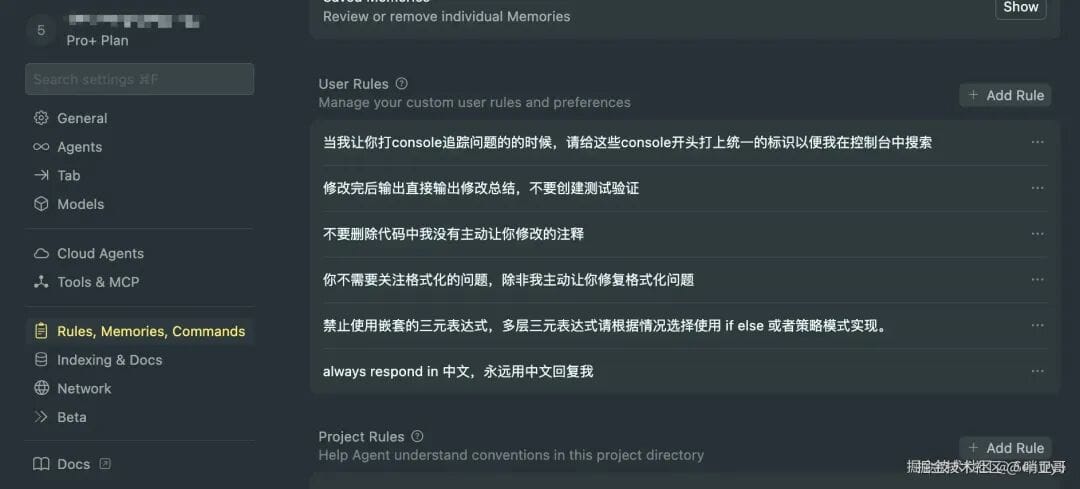
Store logging/tagging standards in Cursor Rules to avoid repeating instructions.
---
## MCP Integration — Expanding AI’s Reach
**Benefits of MCP:**
- Auto capture screenshots
- Read console logs directly
- Analyze DOM structure
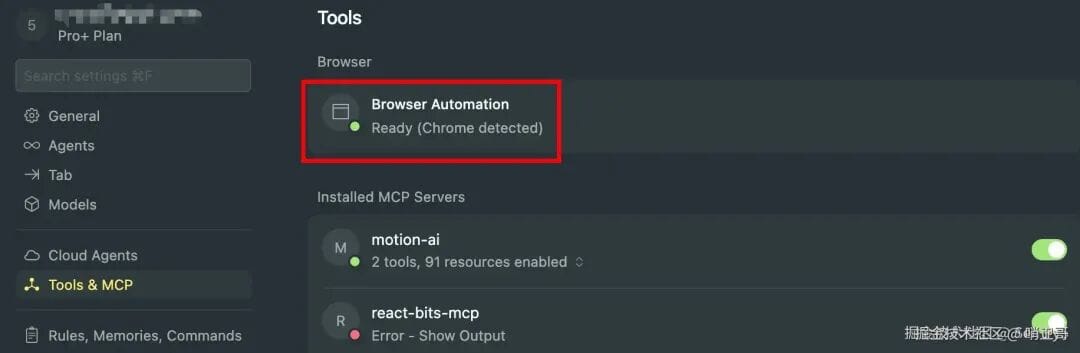
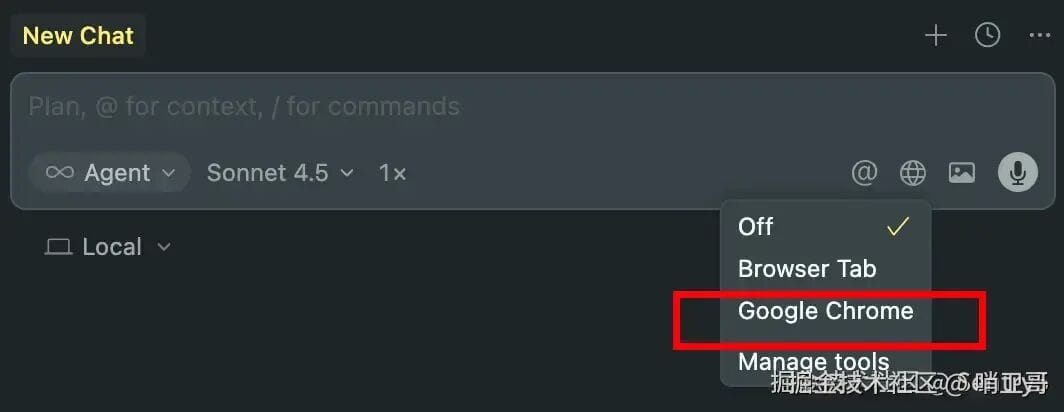
For non-Chrome browsers → use **Playwright**.
---
## Pick AI-Friendly Tech Stacks
**Best:** React, TailwindCSS
**Moderate:** WeChat Mini Programs
**Weak:** Taro, uni-app (complex multi-platform adaptation issues)
---
## Transitioning Existing Codebases to AI Control
**Approaches:**
- **Optimized Code Comments:**
- Explain magic numbers, conditional logic meaning, API mappings
- **TypeScript:**
- Strong type definitions → clarity for AI
---
## Developer Traits in the AI Coding Era
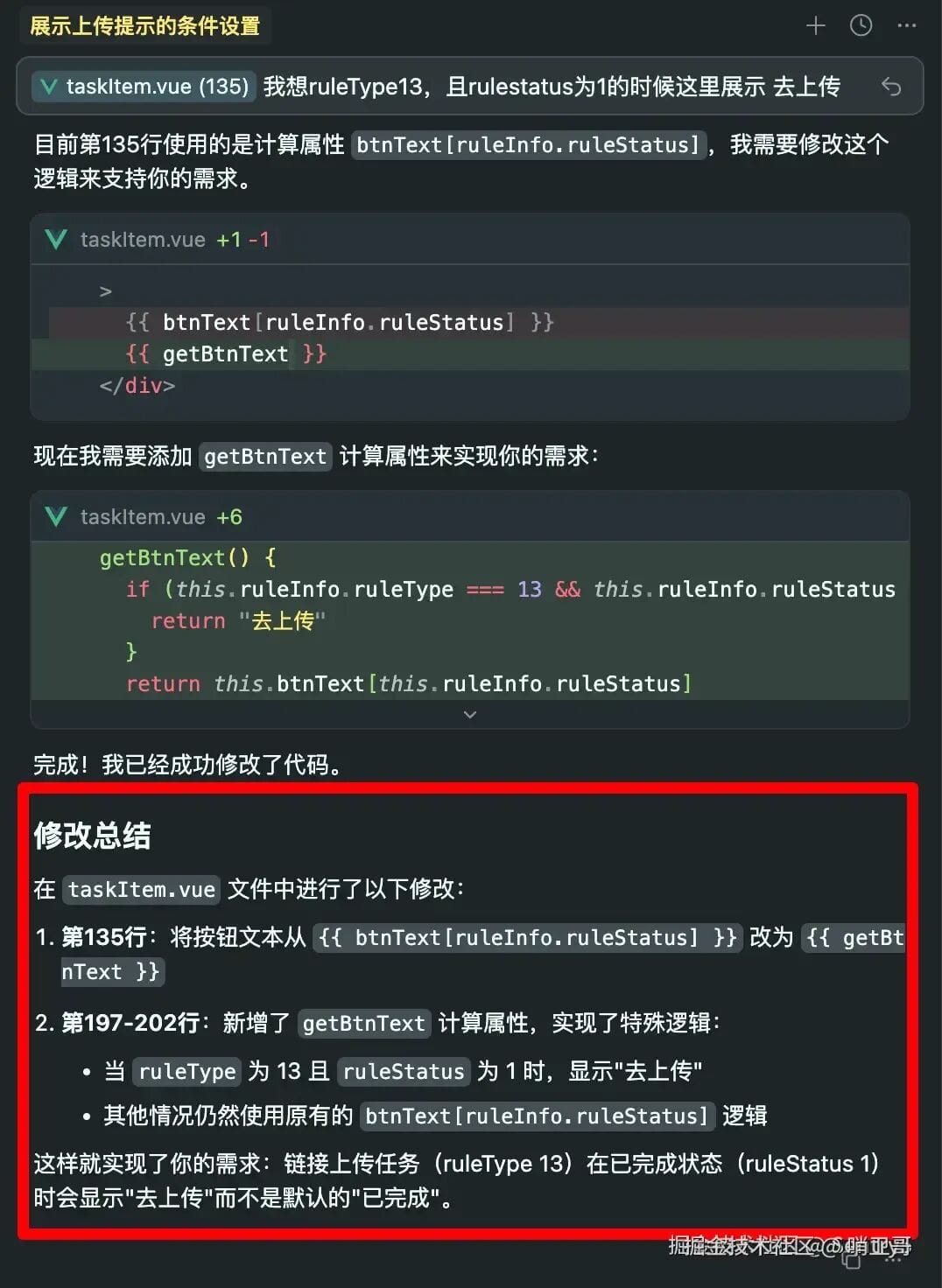
1. **Responsibility:**
Read AI change summaries + review diffs
2. **Code Taste:**
Recognize reusable patterns, e.g., wrap product cards into components
 
3. **Knowledge Breadth:**
Specify tools/libraries to AI → improved output quality
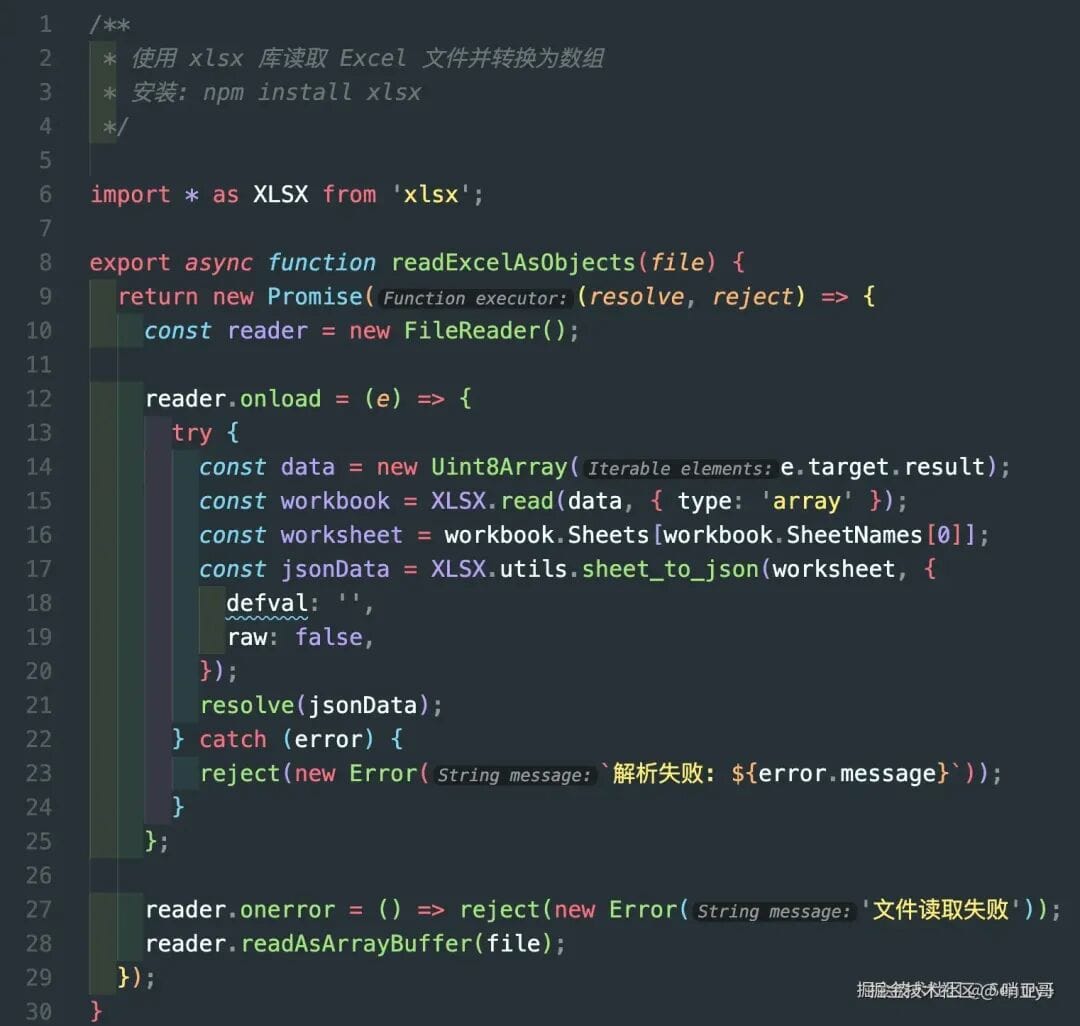 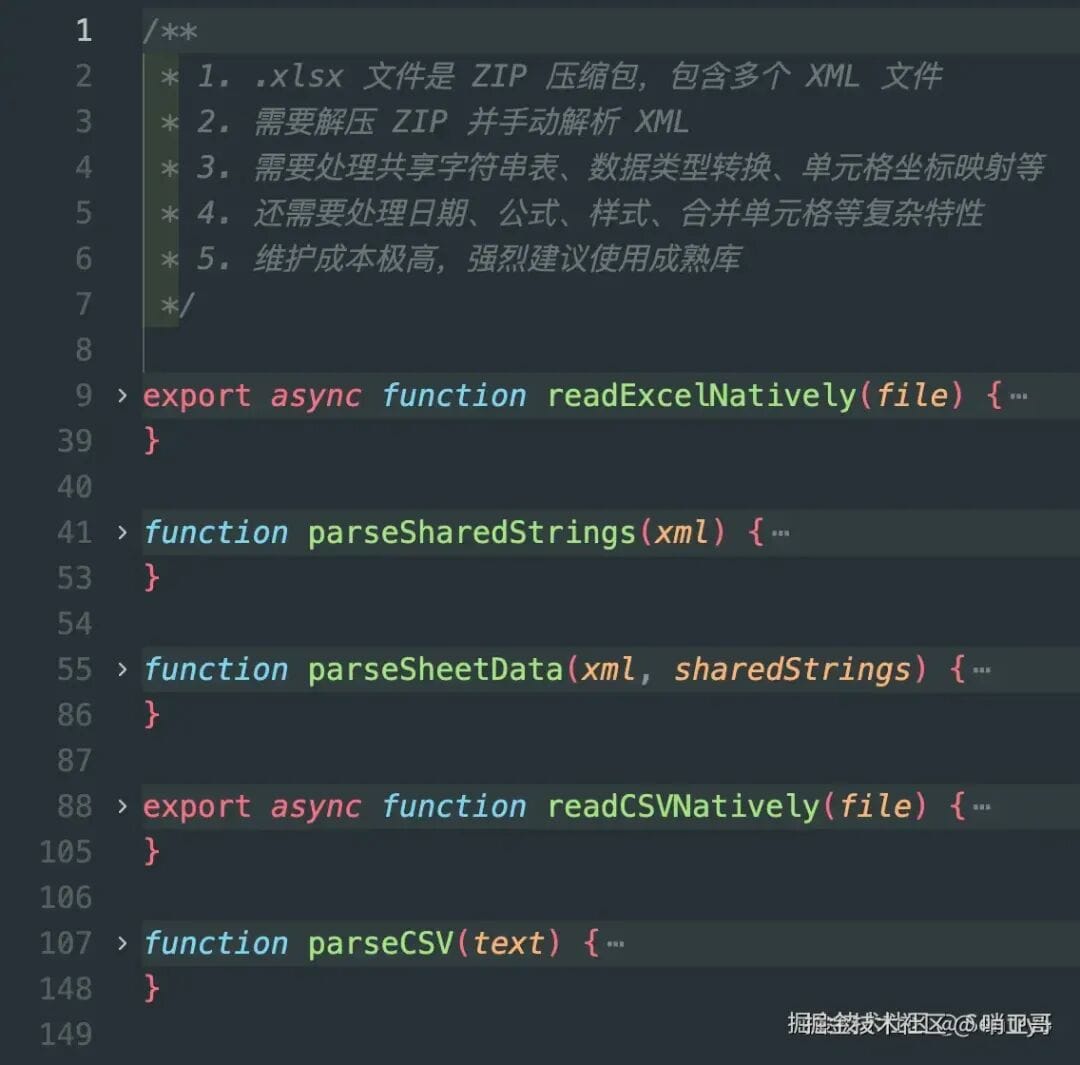
4. **Expression Precision:**
Give exact, structured requirements to AI
---
## Final Thoughts
AI tools like Cursor amplify skill differences: strong developers become stronger; weak ones risk chaos.
Excellence now means:
- Owning your code
- Maintaining high standards
- Broad technical perspective
- Precise communication with AI
For extending this principle beyond code — open-source platforms like **[AiToEarn官网](https://aitoearn.ai/)** integrate AI generation, multi-platform publishing, analytics, and monetization for creators/developers alike, across Douyin, Kwai, WeChat, Bilibili, Rednote, Facebook, Instagram, LinkedIn, Threads, YouTube, Pinterest, and X. This shows how AI can **reshape workflows, not just speed them up**.
---