
Open-Source, Free, Privacy-Friendly, and Powerful Android Keyboard: Little Penguin IME

# Guide to Configuring and Using Xiaopenguin (Fcitx5) Android Input Method
> **Editor's Note:**
> This article was featured in [Minority Report’s November Thematic Submission Event](https://mp.weixin.qq.com/s?__biz=MzU4Mjg3MDAyMQ==&mid=2247599824&idx=2&sn=0dac497a644b55be6aabdb167b77e985&scene=21#wechat_redirect).
> Additional selected submissions will be published on the homepage — stay tuned!
---
## Preface
In any Chinese-language computing environment, a **reliable input method** is essential. Unfortunately, input method software often raises **privacy concerns** due to constant background activity. These applications can be exploited for:
- Monitoring user actions
- Altering system configurations
- Injecting malicious backdoor programs

See Huorong’s earlier report: *"Sogou Input Method Cloud-Control Delivery Module ‘Silently’ Modifying Browser Configuration"* for a real-world privacy incident.
---
To minimize risks, I prefer **open-source and privacy-focused IMEs**.
On Android, my primary choice is **Xiaopenguin Input Method** — a port of **Fcitx5** from Linux, requiring:
- Almost no permissions
- **No Internet connection**
- Rich features via plug-ins
It supports multiple input schemes but has some limitations:
- Only default **QWERTY** layout
- No nine-key layout or handwriting input
- No built-in voice input
- Some complex config items ported from desktop version don’t work well on mobile
If you can accept these drawbacks, Xiaopenguin remains a **highly capable IME**. This guide covers quick setup, customization, advanced features, and plug-in expansions.
---
## Download & Installation
You can install Xiaopenguin from:
- **GitHub Releases**
[https://github.com/fcitx5-android/fcitx5-android/releases](https://github.com/fcitx5-android/fcitx5-android/releases)
- **F-Droid**
- **Google Play** (cannot be overwritten by GitHub/F-Droid installs)
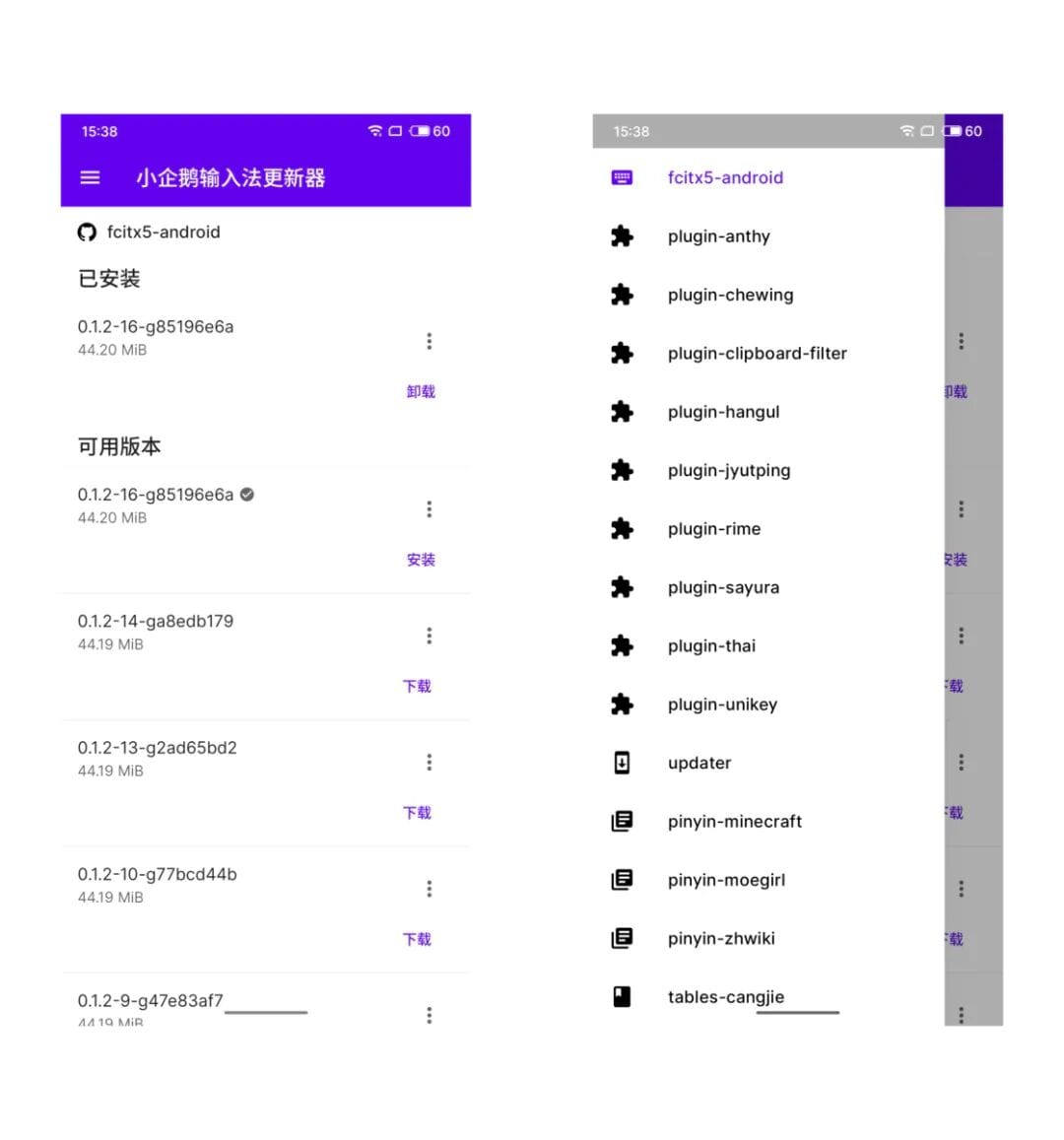
You can also use the **Xiaopenguin Input Method Updater** to get latest CI builds and plugins.
---
## Quick Start Setup
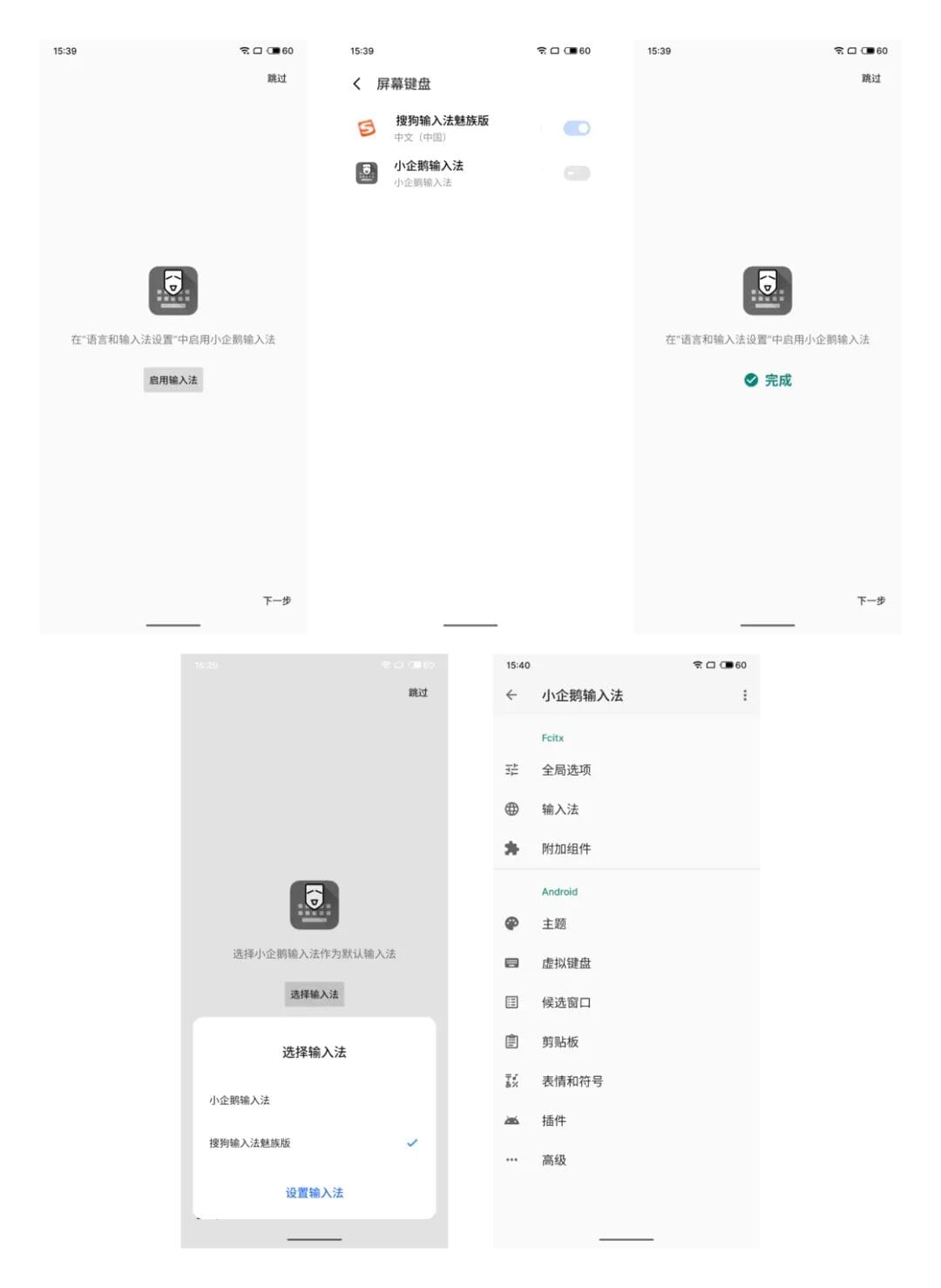
1. Launch the app, follow prompts to set **Xiaopenguin** as your system IME.
2. Grant **notification permission** (only permission required).
### Global Options
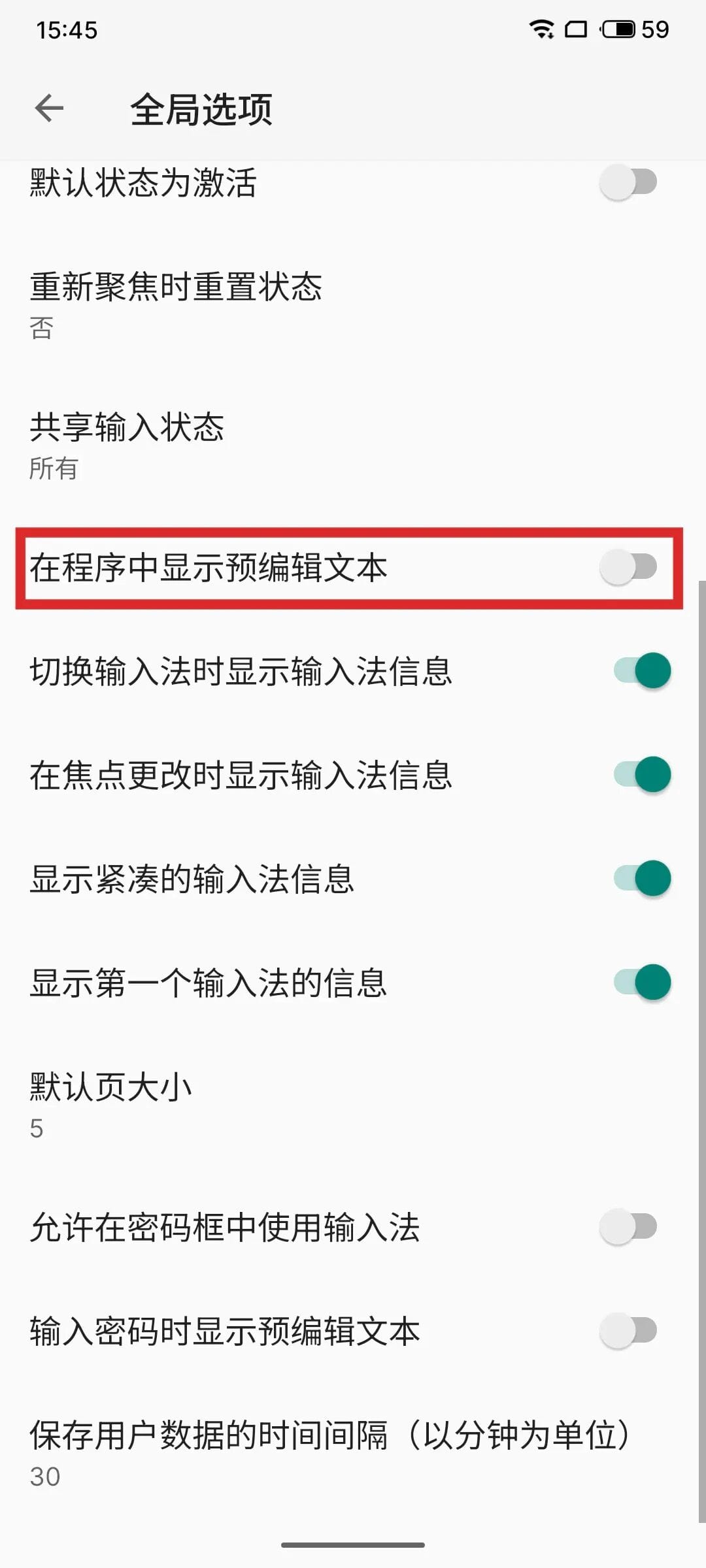
- Disable **Pre-edit text** if preferred.
- Leave most other settings at default.
### Input Methods
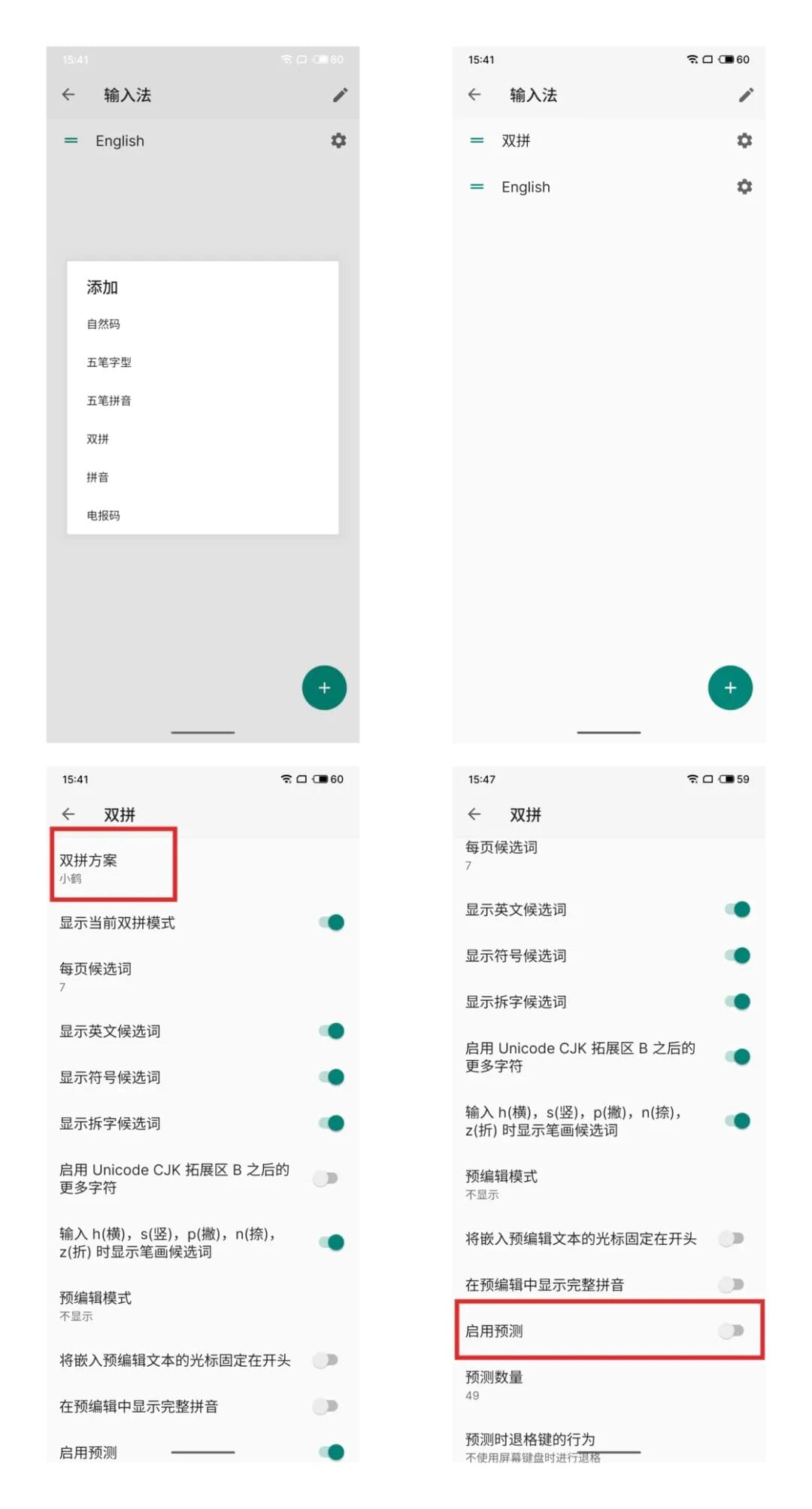
- Default: English & Pinyin
- Example workflow:
- Remove default Pinyin
- Add **Xiaohe Double Pinyin**
- Reorder so Double Pinyin is primary
- In gear icon: set style to **Xiaohe**, disable predictions
---
## Appearance Configuration
### Themes
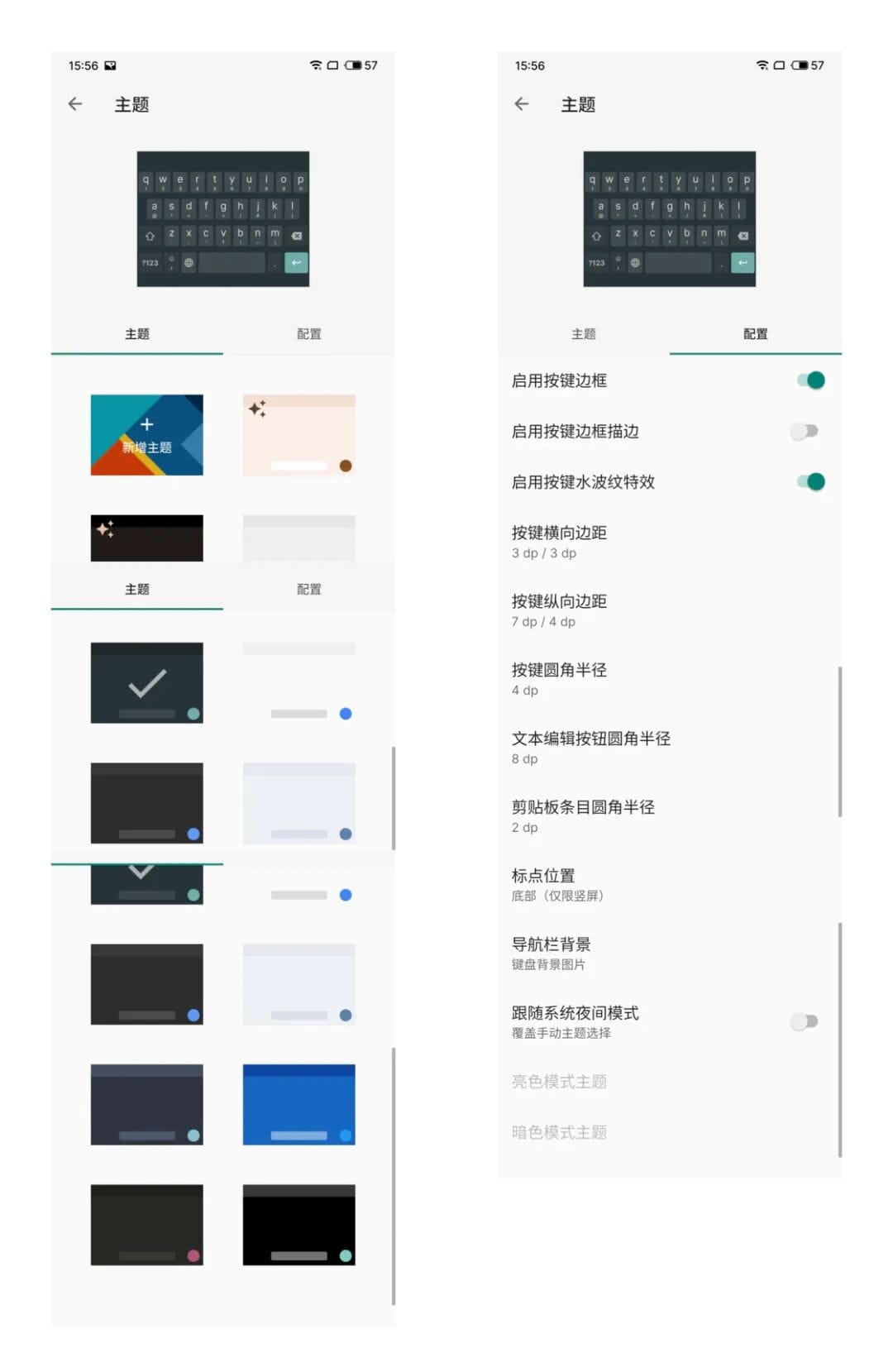
- Multiple built-in color schemes
- Wallpaper-based color auto-match
- **Custom themes:**
[Theme Designer](https://fcitx5-android.github.io/theme-designer/)
- Options: enable **key borders**, **ripple effect**, adjust margins/corner radius, auto-switch for dark mode
### Virtual Keyboard
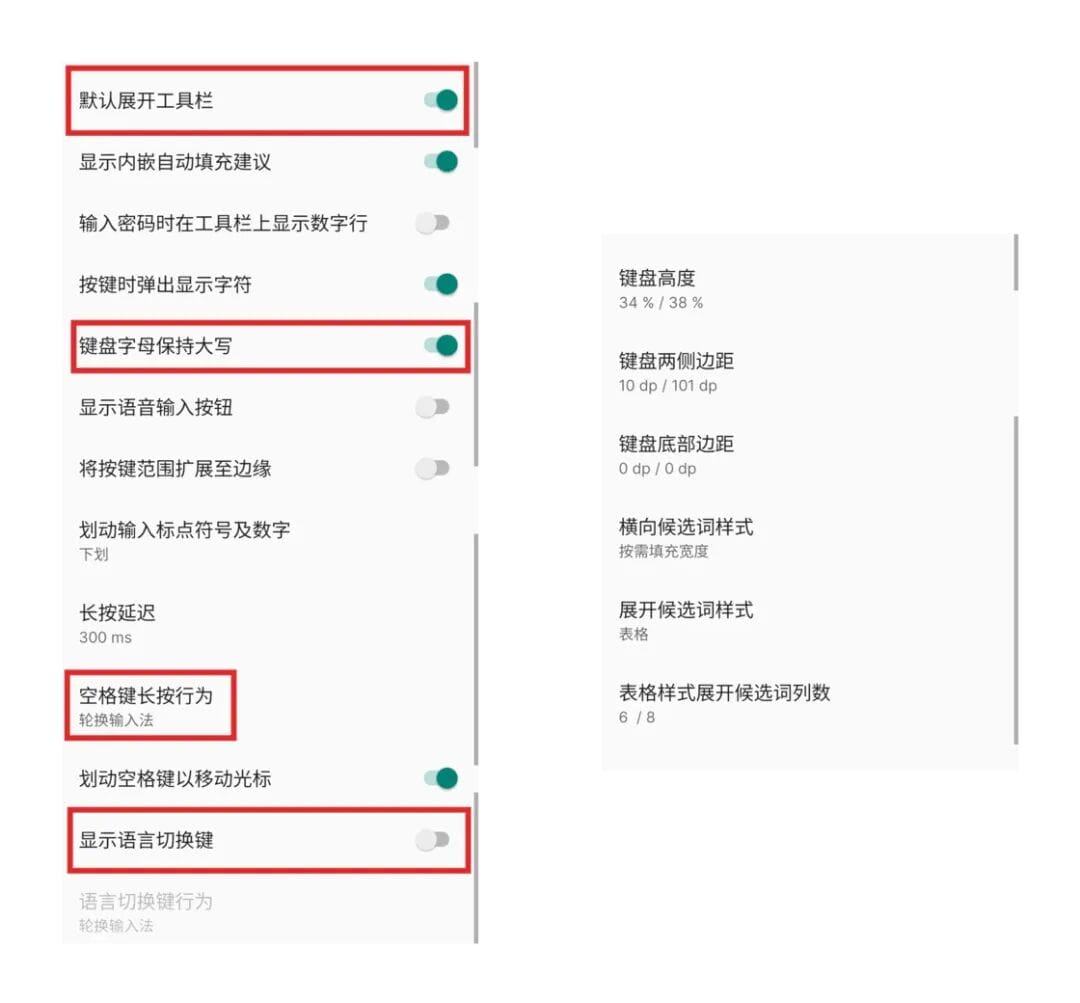
- Enable **toolbar expanded by default**
- Uppercase letters always shown
- Hide language switch key
- **Spacebar long-press** to switch IMEs

---
## Basic Usage
Xiaopenguin supports:
- Full QWERTY keyboard
- Numeric & special character panels
- Emoji 😀
- Kaomoji (^▽^)
- Long-press keys for secondary options

### Handy Gestures
- **Backspace swipe left**: cancel pre-edit text or quickly delete selection
- **Spacebar swipe**: move cursor left/right




### Component Input Mode
Type radical/components to get the full character
Example: `金` × 3 → “鑫”

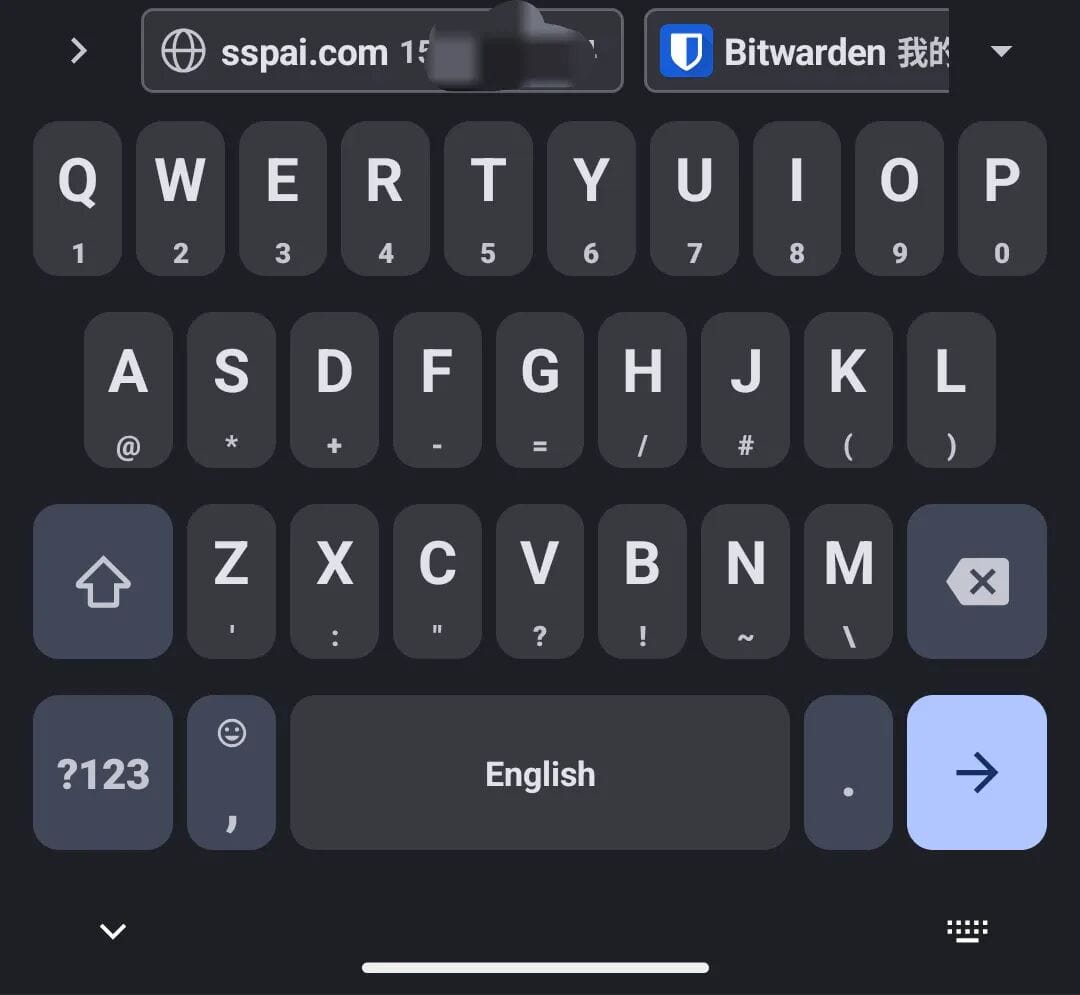
### Autofill Integration
If your password manager supports Android autofill (e.g. Bitwarden), Xiaopenguin can display inline suggestions.
---
## Adding Dictionaries
Dictionary richness affects input fluency.
Built-in Xiaohe Double Pinyin dictionary is decent but you can add extra ones:
### Supported formats:
1. **Fcitx5 native dictionaries** (`.dict`)
2. **Plain text dictionaries** (`.txt`)
3. **Sogou Cell dictionaries** (`.scel`)
---
### 1. Fcitx5 Native (`.dict`)
GitHub projects:
- **zhwiki dictionary** — CN Wikipedia entries (~1M terms, monthly update)
- **moegirl dictionary** — Moegirlpedia entries
- **Minecraft dictionary** — Minecraft Wiki
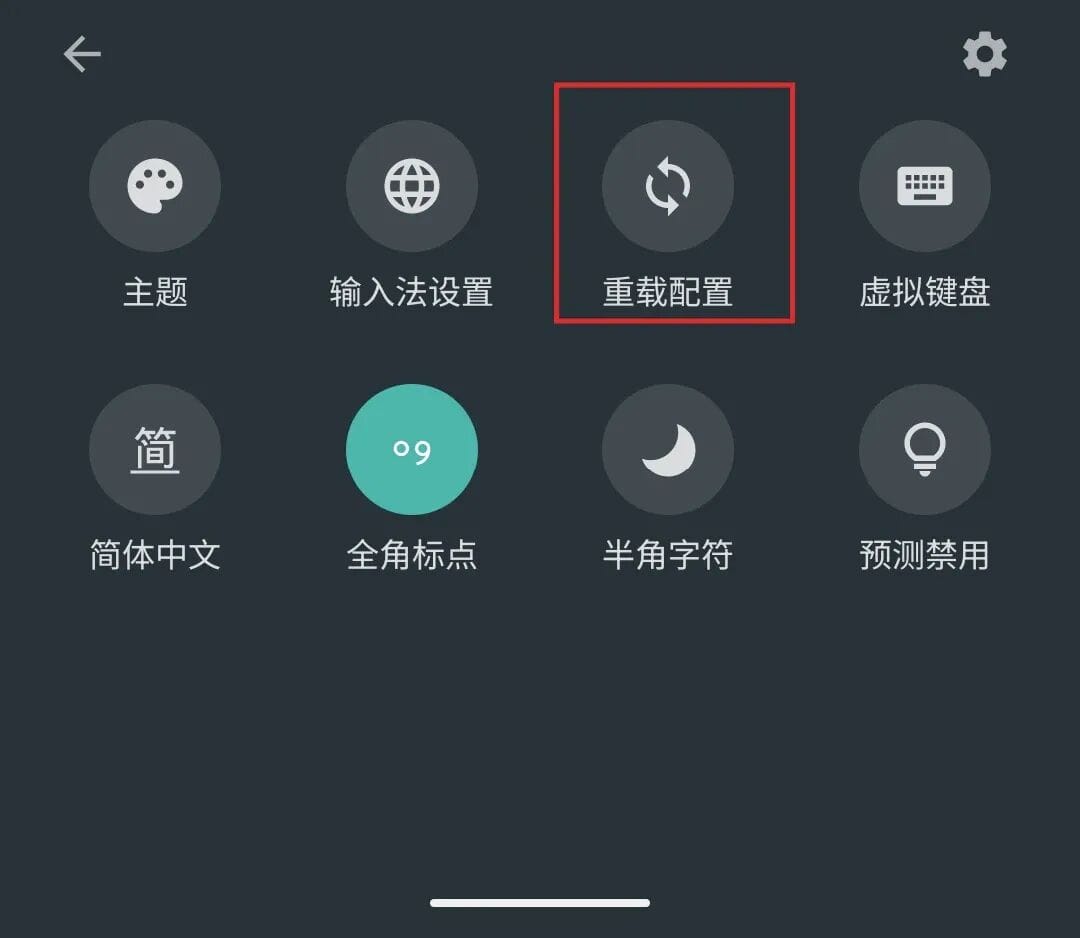
Install as plugins in **IME Updater**: `pinyin-zhwiki`, `pinyin-moegirl`, `pinyin-minecraft` → Reload configuration.
**CustomPinyinDictionary** — larger vocabulary
Install via:
- **Magisk module** for rooted devices
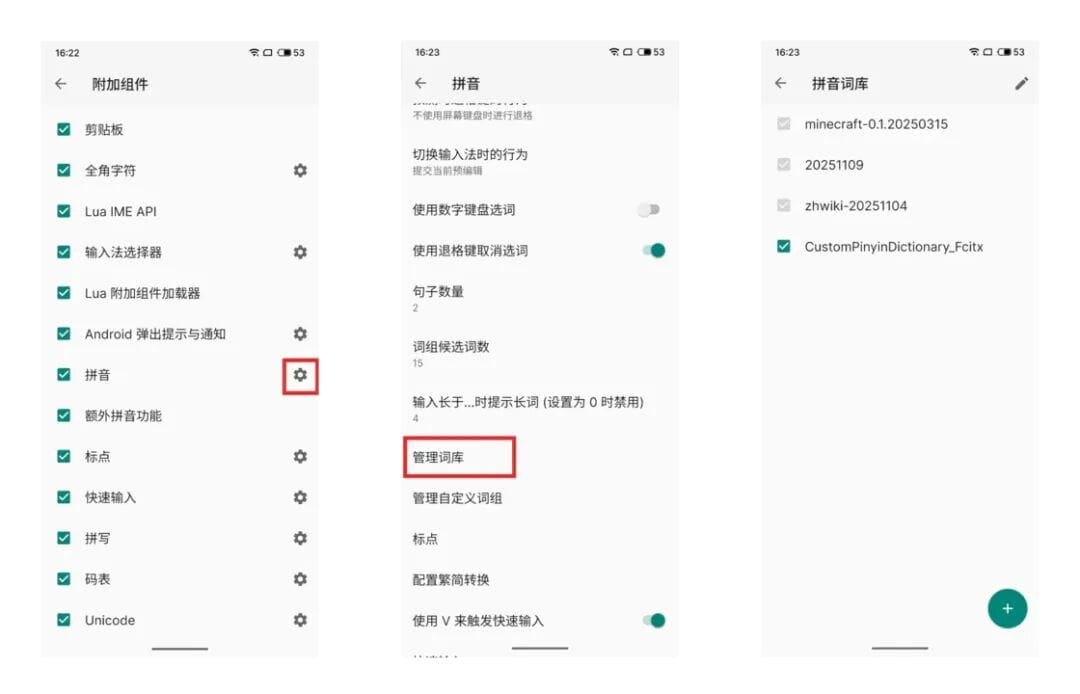
- **Manual import** via Add-ons → Pinyin → Manage Dictionaries → Add file → Reload config
---
### 2. Plain Text (`.txt`)
Format:word pinyin weight
- Separate pinyin syllables with half-width single quotes `'`
- Use `ue` not `ve` for “ü” syllables

Example:
阅后即忘 yue'hou'ji'wang 555
后羿奔月 hou'yi'ben'yue 555
宁滥毋缺 ning'lan'wu'que 555
Import via Add-ons → Reload config → Works immediately
If you use `ve`, entries won’t work.


---
### 3. Sogou Cell (`.scel`)
Import `.scel` and reload config to use extra vocabulary.
---
Note: These dictionaries work for **Pinyin** only, not Wubi or other shape-based schemes.
---
## Advanced Usage
### Unicode & Quick Phrase
Long-press **comma** key:
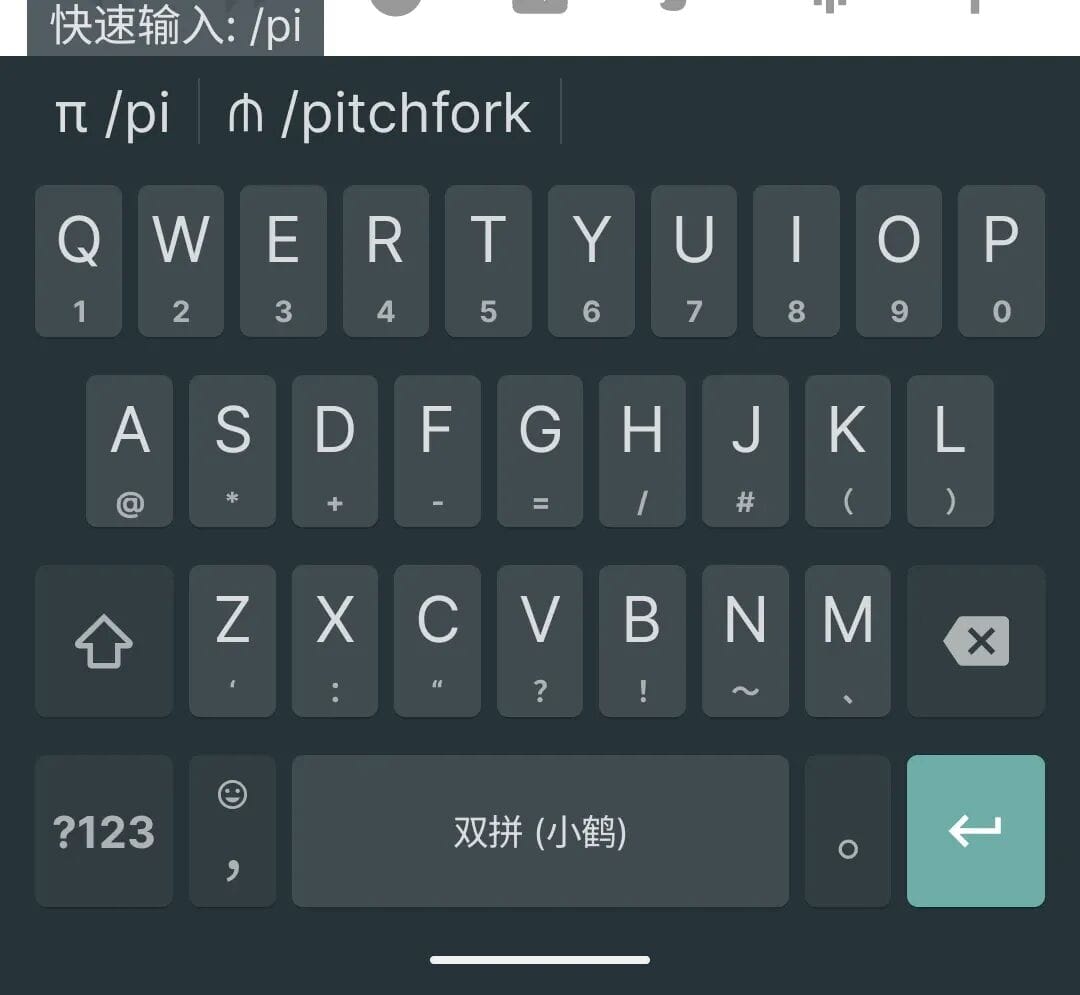
- Swipe left → Unicode mode
- Swipe right → Quick Phrase mode
Unicode mode: type code `03C0` → “π”
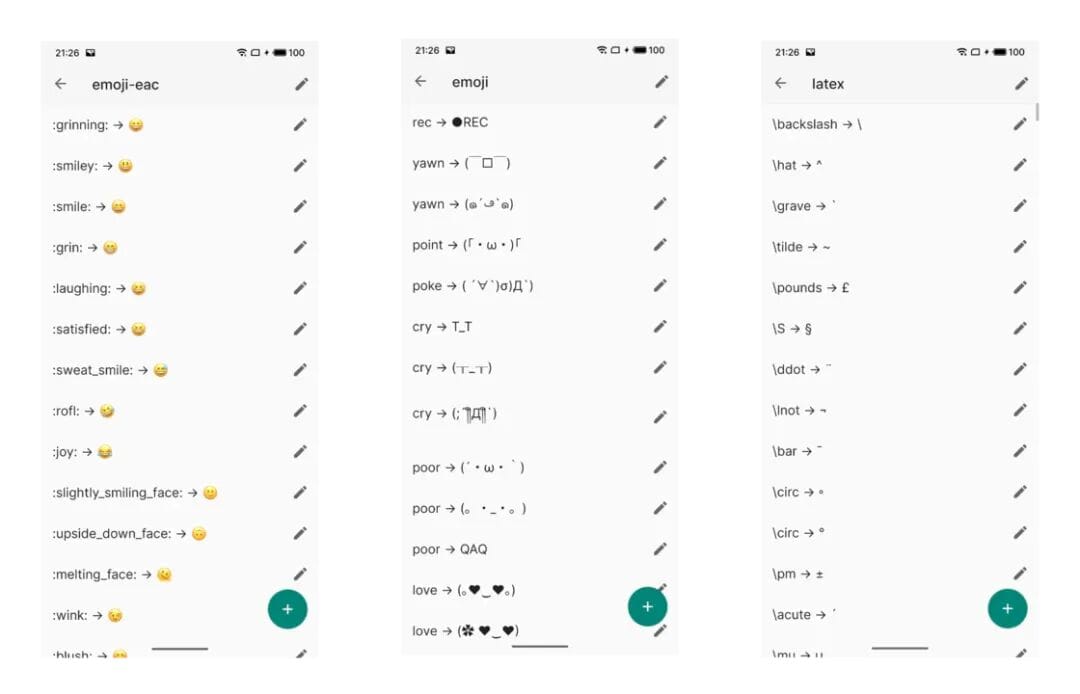
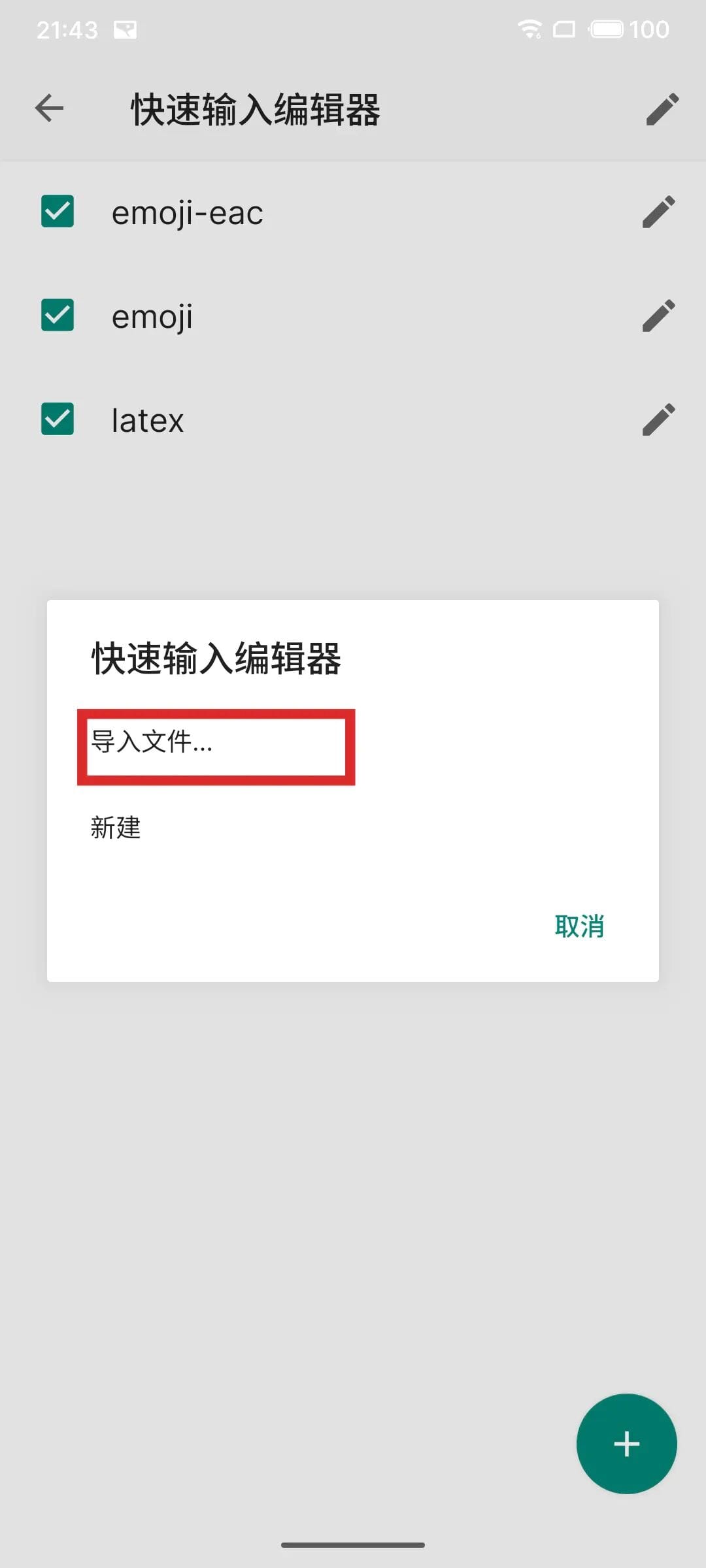
Quick Phrase: shortcut tables (emoji, kaomoji, LaTeX) — customizable


---
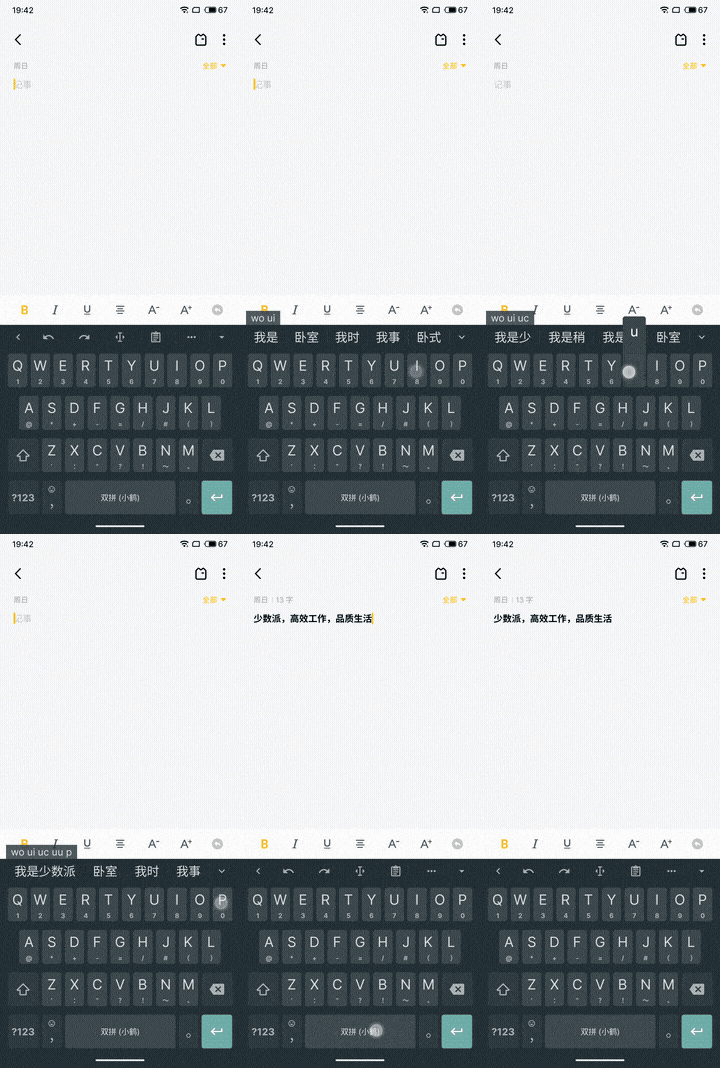
### Lua Scripts
Custom automation rules for input transformation.
Example features:
- Add candidates based on keyword
- Quick Input commands
- Auto-replace text
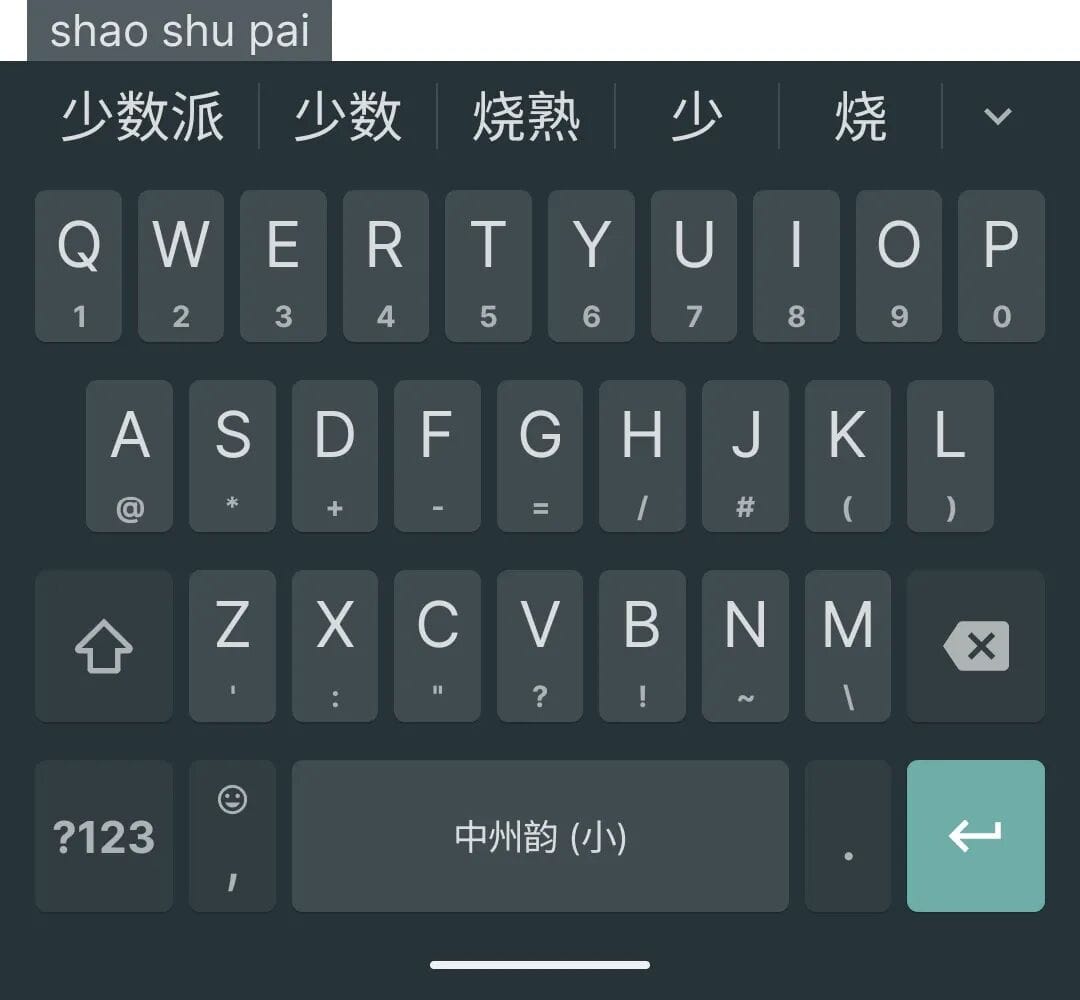
Sample script:function pai(str) return "π" end
function sspai(str) return "少数派" end
function sspai_plus(str)
local tmp = string.gsub(str, "我是少数派", "少数派,高效工作,品质生活")
return tmp or str
end
ime.register_trigger("pai", "Greek letter π", {}, {"少数派"})
ime.register_trigger("pai", "Greek letter π", {}, {"派"})
ime.register_command("pi", "sspai", "少数派", "none", "")
ime.register_converter("sspai_plus", "替换少数派")
Save as `custom_plugin.lua` under:Android/data/org.fcitx.fcitx5.android/files/data/lua/imeapi/extensions/
Reload to apply.

---
## Program Plugins
Xiaopenguin supports multiple plug-ins via its updater:
- Alternative Chinese schemes (Wubi 98, Zhengma, Cangjie)
- Other languages (Japanese, Korean, Vietnamese)
- **Rime** input engine
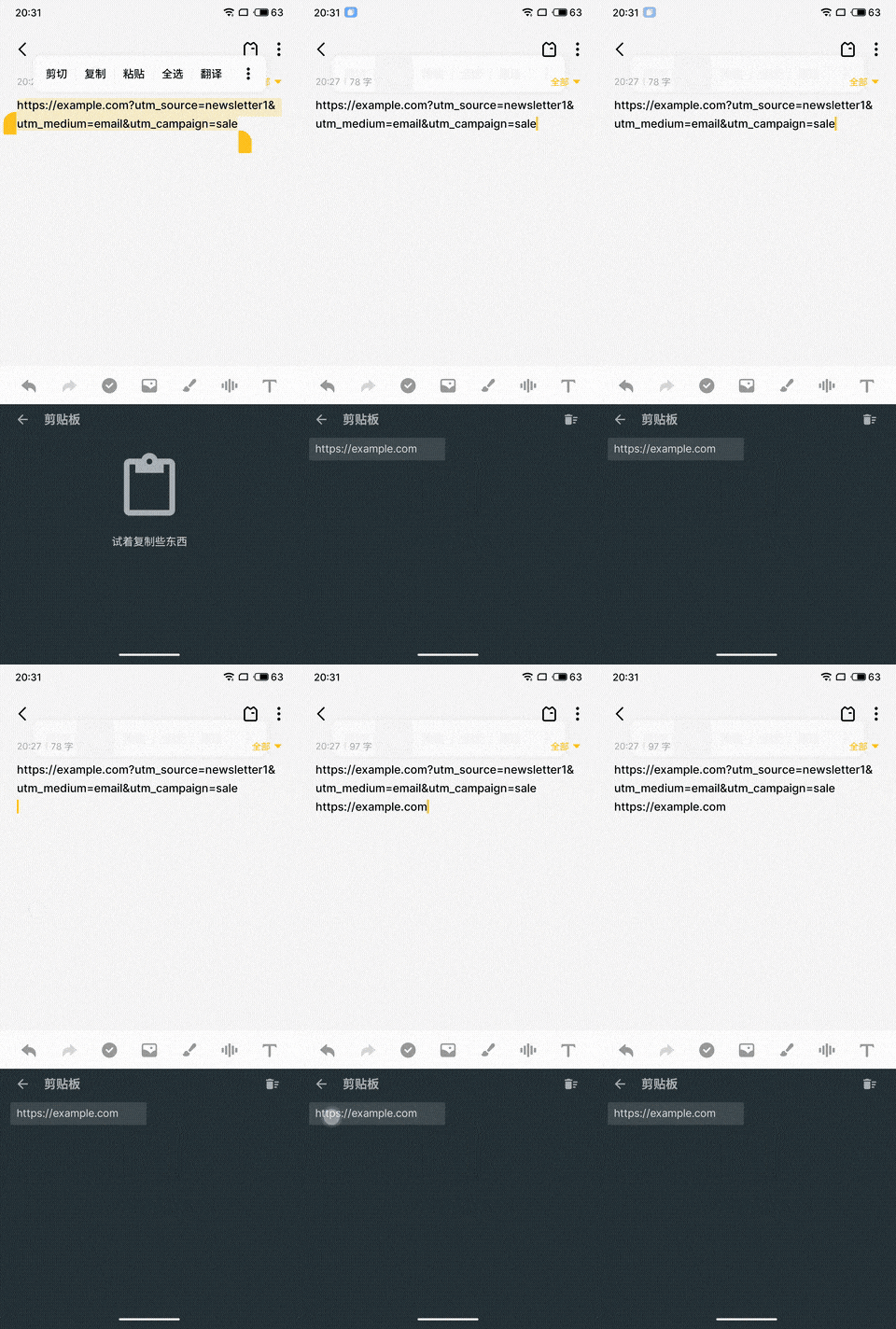
- **Clipboard Filter** (ClearURLs cleanup)
---
### Clipboard Filter
Removes tracking query params from copied URLs:
---
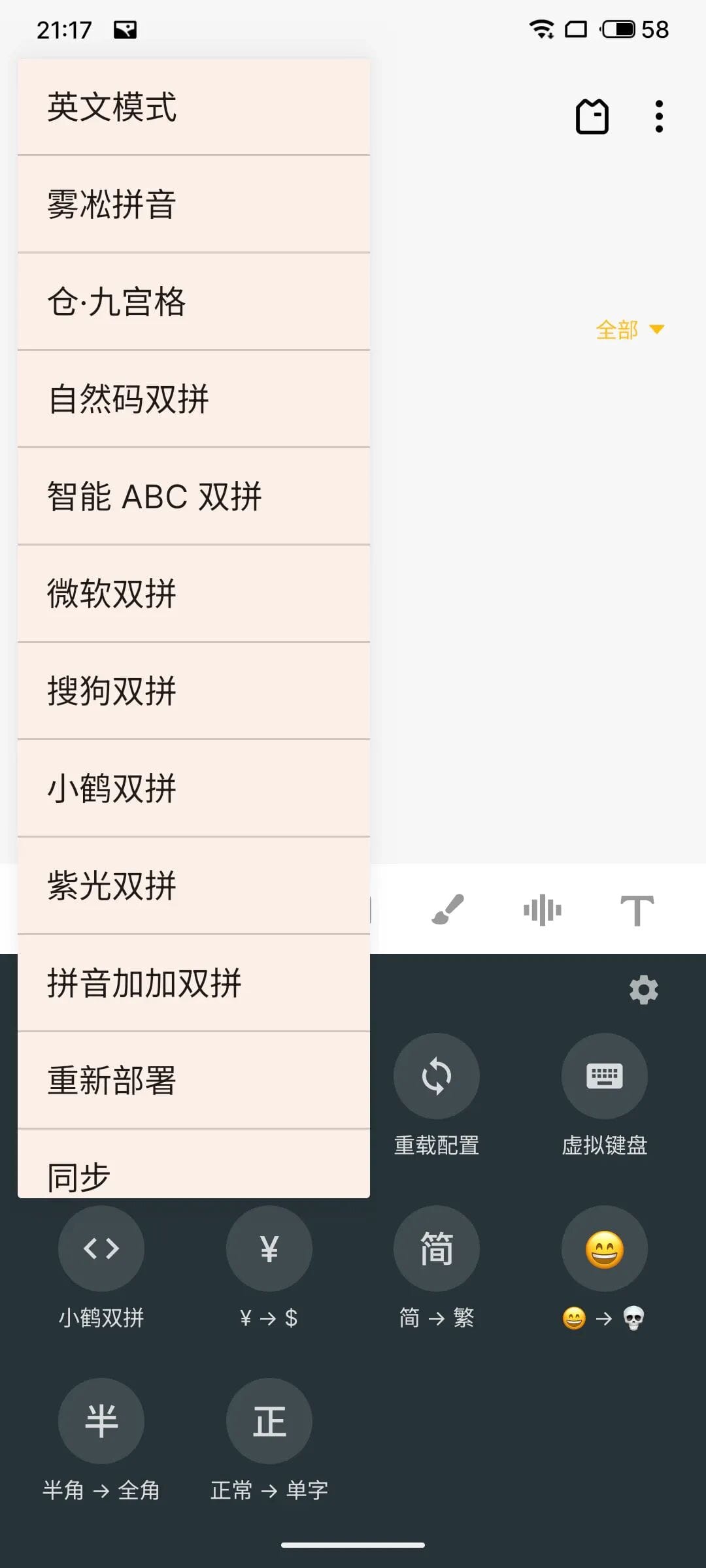
### Rime Plugin Example: 雾凇拼音
1. Install plugin & reload config
2. Add Rime IME in settings
3. Copy scheme files into:Android/data/org.fcitx.fcitx5.android/files/data/rime/
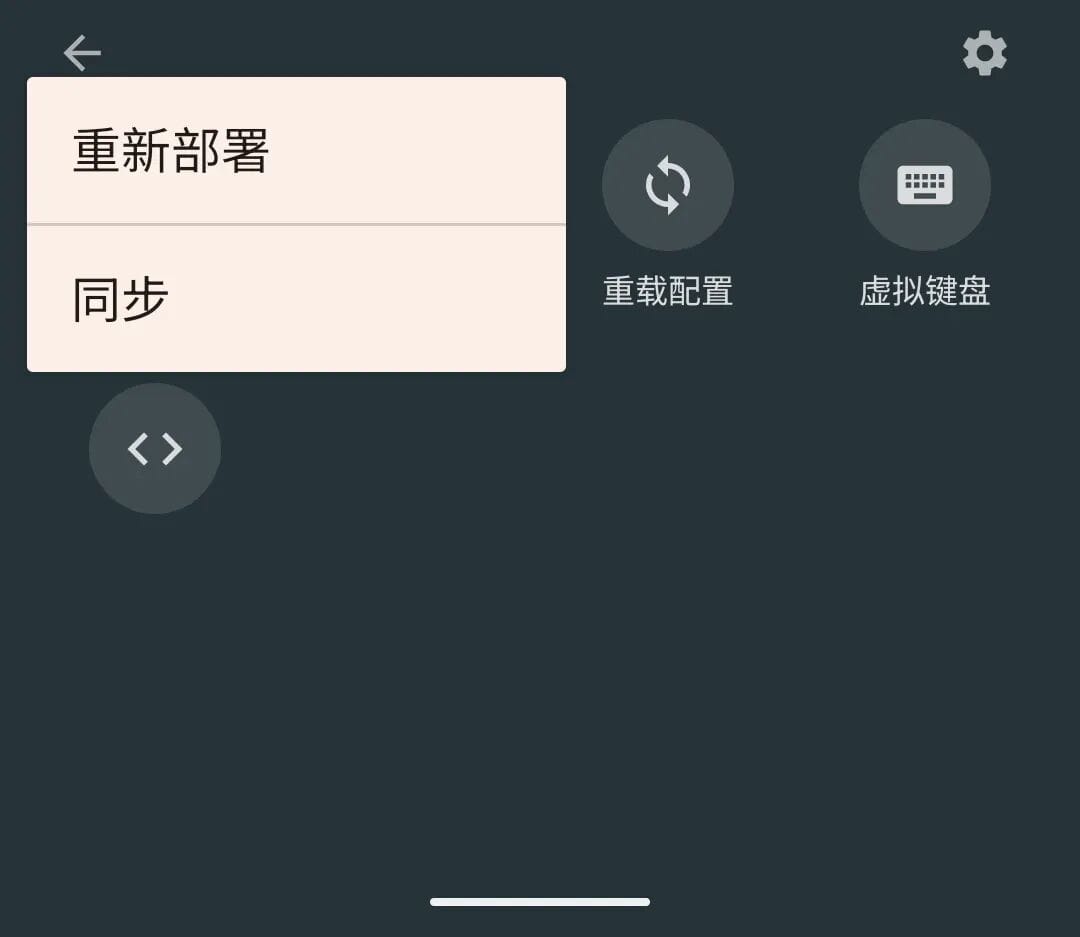
4. Reload & Redeploy in toolbar → Select input method → Use scheme
---
## Conclusion
Xiaopenguin (Fcitx5 Android) is currently Android-only, but iOS and other platforms are in development.
For users or creators who customize IMEs and want to share technical content widely, consider open-source publishing & monetization platforms like **[AiToEarn](https://aitoearn.ai/)** — enabling AI-assisted cross-platform distribution to Douyin, WeChat, Bilibili, Facebook, Instagram, YouTube, and more, with analytics and [AI Model Rankings](https://rank.aitoearn.ai).

**Original article:** [https://sspai.com/post/103871?utm_source=wechat&utm_medium=social](https://sspai.com/post/103871?utm_source=wechat&utm_medium=social)

