
Quark AI Browser Fully Upgraded, Instantly Access Qianwen
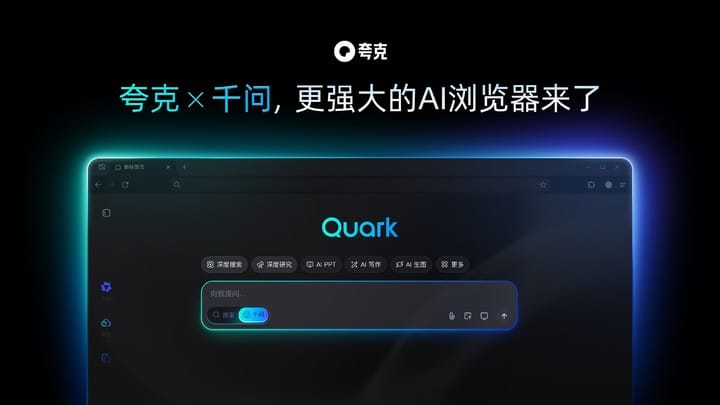
Browsers Are Getting Heavier — And Our Attention Is Fragmented
When writing a proposal, Word needs to stay open.
When searching for information, you switch back to the browser.
When replying to messages, you jump to WeChat.
The result: fragmented screens and fragmented attention.
Even calling AI for help becomes a hassle — first you need to figure out “Where is the AI?”
---
Switching to the Upgraded Quark AI Browser
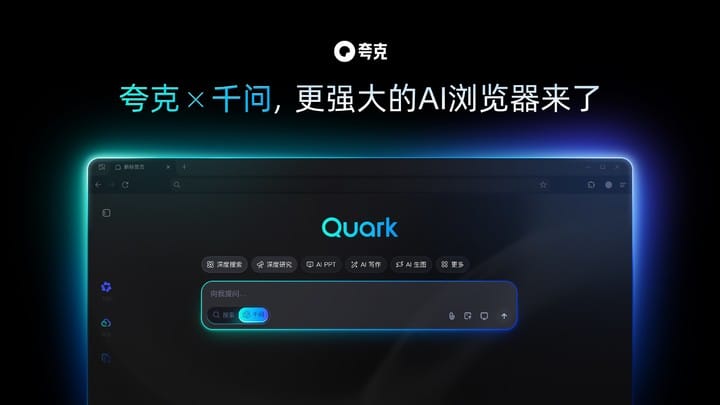
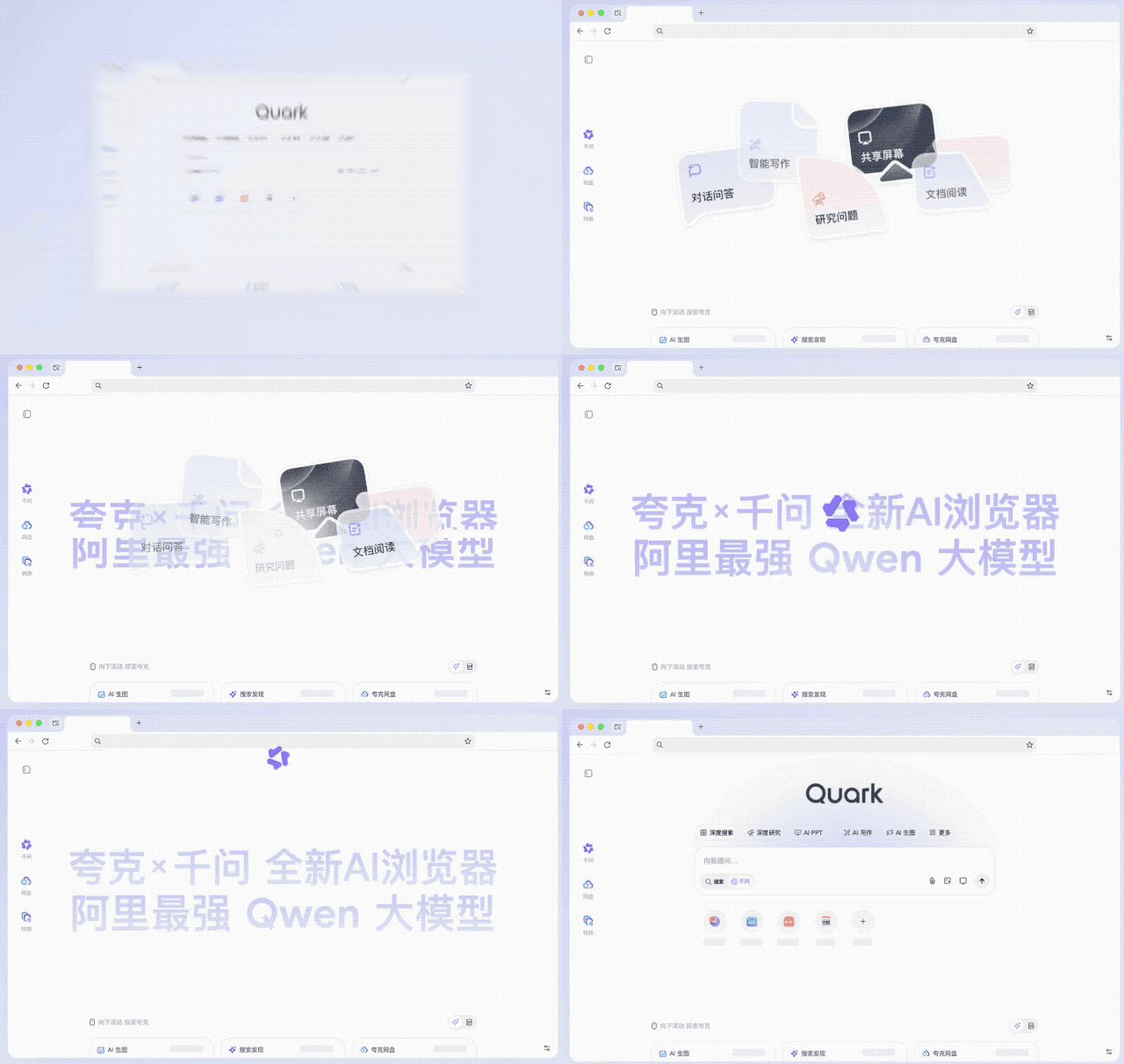
This week, I tested the completely upgraded Quark AI Browser, powered by Alibaba’s Qwen large model and a fully integrated Qwen AI Assistant.
Six major Qwen AI toolsets deliver a system-level “Global AI” experience:
You can invoke Qwen anytime via:
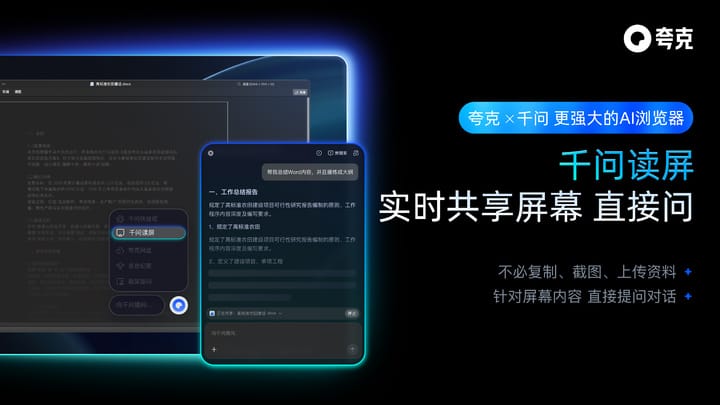
- Reading Screen
- Quick Bar
- Sidebar
- Floating Ball
- Word Selection
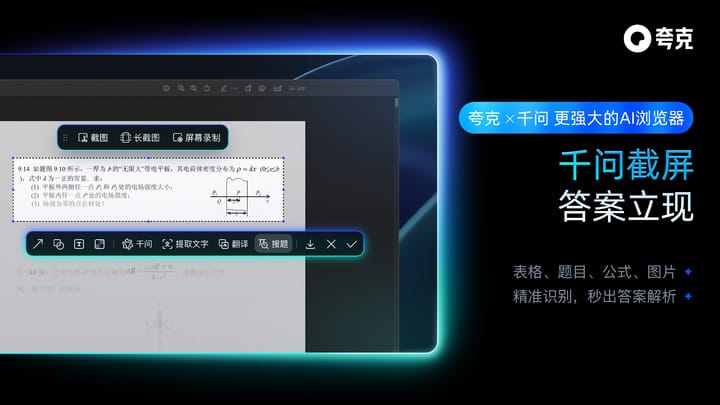
- Screenshot & Ask
No need to switch tabs or apps — multiple paths all lead to Qwen.
Quark builds on Chrome’s strengths, aiming to make AI your external brain and personal assistant.
---
Instant Desktop Qwen Summon
Goodbye Traditional Browsers
The standout feature is instant desktop AI summon — and this is where it differs most from OpenAI’s new Atlas browser.
- Atlas: Conservative, focuses on managing workflows between apps.
- Quark: Radical, embeds AI deep into browsing, enabling “browse while chatting, read while summarizing, ask and answer instantly.”
Example:
Press a hotkey, and Qwen can quickly outline a paper on “The Impact of Social Media on Teen Mental Health”, integrating directly into your workflow.

This “invisible integration” is what makes Quark a true system-level AI browser.
---
One Sidebar — Half Your Desktop Work, Gone
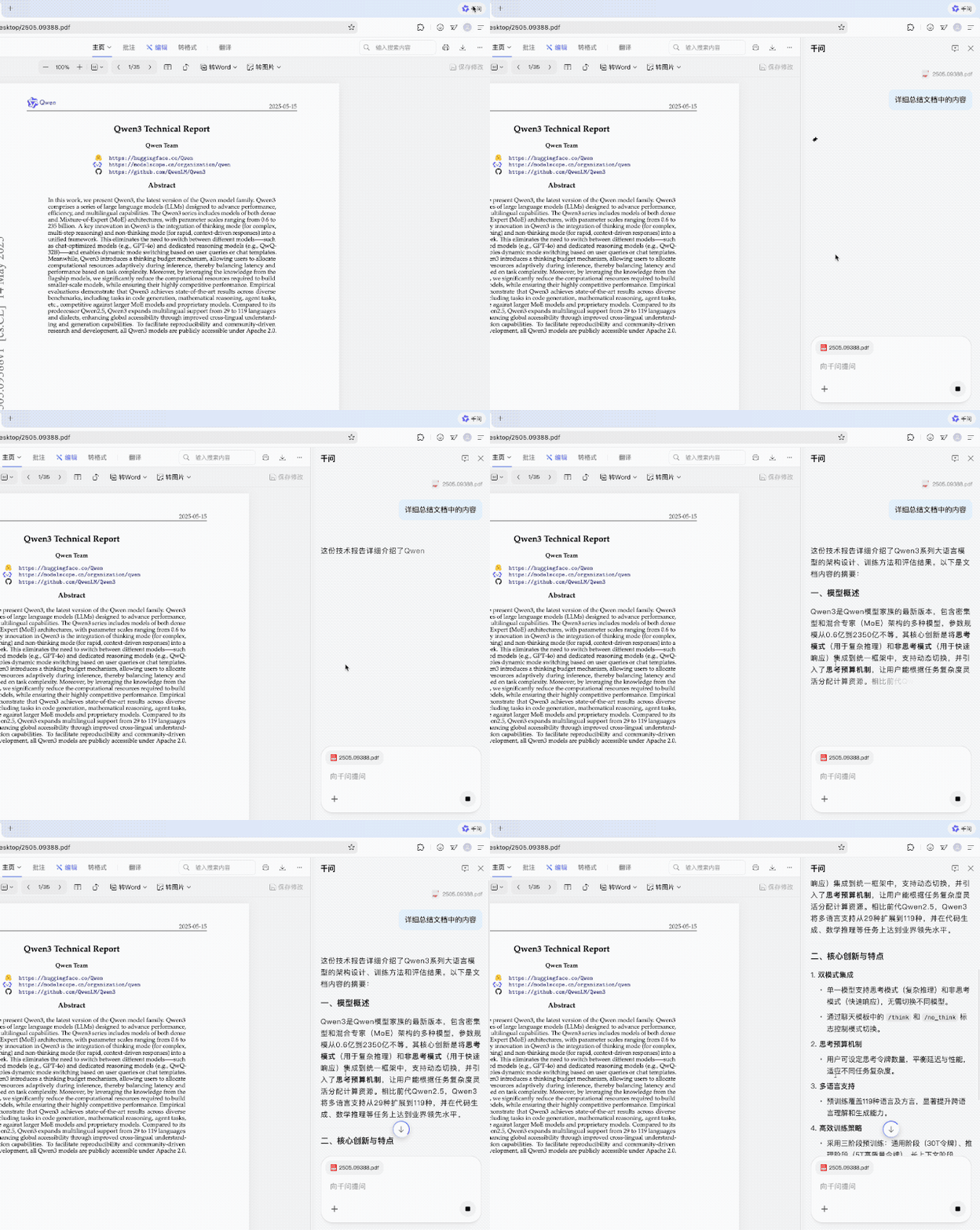
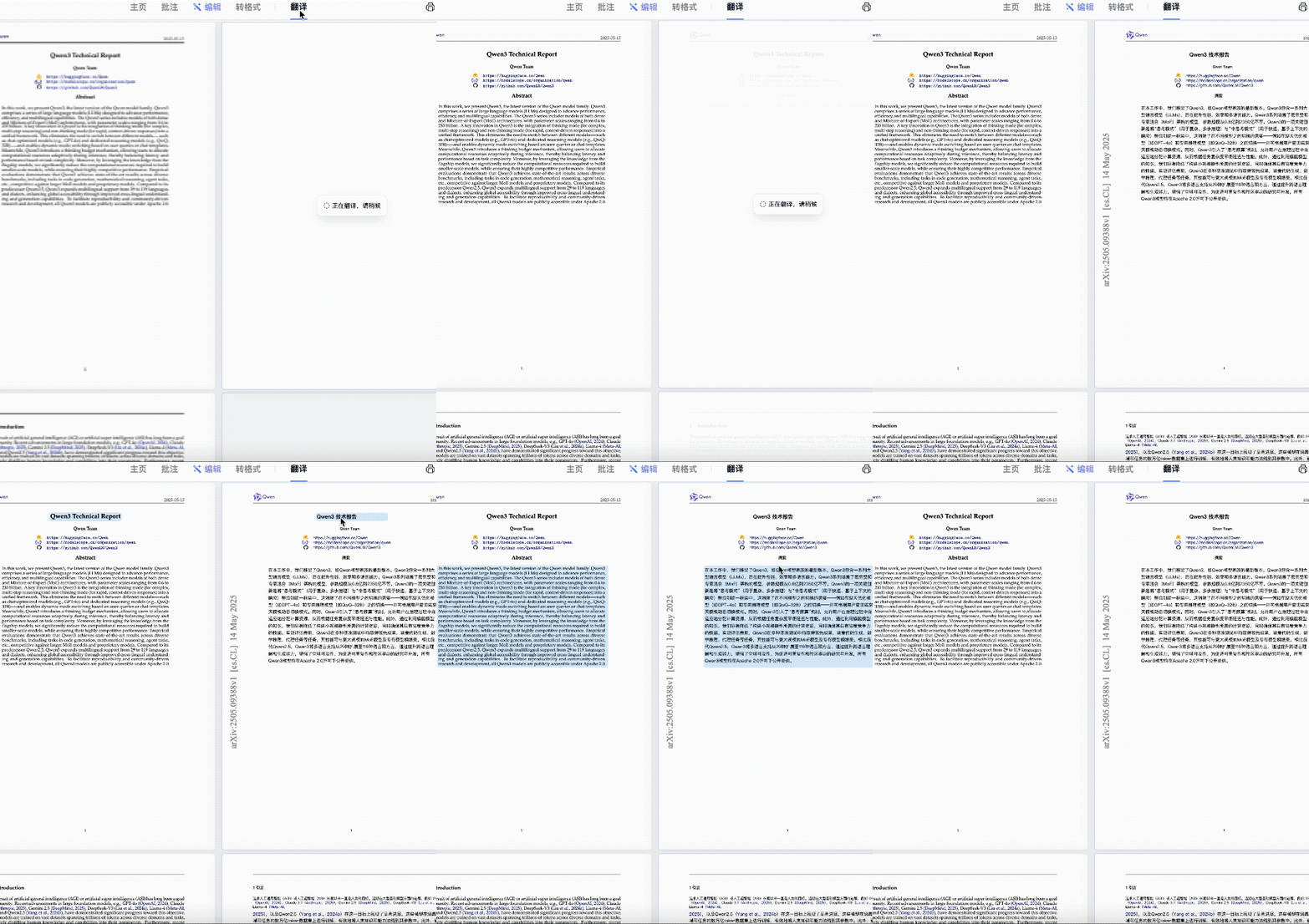
If you deal with AI tech papers daily and struggle with English, Qwen’s sidebar can:
- Translate entire documents instantly
- Summarize main points
- Analyze the current page combined with external knowledge
Example: Reading about a new car release — ask “Who is this car suitable for?”, and Qwen will compare and analyze without opening a search tab.
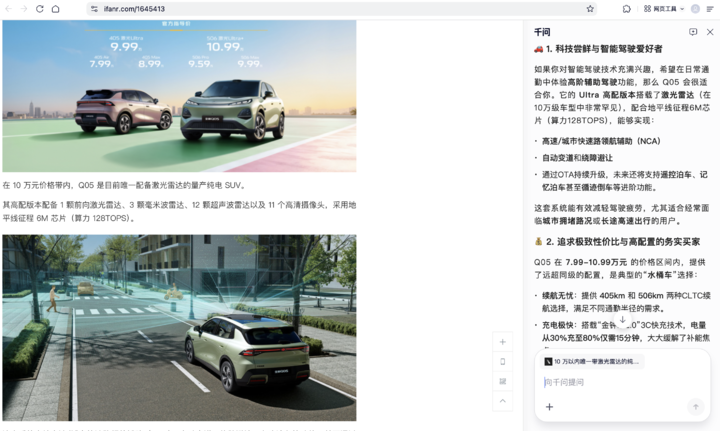
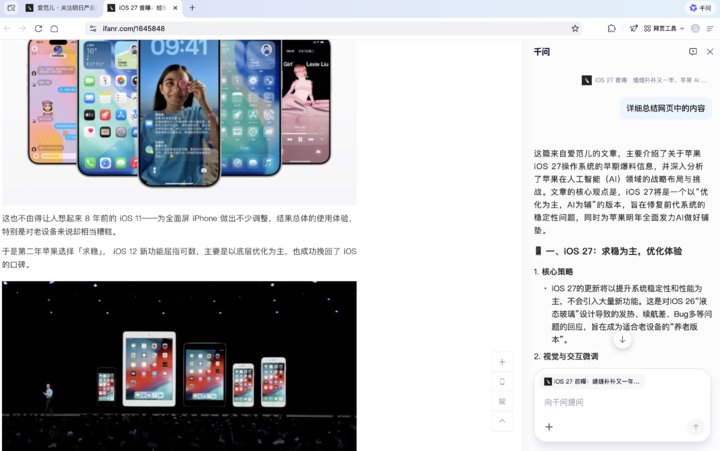
The result: browse while conversing, read while summarizing — no tab switching.
---
Screenshot for Answers & Word Selection for Explanations
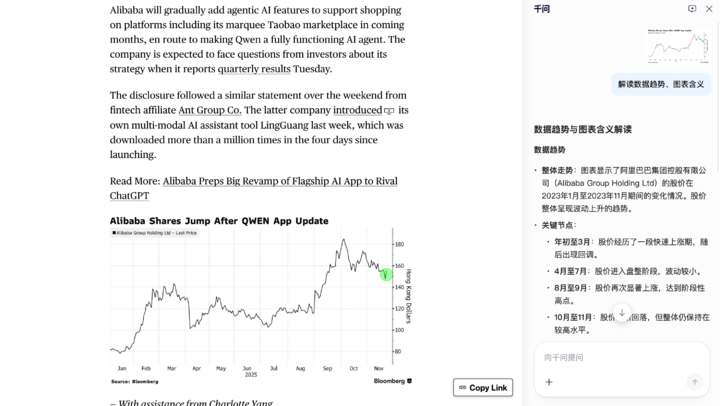
Encounter a chart?
- Screenshot & select an area — Qwen interprets the data instantly.
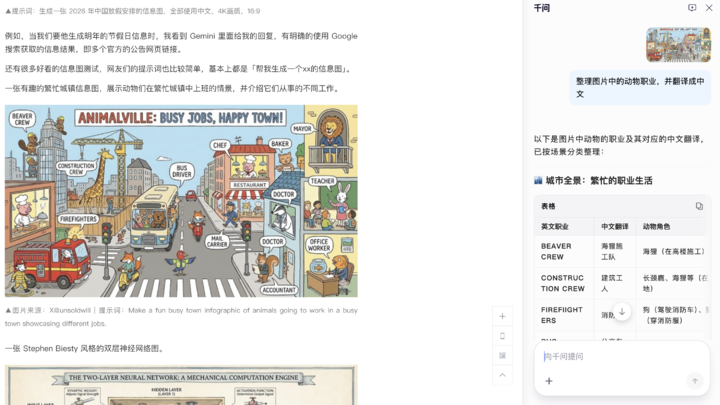
See complex images?
- Ask Qwen for structured summaries and translations.
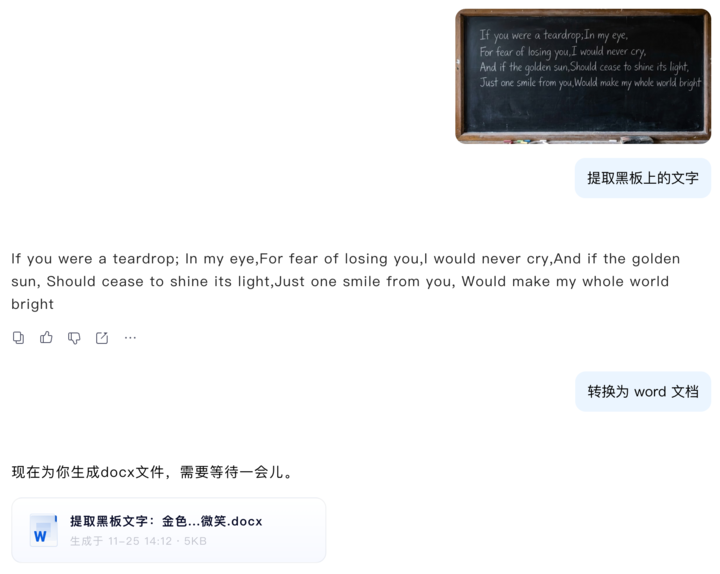
Even image text extraction is effortless:
Captured Issey Miyake in Apple’s “Think Different” campaign — Qwen recognized and explained.
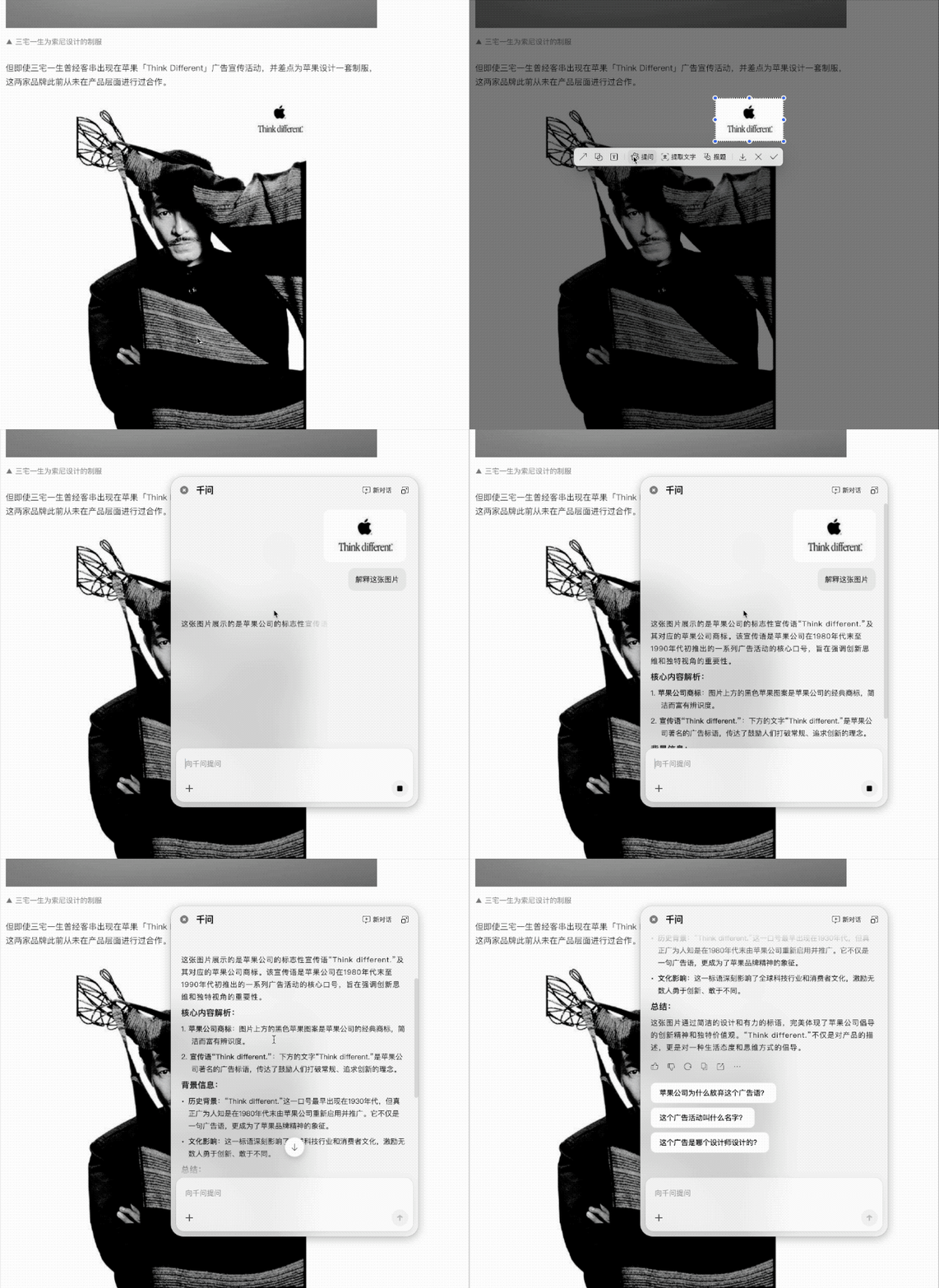
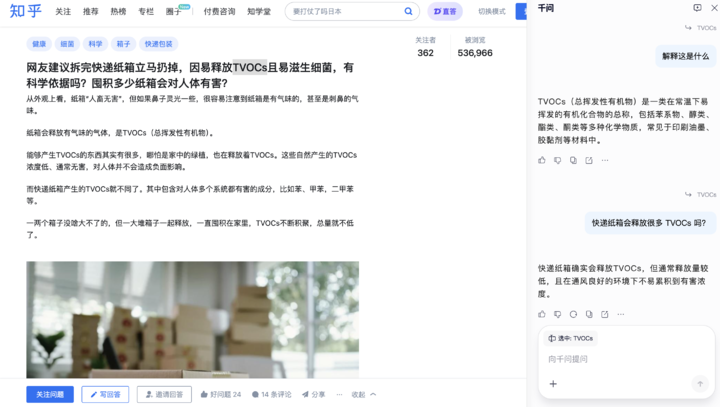
When browsing Zhihu:
Highlight a word → Qwen explains instantly, with follow-up Q&A possible.
---
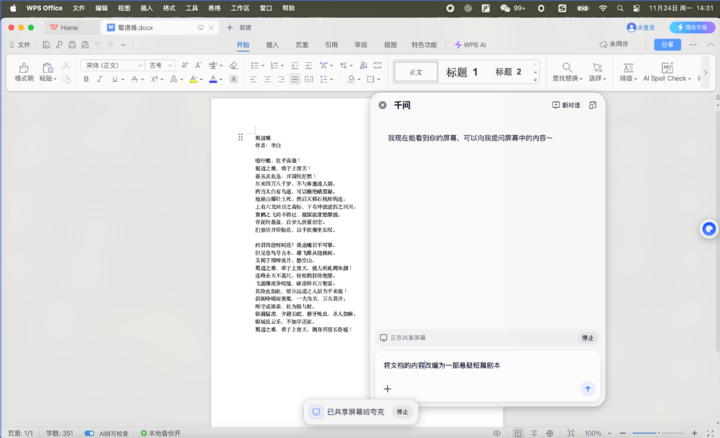
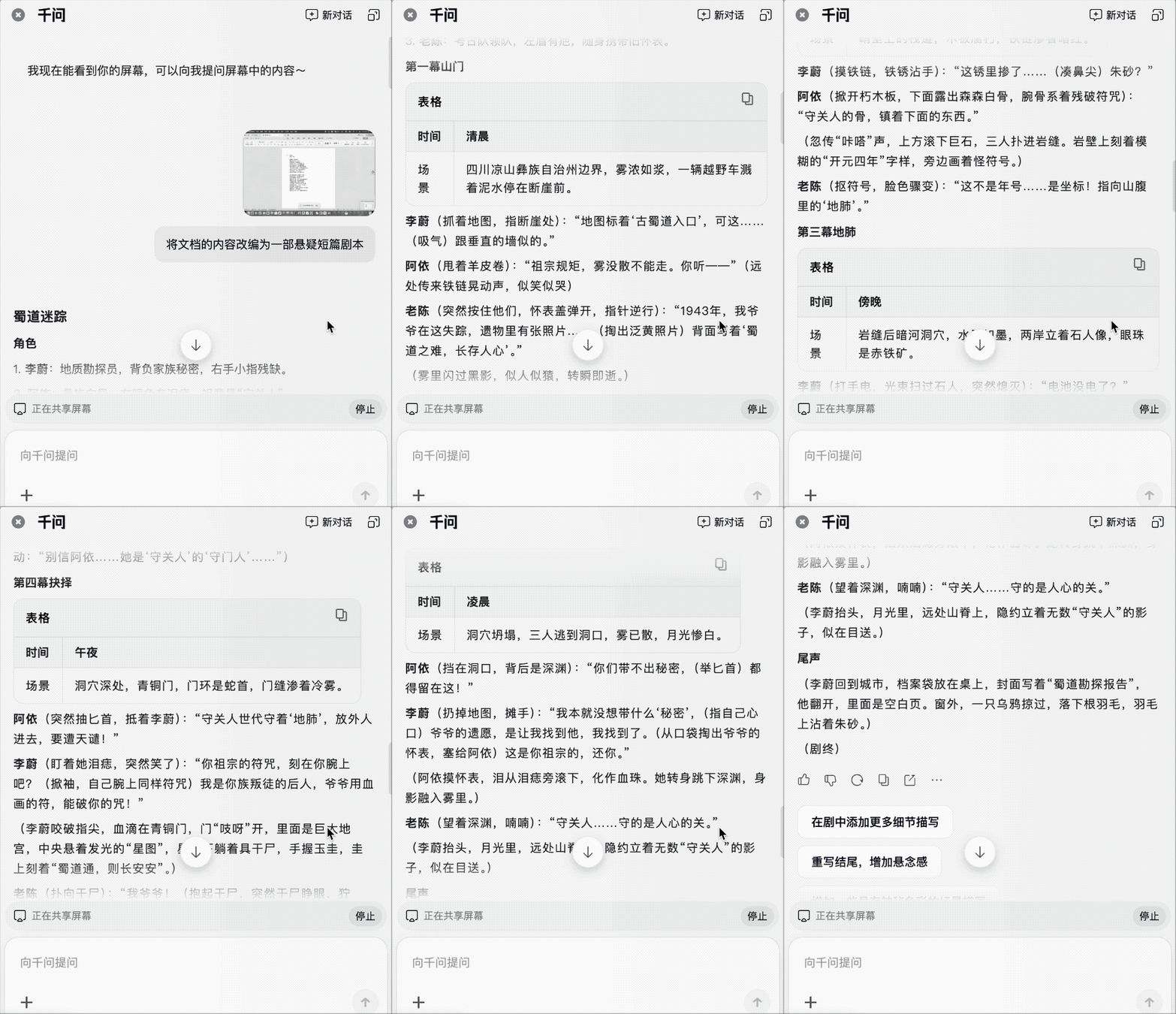
The Qwen Read Screen Feature
Qwen can “see” any content on your screen — deeply integrated with Word, WPS, and other apps — supporting quick queries and screenshot tasks.
This design reduces app switching friction:
- AI browsers like Quark redefine browsing
- Platforms like AiToEarn官网 integrate generation → publishing → analytics → monetization
- Both aim to make AI omnipresent yet unobtrusive
Example: Working in Word or Excel, Qianwen understands context and offers live suggestions.
---
Flexible Ways to Summon Qwen
Shortcut Keys:
- Windows: `Alt + Space`
- Mac: `Option + Space`
Ask in natural language:
- “Help me write an iPhone 18 Pro product launch invitation.”
- “Translate this text into English.”
From research to writing, summarizing to translating — Qwen handles it end-to-end.
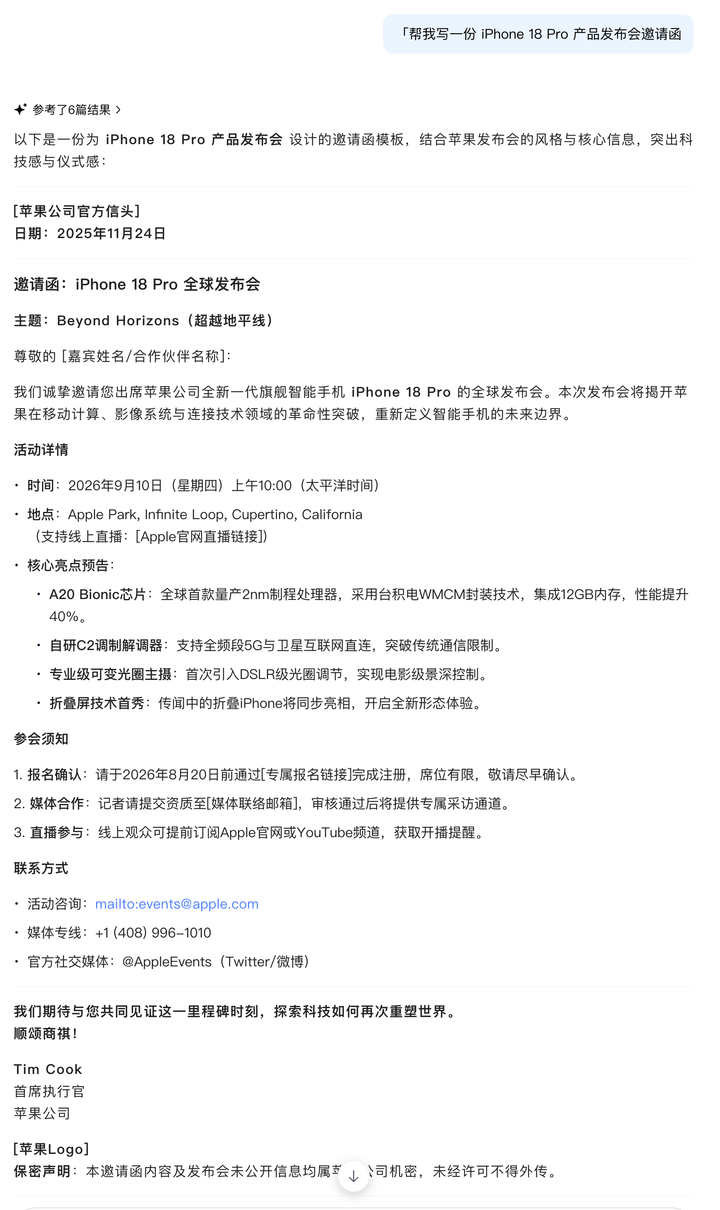
Even create tables/PPTs or extract text from photos in one sentence.
---
Strong Browsing Experience
Aside from AI:
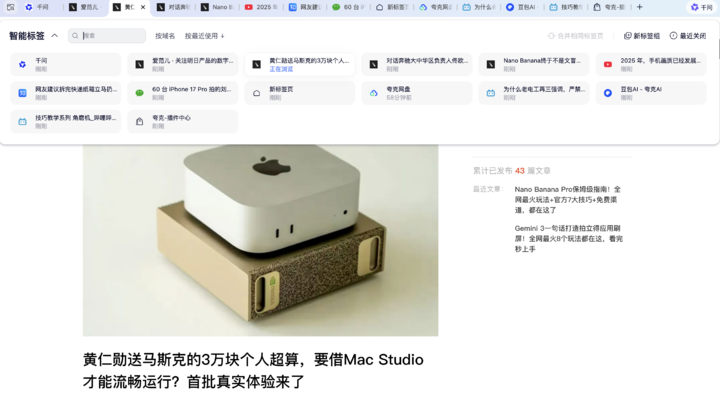
- Smart Tab Management: automatic grouping, domain sorting, memory optimization
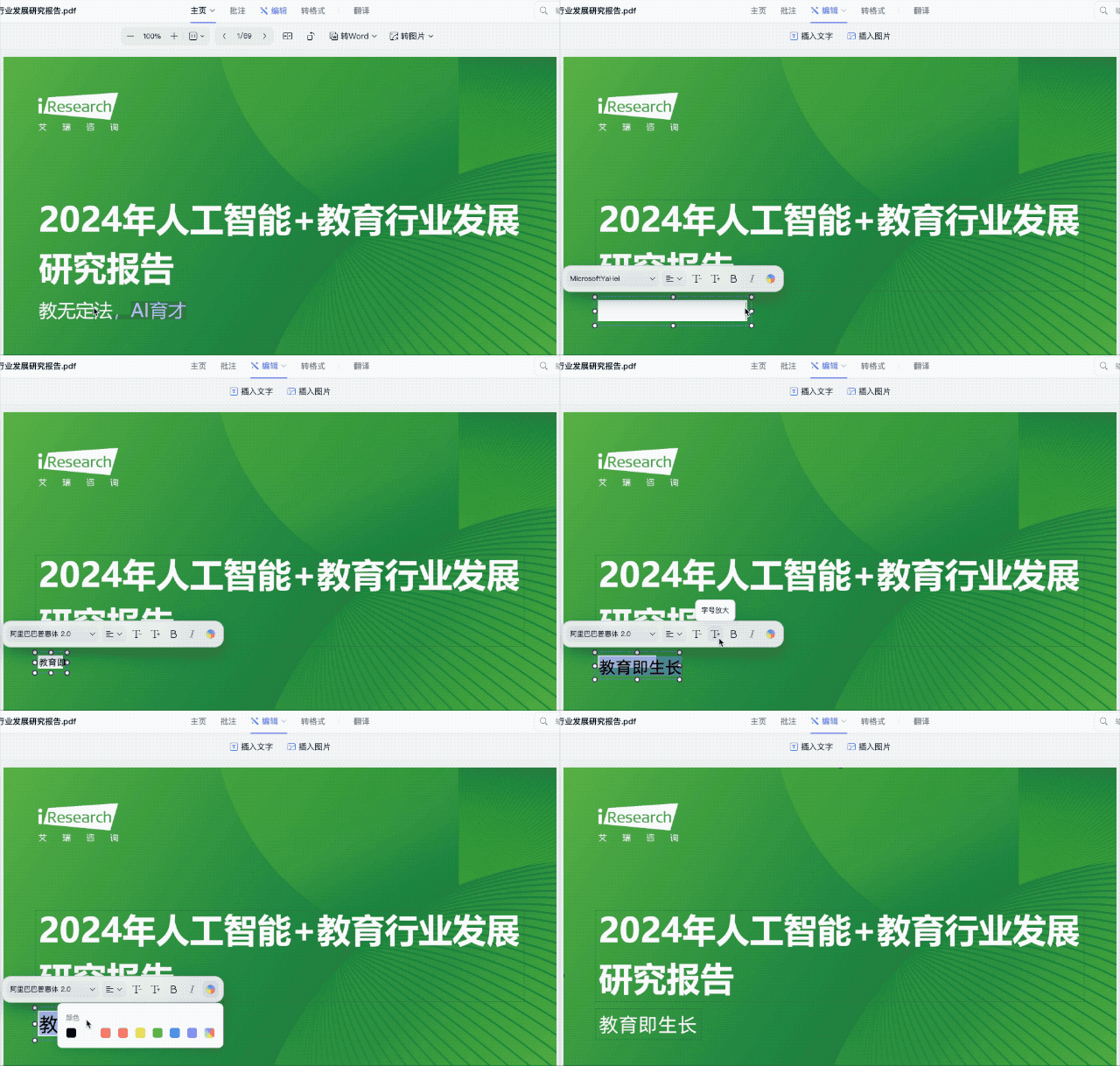
- PDF Tools: open, annotate, edit, and convert formats instantly — no downloads
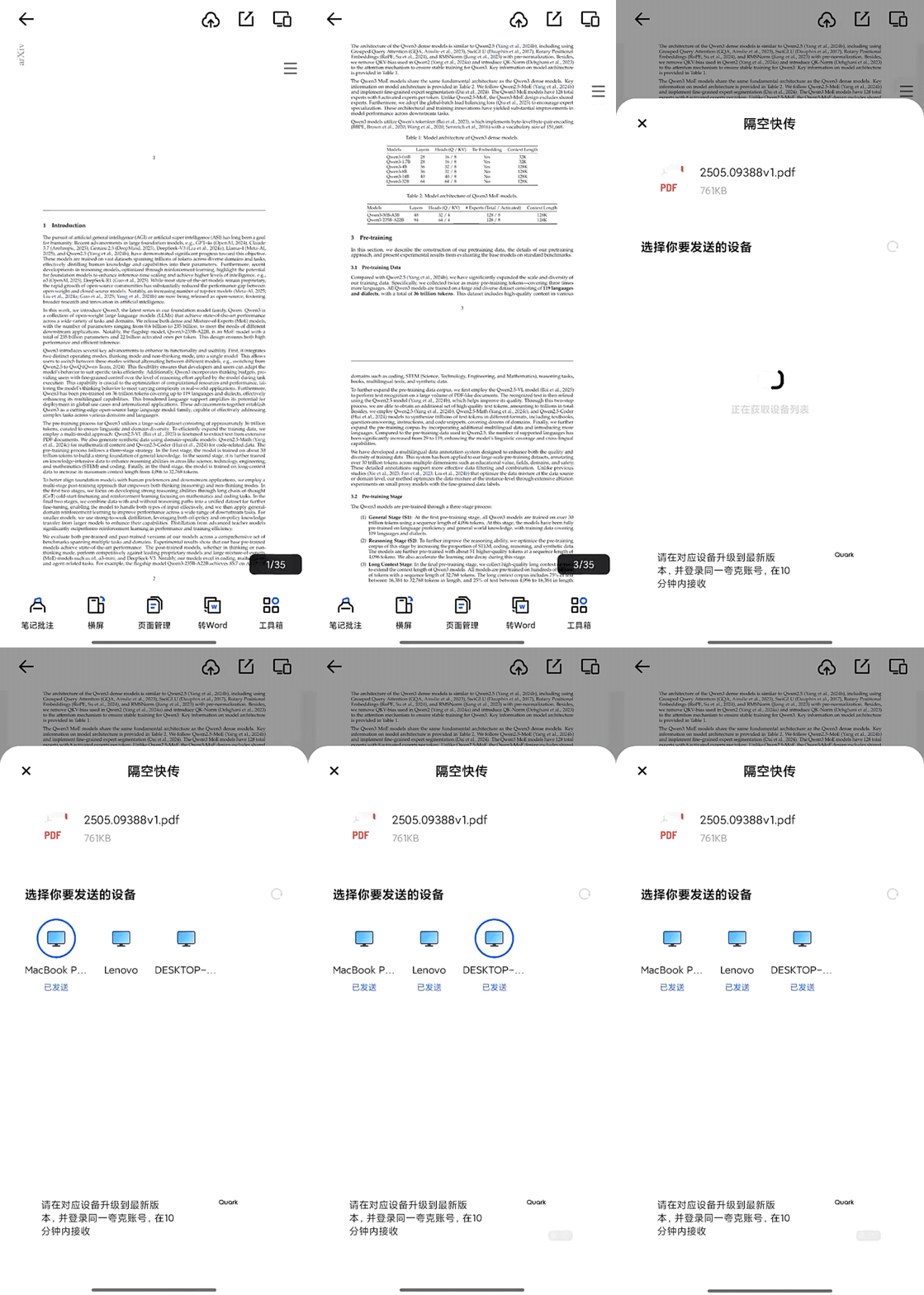
- Cross-device Transfer: seamless for even 100GB files
- Cloud Drive Search: one sentence to find any file

---
The New AI-Centric Browser Paradigm
For 30 years, browsers followed the same logic:
Users ask → Browser offers fragmented answers → Users piece things together.
With Qwen screen reading, floating button, and shortcuts:
- AI integrates beyond the browser window
- Can assist in Word, Figma, coding — any scenario
- Becomes a system-wide capability
Platforms like AiToEarn官网 show how creators can link AI productivity to multi-platform monetization.
---
Why Quark Could Lead This AI Browser Race
- Massive User Base: Over 100M PC users — rich scenario data for refinement
- Superior Model: Alibaba’s Qwen large model with strong Chinese comprehension & logical reasoning
- Deep System Integration: Global invocation and screen reading everywhere
- User-Centric Design: No ads, minimalist UI, memory optimization
---
Challenges Ahead
- Chrome’s plugin ecosystem & user inertia are tough to beat
- Heavy plugin dependence = migration cost for power users
- Need to change user perception of “bloated domestic browsers”
---
Looking Forward
Once AI understands context & appears when needed:
- Reading research: AI explains in real time
- Coding: AI reviews logic instantly
- Designing: AI suggests improvements on the spot
Chrome shaped the good browser;
Quark is setting the AI browser benchmark.
Future operating systems will be task-centric, where the instinct is not to search — but to ask your AI directly.
---
Conclusion
The path is challenging: requires technical depth, disciplined design, and long-term education.
But once habits form, the barrier is stronger — habit is hardest to break.
As we move toward AI‑driven productivity, tools like Quark AI Browser and platforms like AiToEarn开源地址 will lead in transforming everyday workflows into connected, monetizable AI systems.


