# Quark AI Browser Review — AI as Your Always-On Personal Assistant
## The Problem with Traditional Browsers
Modern browsers keep getting heavier.
When drafting a proposal, Word must stay open. To check references, you jump into a browser. For messages, you switch to WeChat. Your **attention fragments**—and finding the AI tool you need becomes a chore.
---
## Enter the Fully Upgraded Quark AI Browser
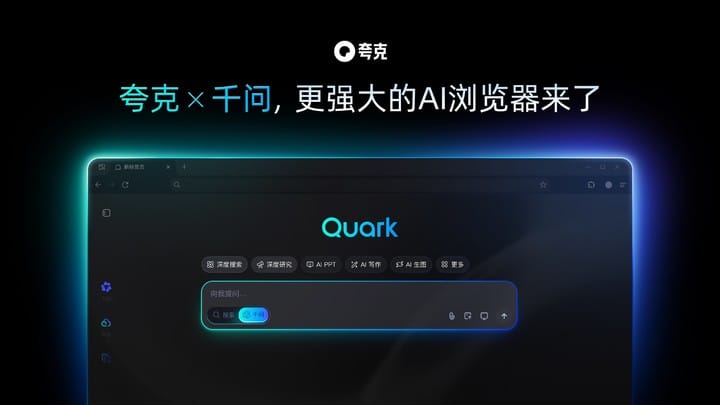
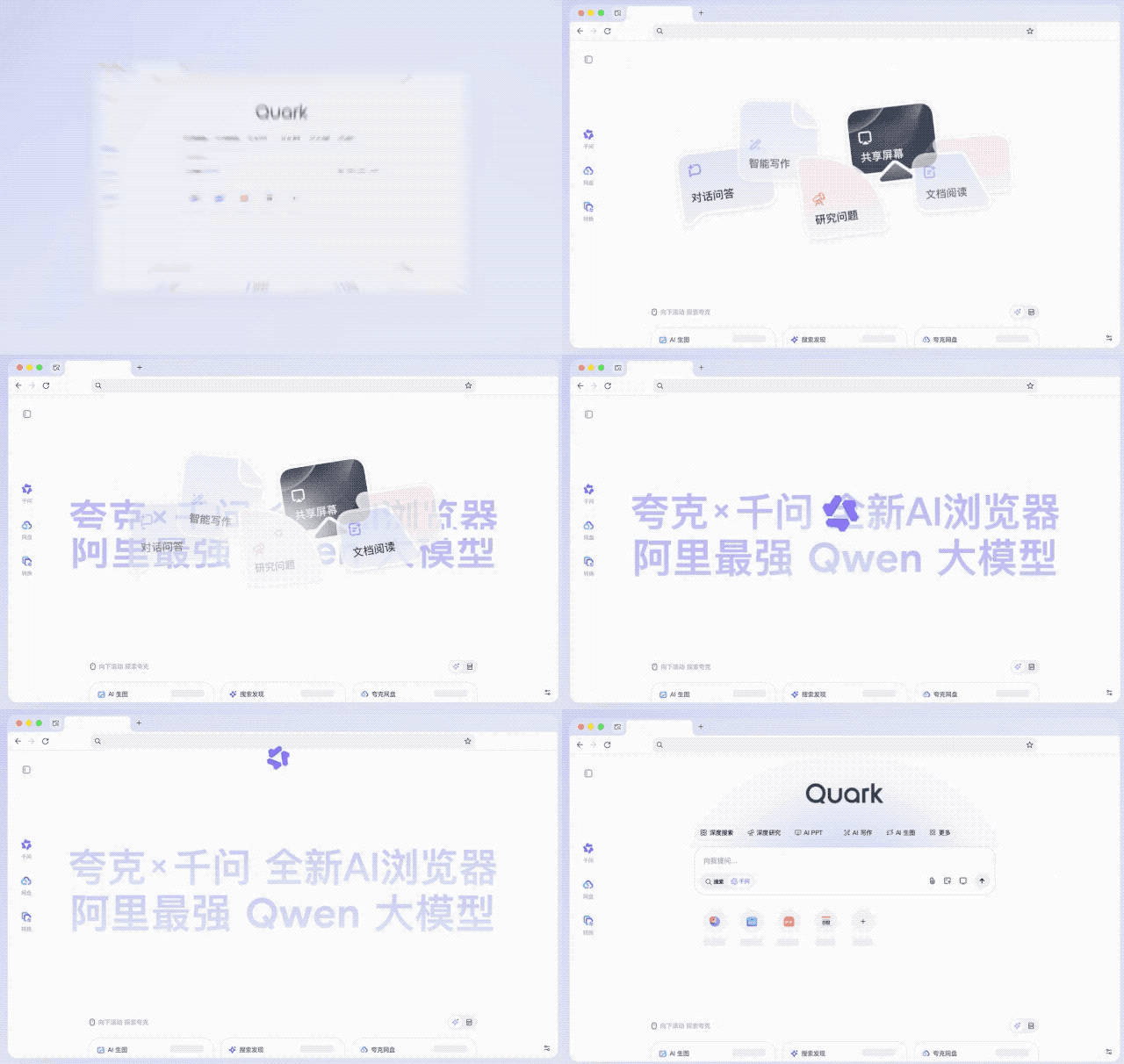
Backed by Alibaba’s **Qwen large language model**, Quark now embeds the **Qwen AI Assistant** at its core.
It offers:
- **Six major AI toolsets**
- A **system-level “Global AI”** concept
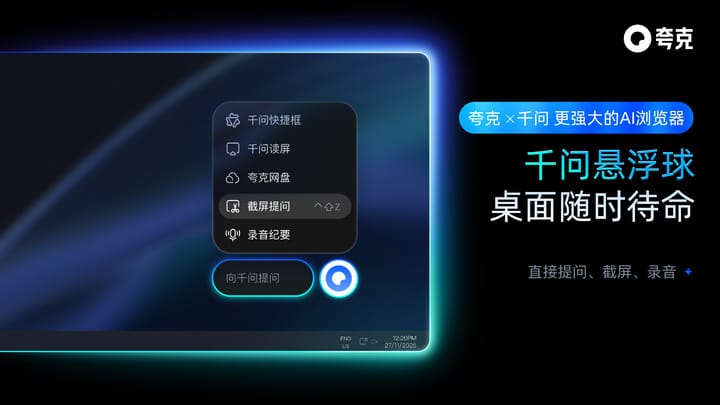
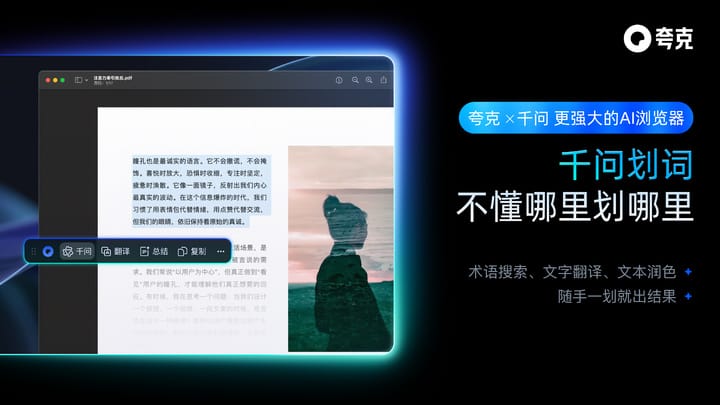
- Multiple ways to invoke Qwen: sidebar, floating ball, screen read, text selection, screenshots, quick input box
**Key benefit:** *No more switching apps or tabs.* One sentence to get tasks done — anywhere.
---
## Instant Desktop Invocation — A Core Differentiator
Qwen’s direct desktop integration sets Quark apart from OpenAI’s new **Atlas browser**.
- **Atlas**: AI as part of the OS, orchestrating between apps
- **Quark**: Rebuilt browser architecture for deep AI integration into *browsing behavior*
Capabilities include:
- **Browse-and-chat**
- **View-and-summarize**
- **Ask-and-answer instantly**
Example:
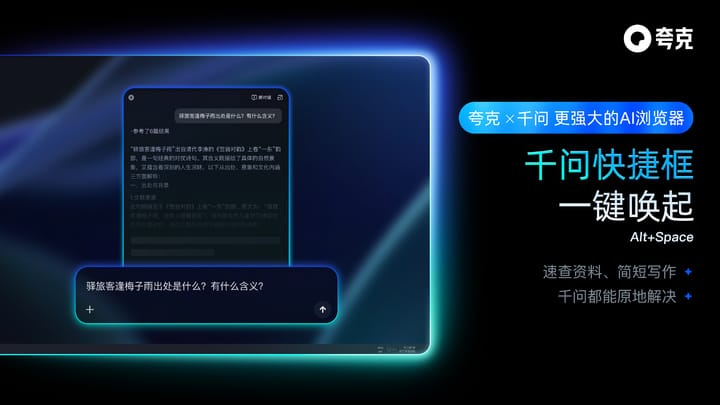
Use a keyboard shortcut to ask Qwen:
*“Outline a paper on the impact of social media on teenagers’ mental health.”*
It builds a coherent workflow from research to writing.

---
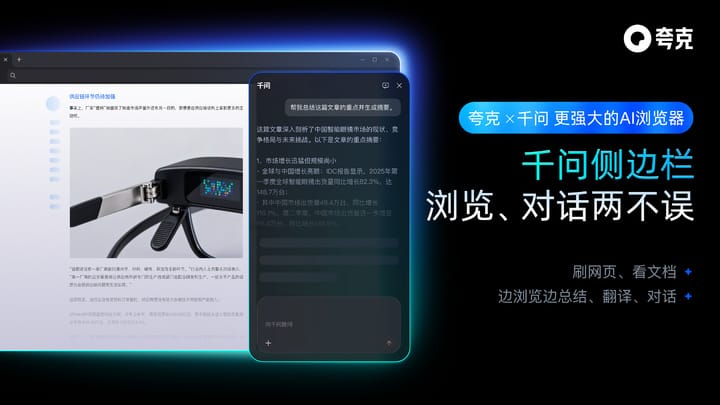
## Qwen Sidebar — Eliminating Half Your Desktop Clicks
Functions include:
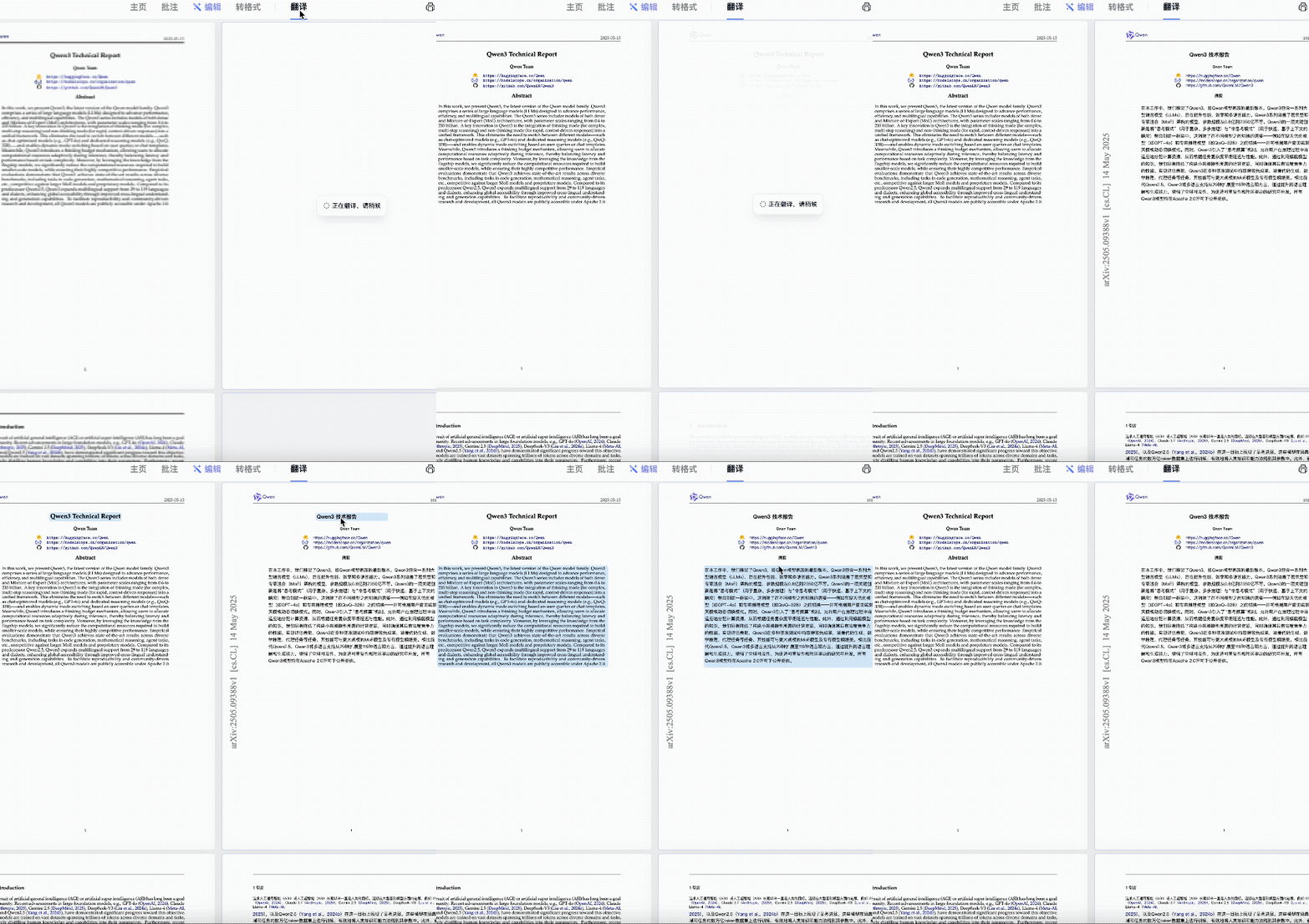
- **Translate and summarize** academic papers instantly
- Dig deeper into page content without copy-paste
- **Answer contextual questions** as you browse news or product launches
- Extract **key points from high-information pages**
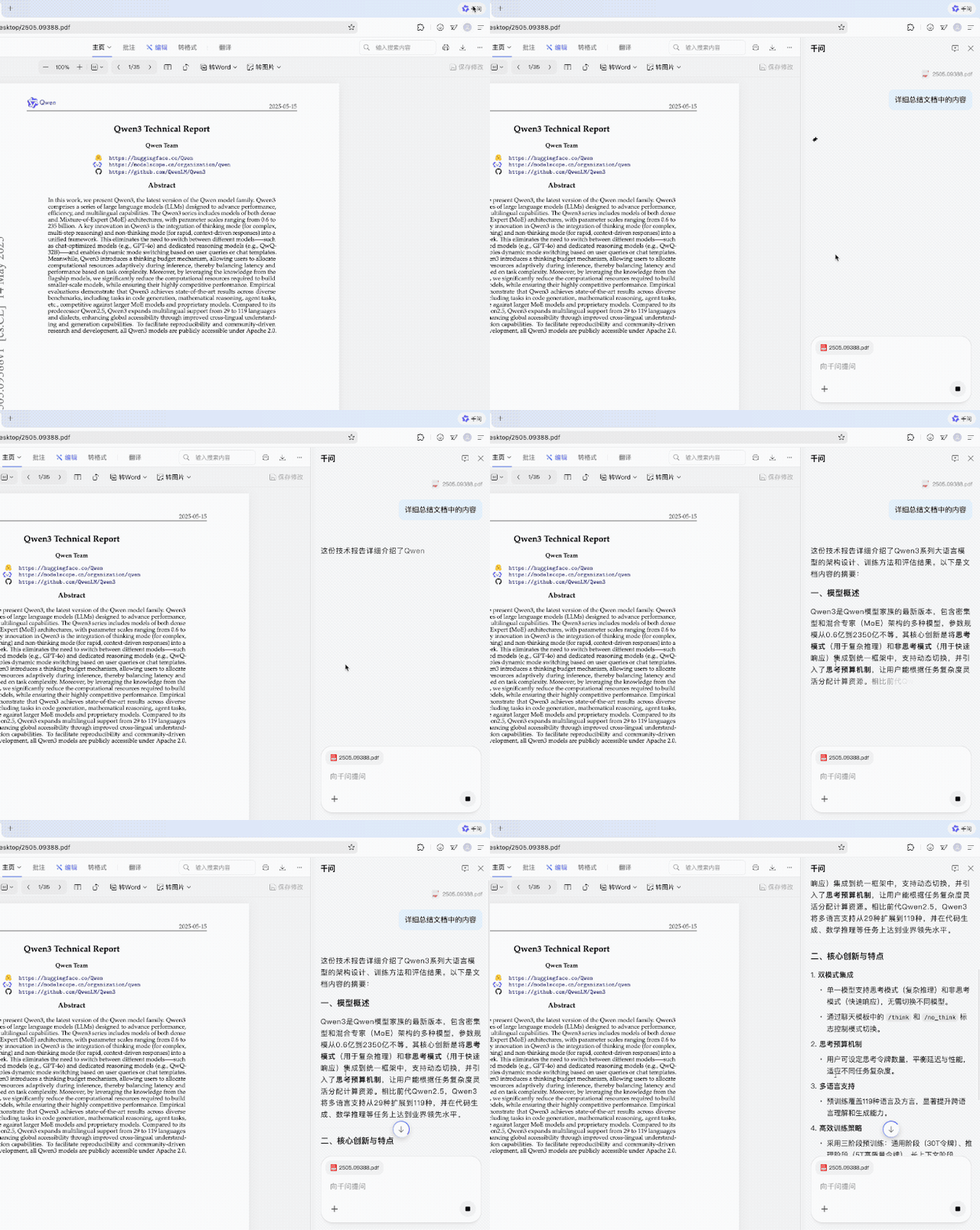
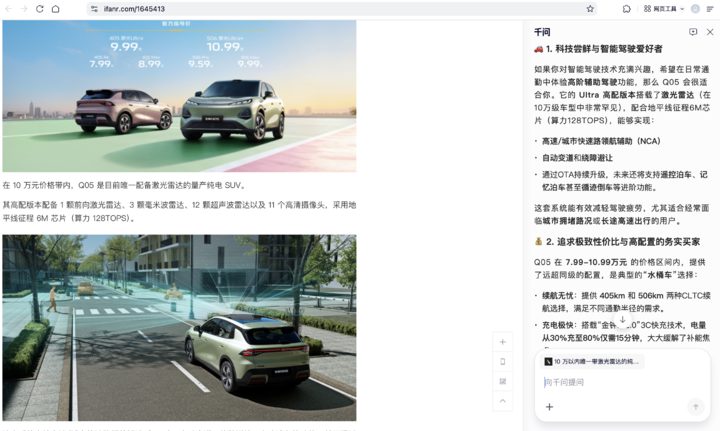
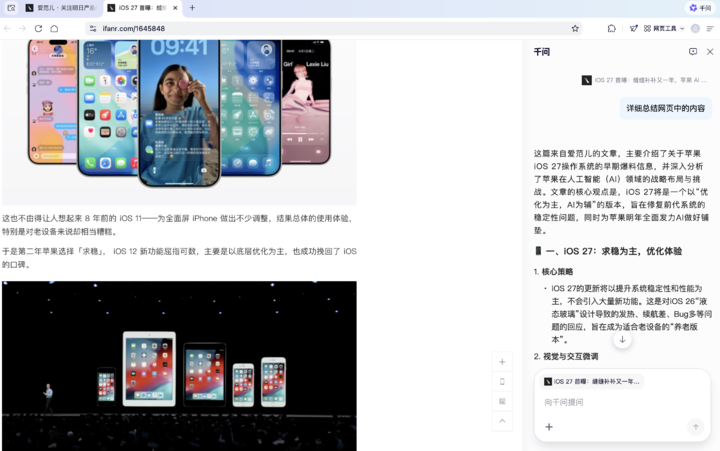
**Why it’s better:** Traditional browsers interrupt flow with tab switches; Quark makes AI assistance *frictionless*.
---
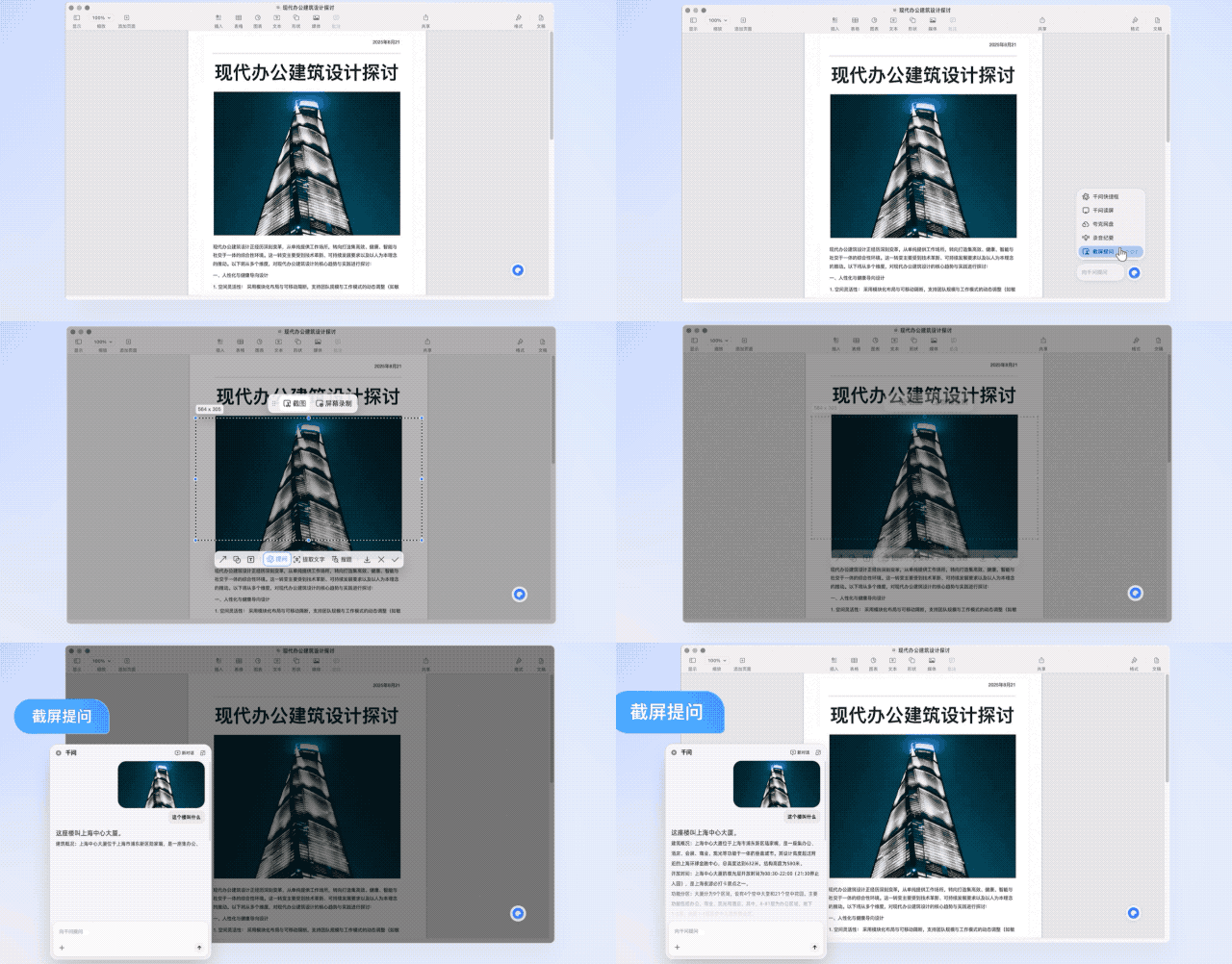
## Screenshot & Text Selection — Answers on the Spot
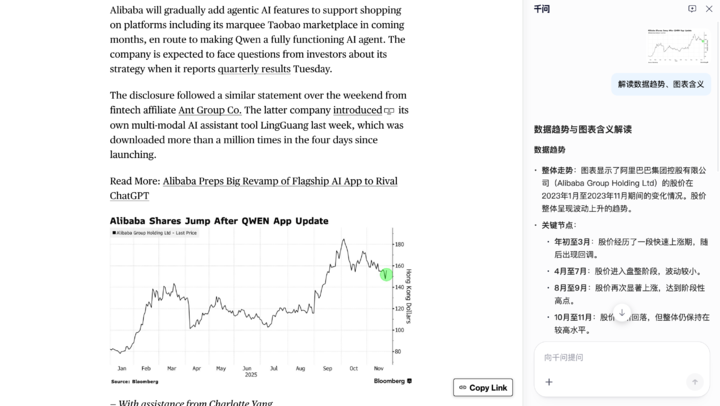
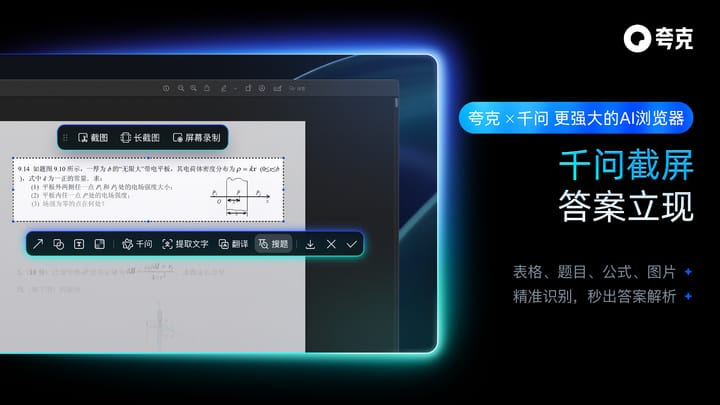
- Take a **chart screenshot** → Qwen interprets data trends
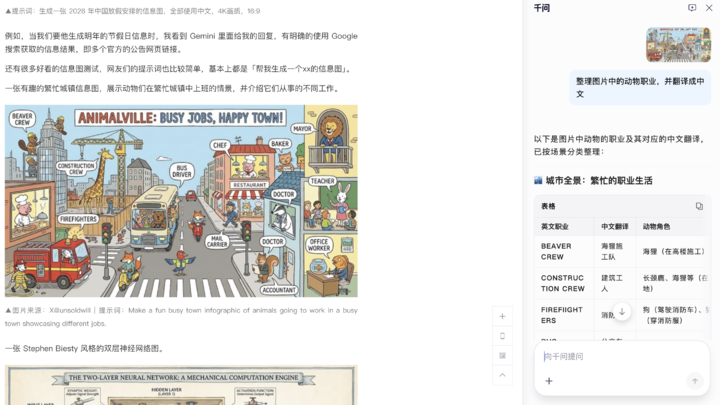
- Ask Qwen to identify and list objects in AI-generated images
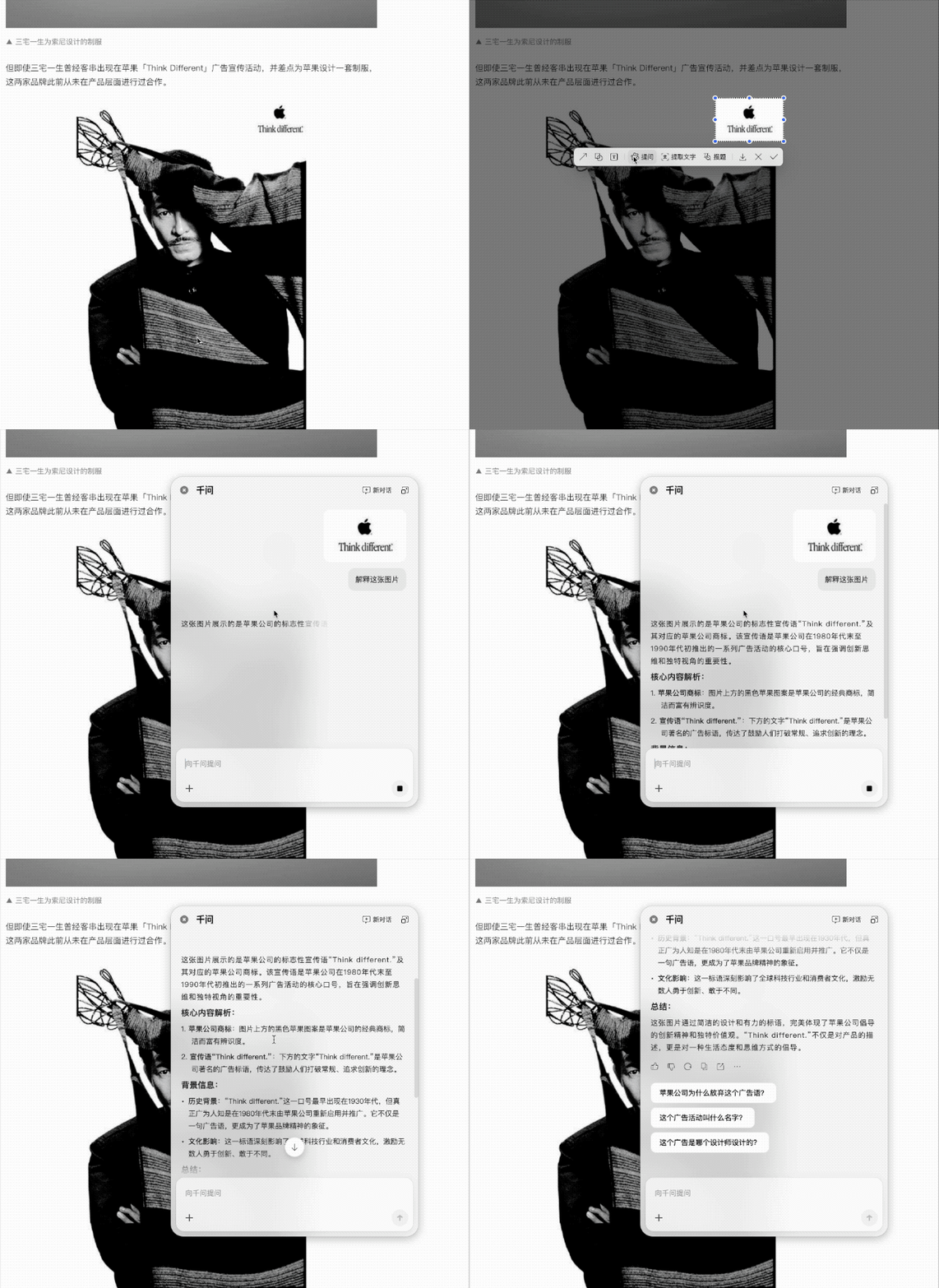
- Run **OCR text extraction** on any screen
Example:
Screenshot Apple’s *Think Different* ad → Qwen recognizes slogan and explains context.
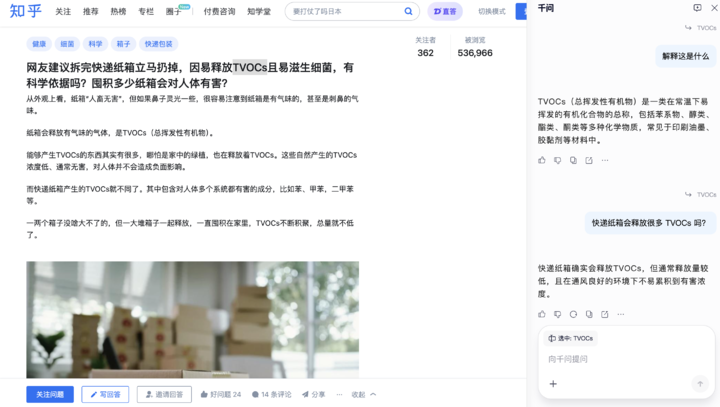
**Text selection use case:**
Highlight unfamiliar terms in Zhihu → Qwen explains instantly.
---
## Qwen Screen Reader — Deep App Integration
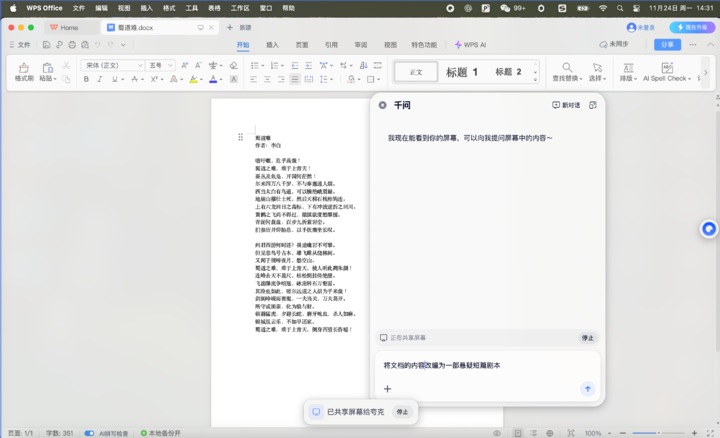
- Works with Microsoft Word, WPS, and more
- Supports quick Q&A from selected text
- Handles screenshot-based queries
---
## Always-Present AI: A Broader Workflow Shift
Quark embodies a shift from **AI as an occasional tool** to **AI as a continuous, context-aware collaborator.**
Related ecosystem example:
**[AiToEarn官网](https://aitoearn.ai/)** — open-source AI content monetization platform, enabling creation and cross-platform publishing with analytics and [AI模型排名](https://rank.aitoearn.ai).
---
## Real-Time AI While Working
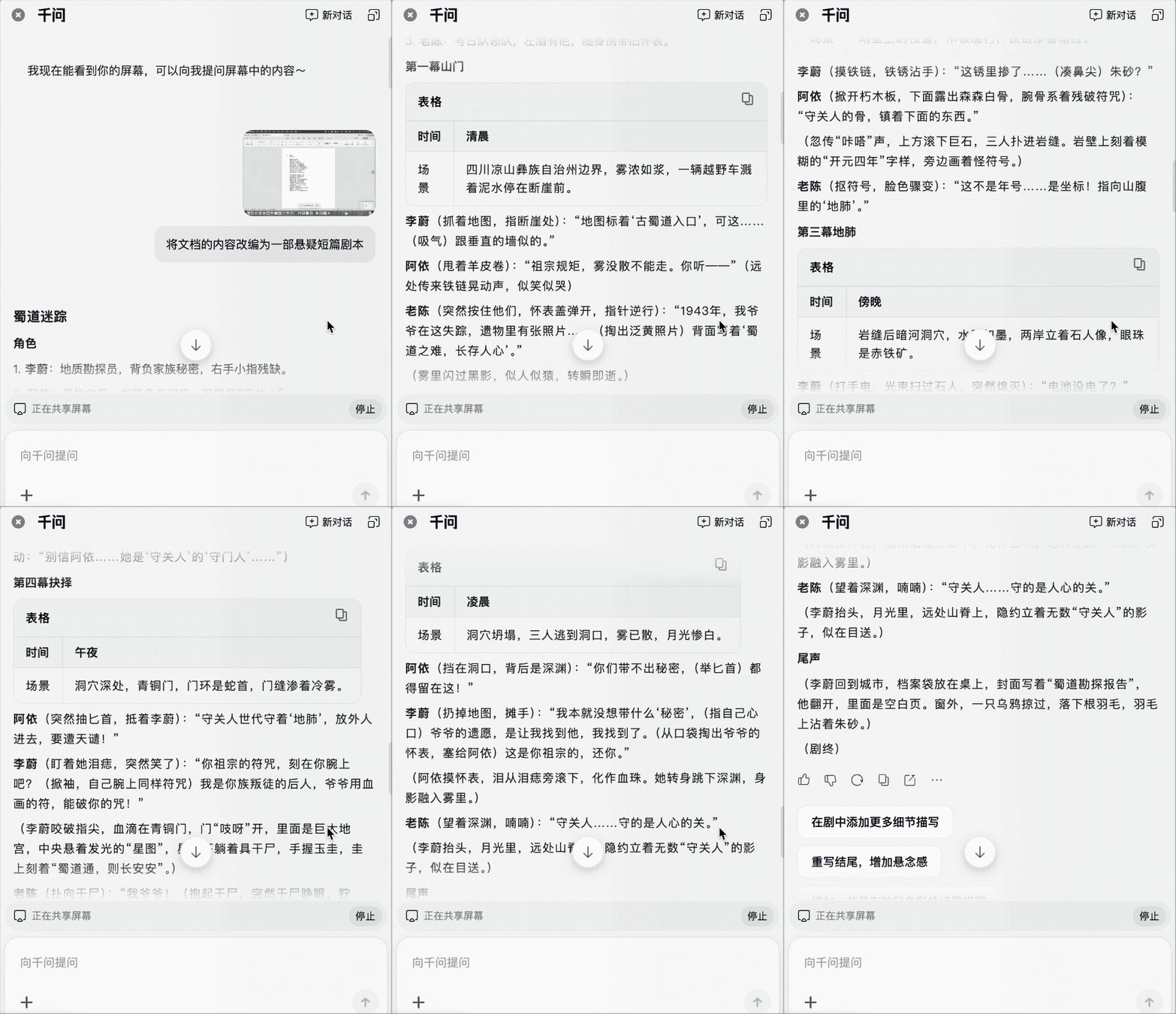
While editing in Word or Excel:
- Qwen understands your screen
- Offers relevant suggestions automatically
- Captures screenshots/selected text to sidebar for follow-up
---
## Quick Invocation via Keyboard / Voice
**Shortcut keys:**
- **Windows:** `Alt + Space`
- **Mac:** `Option + Space`
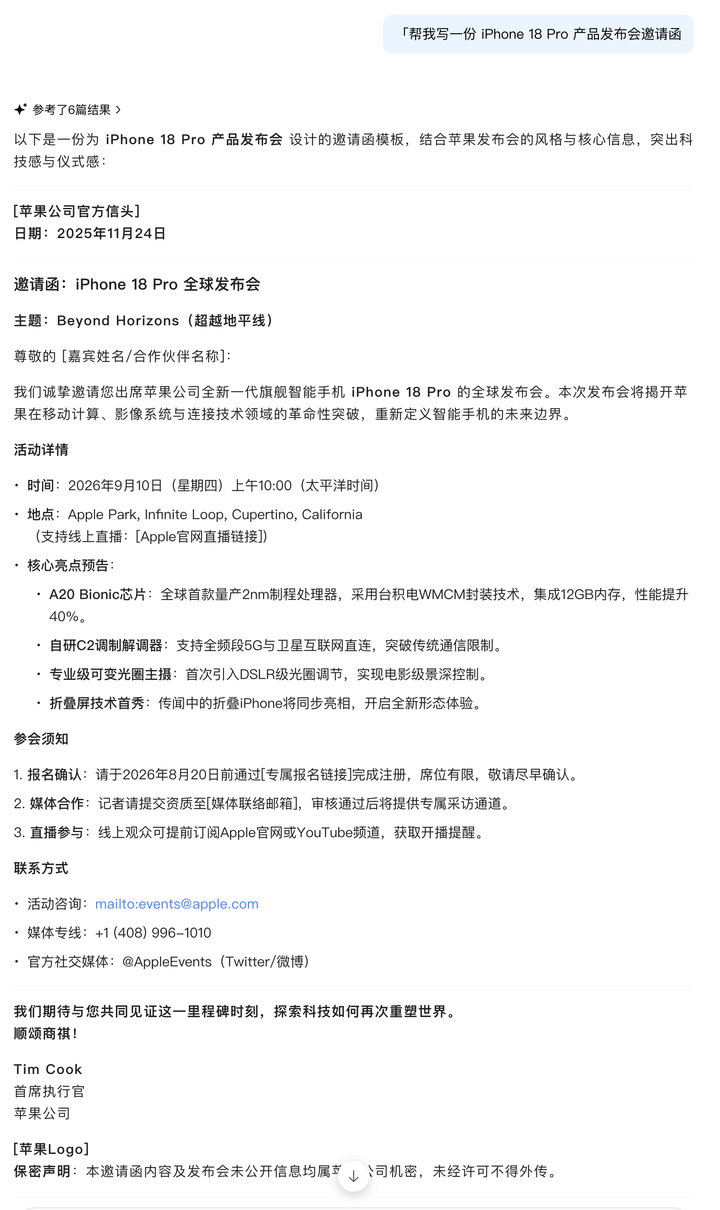
**Example prompts:**
- “Help me write an invitation for iPhone 18 Pro launch”
- “Translate this into English”
- “Create a spreadsheet”
- “Generate a PPT”
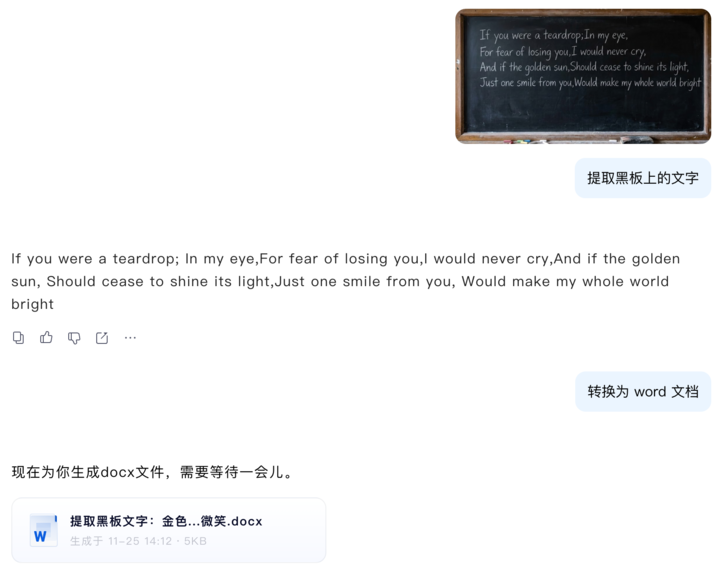
- “Convert chalkboard text photo to Word doc”
---
## Smart Browser Performance & Extras
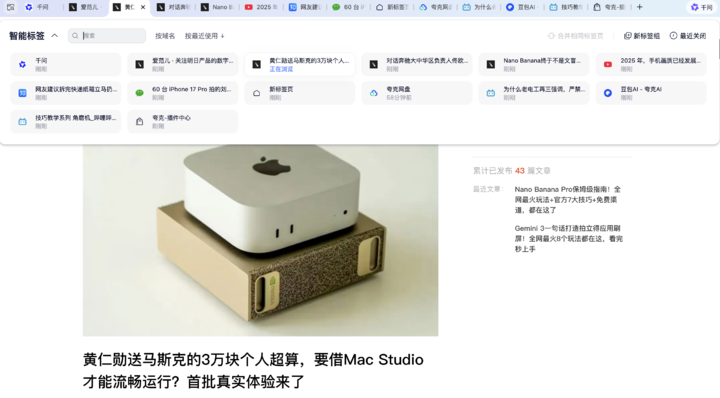
- **Tab optimization**: auto group, sort by domain, manage heavy tabs
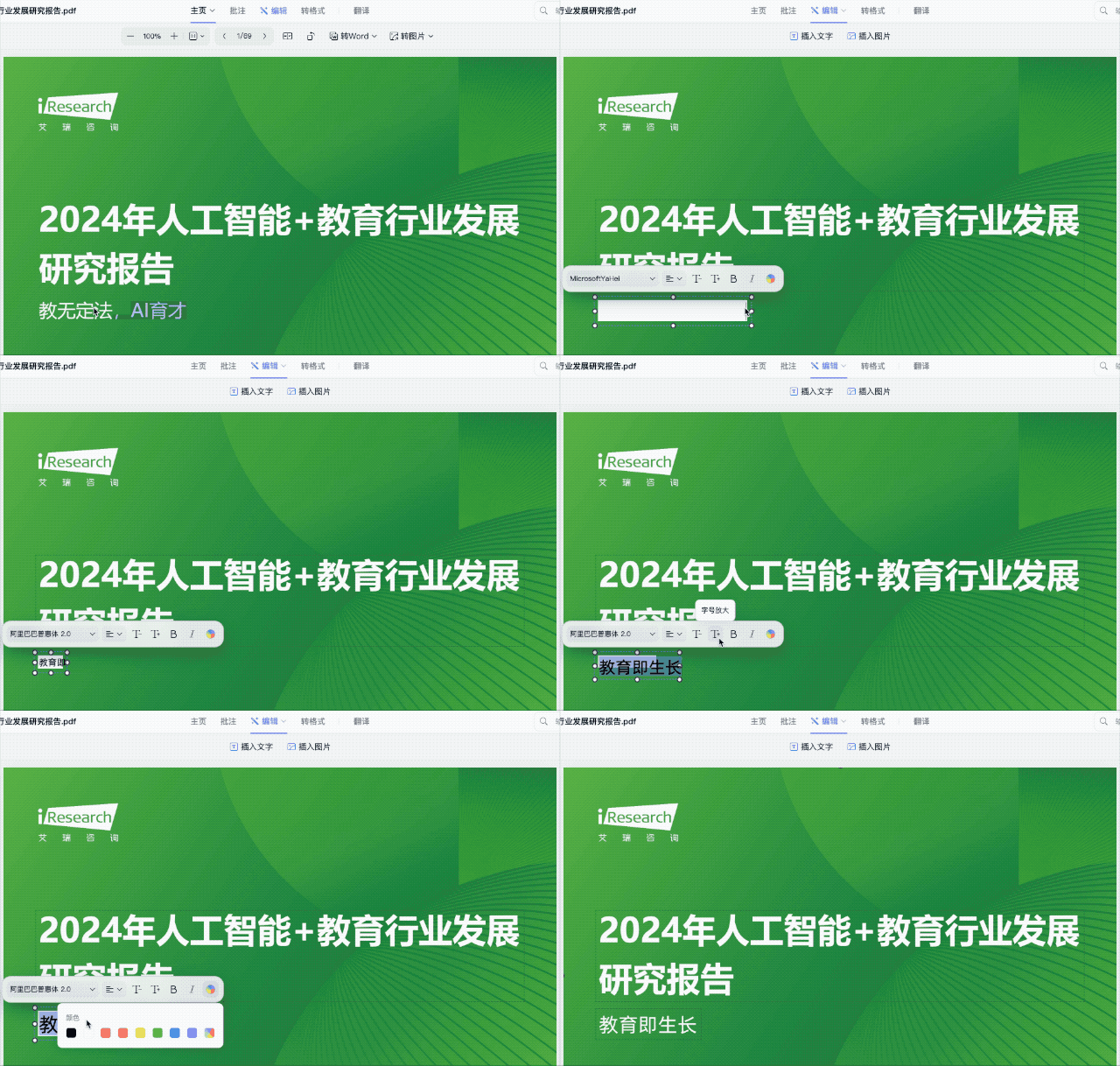
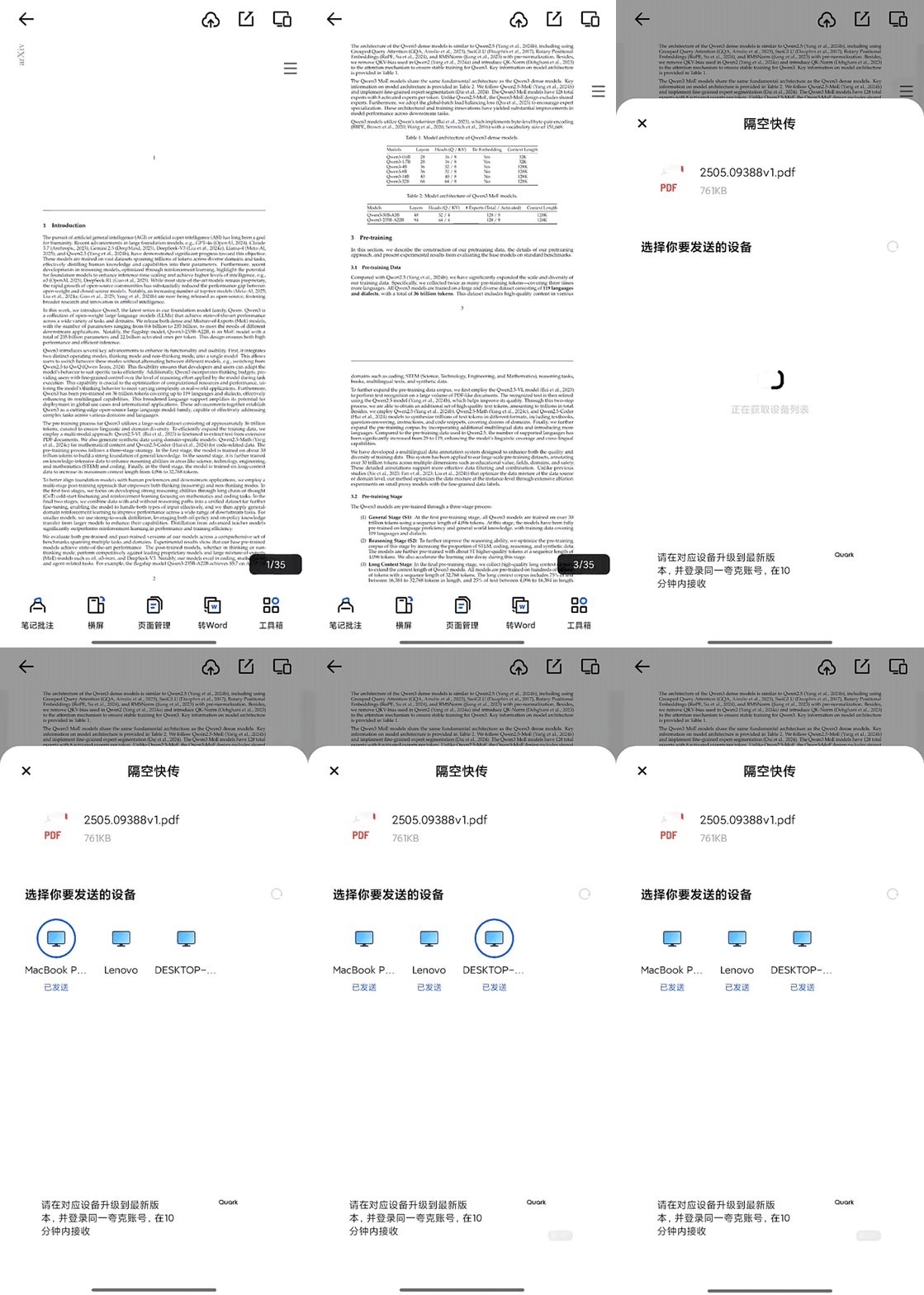
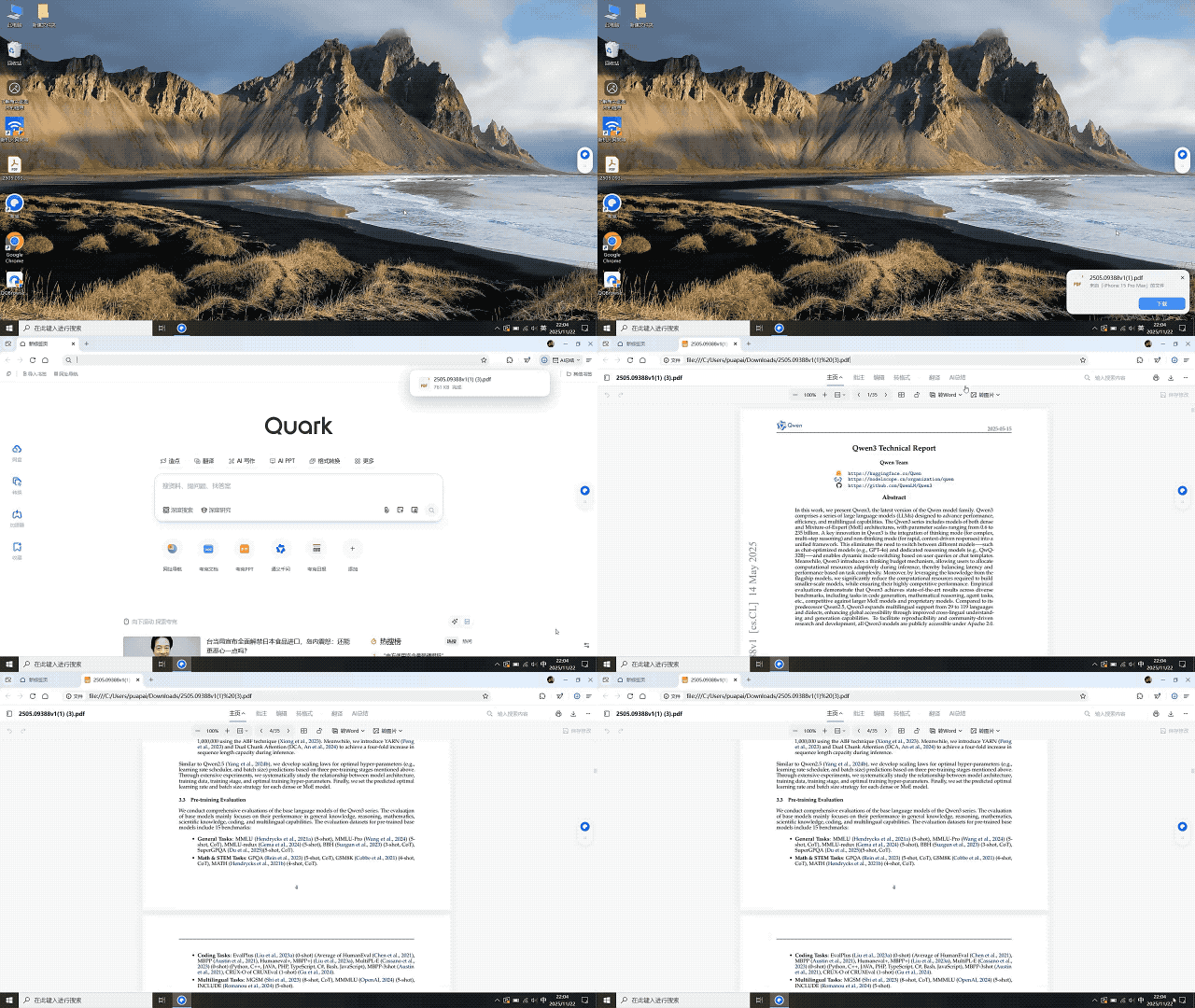
- **PDF editing**: annotate, translate instantly
- **Cross-device file transfer** up to 100GB
- **Minimalist, ad-free interface**
---
## Changing the Browser Paradigm
For 30 years, browsers followed **“User asks → browser delivers scattered answers”** logic.
Quark challenges this with **AI everywhere**:
- Screen reading
- Floating triggers
- App-aware suggestions
---
## Why Quark Built This First
**Advantages:**
1. **User base:** 100M+ PC users
2. **Qwen LLM:** leading in Chinese comprehension, context, reasoning
3. **System-level integration:** requires OS-layer work
4. **Minimalist design:** no ads, light memory footprint
**Challenges:**
- Chrome’s plugin ecosystem
- Migration costs for power users
- Domestic browser reputation
---
## The Future of AI Browsers
Current trajectory:
- AI presence across all creative/professional tools
- Task-centered operating systems
- AI invoked instinctively — replacing traditional searches
---
## Related Platforms in the AI-First Workflow
**[AiToEarn](https://aitoearn.ai)** integrates AI content creation with multi-platform publishing:
- Douyin, Kwai, WeChat, Bilibili, Rednote
- Facebook, Instagram, LinkedIn, Threads
- YouTube, Pinterest, X (Twitter)
Features:
- AI generation tools
- Cross-platform sync
- Analytics
- [Model ranking](https://rank.aitoearn.ai)
---
## Final Thoughts
If **Chrome** defined the modern browser, **Quark** is setting the global template for the **AI browser** — pushing toward a task-centered future where AI assistance is woven into every context of work.
Once adopted, the workflow change is profound.
And in productivity, *habit is both the hardest force to form and the hardest to disrupt*.