How to Schedule Facebook Posts on a Personal Page
Learn safe, compliant ways to schedule Facebook posts on a personal page, including workarounds, batching tips, and best posting times.

How to Schedule Facebook Posts on a Personal Page
If you’ve ever wondered how to schedule Facebook posts on a personal page without breaking the rules, you’re not alone. Facebook offers advanced scheduling tools for Business Pages and Groups, but personal profiles are more limited. This guide will clearly explain Facebook’s scheduling restrictions, compare the options available, provide safe workarounds, and share expert tips for keeping a consistent posting routine.
---
Understanding Facebook’s Scheduling Limitations for Personal Profiles
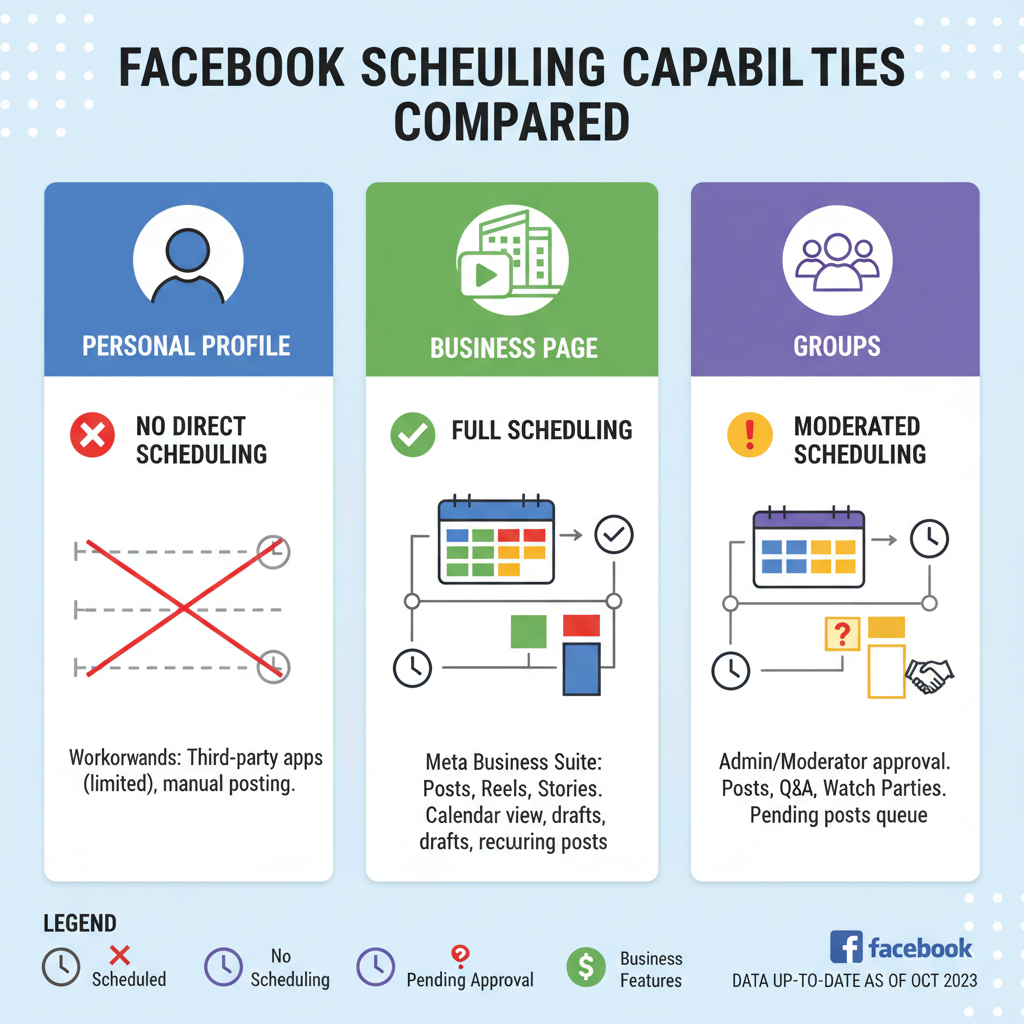
Facebook separates its ecosystem into three main categories: personal profiles, pages, and groups. Scheduling tools are tied to these predefined spaces.
- Personal profiles – No native scheduling is provided.
- Business pages and groups – Admins have full access to scheduling features.
The absence of native scheduling in personal profiles primarily prevents misuse and focuses functionality on business and community managers.
---
Difference Between Personal Page, Business Page, and Group Scheduling
Here’s a quick comparison of scheduling availability and usage:
| Type | Scheduling Availability | Typical Use Case |
|---|---|---|
| Personal Profile | Not available natively | Sharing with friends and family |
| Business Page | Available via Meta Business Suite | Brand promotion, customer engagement |
| Public/Private Group | Available for group admins | Community discussions, events |
---
Using Facebook’s Built-In Tools for Pages and Groups
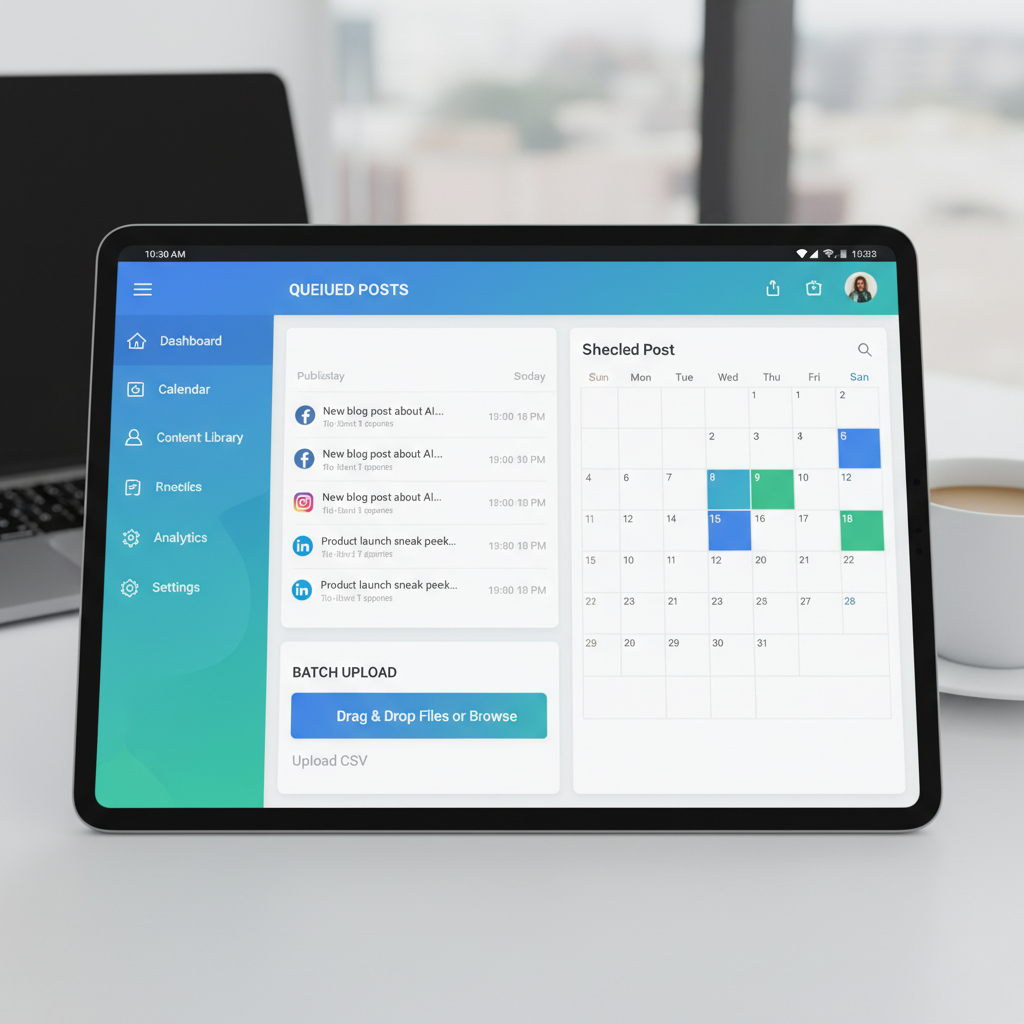
If you manage Pages or Groups, Meta Business Suite makes scheduling easy and efficient. It enables you to:
- Draft and plan posts far in advance.
- Enhance posts with media.
- Monitor performance through analytics.
Meta Business Suite Overview:
Accessible on desktop and mobile, letting you set post timing, audience targeting, and even cross-post to Instagram.
---
Workaround Options for Personal Pages
Since no native scheduling exists for personal pages, consider these practical, rule-compliant options:
- Saved Drafts – Save as drafts for manual publishing later.
- Manual Posting Reminders – Use phone calendar alerts or productivity apps for posting prompts.
- Private First, Public Later – Post with “Only Me” visibility, then adjust to “Public” or “Friends” at the chosen time.
These do not violate Facebook’s terms and protect your account.
---
Third-Party Social Media Scheduling Tools
Third-party schedulers have limits due to Facebook’s API:
Pros:
- Manage multiple networks simultaneously.
- See extended analytics.
- Plan months at a time.
Cons:
- Risk of violating Facebook’s terms for personal profiles.
- Potential account restrictions.
- Subscription fees.
Compliant tools for Pages/Groups include Buffer, Hootsuite, Later, Sprout Social. For personal profiles, they typically send manual reminders rather than auto-posting.
---
Step-by-Step: Scheduling via Meta Business Suite for Linked Pages
If managing a Business Page linked to your personal account:
- Launch Meta Business Suite (desktop or mobile).
- Select the page.
- Click Create Post.
- Add your content.
- Choose Schedule.
- Set date/time.
- Save to confirm.
Tip: Use calendar view to see your posting plan over time.
---
How to Batch-Create Content for Effective Scheduling
Batching means creating multiple posts in one sitting:
- Plan topics for 2–4 weeks.
- Prepare all visuals together.
- Draft captions in one go.
- Upload content into your chosen scheduling/reminder tool.
Benefits:
- Saves time.
- Ensures consistent tone.
- Prevents creative burnout.
---
Best Times to Post on Facebook for Engagement
While timing may depend on your audience, research suggests:
- Weekdays: 11 AM – 1 PM, 7 PM – 9 PM
- Weekends: 10 AM – Noon
Refine by checking your own analytics for peak activity periods.
---
Creating a Content Calendar for a Personal Profile
Manual posting benefits from a clear calendar:
- Pick a platform (spreadsheet, Airtable).
- Assign post dates/times.
- Note each media type.
- Add phone reminders.
Consistency leads to recognizable engagement patterns you can track.
---
Tips for Mixing Personal and Promotional Content
Avoid an overly promotional feed by:
- Regularly sharing personal updates.
- Spacing promotional posts between genuine stories.
- Using narrative style in promotions.
- Capping promotional content at 20–30%.
---
Common Scheduling Mistakes to Avoid
Prevent these pitfalls:
- Overposting – Can reduce engagement rates.
- Duplicate Captions – Feels repetitive to audiences.
- Ignoring Insights – Feedback helps refine your approach.
- Forgetting Manual Posts – Personal profiles still require human clicks.
---
Tracking Performance and Engagement of Scheduled Content
Measure both manual and scheduled successes:
- Pages – Use Facebook Insights.
- Profiles – Count likes, comments, shares.
- Spot trends in content types.
- Record monthly summaries for strategic changes.
---
Staying Within Facebook’s Community Guidelines for Scheduled Content
Always maintain compliance:
- Avoid restricted content.
- Share only media you own or have rights to.
- Respect tagging etiquette.
Consistent, compliant posting builds audience trust and avoids penalties.
---
Summary
Understanding the rules around scheduling Facebook posts on a personal page allows you to plan effectively without risking your account. While personal profiles can’t auto-schedule, smart use of drafts, reminders, and visibility settings will keep your timeline active. Pages and Groups benefit from powerful tools like Meta Business Suite.
Call to Action: Start building your personal or business content calendar today, and use safe workarounds to keep your Facebook presence consistent and engaging.