
Still Using Gemini 3 for PPTs? Try the Coolest Gesture Interactions (With Prompts)

# Beyond Websites & PPTs: Building Sci‑Fi Gesture Projects with Gemini 3
After the launch of **Gemini 3**, I kept asking myself — why do we limit AI to making websites or presentations?
Gemini is now in its third generation — surely we can use it for something more **exciting**, visually **striking**, and technically **challenging**, yet still **accessible** for beginners.
Let’s aim for **sci‑fi‑style interactive projects** like these:

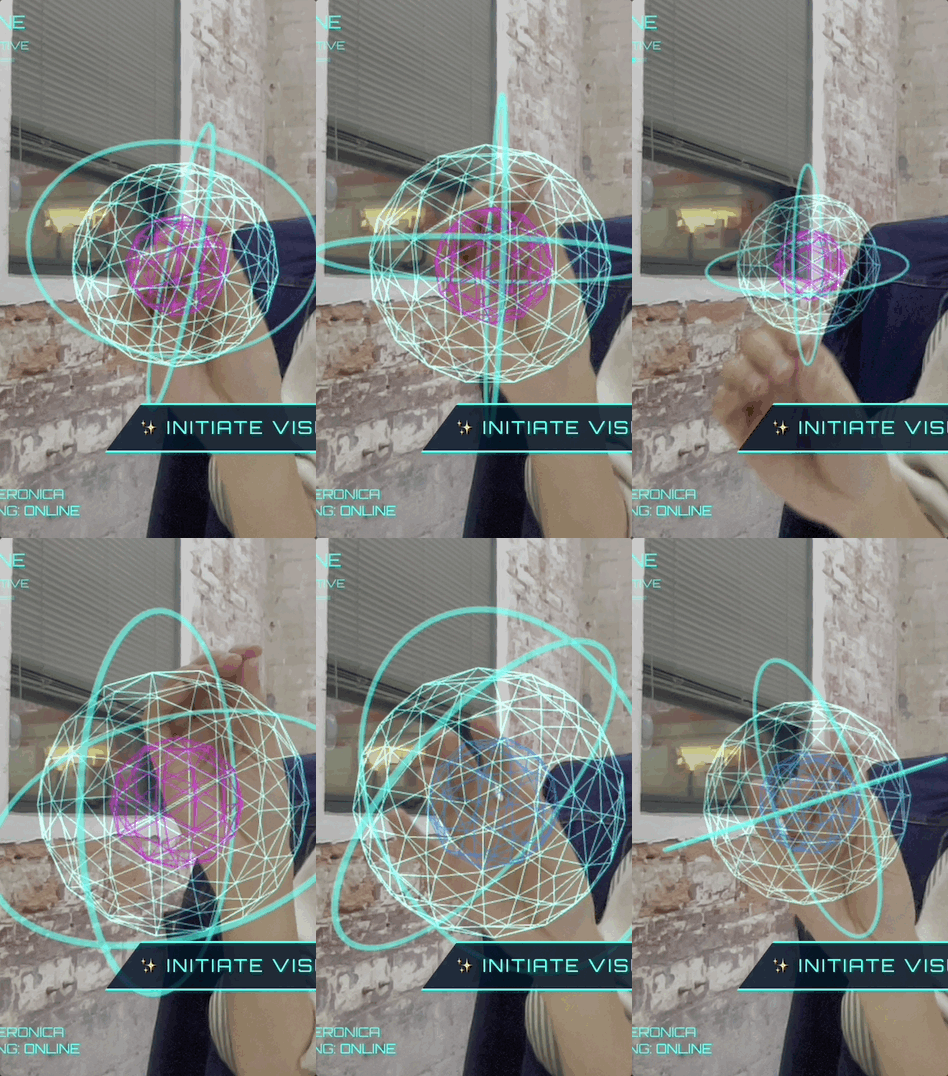
**Gemini says:** Gesture interaction? ✅ Easy.
---
## 1. Getting Started: Preparations
Before jumping in, ensure **Gemini 3** is ready. There are **three ways to experiment**:
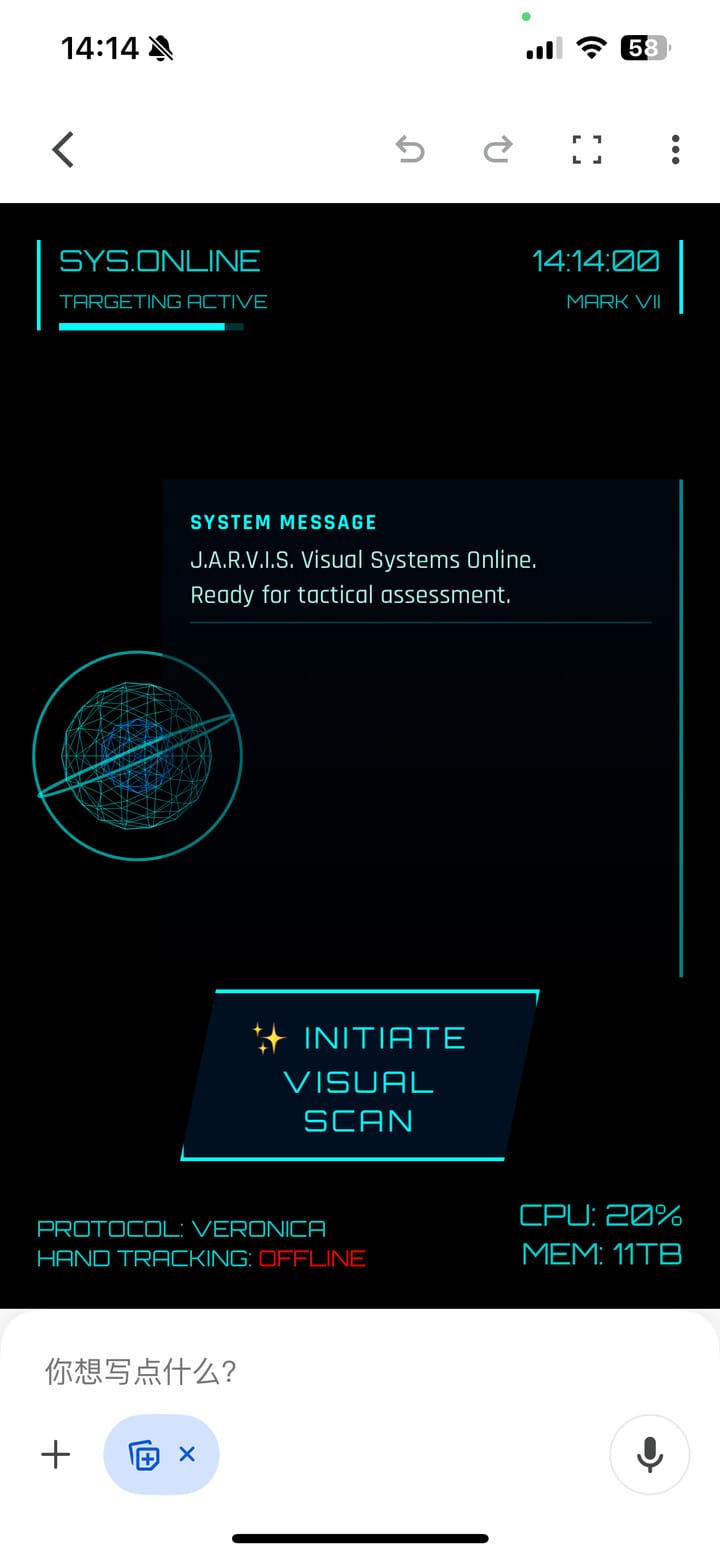
1. **Gemini Client (Canvas Mode)**
*❌ Not recommended* — unreliable camera activation.
Gesture projects require free hands, so phones aren’t ideal.
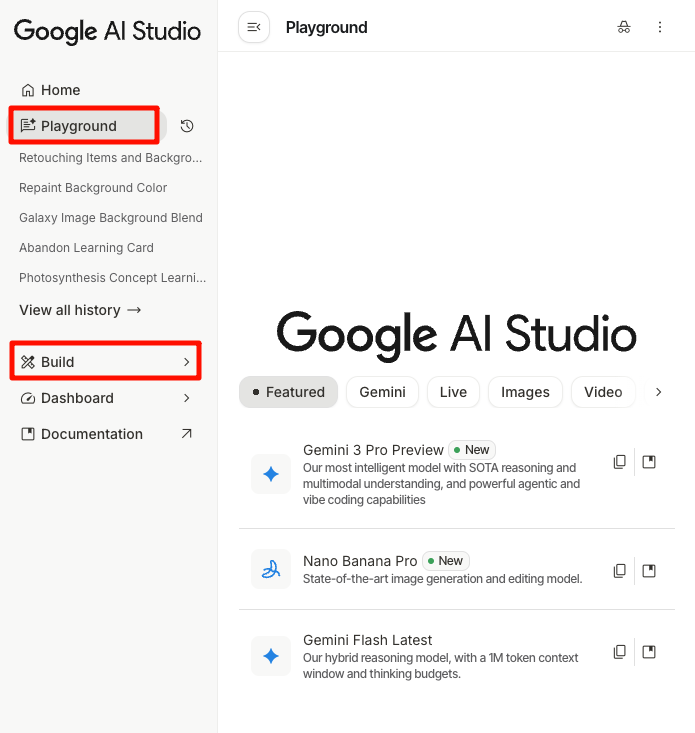
2. **Google AI Studio – Build**
- Creates a full app to share with others.
- Limited tokens.
3. **Google AI Studio – Playground**
- Outputs code to run locally.
- Large token allowance (up to 1M/day).
- Suitable for **interactive** projects.
**Recommendation:**
- Use **Playground** for larger, interactive builds.
- Use **Build** for small, self‑contained projects.
---
## 2. Project Idea #1 — Jarvis HUD
Inspired by *Iron Man*, the **Jarvis HUD Panel** went viral on Twitter with *200k views*.
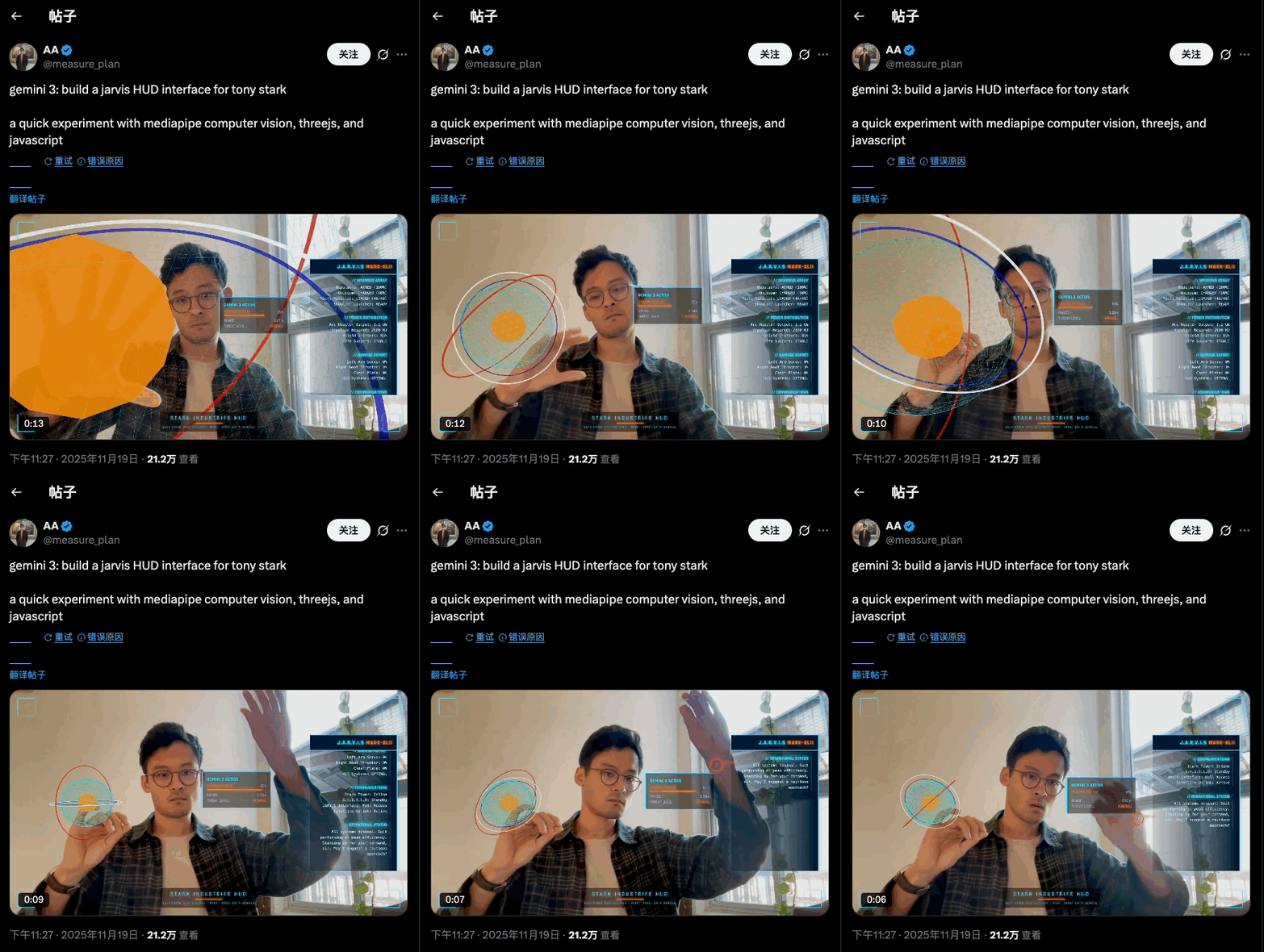
**Prompt used:**create a webapp using vanilla js, html, css, modern threejs, mediapipe. it should be a sci-fi tony stark / iron man / jarvis experience focused on simulating an AR heads up display experience. full screen webcam input shown. add a heads up display that tracks the user’s head (offset to the right), with live updating metrics. a minimal 3D world globe should be shown on the left center of the screen, that should be able to be rotated / sized by the user hand gestures
**In Build Mode:**
- AI manages tasks, writes code, calls APIs.
- Click **Preview** after build.
- Allow camera access.
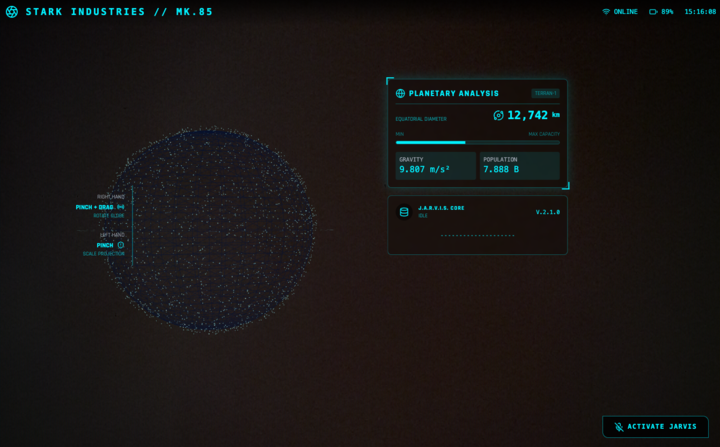
**Gemini’s smart interaction mapping:**
- **Left hand:** Scale
- **Right hand:** Rotate
- **Extra:** Adds touch points for both hands — self‑invented feature.
> The **globe** and **panel** are customizable — I swapped fictional “body temperature” for “real‑time globe diameter.”
---
## 3. Project Idea #2 — Raindrop Control
Inspired by *Now You See Me*’s raindrop scene.
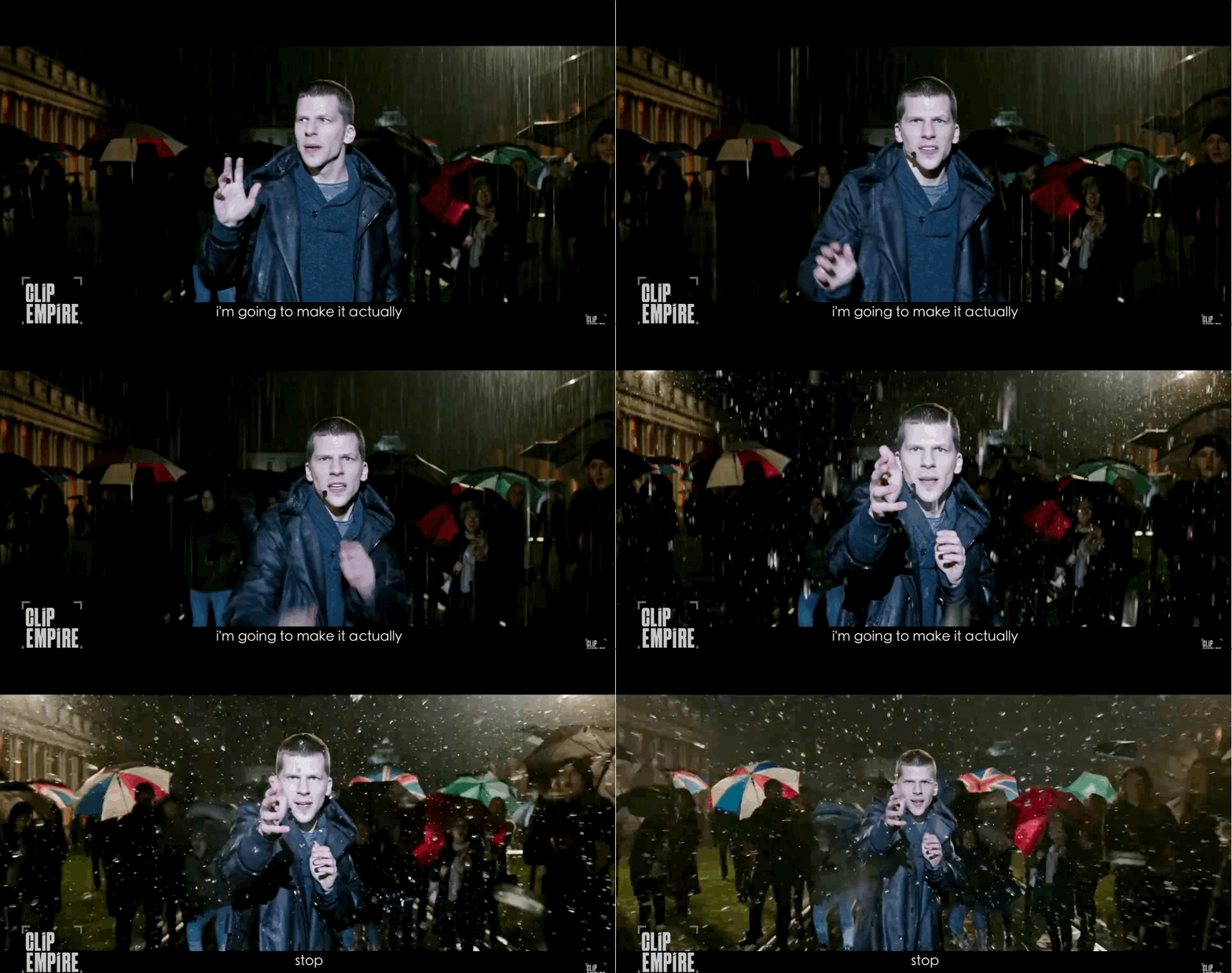
**Result:**
An HTML/JS/ML web app with:
- Hand gesture recognition via camera.
- Control over rain animation — pause, still, slow‑motion.
- Vertical falling raindrop style.
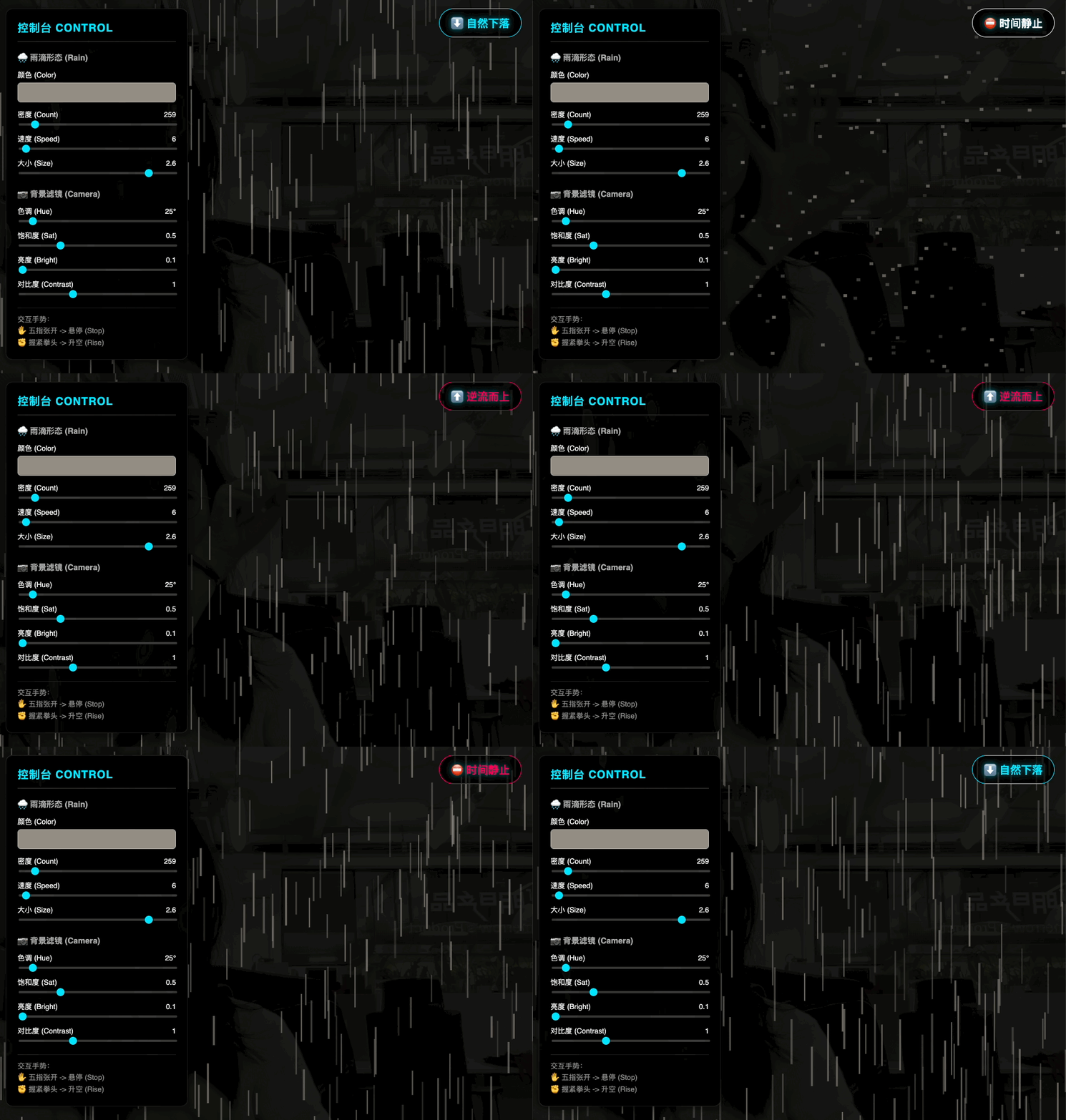
**Performance:**
Extremely responsive detection and instant gesture switching.
---
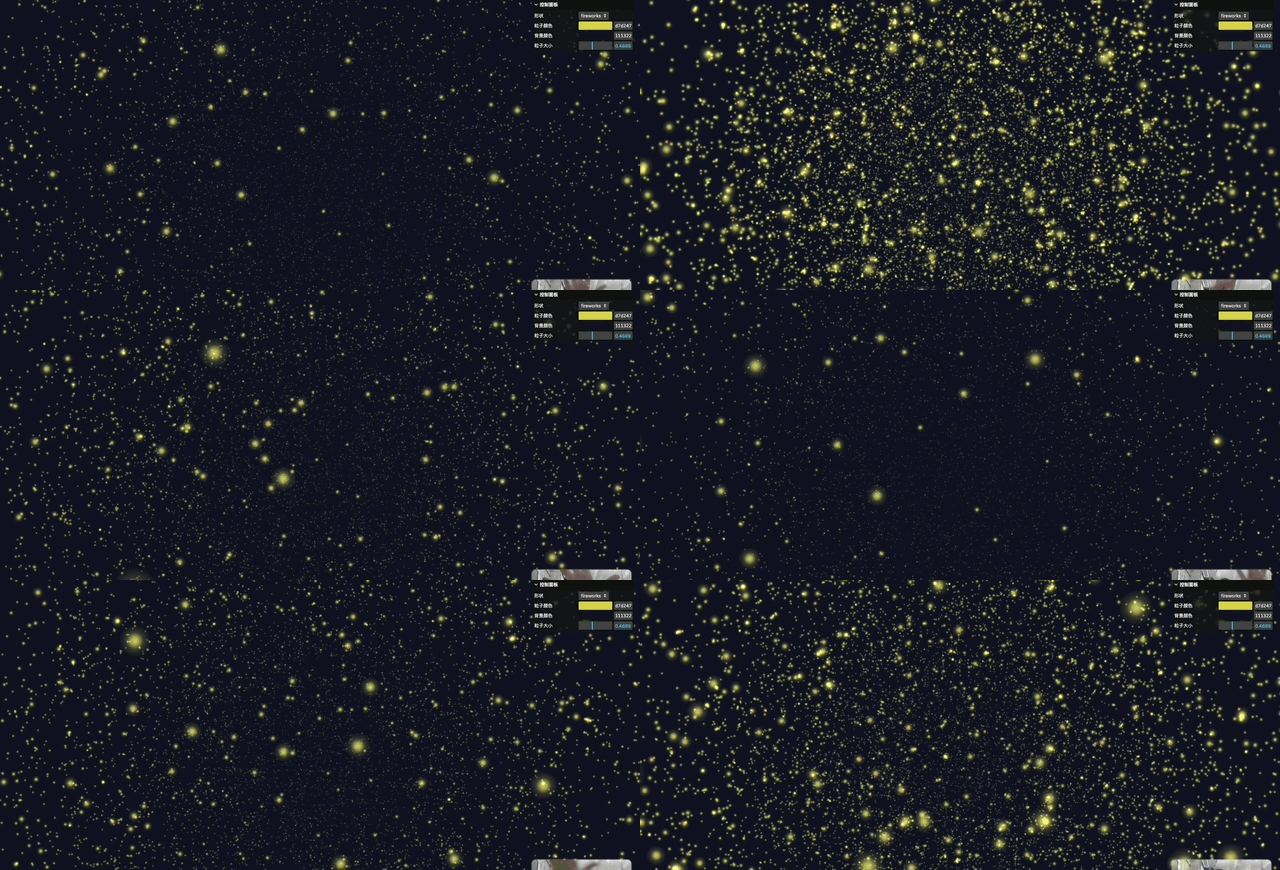
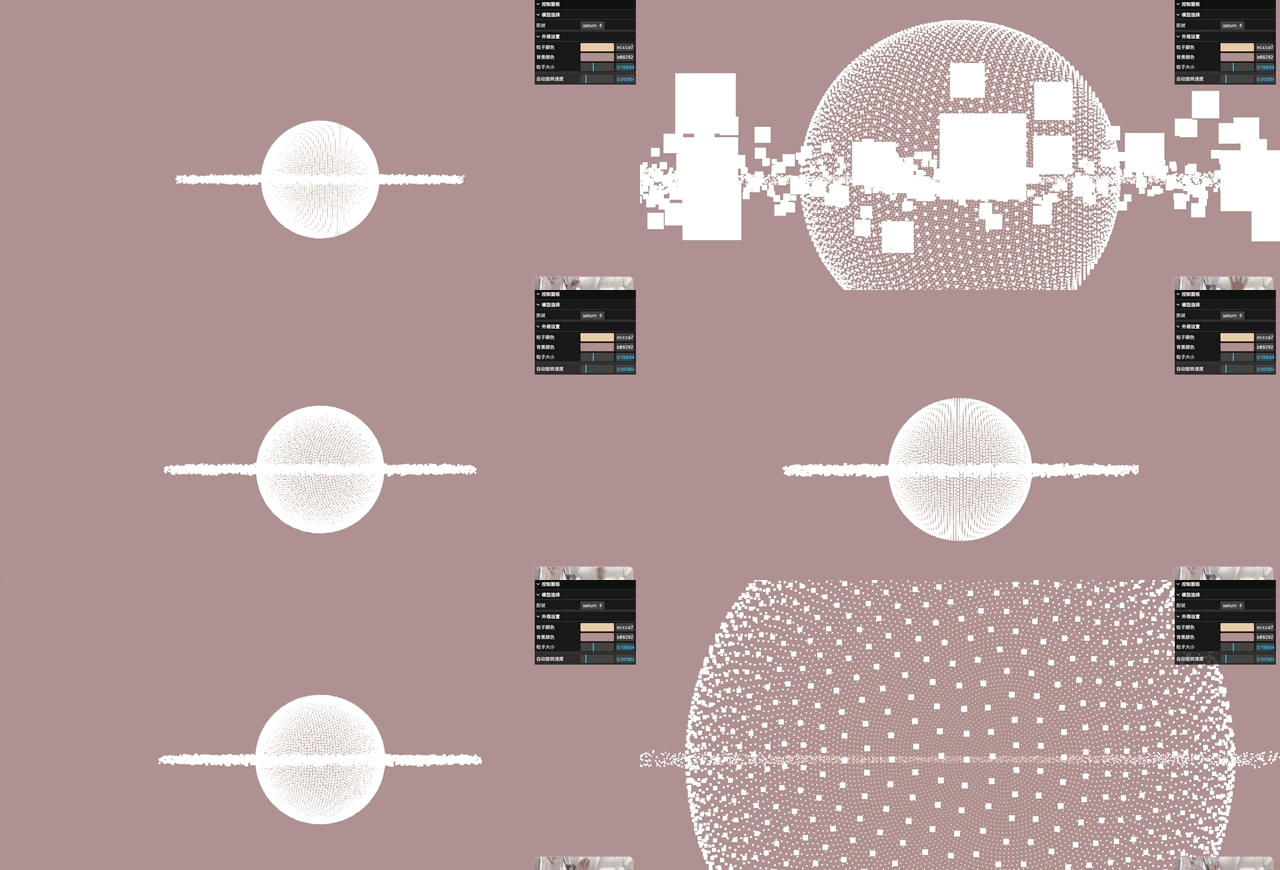
## 4. Project Idea #3 — 3D Particles
From raindrops to complex **3D particle effects**, inspired by high‑budget ads & movies.

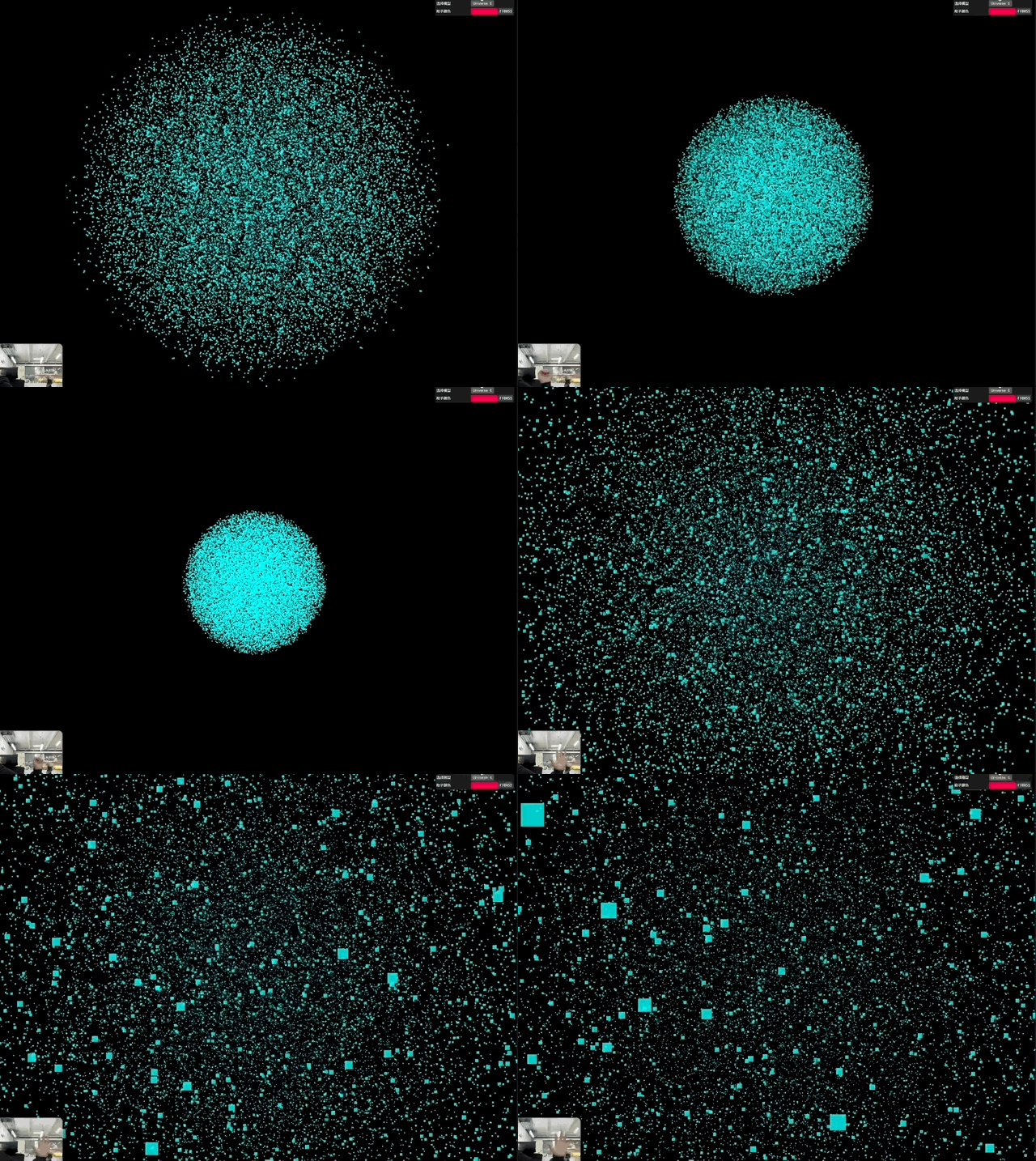
**Prompt:**Use Three.js to create a real-time interactive 3D particle system. Detect open/close hand gestures via camera input to scale or disperse the particle system. Include a UI panel to select models such as heart, flower, Saturn, Buddha, or fireworks. Support a color picker to adjust particle colors. Particles should respond instantly to gesture changes. Interface should be modern and minimal, with a fullscreen toggle button.
**Highlights:**
- Gemini auto‑built the system with smooth interactions.
- Gesture recognition extremely precise.
**Tip:**
Add **custom modules** for color/size — greater control over themes.
---
## 5. Project Idea #4 — Gesture‑Controlled Gomoku
Why not make a board game with gesture effects?
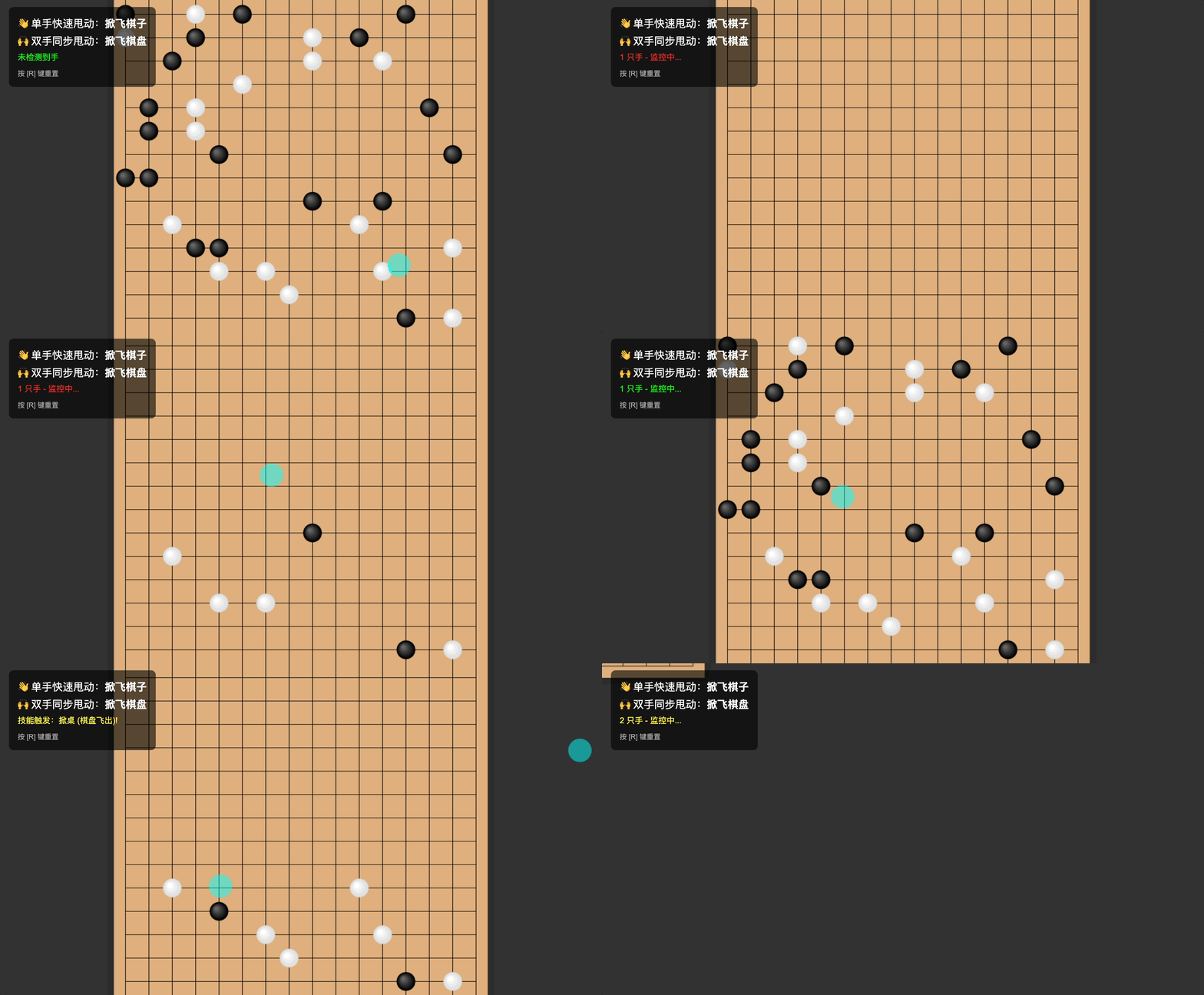
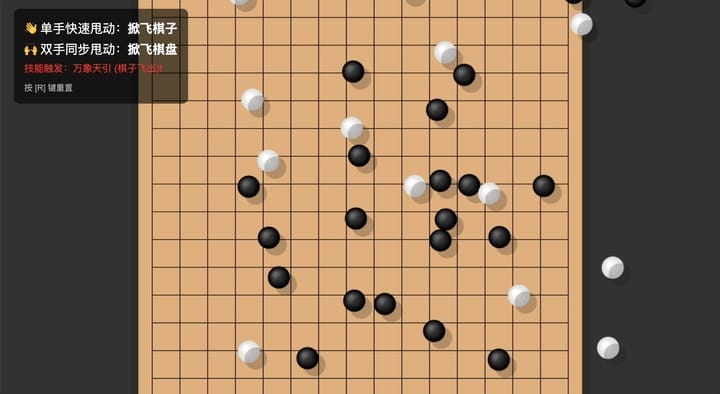
**Prompt:**Create a gesture-interactive Gomoku game: The main screen displays a board with default pieces placed. When the user performs a “single-hand swipe” gesture, pieces fly off in the swipe direction. When the user performs a “two-hand swipe” gesture, the board moves accordingly.
**Gemini’s magic:**
- Linked gesture detection to physics automatically.
- Invented a skill name: *Universal Pull*.
---
## 6. Project Idea #5 — Rhythm Music Game
Mix gesture recognition with beat gameplay.
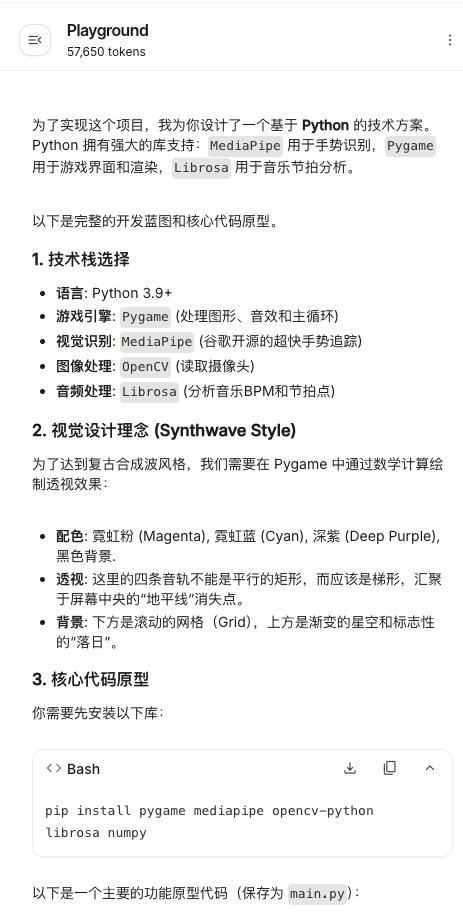
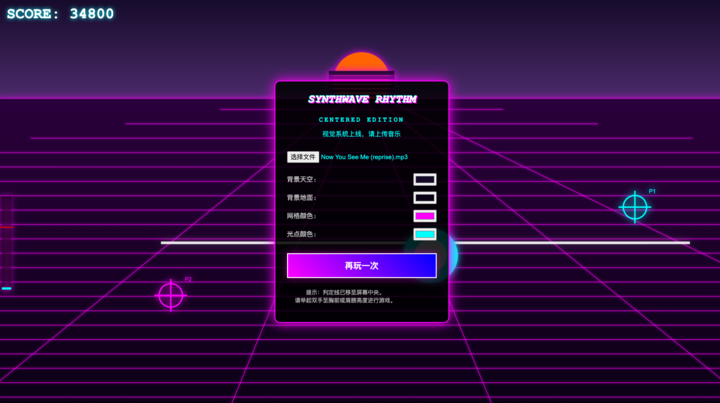
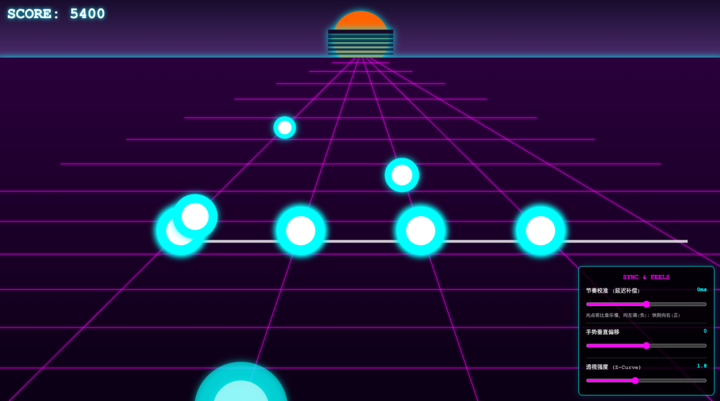
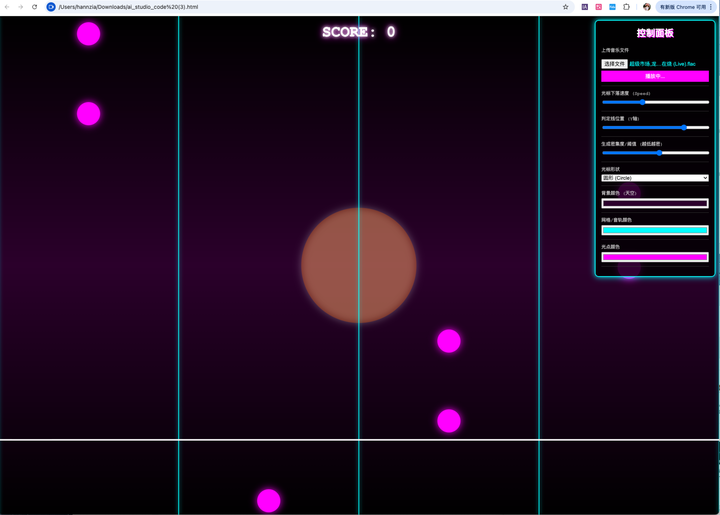
**Prompt:**Build a gesture-controlled music game. The main UI consists of four tracks. When a user uploads a music file, glowing dots appear on the tracks in time with the beat. The user must hit the dots with gestures. The background should use retro Synthwave style. Background, tracks, and glow colors should be adjustable.
**Gemini selected:**
- **Pygame** for game engine.
- **MediaPipe** for gestures.
- **Librosa** for beat detection.
**Why Synthwave?**
Neon gradients, grid floors, horizon highways — perfect for rhythm immersion.
---
### Debugging & Iteration
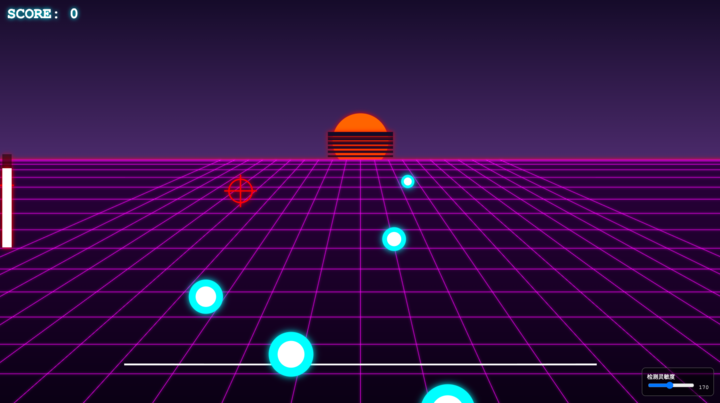
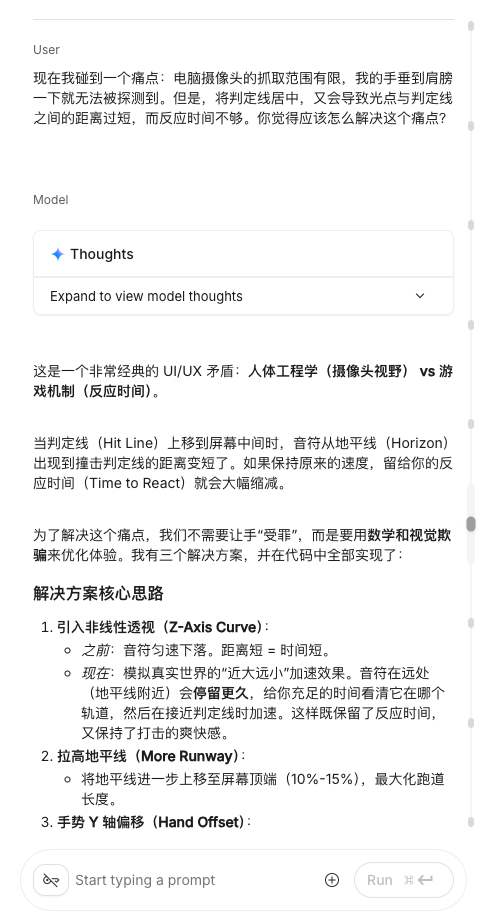
**Issues found:**
1. Judgment line too close to screen edge → poor hand detection.
2. Moving it created short reaction time.
3. Beat dots slightly off rhythm.
**Fixes:**
- Gemini proposed **visual deception** and adjustable offset slider.
- Added delay slider — helps with Bluetooth latency.
---
## 7. Pro Tips for Gemini Projects
> - AI prompts can be “gacha” — expect randomness.
> - For *critical bugs* (e.g., camera fail, uploads broken), restart the build. Re‑running a fresh project lets AI fix holistically.
> - If you can read code, target fixes manually — faster.
> - No‑code? Sometimes better to just “reroll.”
---
## 8. Why This Matters
Before AI:
- Gesture‑interaction development required heavy tools (e.g., TouchDesigner).
- Long learning curve, risk of burnout.
With AI:
- Instant builds for **high‑barrier interactive experiences**.
- Remaining challenge: **aesthetic judgement** — Gemini’s layouts & style are still basic. You bring the creative polish.
---
## 9. Monetizing & Publishing Your AI Creations
For creators wanting **multi‑platform reach**, check out:
- **[AiToEarn官网](https://aitoearn.ai/)**
Open-source AI content monetization platform.
Publish across Douyin, Kwai, WeChat, Bilibili, Rednote, Facebook, Instagram, LinkedIn, Threads, YouTube, Pinterest, X/Twitter.
- **Features:** AI generation, cross‑platform publishing, analytics, model ranking.
- **Docs:** [AiToEarn文档](https://docs.aitoearn.ai/)
- **AI Model Ranking:** [AI模型排名](https://rank.aitoearn.ai)
> Great for testing, distributing, and monetizing gesture‑based AI projects with minimal friction.
---
**Bottom line:**
Gesture AI projects are *fun*, *immediate*, and *accessible*. Gemini covers the hard code — you bring the style.

