# Beyond PPTs and Websites — Exploring Sci-Fi Gesture Interactions with Gemini 3
With the release of **Gemini 3**, I couldn’t help but ask:
Why are we still stuck making websites or PPTs when AI is now in its third generation?
Let’s try something **with a strong sci-fi vibe, cool visual effects, and a challenging twist** — yet still approachable for beginners.
## Inspiration

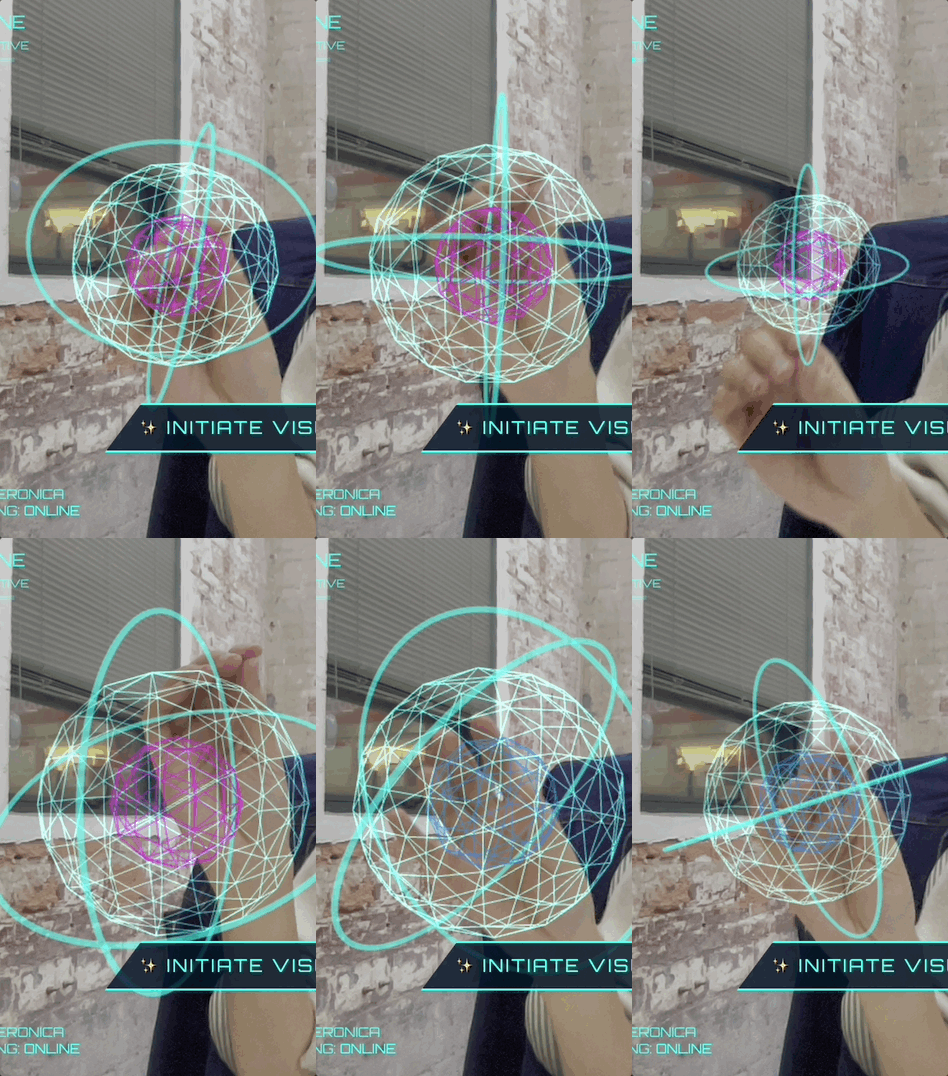
> **Gemini**: Gesture interaction? No problem — I’ve got you covered.
---
## Preparation Before You Start
To follow along, make sure you have **Gemini 3** ready.
### Choosing the Right Mode
Gemini offers three modes to start creating:
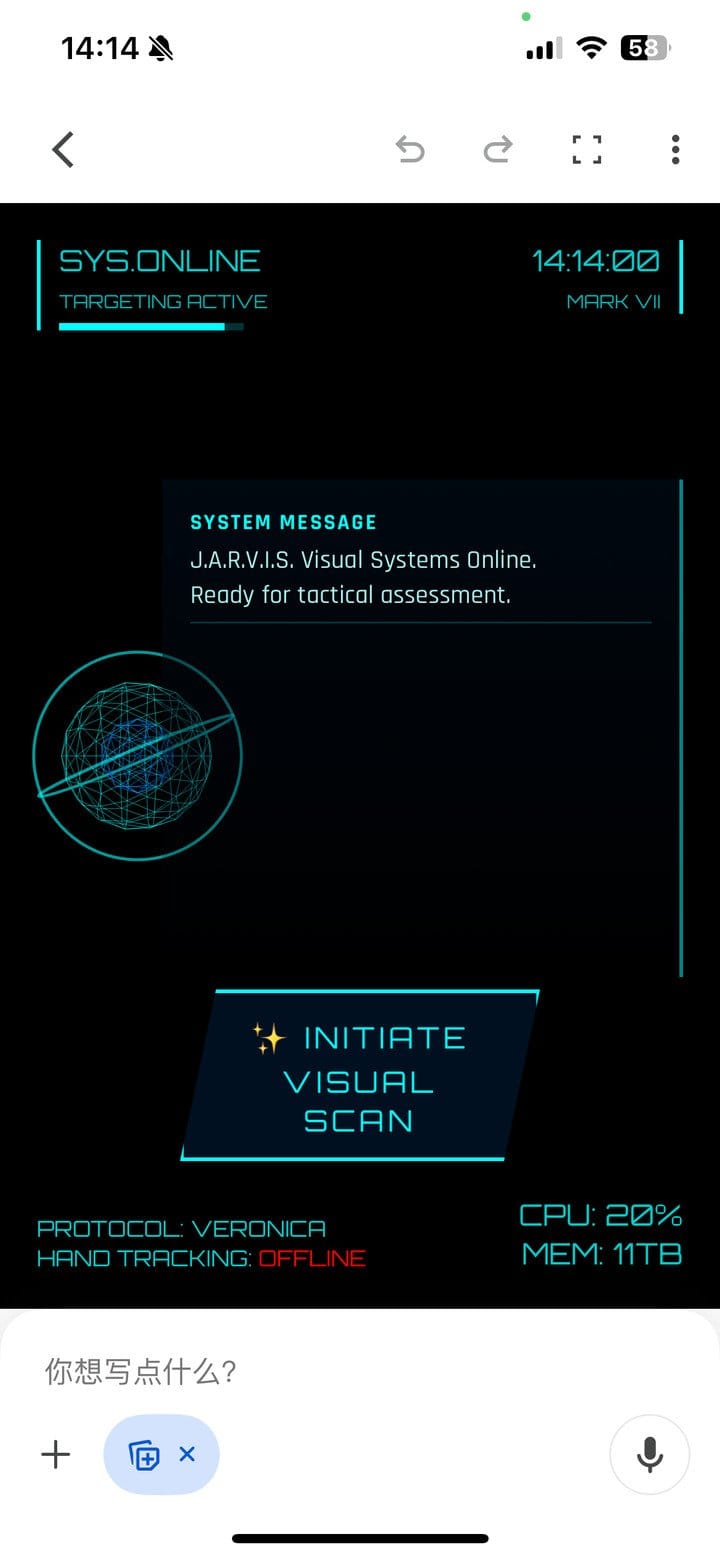
1. **Gemini Client – Canvas Mode**
❌ *Least recommended*: Camera often fails to launch, and phone usage makes gesture control awkward.
2. **Google AI Studio – Build**
✔ Generates a shareable app. Limited token quota. Best for small demos.
3. **Google AI Studio – Playground**
✔ Generates code for local execution. Almost no token limits (up to 1M daily).
❌ Code may break when switching devices.
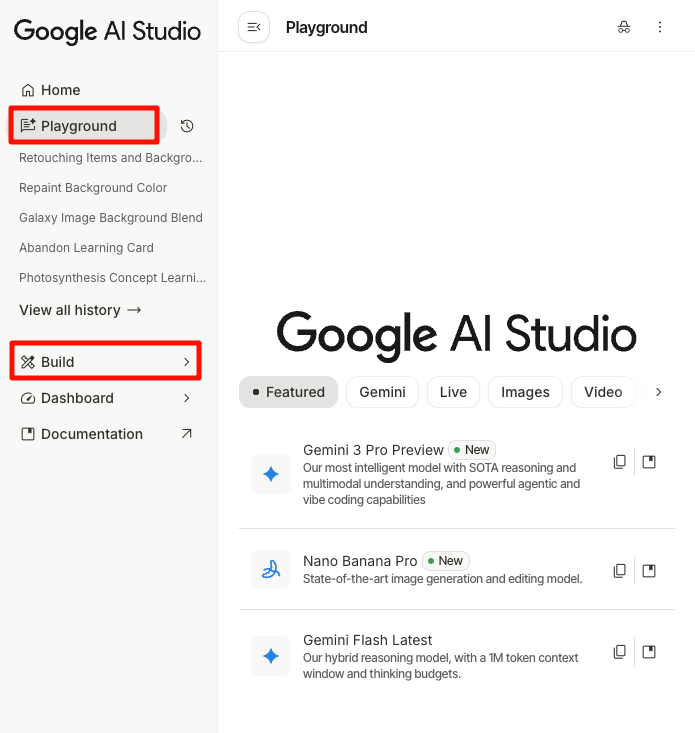
**Recommendation:** Use **Playground** for large, interactive projects.
---
## Project 1: Jarvis HUD Globe
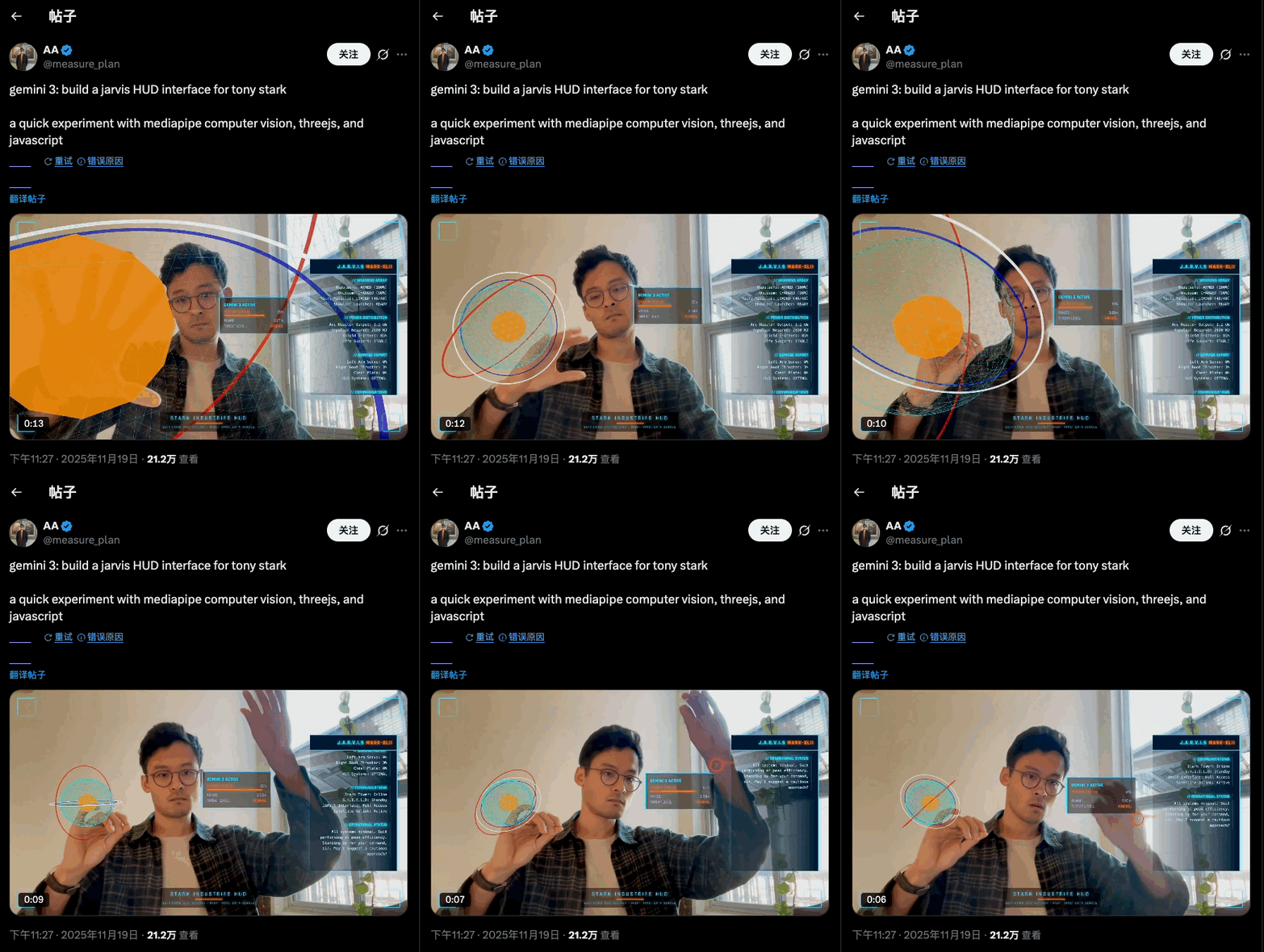
The gesture-controlled **HUD panel** went viral on Twitter (>200k views) — think *Iron Man* controlling Jarvis.
### Prompt Example
> create a webapp using vanilla js, html, css, modern threejs, mediapipe. it should be a sci-fi tony stark / iron man / jarvis experience focused on simulating an AR heads up display experience. full screen webcam input shown. add a heads up display that tracks the user’s head (offset to the right), with live updating metrics. a minimal 3D world globe should be shown on the left center of the screen, that should be able to be rotated / sized by the user hand gestures
### Steps
1. Use **Build** mode.
2. Let Gemini handle tasks: code, APIs, and interaction logic.
3. When complete, click **Preview** and allow camera access.
4. Try left-hand zoom & right-hand rotation gestures.
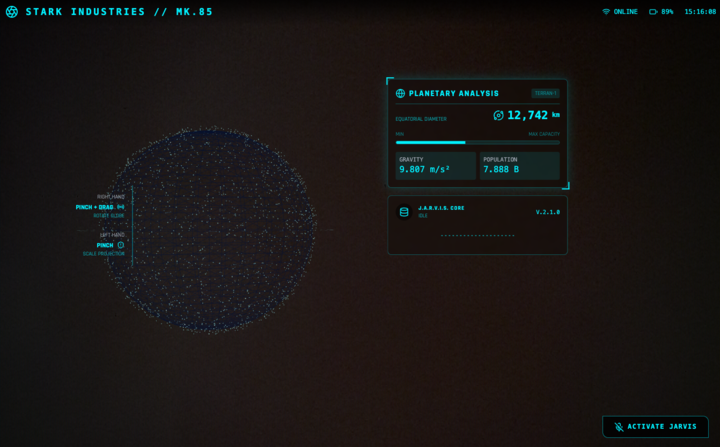
> ✨ Gemini intelligently guessed gestures not specified in the prompt.
You can tweak globe models and panel text easily — Gemini initially showed fake “body temperature” data; I changed it to dynamic globe diameter display.
---
## Project 2: Raindrop Control (*Now You See Me* Style)
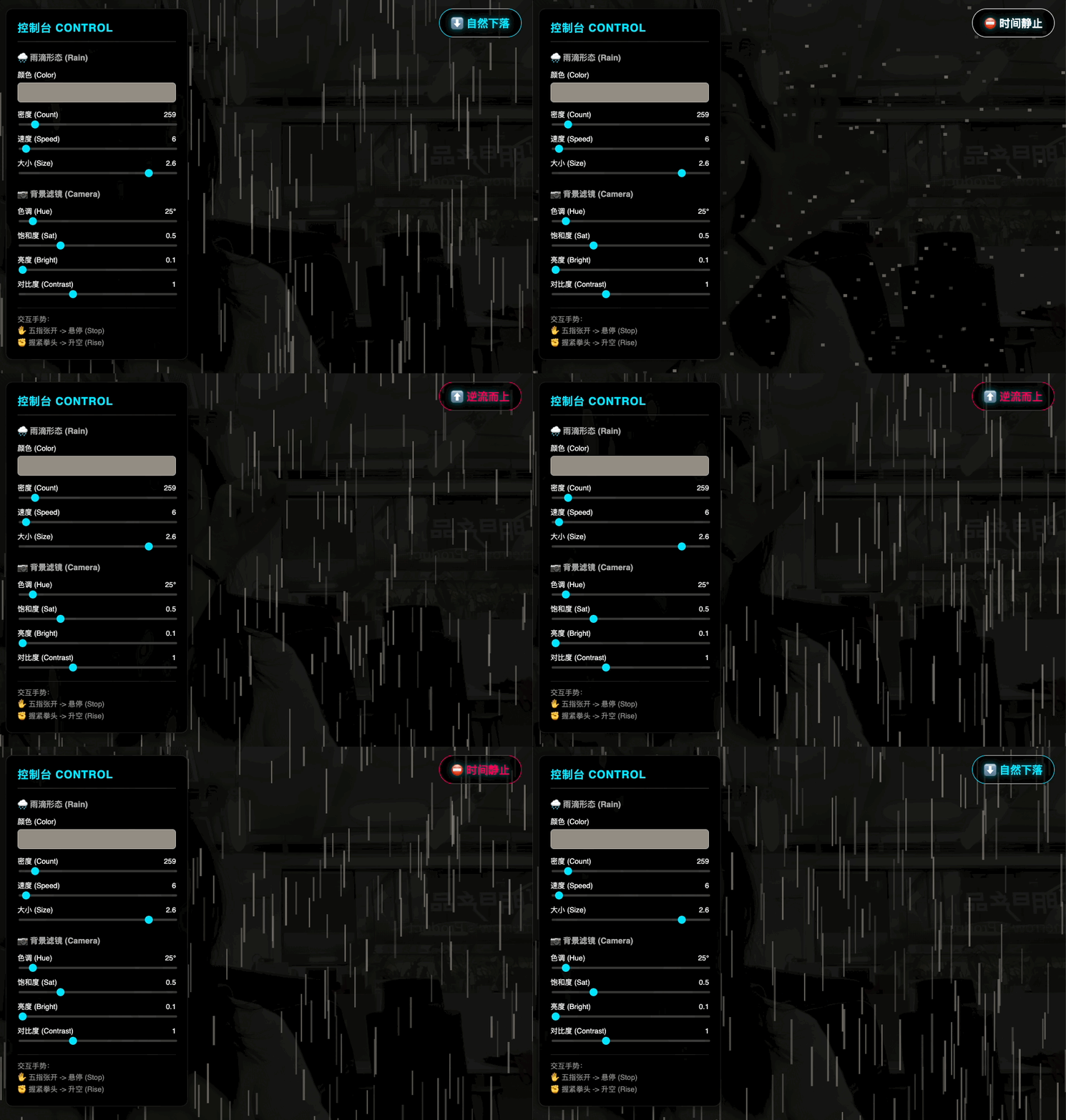
Gesture-controlled cinematic raindrop animation:

### Prompt Example
> Create a webpage application using HTML + JS + ML models, where the camera detects gestures to control a raindrop animation’s pause, freeze, and slow-motion effects. Keep the animation’s vertical raindrop style, referencing the cinematic feel of *Now You See Me*.
Gemini designs its own gesture mappings, resulting in highly sensitive recognition and smooth transitions.
---
## Project 3: 3D Particles
Inspired by real advertisements that froze raindrops into shapes.

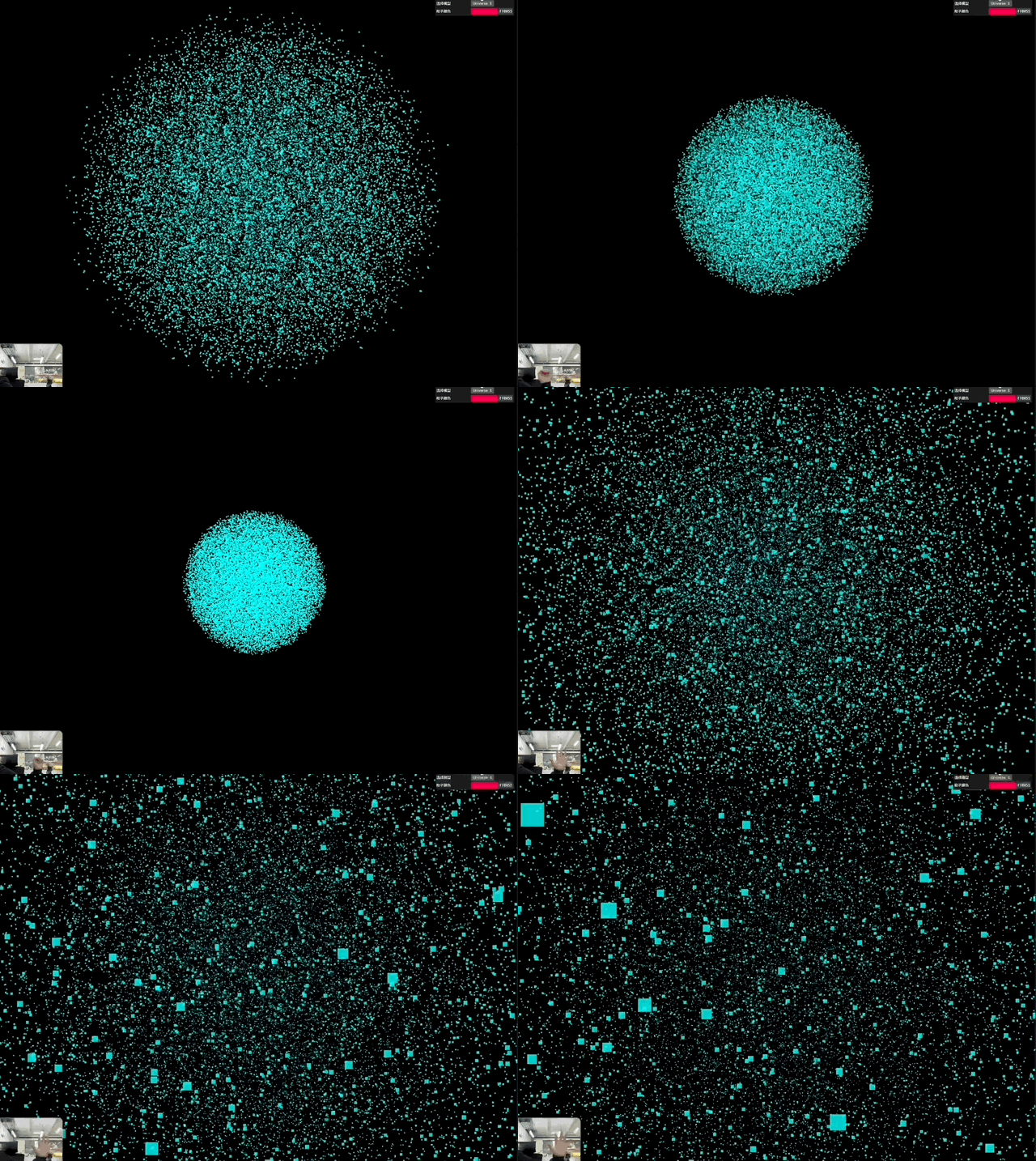
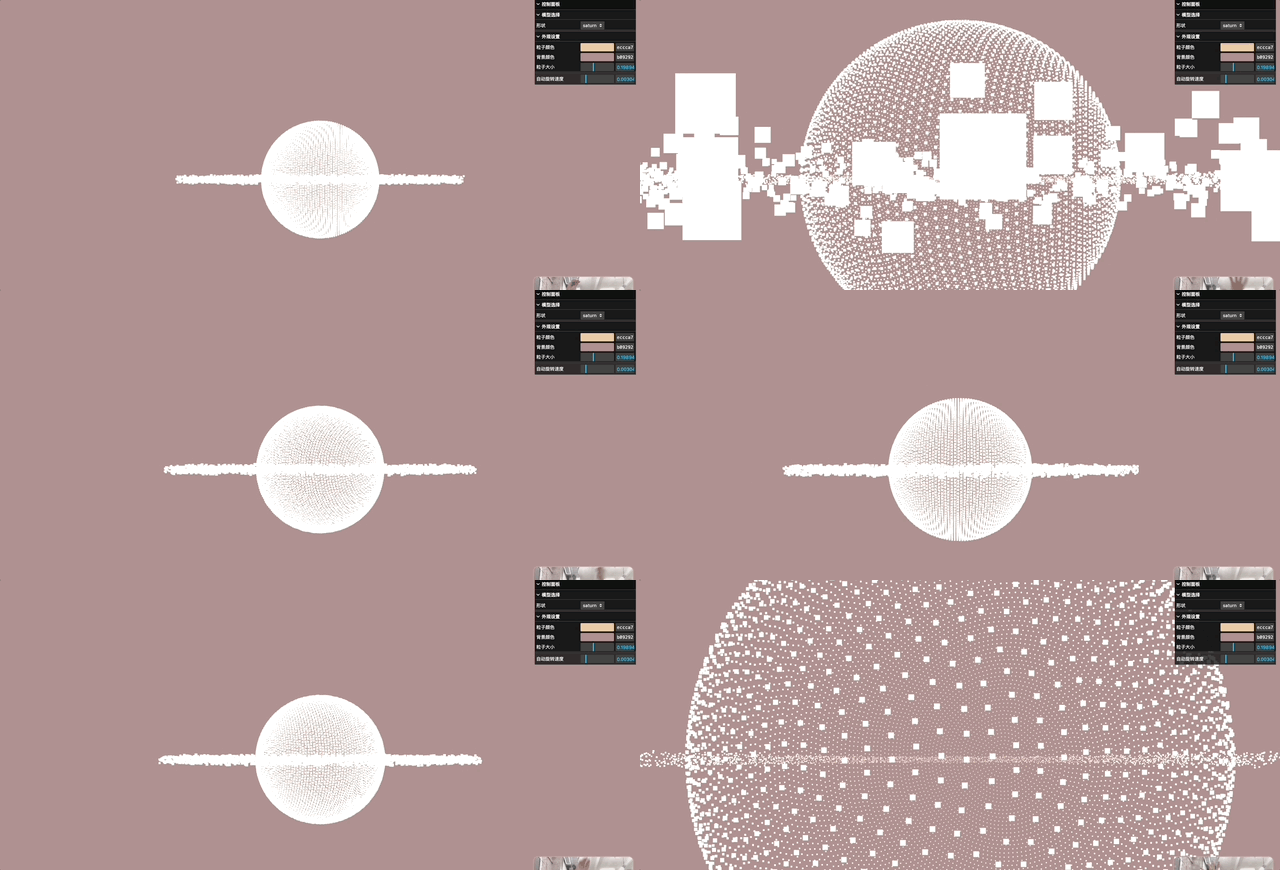
Gemini reproduces these effects with live feed and velocity control, creating interactive 3D particle art.
### Prompt Example
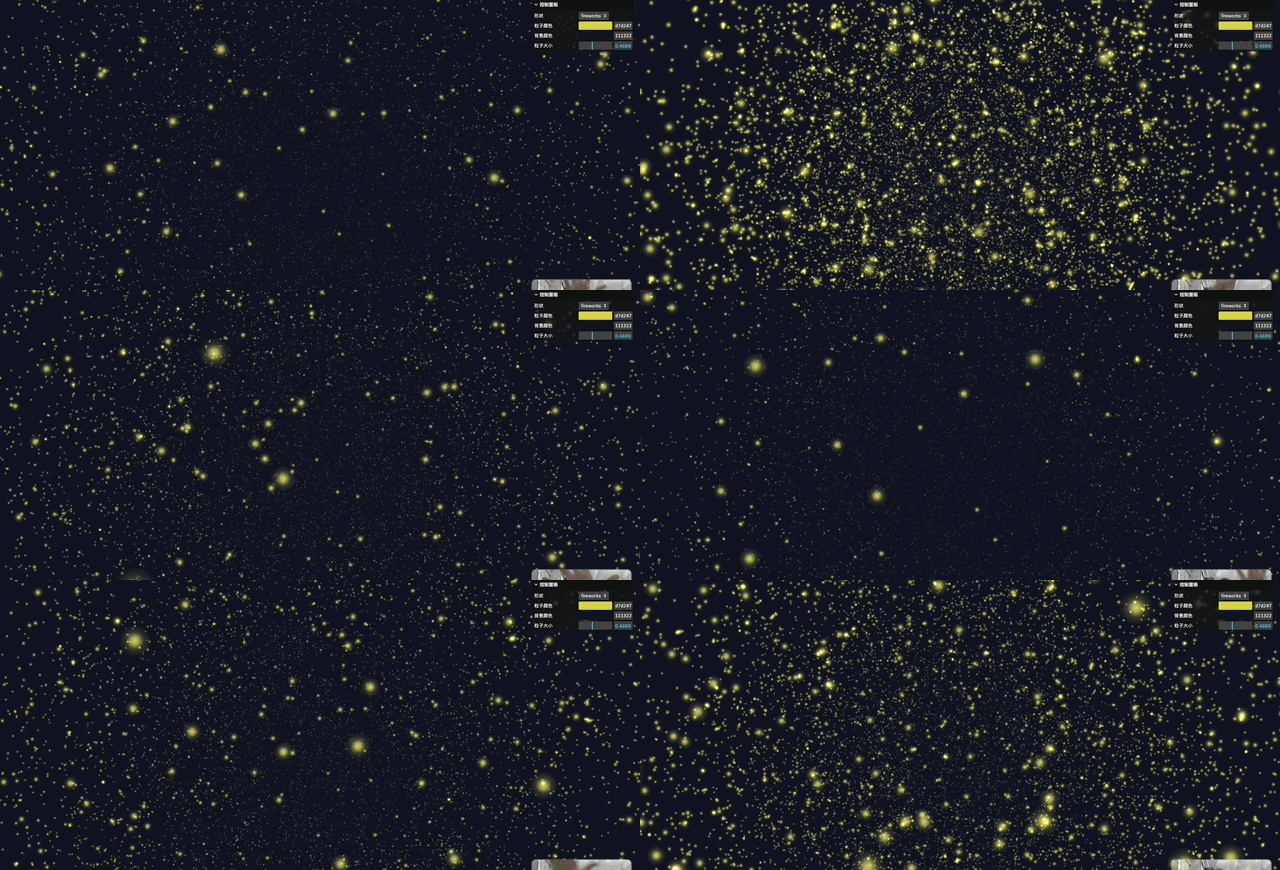
> Use Three.js to create a real-time interactive 3D particle system. Detect the opening and closing of both hands via the camera to control the particle cluster’s scaling and dispersion. Provide a UI panel to select models such as heart, flower, Saturn, Buddha statue, fireworks, etc., and include a color picker to adjust particle colors. Particles must respond to gestures in real time. The interface should be clean and modern, with a fullscreen button.
#### **Pro Tip**
Instead of relying on vibe coding for every style tweak, create **custom modules** for colors and sizes.
---
## Project 4: Skill Gomoku
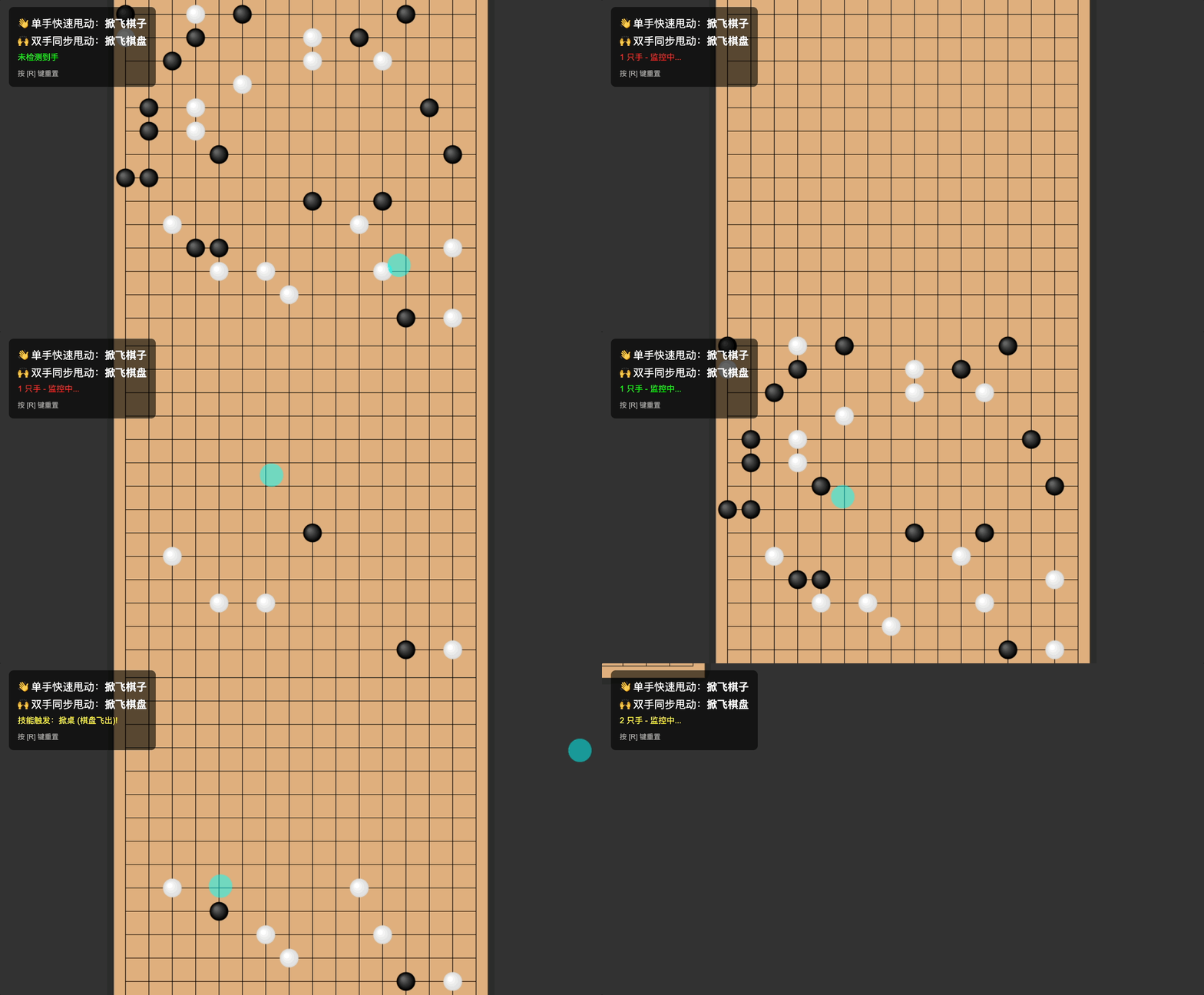
From particles to chess — why not make Gomoku gesture-controlled?
### Prompt Example
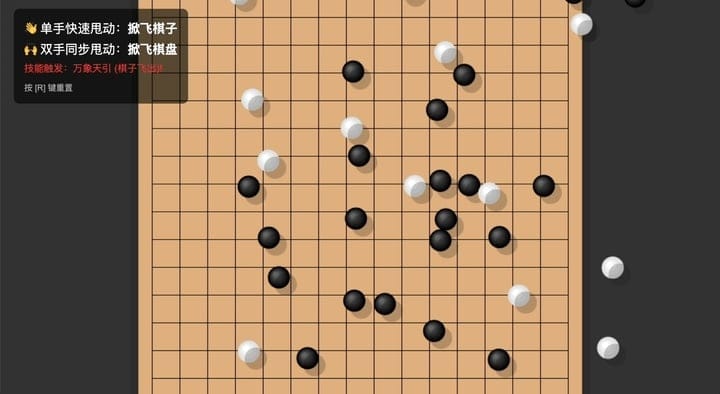
> Create a gesture-interactive mini-game “Skill Gomoku”: The main view is a Gomoku board with pieces already placed. When the user makes a “one-hand fling” gesture, the piece flies off the board in that direction. When the user makes a “two-hand fling” gesture, the board moves in the fling’s direction.
Gemini adds physics, vectors, and gesture thresholds on its own.
---
## Project 5: Rhythm Music Game
Combining all skills into a gesture-controlled rhythm game.
### Prompt Example
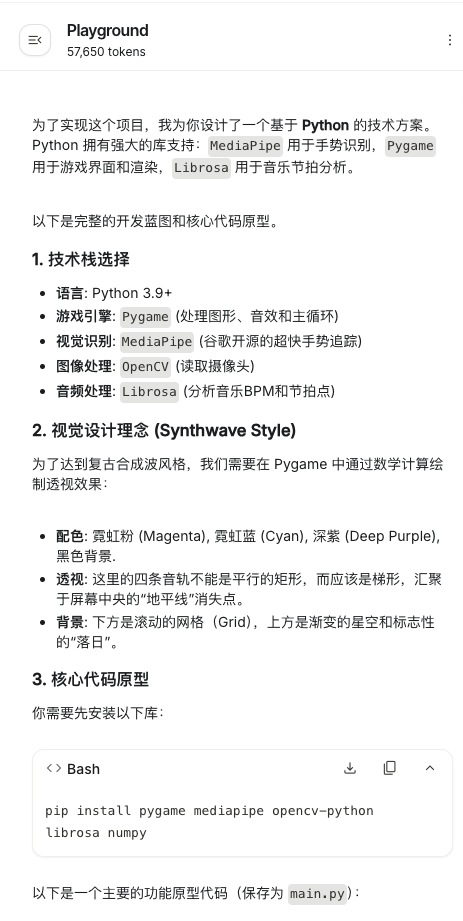
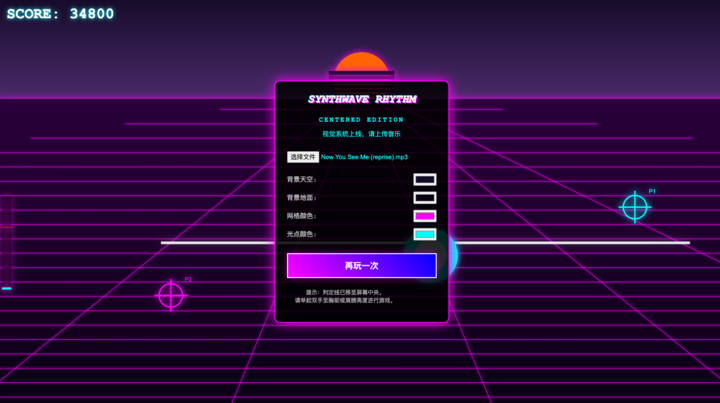
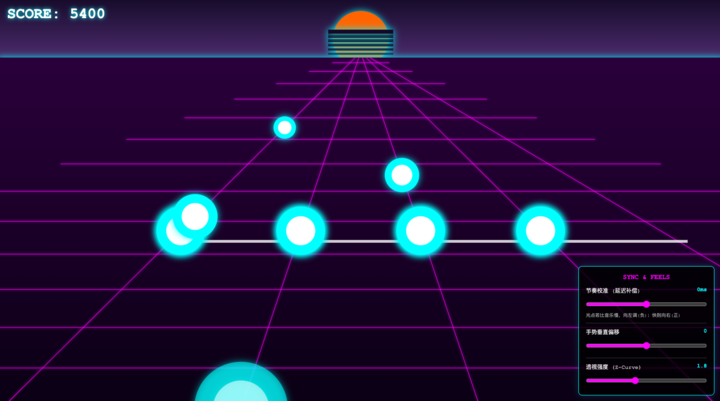
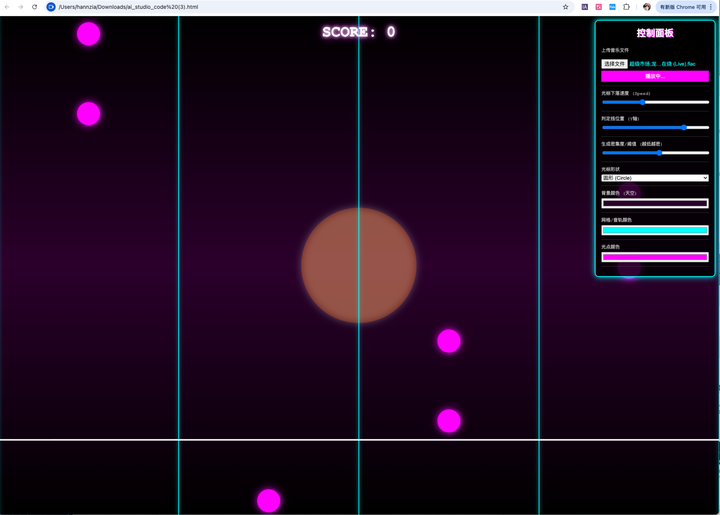
> Make a gesture-controlled music game. The main interface has four audio tracks. After the user uploads a music file, light points appear on the tracks in sync with the beat. The user must hit each light point precisely with gestures. The background should be in retro Synthwave style. Allow customization of background, track, and light point colors.
Gemini used:
- **Pygame** (game engine)
- **MediaPipe** (gesture tracking)
- **Librosa** (beat detection)
---
### Debugging Issues
1. Only one hand recognized — fixed in later versions.
2. Music upload bug — fixed in later versions.
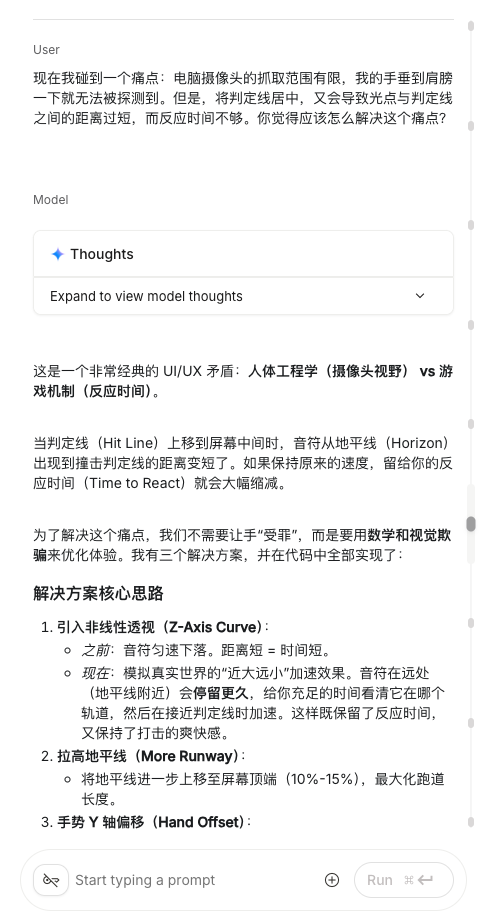
3. Judgment line too close to screen edge — solved with Gemini’s suggestion:
- **Move line** or add **custom slider** to adjust offset.
4. Light point rhythm mismatch — added delay slider for fine-tuning.

---
## Tips for Working with Gemini
- **Roll the dice:** Every prompt run can produce varied results.
- **Severe bugs:** Instead of endless vibe coding, start a **new project** so AI can rebuild logic holistically.
- **Code literacy:** Improves efficiency and precision in fixing bugs.
---
## The Bigger Picture
Before AI, gesture-based interactive applications demanded tools like *TouchDesigner* — plus patience and technical skill.
**Now:**
Even **absolute beginners** can create applications quickly.
The remaining challenge? **Aesthetic design.**
Gemini’s coding skills outpace its design taste — you’ll need to refine layout, color, and style yourself.
---
## Monetizing Your Creations
With platforms like **[AiToEarn](https://aitoearn.ai/)**, creators can:
- Generate with AI
- Publish interactively across Douyin, Kwai, WeChat, Bilibili, Rednote, Facebook, Instagram, LinkedIn, Threads, YouTube, Pinterest, X (Twitter)
- Access analytics & AI model rankings ([AI模型排名](https://rank.aitoearn.ai))
Explore:
- [AiToEarn官网](https://aitoearn.ai/)
- [AiToEarn开源地址](https://github.com/yikart/AiToEarn)
- [全网热门内容](https://hotinfo.aitoearn.ai)
- [AiToEarn博客](https://blog.aitoearn.ai)
---
**Bottom line:** Combine Gemini’s gesture recognition & coding skill with your own visual creativity, and you can build sci-fi, cinematic experiences — then share and monetize them globally.