
VS Code Tutorial for Using the Domestic Large Model MiniMax M2

1. Introduction
Last week, I published a tutorial on Connecting Claude Code to a Chinese Domestic AI Model.
A reader then asked: Why didn’t you use VS Code?
Good question. Since I’m used to working in the command line, I hadn’t considered VS Code.
Today, I’ll address that gap and show you how to use Claude Code inside VS Code — without any plugins.

Claude Code is, in many cases, more convenient than typical plugins. If you can skip plugins and use it directly in VS Code, it’s worth trying.
As before, I’m connecting Claude Code to a domestic AI model — in this case, MiniMax M2.
This model delivers solid quality and happens to be running a promotional event this week.
---
2. The Evaluation Task
This time’s evaluation task is fun — I personally enjoyed it.
It originated with a foreign programmer and went viral overseas. He asked nine well-known AI models to generate animated web clocks, then shared them on AI Clock.
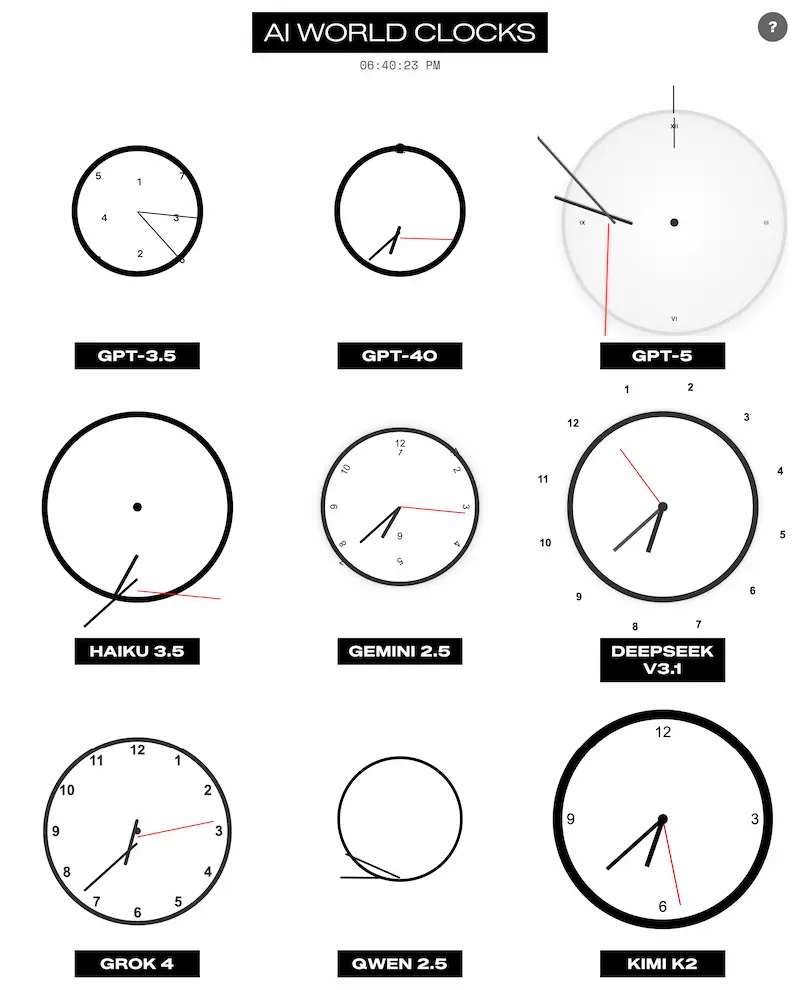
The challenge seems simple, but most models produced unsatisfactory results.
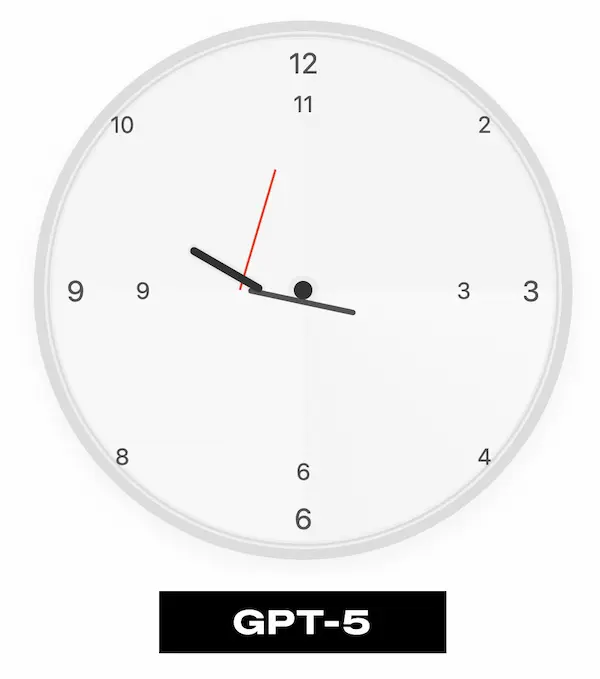
For instance, here’s a clock from OpenAI’s GPT-5 — not particularly inspiring:
Prompt used:
> Create HTML/CSS of an analog clock showing ${time}. Include numbers (or numerals) if you wish, and have a CSS animated second hand. Make it responsive and use a white background. Return ONLY the HTML/CSS code with no markdown formatting.
Chinese translation:
> 创建一个显示 ${time} 的模拟时钟 HTML/CSS 代码。可以选择包含数字,并添加以 CSS 实现的秒针动画。要求响应式布局,背景为白色。返回 仅有 HTML/CSS 代码,不包含 Markdown 格式。
I used the exact prompt above to test MiniMax M2.
---
3. VS Code vs Claude Code — Different Strengths
Before diving in, it’s important to recognize that VS Code and Claude Code are fundamentally different:
- VS Code: An IDE for interactive development.
- Claude Code: A command-line tool for AI-assisted workflows.
Key Differences:
- IDE strengths: Intellisense, auto-completion.
- CLI strengths: Automation, system utility integration, parallel tasks.
Conclusion: They complement each other.
Our method today combines IDE and CLI workflows for maximum flexibility.
---
4. Why MiniMax M2?
MiniMax M2 was released October 27 and is widely rated as one of the top domestic open-source programming models.
On OpenRouter, it’s the most-used Chinese model by token count.
I previously published a review — my conclusion:
Its programming output exceeded expectations.
Aside from AI programming, models like MiniMax M2 can be integrated into scalable workflows for content generation and automation. Open-source solutions like AiToEarn complement this by enabling creators to:
- Publish AI-generated content across multiple platforms (Douyin, Kwai, WeChat, Bilibili, Rednote, Facebook, Instagram, LinkedIn, Threads, YouTube, Pinterest, X/Twitter).
- Track performance via AI model rankings.
- Monetize AI creativity efficiently.
---
Pricing Update
Previously, MiniMax M2 was pay-per-API-call only, discouraging heavy usage.
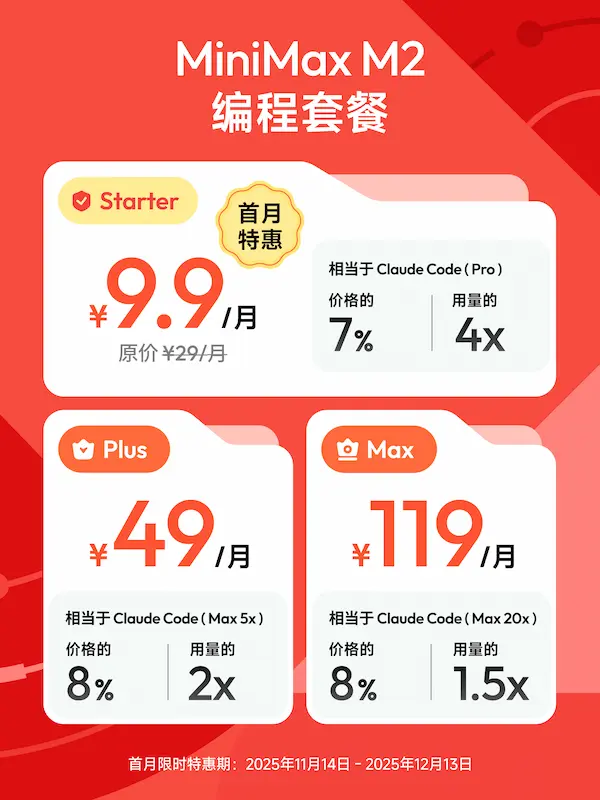
Last weekend, it launched the Coding Plan Monthly Subscription:
- Promo tier: ¥9.9 first month, ¥29/month thereafter.
- Three tiers for varying usage.
Advantages
- Excellent compatibility — integrates smoothly with third-party tools like Claude Code and VS Code.
- See official docs for examples.
- Fast responses — API servers in China respond in tens of milliseconds; token generation exceeds 100 TPS.
---
5. Preparation: Connect MiniMax M2 to Claude Code
Follow my previous tutorial to connect MiniMax M2.
Quick summary:
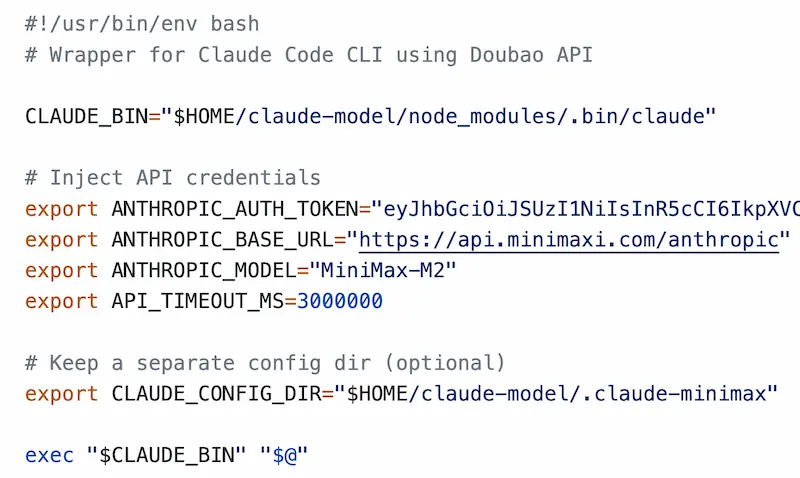
- Create a script `claude-minimax`
- Fill in API params from MiniMax docs.
Test your setup:
$ claude-minimax --version---
6. Using Claude Code in VS Code — Web Clock Project
Step 1: Create Project Directory
$ mkdir ai-clockOpen this folder in VS Code as your workspace.
Step 2: Launch Claude Code in Terminal
Go to Terminal → New Terminal in VS Code and run:
$ claude-minimaxGrant permission and you’ll see the CLI interface:
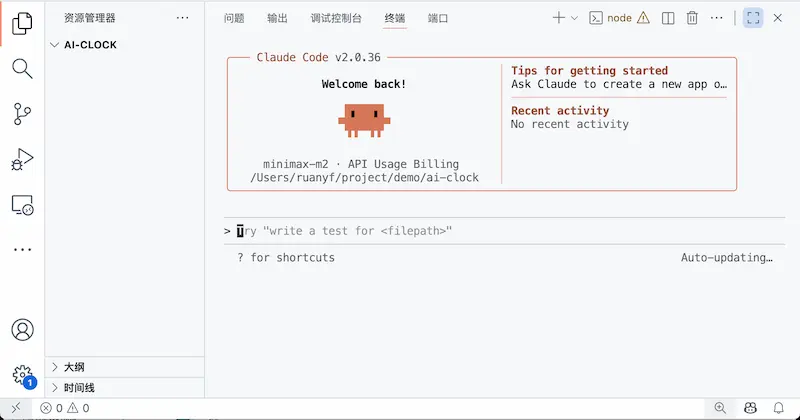
Now you’re using Claude Code directly inside VS Code.
Step 3: Initialize Project Context
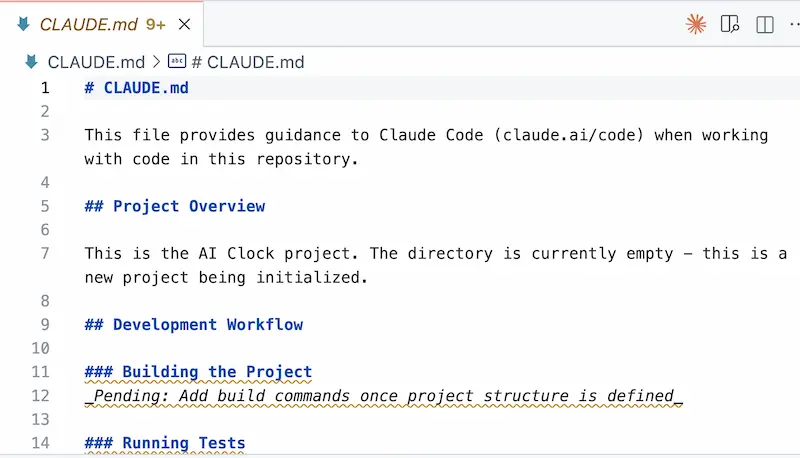
In the Claude Code prompt:
/initThis creates a `CLAUDE.md` file (stores AI conversations and analysis):
Tips:
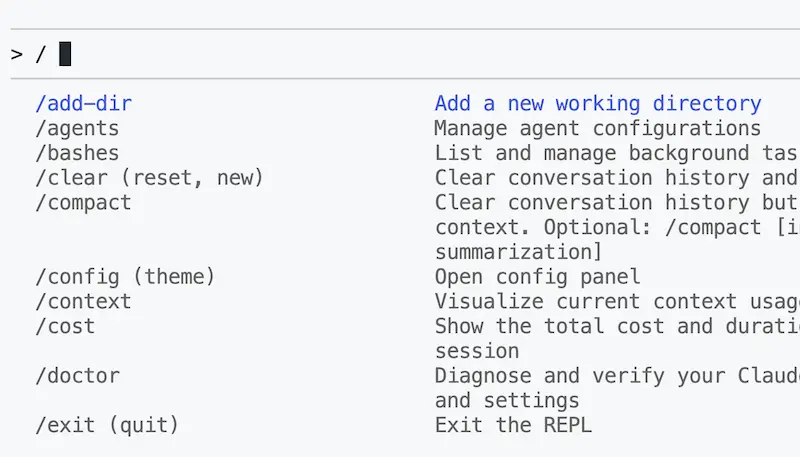
- For existing repos, `CLAUDE.md` includes detailed AI-generated repo analysis.
- Use `\` in the prompt to list available commands:
Step 4: Run the Web Clock Prompt
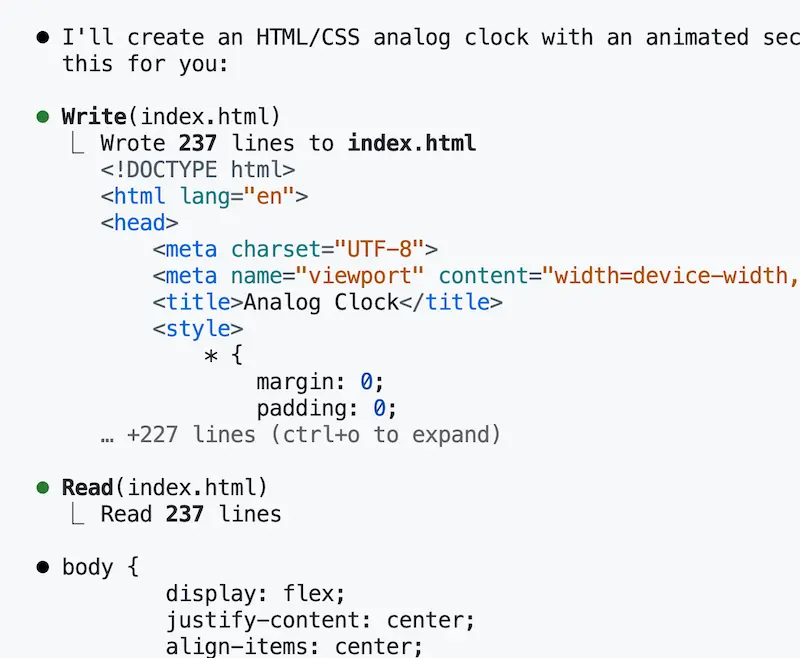
Enter the earlier clock prompt in the CLI input box to generate HTML/CSS.

Result:
MiniMax M2 generated the code within a minute and saved to `index.html`:
Open in a browser to see:

---
If you don’t have Claude Code:
- Run the prompt on MiniMax’s official website.
- Or view full code here.
---
7. Evaluation and Recommendation
The quality and responsiveness of MiniMax M2 in this task was impressive.
Given the current promotional pricing, it’s highly cost-effective for hands-on trials.
Promo Poster:
---
Final Note
For developers seeking to extend AI-assisted coding into multi-platform publishing and monetization, explore AiToEarn 官网.
It’s an open-source global AI content monetization platform that:
- Publishes content across Douyin, Kwai, WeChat, Bilibili, Rednote (Xiaohongshu), Facebook, Instagram, LinkedIn, Threads, YouTube, Pinterest, X/Twitter.
- Integrates generation, analytics, and ranking into one workflow.
- Enables efficient monetization of creative output.
---
Would you like me to add a quick-start checklist table summarizing the VS Code + Claude Code setup? That could make this tutorial even easier to follow.


